

Retoo OBD2 Bluetooth Diagnosegerät, ELM327, Scanner Code für Auto Diagnose, Adapter Stecker für Android, Windows, Auto Code Leser, USB Scanner, OBDII KFZ Diagnose Scanner Tool
Retoo OBD2 Bluetooth Diagnosegerät, ELM327, Scanner Code für Auto Diagnose, Adapter Stecker für Android, Windows, Auto Code Leser, USB Scanner, OBDII KFZ Diagnose Scanner Tool
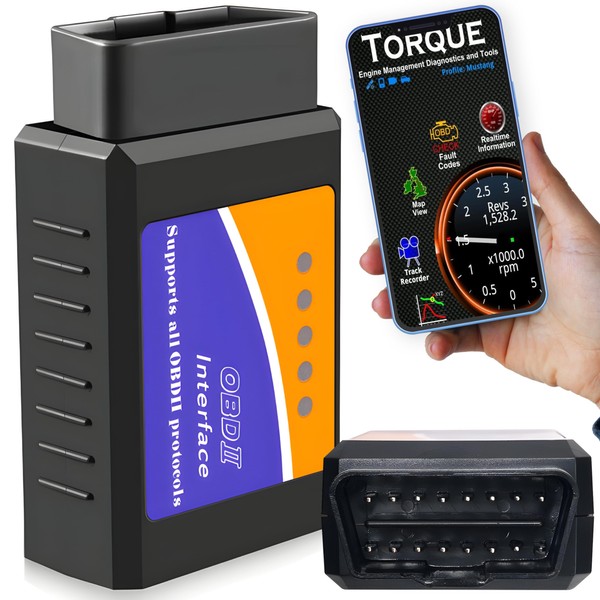



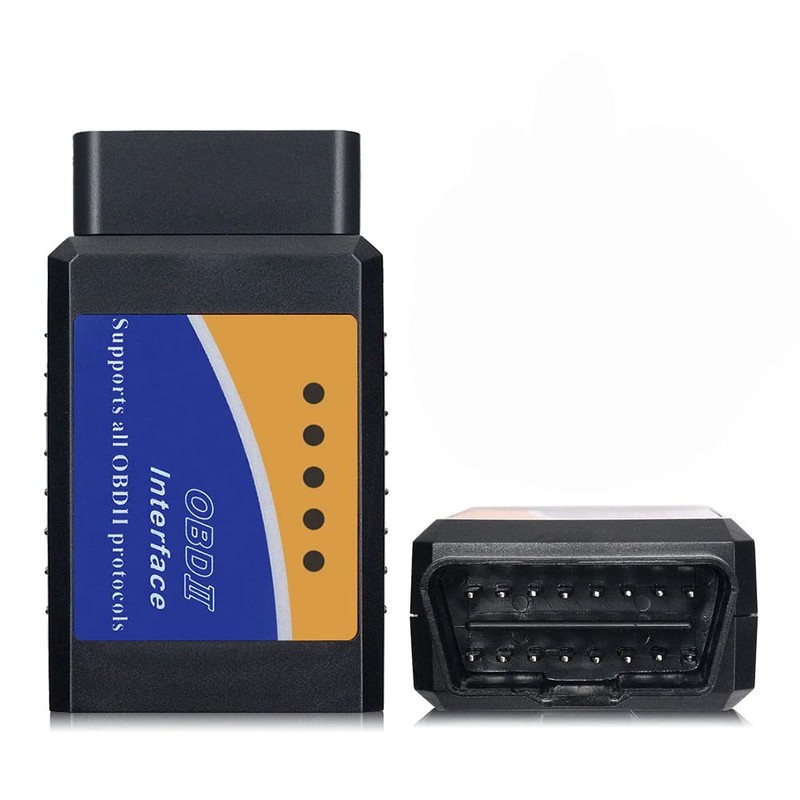





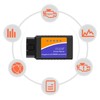
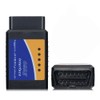

Retoo OBD2 Bluetooth Diagnosegerät, ELM327, Scanner Code für Auto Diagnose, Adapter Stecker für Android, Windows, Auto Code Leser, USB Scanner, OBDII KFZ Diagnose Scanner Tool
Product Overview
- Benutzerhandbuch - Verbinden Sie das Interface mit dem OBD-Stecker und drehen Sie den Schlüssel in die Zündposition (ohne den Motor zu starten). Aktivieren Sie Bluetooth am Telefon und suchen Sie in der Liste nach „OBDII“ (geben Sie die Standard-PIN 0000 oder 1234 ein). Laden Sie die OBD-Diagnoseanwendung (z. B. Car Scanner) herunter. Stellen Sie sicher, dass in der Anwendung standardmäßig die Schnittstelle „OBDII“ ausgewählt ist. Auf dem Startbildschirm auf „Verbinden“ drücken und fertig.
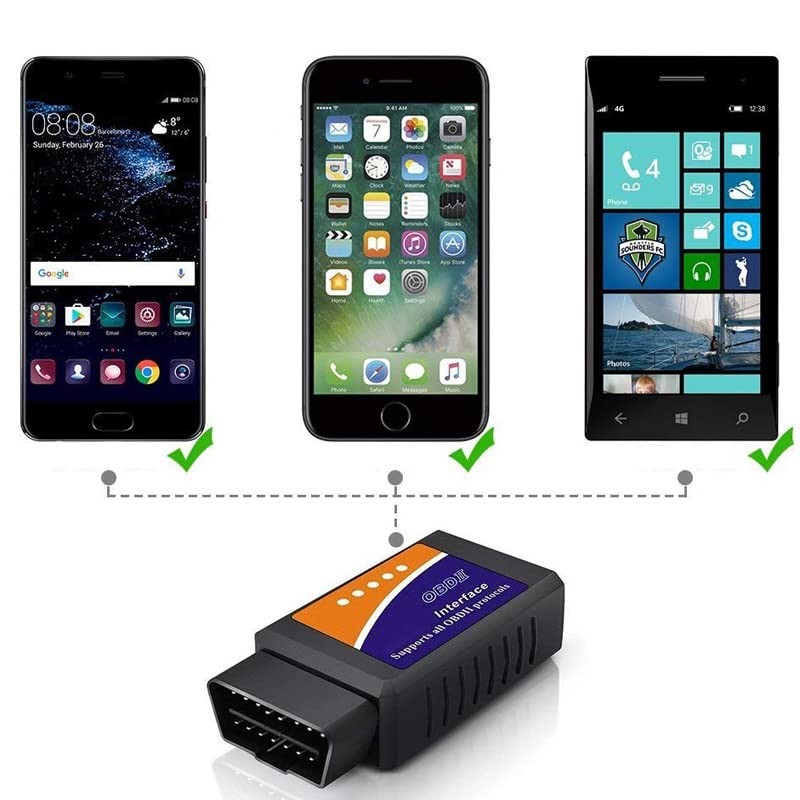
- Kompatibel – die Diagnostikschnittstelle OBD2 ELM 327 ist kompatibel sowohl mit dem Computer als auch mit elektronischen Geräten wie das Smartphone oder das Tablet. Für ihre Betätigung erforderlich ist nur beliebiges Gerät mit der Bedienung des kabellosen Fernmeldewesens Bluetooth mit dem System Android, Symbian, Windows, Windows Mobile und auch der Stecker OBD2 im Wagen. Dank unkomplizierten Anforderungen des Anschlusses des Geräts, ist es nützlich bei der Bedienung der Mehrheit der Wägen.
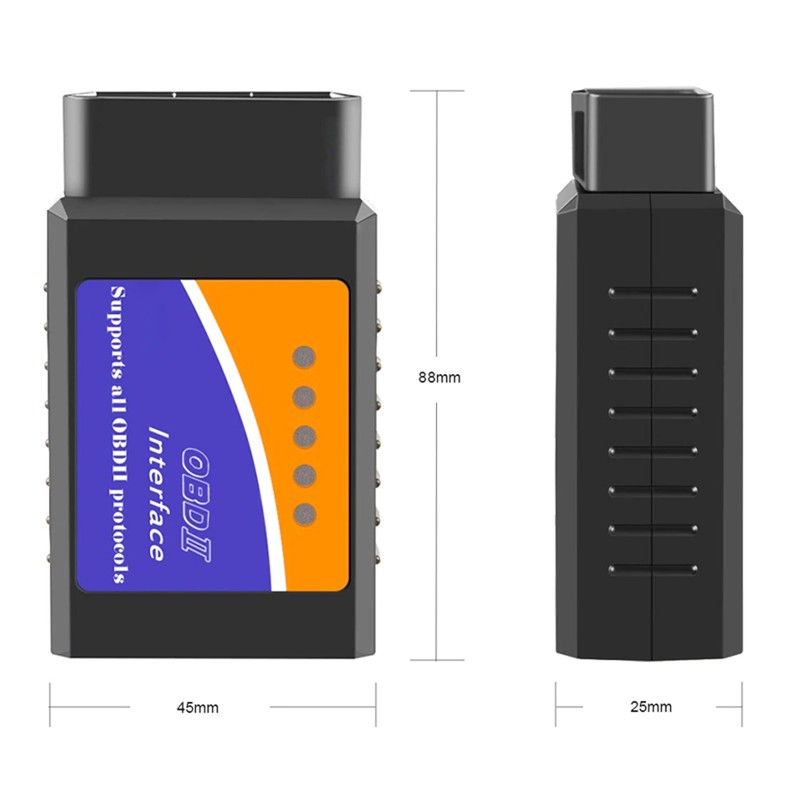
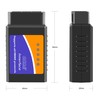
- Handlich und praktisch – das Gerät zur Diagnostik nicht große Dimensionen und dadurch ist es griffiges Autozubehör, für das es ausreichenden Platz in jeder Tasche gibt. Dank den Dimensionen von 78mm x 45mm x 25mm können Sie es überall, sogar in die Fernreise mitnehmen, wenn jeder Platz im Kofferraum zählt. Es ist wert, es immer zur Hand zu haben, um im Fall des Mangels im Wagen schnell und wirksam das Problem zu diagnostizieren und sein Gewicht zu bewerten.
- Professionell und präzise – diagnostisches Testgerät wird die Prüfung aller Systeme im Wagen, einschließlich unter anderem der Elektronik, verschiedener Arten der Schaltungen, der Klimaanlage usw. ermöglichen. Es eignet sich sowohl in der Arbeit der Profis als auch der Amateure. Es charakterisiert sich durch die Präzision und den Professionalismus der Wirkung bei der Diagnose vieler Autosysteme und Automodule.
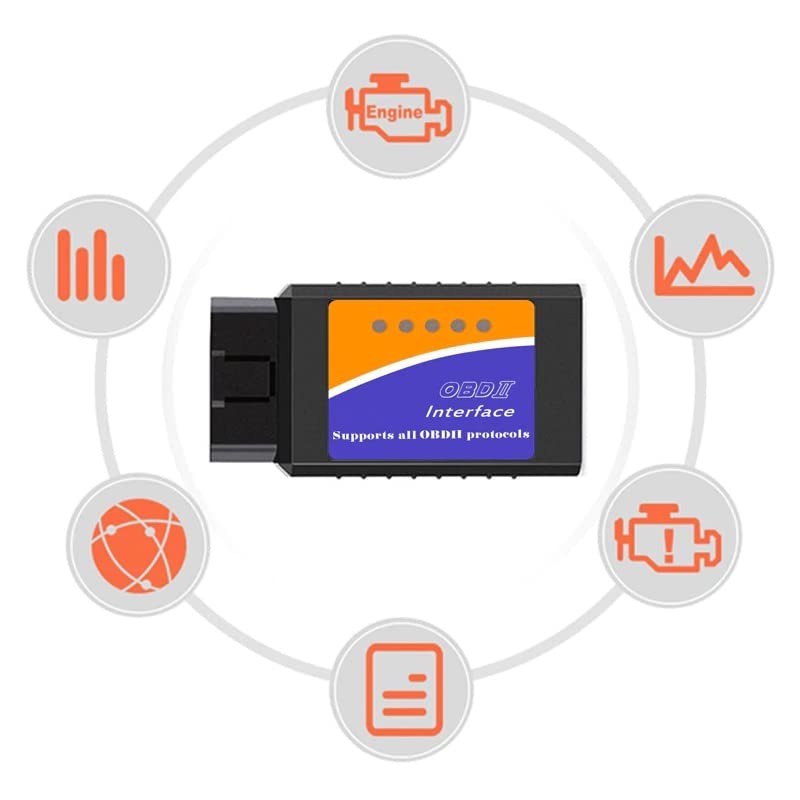
- Multifunktional – die Diagnostikschnittstelle OBD2 ELM 327 dient zur Prüfung vieler Autosysteme, einschließlich unter anderem der Elektronik des Motors, der Diesel-Pumpe oder des Schiebedachs, der Bremsensysteme, automatischer Gangschaltung, des Luftansaugsystems, des Armaturenbretts, der Wegfahrsperre, des Moduls des Komforts, elektrischer Scheiben oder der Klimaanlage. Die Mehrzweckigkeit der Schnittstelle macht sie außergewöhnlich universelles Gerät zur Diagnostik des Autos.
| Brand: | Retoo |
|---|---|
| Size: | 3 x 9 x 4.6 cm |
| Color: | Schwarz |
| Manufacturer: | Retoo |
| Part Number: | 1TY5RVW |
| Material Type: | Kunststoff |
| Isin: | IYBBPCAIJG4X |
Out of Stock
In Stock
Backordered
Out of Stock


IBspot Buyer Protection
Shop confidently on IBspot, receive your item as described or your money back for eligible orders. Learn Program Terms
Product Overview
- Benutzerhandbuch - Verbinden Sie das Interface mit dem OBD-Stecker und drehen Sie den Schlüssel in die Zündposition (ohne den Motor zu starten). Aktivieren Sie Bluetooth am Telefon und suchen Sie in der Liste nach „OBDII“ (geben Sie die Standard-PIN 0000 oder 1234 ein). Laden Sie die OBD-Diagnoseanwendung (z. B. Car Scanner) herunter. Stellen Sie sicher, dass in der Anwendung standardmäßig die Schnittstelle „OBDII“ ausgewählt ist. Auf dem Startbildschirm auf „Verbinden“ drücken und fertig.
- Kompatibel – die Diagnostikschnittstelle OBD2 ELM 327 ist kompatibel sowohl mit dem Computer als auch mit elektronischen Geräten wie das Smartphone oder das Tablet. Für ihre Betätigung erforderlich ist nur beliebiges Gerät mit der Bedienung des kabellosen Fernmeldewesens Bluetooth mit dem System Android, Symbian, Windows, Windows Mobile und auch der Stecker OBD2 im Wagen. Dank unkomplizierten Anforderungen des Anschlusses des Geräts, ist es nützlich bei der Bedienung der Mehrheit der Wägen.
- Handlich und praktisch – das Gerät zur Diagnostik nicht große Dimensionen und dadurch ist es griffiges Autozubehör, für das es ausreichenden Platz in jeder Tasche gibt. Dank den Dimensionen von 78mm x 45mm x 25mm können Sie es überall, sogar in die Fernreise mitnehmen, wenn jeder Platz im Kofferraum zählt. Es ist wert, es immer zur Hand zu haben, um im Fall des Mangels im Wagen schnell und wirksam das Problem zu diagnostizieren und sein Gewicht zu bewerten.
- Professionell und präzise – diagnostisches Testgerät wird die Prüfung aller Systeme im Wagen, einschließlich unter anderem der Elektronik, verschiedener Arten der Schaltungen, der Klimaanlage usw. ermöglichen. Es eignet sich sowohl in der Arbeit der Profis als auch der Amateure. Es charakterisiert sich durch die Präzision und den Professionalismus der Wirkung bei der Diagnose vieler Autosysteme und Automodule.
- Multifunktional – die Diagnostikschnittstelle OBD2 ELM 327 dient zur Prüfung vieler Autosysteme, einschließlich unter anderem der Elektronik des Motors, der Diesel-Pumpe oder des Schiebedachs, der Bremsensysteme, automatischer Gangschaltung, des Luftansaugsystems, des Armaturenbretts, der Wegfahrsperre, des Moduls des Komforts, elektrischer Scheiben oder der Klimaanlage. Die Mehrzweckigkeit der Schnittstelle macht sie außergewöhnlich universelles Gerät zur Diagnostik des Autos.
| Brand: | Retoo |
|---|---|
| Size: | 3 x 9 x 4.6 cm |
| Color: | Schwarz |
| Manufacturer: | Retoo |
| Part Number: | 1TY5RVW |
| Material Type: | Kunststoff |
| Isin: | IYBBPCAIJG4X |
Benutzerhandbuch
- Um Fehler auszulesen oder Parameter des angeschlossenen Fahrzeugs zu ändern, gehen Sie wie folgt vor. Zum Beispiel werden wir ein Android-Smartphone verwenden.
- Verbinden Sie zunächst das Interface mit dem OBD-Anschluss des zu diagnostizierenden Fahrzeugs (überprüfen Sie die Lage des Anschlusses in Ihrem Fahrzeug im Internet, da sich die Lage je nach Marke und Modell unterscheidet). Starten Sie die Zündung in Ihrem Fahrzeug und das Bluetooth-System auf Ihrem Telefon und aktualisieren Sie dann die Liste der BT-Geräte in der Nähe.
- "OBDII" sollte in der Liste erscheinen (manchmal zeigt die Schnittstelle zwei Elemente an, eines davon ist Service und funktioniert nicht - dann verbinden Sie sich mit dem anderen).
- Während der Verbindung wird eine Meldung zur Eingabe des PIN-Codes angezeigt - geben Sie 1234 ein und drücken Sie OK.
- Das Telefon sollte sich mit der Diagnoseschnittstelle verbinden.
- Laden Sie die Car Scanner-Anwendung (oder eine andere Anwendung zur Verwaltung des OBD-Systems) aus dem Play Store herunter und gehen Sie die Konfiguration durch. Achten Sie darauf, dass in den Einstellungen im Punkt „Gerätename“ die Schnittstelle „OBDII“ ausgewählt ist.
- Drücken Sie nun die Schaltfläche „Verbinden“ auf dem Hauptbildschirm – die Schnittstelle sollte sich mit Ihrem Programm verbinden, jetzt können Sie Fehler lesen und löschen und die erweiterten Statistiken Ihres Fahrzeugs überprüfen.
Technische Spezifikationen
- Abmessungen: 88 mm x 45 mm x 25 mm
- System: PIC18F2480
- Stecker: 16 Pins
- Bluetooth-Modul: 2.0
Satz enthält
- OBD2 ELM 327 Diagnosetester,
- Bedienungsanleitung in Deutsch,
- Paket.
Processing Time
- We process and ship orders Monday through Friday, excluding holidays.
- Most orders are processed within 1–3 business days, depending on product availability.
- Processing time does not include delivery time, which varies based on your location and the product’s shipping origin.
Shipping Coverage
We currently ship to addresses within the United States only.
Products may ship from:
- Our U.S. warehouses, or
- Our international fulfillment centers (including Korea, Japan, China, Australia, Mexico, Canada, the United Kingdom, and the EU).
Each product page clearly displays the “Ships From” location before checkout.
Shipping Methods & Estimated Delivery
| Shipping Method | Estimated Delivery | Cost |
|---|---|---|
| Free Shipping (US) | 5–10 business days | Free, available on eligible items |
| Standard Shipping (US to US by Item) | 5–10 business days | $5.95 for the first item, $3.00 each additional |
| Standard Shipping (From US Warehouse by Weight) | 3–7 business days | Starts at $5.95, increasing by $2 for every additional 4 oz (0.25 lb) up to 1 lb, then by $4 for each additional pound beyond 1 lb. |
| Extended Delivery (Ships from Overseas Warehouse) | 10–20 business days | $14.50 for the first item, $2.00 each additional |
Shipping costs vary by product weight, quantity and origin. Exact rates and delivery estimates are displayed on each product page and confirmed during checkout.
Free Shipping
We offer free standard shipping on select products or during promotional periods. Availability of free shipping will be displayed on the product page and at checkout.
Carriers
We primarily use USPS and UPS for U.S. deliveries. Items shipped from international warehouses may be handled by partner carriers depending on the country of origin.
Import Duties & Taxes
All import duties and taxes for goods imported into the United States are included in the product price. There are no hidden fees or additional charges at checkout.
Tracking & Notifications
Every order is fully trackable. You will receive a tracking number via email once your order ships. If your order ships in multiple packages, each package will have its own tracking number. If you don’t receive a shipping confirmation immediately, your order is still being processed and will arrive within the estimated timeframe shown at checkout.
You can track your shipment anytime using the Track Your Order page on our website.
Order Changes & Cancellations
If you need to modify or cancel an order, please contact our customer support team as soon as possible. Orders can only be canceled before they ship. Once shipped, cancellations are not possible, but you may request a return after the item is delivered.
Contact: support@ibspot.com
Item Not Received
If your tracking number shows “Delivered” but you haven’t received your package:
- Check with your local USPS or UPS office.
- Confirm that the shipping address provided was correct.
- If the issue remains unresolved, contact support@ibspot.com for assistance.
Damaged or Lost Parcels
If your package arrives damaged or fails to arrive, please contact us immediately. For deliveries to P.O. boxes, ibspot is not responsible for damage caused by weather, temperature, or theft.
Customer Support
For any questions about shipping, tracking, or delivery, our customer support team is here to help.
Email: support@ibspot.com
We’re always happy to help.
Please read our policy carefully before making a purchase.
We aim to ensure every customer has a smooth and transparent experience with ibspot.com.
Order Cancellation Policy
Customers may request to cancel an order before it has been shipped.
Once the package has been shipped, cancellations are no longer possible; however, you may still request a return after receiving your order.
How to Request a Cancellation
You can contact us through:
- Email: support@ibspot.com
- Contact Form: Submit a request through our Contact Us page
Please submit your cancellation request as soon as possible after placing the order to allow us to process it before shipment.
Return Policy
We accept returns for most items within 30 days of delivery for a full refund.
To be eligible for a return:
- The item must be unused, in the same condition as received, and in its original packaging.
- A tracking number must be provided to confirm the return shipment.
Non-Returnable Items
Certain products cannot be returned, including:
- Perishable goods (for example, food, flowers, newspapers, magazines)
- Intimate or sanitary goods
- Hazardous materials or flammable liquids/gases
- Gift cards
- Downloadable software
- Some health and personal care items
Partial Refunds (If Applicable)
Partial refunds may be granted in specific situations, such as:
- Books with obvious signs of use
- Opened CDs, DVDs, software, or vinyl records
- Items not in their original condition, damaged, or missing parts not due to our error
- Items returned more than 30 days after delivery
How to Return an Item
To initiate a return, please contact us at support@ibspot.com with your order number and details about the product you wish to return.
Our team will provide you with return instructions and a prepaid return label.
Shipping Cost for Returns
Please contact us before returning any item.
We will provide a free return shipping label.
If a return is sent back without prior contact or without our provided label, we cannot be held responsible for return shipping costs.
For items valued over $75, we recommend using a trackable shipping service or purchasing shipping insurance.
We cannot guarantee that we will receive your returned item if shipped independently.
Refund Processing
Once your return is received and inspected:
- In-store returns are refunded to the original form of payment or issued as a gift card.
- Mail-in returns using our prepaid label are refunded to the original payment method within 3–5 business days after we receive your return.
Please allow:
- 5–7 business days for the return to reach our Returns Center.
- An additional 3–10 business days for your bank to post the refund to your account.
Damages, Issues & Claims
Please inspect your order immediately upon receipt.
If you receive a defective, damaged, or incorrect item, contact us right away at support@ibspot.com.
We’ll evaluate the issue promptly and make it right.
Product Claims
Before purchasing, please review product details carefully.
If there is a problem with your order upon arrival, visit our Support Center or contact us directly to arrange return shipping or replacement.
Exchanges
We do not process direct exchanges.
The fastest way to get what you need is to return the original item and place a new order once your return is accepted.
Return Address
IBSPOT Return Center
15 Sawmill Ln
Dover Plains, NY 12522
United States
Customer Support
Our support team is available 24/7 to assist with cancellations, returns, or general inquiries.
Email: support@ibspot.com
Contact Form: Contact Us page
Oops!
Sorry, it looks like some products are not available in selected quantity.