

IOTWE Smart Android 13 TV Box 4 GB 128 GB 6K 8K HD 5G WiFi Bluetooth Stream Player NEW - 4 GB+128 GB-Android13 6K
IOTWE Smart Android 13 TV Box 4 GB 128 GB 6K 8K HD 5G WiFi Bluetooth Stream Player NEW - 4 GB+128 GB-Android13 6K


IOTWE Smart Android 13 TV Box 4 GB 128 GB 6K 8K HD 5G WiFi Bluetooth Stream Player NEW - 4 GB+128 GB-Android13 6K
|
|
【Android 13.0 & H618】 The Android TV box, equipped with Android 13.0, guarantees a stable and seamless loading of films, images, and games without any buffering. It offers an enhanced performance and usability, presenting a smooth and steady interface. Powered by the robust Allwinner H618 quad-core processor and advanced image processing technology, you can relish an extraordinary experience with rapid operation speed and professional-grade image quality. 【4GB RAM 32/64/128GB ROM】 The Android 13.0 TV Box delivers remarkable performance, furnished with 32/64/128GB ROM. This not only ensures the seamless operation of the system but also enables a swifter running speed, free from buffering or crashes. There is ample storage space available for various applications, games, and other content. Moreover, the micro SD card slot allows for storage expansion, ensuring that you will never face a shortage of storage space.【5G Wi-Fi 6 & Bluetooth 5.0】 The state-of-the-art smart TV box provides rapid and reliable 5G WiFi 6 connections, boasting a remarkable transfer rate of up to 9.6 Gbit/s. This enables users to relish in seamless streaming experiences and engaging gaming sessions with ease. In addition, it is equipped with HDMI 2.0, a 10/100M Ethernet LAN port, and Bluetooth 5.0, presenting a wide array of versatile connectivity alternatives and enhancing the quality of wireless audio transmission for a more immersive audiovisual encounter. 【6K HD & H.265】 The TV box is engineered to support the playback of all prevalent audio and video formats, affording you the pleasure of indulging in 6K HD videos that possess a far sharper resolution compared to 4K. Immerse yourself in a vast array of thousands of Android games on an expansive 6K screen, savoring a fluid gaming experience with minimal buffering. Additionally, the Android 13.0 TV box extends 3D support, thereby creating a truly captivating and impressive visual extravaganza. (*Please note: The full utilization of 6K and 3D features is contingent upon the use of compatible devices.) 【Comfort and convenience】 The T95 Pro presents an ideal solution for individuals who either lack a Smart TV or are reluctant to make a significant investment in an expensive television. Seamlessly connect your smartphone wirelessly to the TV and relish images and sound on the expansive big screen. Powered by the Android 13.0 TV box, you can effortlessly navigate a web browser, engage with social network applications, play music, stream videos, view photos, and perform a multitude of other functions. Transform your ordinary TV into a multifaceted and highly versatile entertainment hub with the remarkable T95 Pro. |
|
• The T95 Pro emerges as an optimal choice for those who are devoid of a Smart TV BOX or have an aversion to splurging on a costly television set. It enables you to wirelessly couple your smartphone with the TV, thereby allowing you to luxuriate in vivid images and immersive sound on the capacious large screen. Thanks to the Android 13.0 TV box, you can fluidly operate a web browser, interact with social network apps, stream music and videos, peruse photos, and engage in a plethora of other activities. With the T95 Pro, you can metamorphose your mundane TV into a comprehensive and highly adaptable entertainment nexus. |
|
|
|
• The Android 13.0 TV Box is outfitted with the robust Allwinner H618 quad-core Cortex-A53 CPU chip, which guarantees seamless and lag-free operation. Boasting 16/32/64/128 GB of ROM, the T95 Pro Smart TV Box affords copious storage space for your various applications and content. In the event that this capacity still falls short of your requirements, you have the option to expand the storage space up to a maximum of 64GB (*SD card not provided). Revel in the pleasure of downloading and playing high-definition videos and engaging games with the abundant ROM storage at your disposal. |
|
• The Android 13.0 TV Box is engineered to support 2.4G/5G WiFi 6 and BT 5.0, thereby enhancing the user experience when paired with mini keyboards and headphones. With the adoption of WiFi 6, a significant advantage is reaped as it permits an augmented number of up to 12 concurrent streams within both the 2.4 and 5 GHz frequency bands, in contrast to the mere 8 streams that WiFi 5 could manage in a dual-band setup. Indulge in a rapid and top-notch WiFi 6 signal, which bestows upon you an elevated quality during web browsing, gaming escapades, application executions, and movie viewings. |
|
|
|
• The T95 Android TV Box empowers users with the ability to decode and play back nearly all prevalent audio and video formats. Immerse yourself in the vividness of crisp 6K HD videos, which flaunt a resolution that surpasses even that of 4K. Engage in playing thousands of Android games on a generously sized 6K screen, and relish a top-notch experience with negligible buffering. Moreover, this remarkable TV box extends support for 3D playback, presenting you with a sumptuous visual extravaganza. (*Kindly note that for a seamless 6K and 3D experience, your other associated devices must also possess corresponding support capabilities.) |
|
|
|
|
|
•The device receives signals via H.265 video decoding, thereby outputting remarkably realistic 6K image quality and promptly restoring every minute detail of the image. It not only endows you with a more seamless HD video experience but also economizes 50% of broadband resources, ensuring an optimal combination of visual excellence and efficient data utilization. |
• The T95 Pro Android 13.0 TV BOX delivers outstanding performance and a diverse range of functionalities, accompanied by an intuitive and user-friendly interface. Simply connect it to your TV or monitor, and you can relish the pleasures of exploring various apps, indulging in movie marathons, engaging in immersive gaming sessions, and so much more. |
|
|
|
• Dating • Music • Games • Match |
|
Question: Can't boot/open for the first time? Answer:Our QC team tested the item in detail before we ship it out, so I believe we can solve the problem together. In this situation, please try the following: 1.here is step how to set up the TV box A. Connect the charger to the TV box and the socket B. Connect the HDMI cable between the TV box and the TV C. Set your TV to HDMI mode. Please check whether you have connected the cables correctly. 2. Check whether a red or blue light is on, or whether there is no light at all and contact me. |
Question:How to solve TV box video blur? Answer: If it happened in some of them, it may be the problem for video quality, it doesn't depend on the box, you can try setting the resolution to max (1080P or more), then check if it works well. Or You can use it in other app. 1.If it happens in the all videos, here is the step: A.If you have a different HDMI cable, could you please try a different HDMI cable? B.Connect the TV with the TV box via Av-Out cable properly (there are different color port. Please check and set correctly), or you can choose to use the HDMI cable to connect it too . C.If the problem is still there, please try to restore factory settings as below: Press Settings - Backup & Reset ---- Factory data reset ----- Reset TV box ---- Erase everything. D.Set the TV box resolution to 1080P, here is the step: Setting--Display--Turn off automatic resolution--Set resolution to 1080P. |
|
|
Question: Problems with WiFi setting or connection? Answer:1. Please try resetting the device: (Setting)-(Backup & Reset)----(Reset factory data)-----(Reset device)----(Delete everything) 2. Please check whether you have successfully connected the device to your WiFi router and whether the signal is strong? If the signal is very weak or it is out of range, then try using it near your wireless router; if it is unable to connect then please check your wireless router setting and also try connecting to another router. 3. Could you please plug your network cable directly into the RJ45 port to see if it can work. |
Question: How can I set the language of the IOTWE TV Box? Answer:1.In this situation, please check the setting /Setting-Language/Language-English/English 2.if it still can't work, please do as follows: A:Press : Setting - Backup & Reset ---- Factory data reset ----- Reset TV box ---- Erase everything (or:Settings--other---more settings-- Backup & Reset ---- Reset factory data ----- Reset TV box ---- Delete everything ) B: and then when you switch on the device for the first time, please select the desired language. 3 You can also type in the apps, and there is an icon like a compass, please click it to change the language. |
|
|
|
【Android 13.0 and H618】 The Android TV box with Android 13.0 ensures stability and smooth loading of films, images and games without buffering. Experience improved performance and usability with a smooth and stable interface. With the powerful RK3528 quad-core processor and advanced image processing technology, you can enjoy an outstanding experience with fast running speed and professional image quality. 【4 GB RAM 32 GB ROM】 Android 13.0 TV Box offers impressive performance with 64GB ROM to ensure smooth operating system and enable faster running speed without buffering or crashes. With enough storage space for apps, games and more. Additionally, you can expand the storage using the micro SD card slot, so you never run out of storage space. 【2.4/5G Wi-Fi 6 and Bluetooth 5.0】 The smart TV box offers a fast and stable 2.4G/5G WiFi 6 connection with transfer rates of up to 9.6 Gbit/s. With the new WIFI6, you can enjoy a fast network with stability and enjoy smooth streaming, gaming, etc. Additionally, it features HDMI 2.0, 10/100M Ethernet LAN and Bluetooth 5.0 for multiple connectivity options and improved wireless audio transmission. 【8K+3D and H.265】 The TV box supports playback of all popular audio and video formats and allows you to enjoy 8K HD videos with clearer resolution than 4K. Experience thousands of Android games on a spacious 8K screen and enjoy a smooth gaming experience with less buffering. In addition, the Android 13.0 TV box also offers 3D support for an impressive visual feast. (*Note: 8K and 3D features also require compatible devices.) 【Comfort and convenience】 The T95 W is the ideal solution for those who don't own a Smart TV or don't want to spend a lot of money on an expensive TV. Connect your smartphone wirelessly to the TV and enjoy images and sound on the big screen. With the Android 13.0 TV box you can use a web browser, use social network apps, play music, videos, photos and much more. Turn your TV into a versatile entertainment hub with the T95 W. |
|
|
|
• The T95 W Smart TV Box with Android 13.0 OS offers you an improved operating system compared to Android 12.0. Enjoy the benefits of a faster, more stable system, improved software compatibility, and a streamlined user interface and experience. Experience better games, applications and overall improved performance with the T95 W Android 13.0 TV Box. |
|
|
|
|
|
• The Android 13.0 TV box is equipped with the powerful quad-core Cortex-A53 CPU chip RK3528, ensuring smooth and lag-free performance. And with 128GB ROM, it offers enough storage space for your apps and content. You can also expand the storage space, with a maximum expansion capacity of 64GB (*excluding SD card). Make sure you have enough storage space to download and play videos and games in crystal clear quality. |
• The TV box powered by Android 13.0 supports 2.4G/5G WiFi 6 and BT 5.0, which makes using a mini keyboard and headphones more convenient. With WiFi 6 you can benefit from up to 12 simultaneous data streams in the 2.4GHz and 5GHz bands, compared to the 8 streams WiFi 5 offers in a dual-band configuration. Use the app and watch movies. All you have to do is plug the network cable into the appropriate socket and you're ready to go. |
• With this Android TV box, you can easily stream a variety of content, including videos, music, games and documents, to your TV screen without complicated cable installation. The connection allows you to realize screen interactions on multiple devices, taking your user experience to a higher level. |
|
|
|
Android TV box with 8K HD resolution. Colors are more vibrant and vivid on the HDR10+ display. Ultra HD picture quality ensures the ultimate viewing experience so you can watch blockbuster movies every day. The Android box supports decoding and displaying all video and audio formats. |
|
|
|
The T95 W Android 13.0 TV BOX offers excellent performance and functionality as well as an easy-to-use, user-friendly interface. Connect it to your TV or monitor and enjoy browsing apps, watching movies, playing games and more. |
|
Question: Cannot boot/open for the first time? Answer: Our QC team has tested the item in detail before we ship it out, so I believe we can solve the problem together. In this situation, please try the following: 1.Here is step how to set up the TV box. A. Connect the charger to the TV box and the power outlet B. Connect the HDMI cable between the TV box and the TV set C. Set your TV to HDMI mode. Please check if you have connected the cables properly. 2. Check if there is a red or blue light on, or no light at all, and report to me. |
Question: How to solve the video blur of the TV box? Answer: Wenn es in einigen von ihnen passiert ist, kann es das Problem für die Videoqualität, ist es nicht auf die Box abhängen, können Sie versuchen, die Auflösung auf max (1080P oder mehr), dann prüfen, ob es gut funktioniert.Oder Sie können es in anderen app.If it happened in some of them, it may be the problem for the video quality, it is not depend on the box, you can try to set the resolution to max (1080P or more), then check if it works well.Or you can set it in other app. 1.If it happens in the all videos, here is the step: A.If you have another HDMI cable, could you please try with another HDMI cable? B.Connect the TV with the TV box via Av-Out cable properly (there are different color port. Please check and put properly), or you can choose to use the HDMI cable to connect it too. C.If the problem is still there, please try to restore the factory settings as below: Press Setting - Backup & Reset ---- Reset Factory Data ----- Reset TV Box ---- Clear All . D.Set the resolution of TV box to 1080P, here is the step: Setting--Display--Turn off automatic resolution--Set resolution to 1080P. |
|
|
Question: Problems with WiFi setting or connection? Answer: 1. please try to reset the device: ( Setting )-( Backup & Reset )---- ( Factory Data Reset )-----( Reset Device )----( Clear All ) 2.Please check if you have successfully connected the device to your wireless router and if the signal is strong? If the signal is very weak or it is out of range, then try to use it near your wireless router; if it is unable to connect, then please check your wireless router setting and also try to connect to another router. 3. Could you please plug your network cable directly into the RJ45 port to see if it can work. |
Question: How can I set the language of the XGODY TV Box? Answer: 1.In this situation, please check the setting /Setting-Language/English. 2.If it still can't work, please do as follows: A:Press : Setting - Backup & Reset ---- Reset Factory Data ----- Reset TV Box ---- Clear All (or:Settings--other--more Settings-- Backup & Reset ---- Factory Data Reset ----- TV Box Reset ---- Clear All ) B: and then when you turn on the power for the first time, please choose the language you want. 3 You can also enter in the apps, and there is an icon like a compass, please click it to change the language. |
| Brand: | IOTWE |
|---|---|
| Isin: | I0URZ386PWF8 |
Out of Stock
In Stock
Backordered
Out of Stock



IBspot Buyer Protection
Shop confidently on IBspot, receive your item as described or your money back for eligible orders. Learn Program Terms
GUARANTEED SAFE CHECKOUT
-

MONEY BACK GUARANTEE
30 days money back guarantee, no additional fee charged.
-

EXCELLENT SUPPORT
We provide 24/7 online customer support via email.
-

Fast Shipping
One week domestic shipping. Global delivery to the US in 2 weeks.
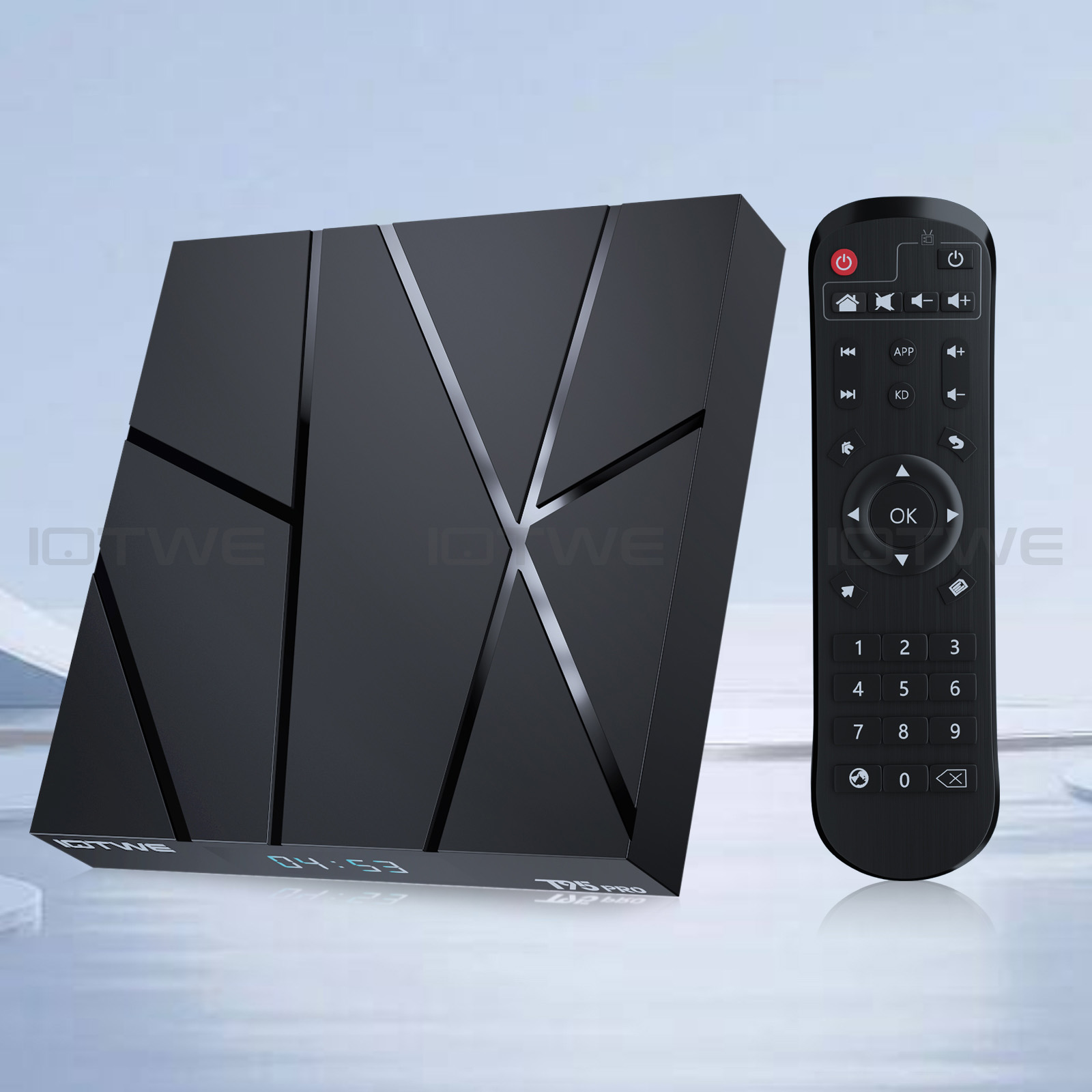 |
【Android 13.0 & H618】 The Android TV box, equipped with Android 13.0, guarantees a stable and seamless loading of films, images, and games without any buffering. It offers an enhanced performance and usability, presenting a smooth and steady interface. Powered by the robust Allwinner H618 quad-core processor and advanced image processing technology, you can relish an extraordinary experience with rapid operation speed and professional-grade image quality. 【4GB RAM 32/64/128GB ROM】 The Android 13.0 TV Box delivers remarkable performance, furnished with 32/64/128GB ROM. This not only ensures the seamless operation of the system but also enables a swifter running speed, free from buffering or crashes. There is ample storage space available for various applications, games, and other content. Moreover, the micro SD card slot allows for storage expansion, ensuring that you will never face a shortage of storage space.【5G Wi-Fi 6 & Bluetooth 5.0】 The state-of-the-art smart TV box provides rapid and reliable 5G WiFi 6 connections, boasting a remarkable transfer rate of up to 9.6 Gbit/s. This enables users to relish in seamless streaming experiences and engaging gaming sessions with ease. In addition, it is equipped with HDMI 2.0, a 10/100M Ethernet LAN port, and Bluetooth 5.0, presenting a wide array of versatile connectivity alternatives and enhancing the quality of wireless audio transmission for a more immersive audiovisual encounter. 【6K HD & H.265】 The TV box is engineered to support the playback of all prevalent audio and video formats, affording you the pleasure of indulging in 6K HD videos that possess a far sharper resolution compared to 4K. Immerse yourself in a vast array of thousands of Android games on an expansive 6K screen, savoring a fluid gaming experience with minimal buffering. Additionally, the Android 13.0 TV box extends 3D support, thereby creating a truly captivating and impressive visual extravaganza. (*Please note: The full utilization of 6K and 3D features is contingent upon the use of compatible devices.) 【Comfort and convenience】 The T95 Pro presents an ideal solution for individuals who either lack a Smart TV or are reluctant to make a significant investment in an expensive television. Seamlessly connect your smartphone wirelessly to the TV and relish images and sound on the expansive big screen. Powered by the Android 13.0 TV box, you can effortlessly navigate a web browser, engage with social network applications, play music, stream videos, view photos, and perform a multitude of other functions. Transform your ordinary TV into a multifaceted and highly versatile entertainment hub with the remarkable T95 Pro. |
|
• The T95 Pro emerges as an optimal choice for those who are devoid of a Smart TV BOX or have an aversion to splurging on a costly television set. It enables you to wirelessly couple your smartphone with the TV, thereby allowing you to luxuriate in vivid images and immersive sound on the capacious large screen. Thanks to the Android 13.0 TV box, you can fluidly operate a web browser, interact with social network apps, stream music and videos, peruse photos, and engage in a plethora of other activities. With the T95 Pro, you can metamorphose your mundane TV into a comprehensive and highly adaptable entertainment nexus. |
 |
|
|
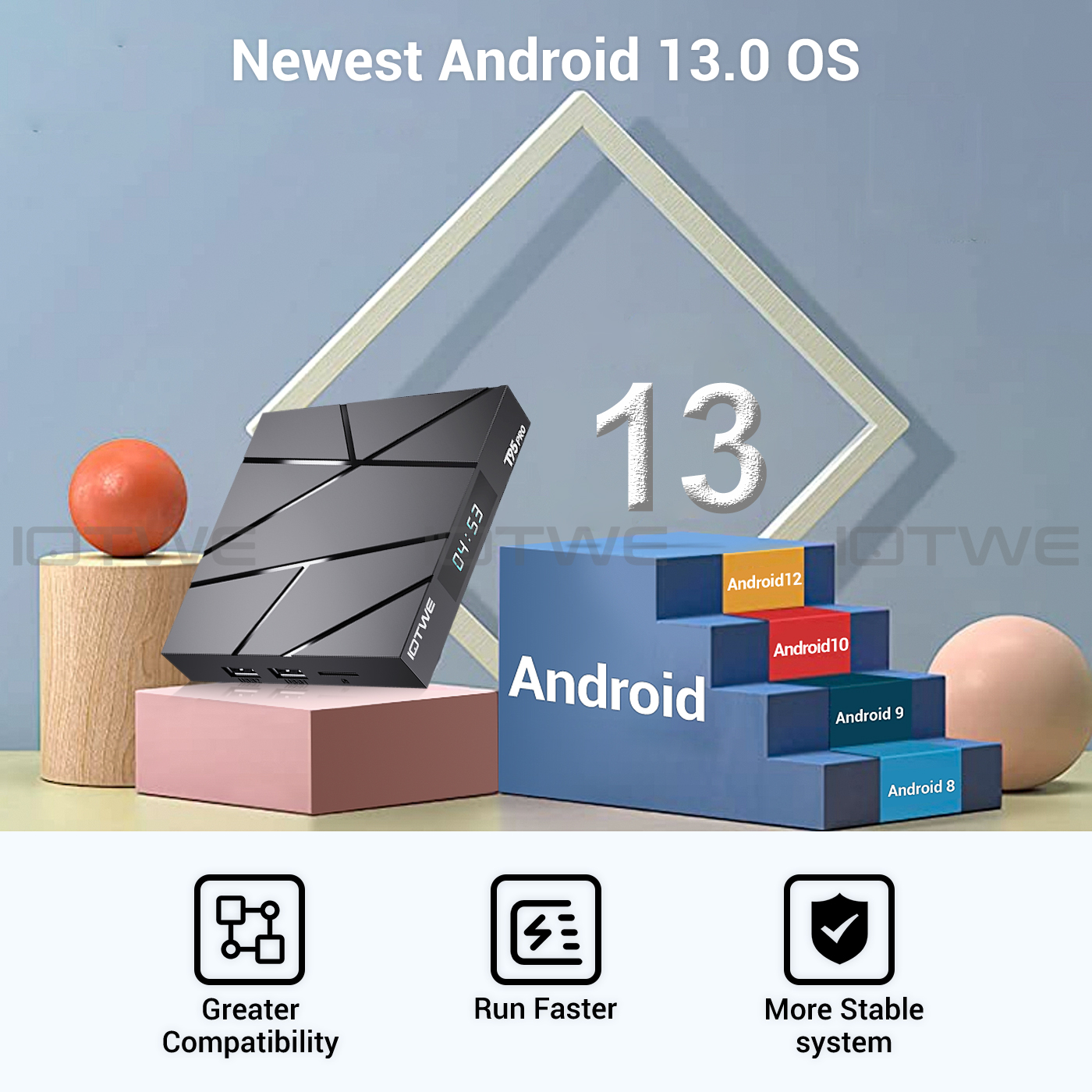
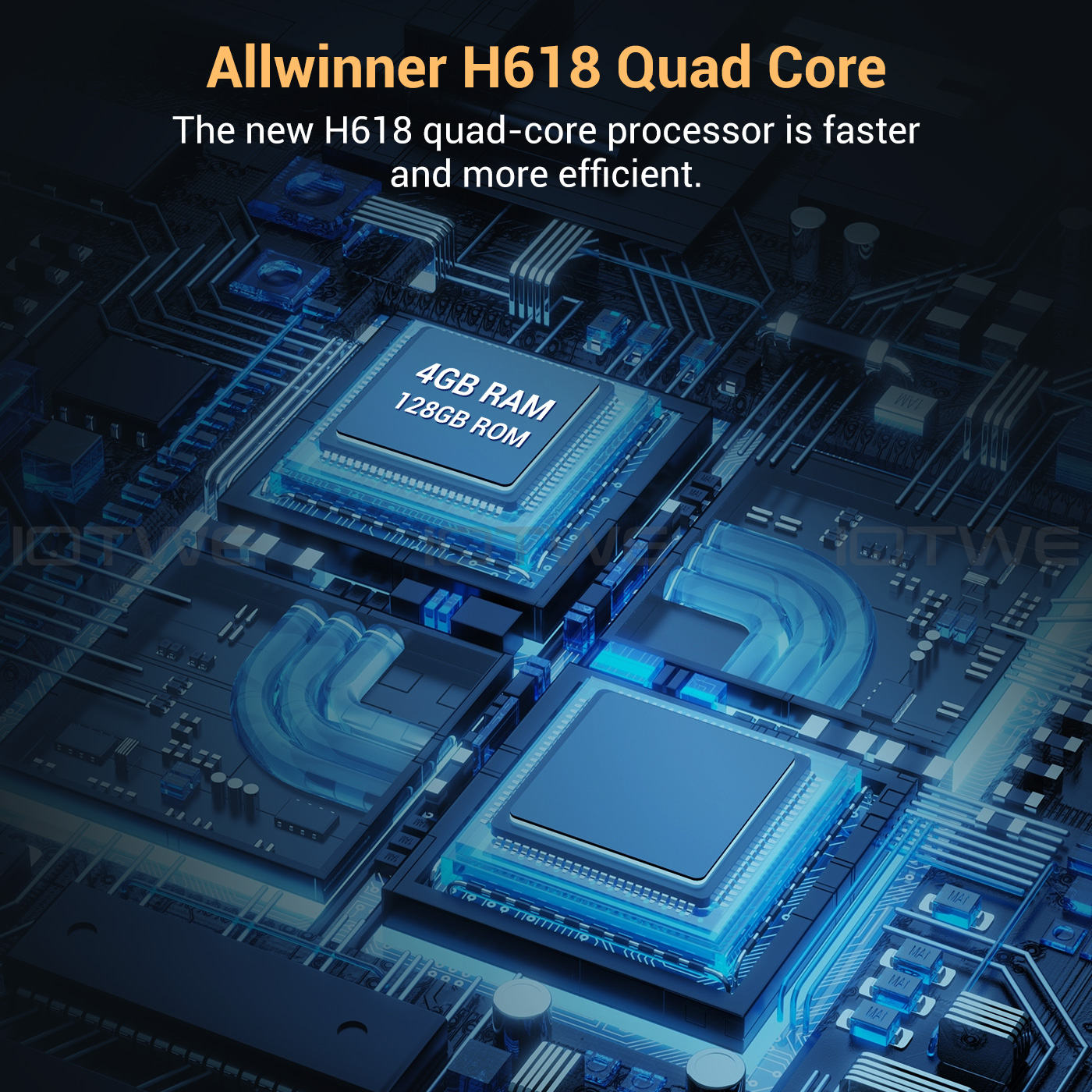
• The Android 13.0 TV Box is outfitted with the robust Allwinner H618 quad-core Cortex-A53 CPU chip, which guarantees seamless and lag-free operation. Boasting 16/32/64/128 GB of ROM, the T95 Pro Smart TV Box affords copious storage space for your various applications and content. In the event that this capacity still falls short of your requirements, you have the option to expand the storage space up to a maximum of 64GB (*SD card not provided). Revel in the pleasure of downloading and playing high-definition videos and engaging games with the abundant ROM storage at your disposal. |
|
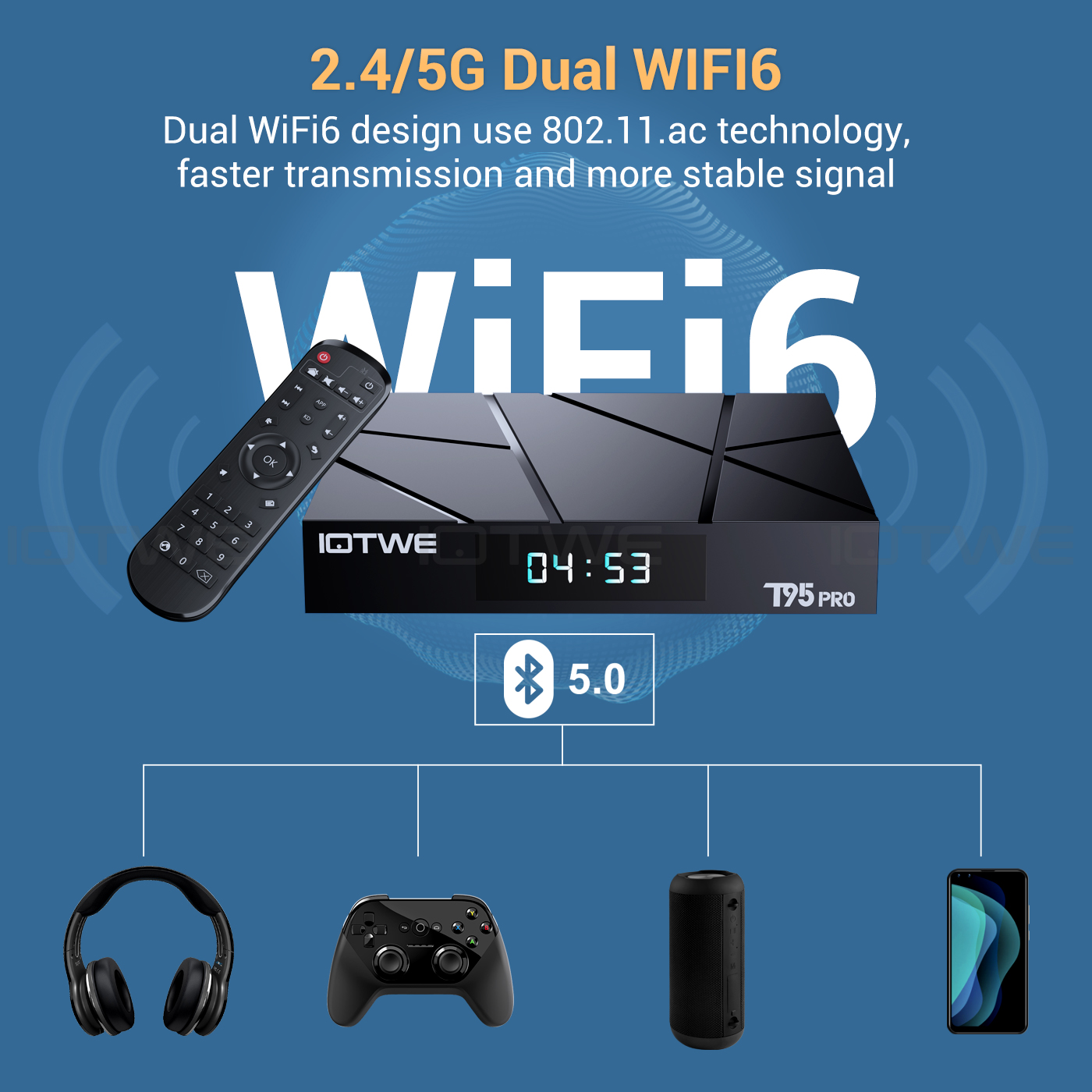
• The Android 13.0 TV Box is engineered to support 2.4G/5G WiFi 6 and BT 5.0, thereby enhancing the user experience when paired with mini keyboards and headphones. With the adoption of WiFi 6, a significant advantage is reaped as it permits an augmented number of up to 12 concurrent streams within both the 2.4 and 5 GHz frequency bands, in contrast to the mere 8 streams that WiFi 5 could manage in a dual-band setup. Indulge in a rapid and top-notch WiFi 6 signal, which bestows upon you an elevated quality during web browsing, gaming escapades, application executions, and movie viewings. |
|
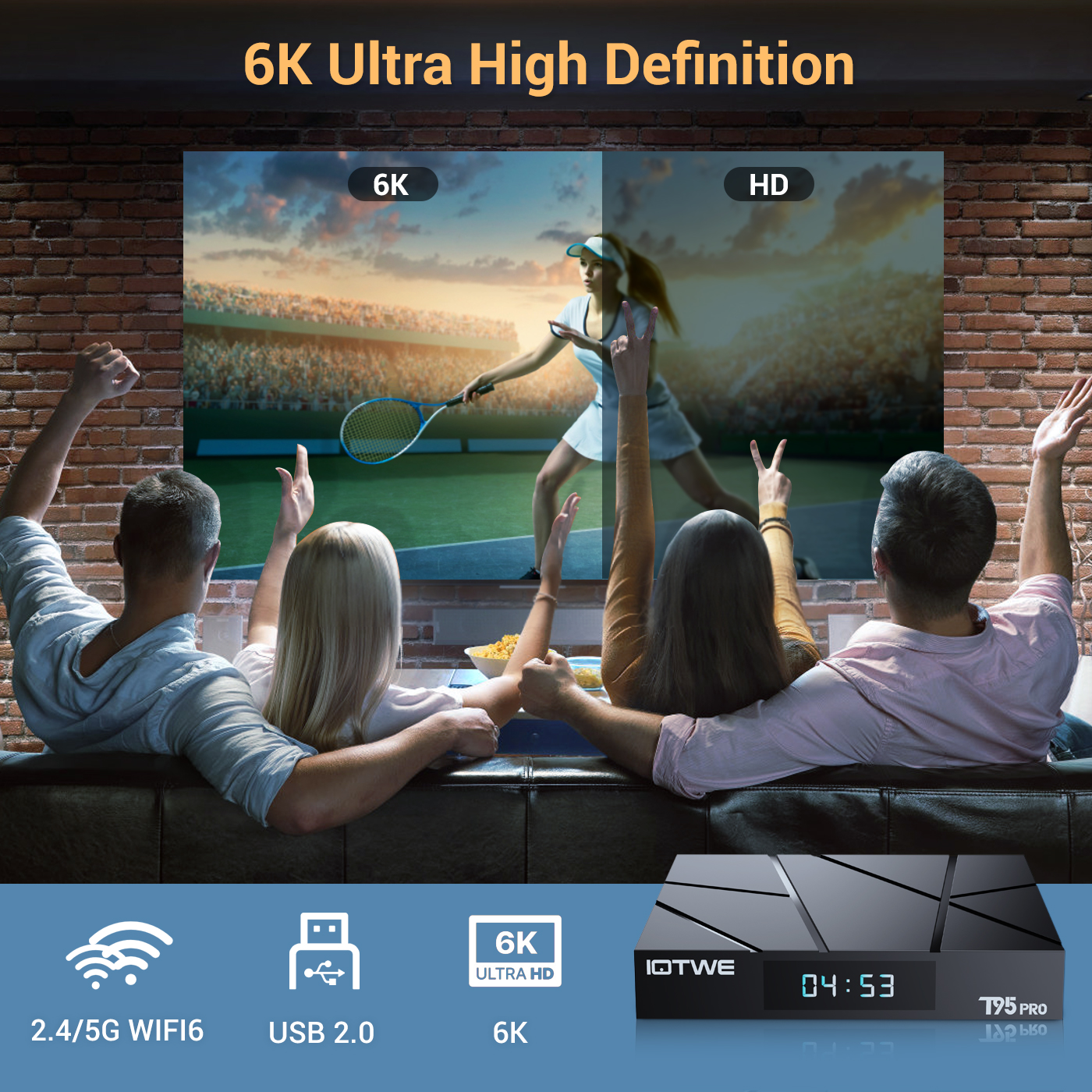 |
• The T95 Android TV Box empowers users with the ability to decode and play back nearly all prevalent audio and video formats. Immerse yourself in the vividness of crisp 6K HD videos, which flaunt a resolution that surpasses even that of 4K. Engage in playing thousands of Android games on a generously sized 6K screen, and relish a top-notch experience with negligible buffering. Moreover, this remarkable TV box extends support for 3D playback, presenting you with a sumptuous visual extravaganza. (*Kindly note that for a seamless 6K and 3D experience, your other associated devices must also possess corresponding support capabilities.) |
|
|
|
|
|
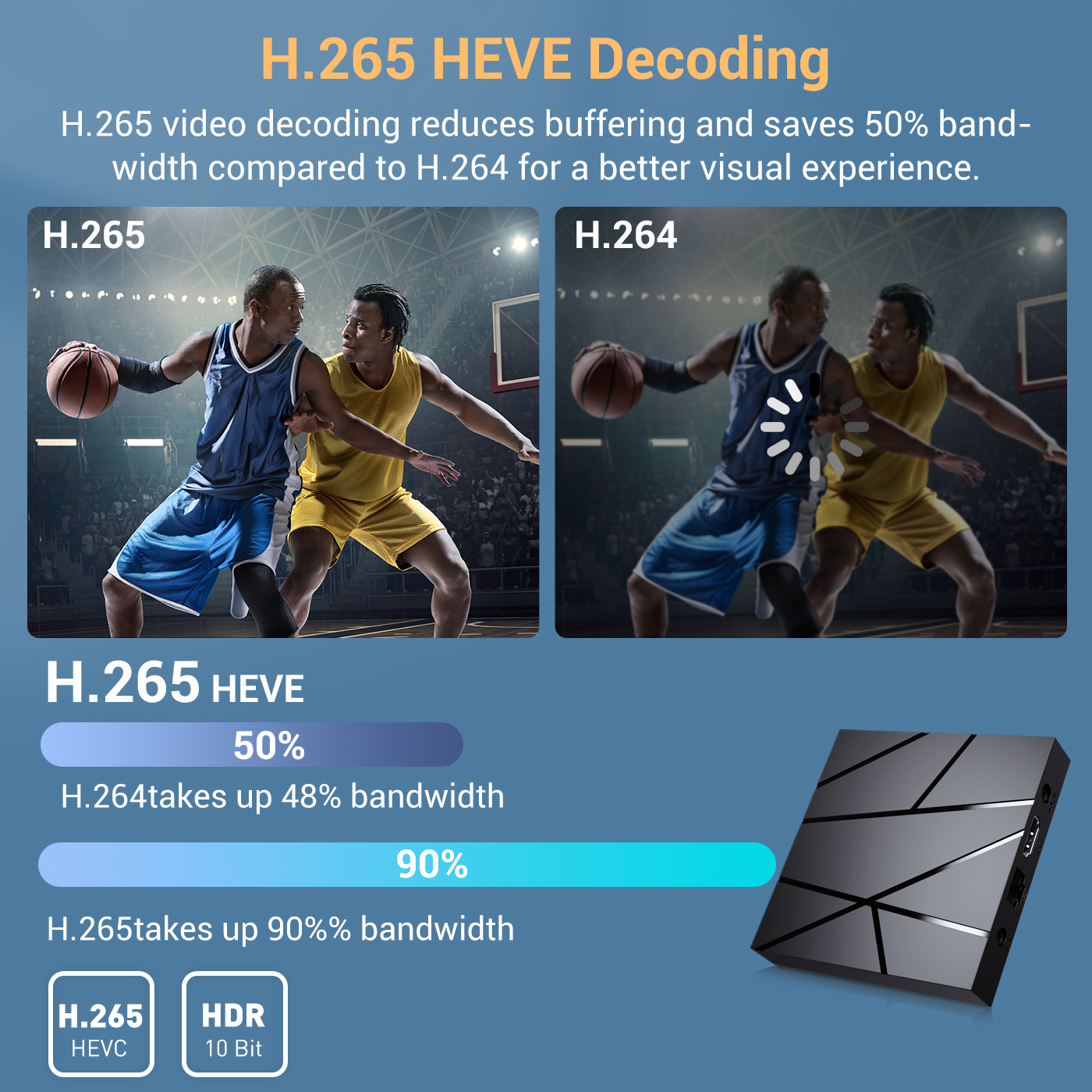
•The device receives signals via H.265 video decoding, thereby outputting remarkably realistic 6K image quality and promptly restoring every minute detail of the image. It not only endows you with a more seamless HD video experience but also economizes 50% of broadband resources, ensuring an optimal combination of visual excellence and efficient data utilization. |
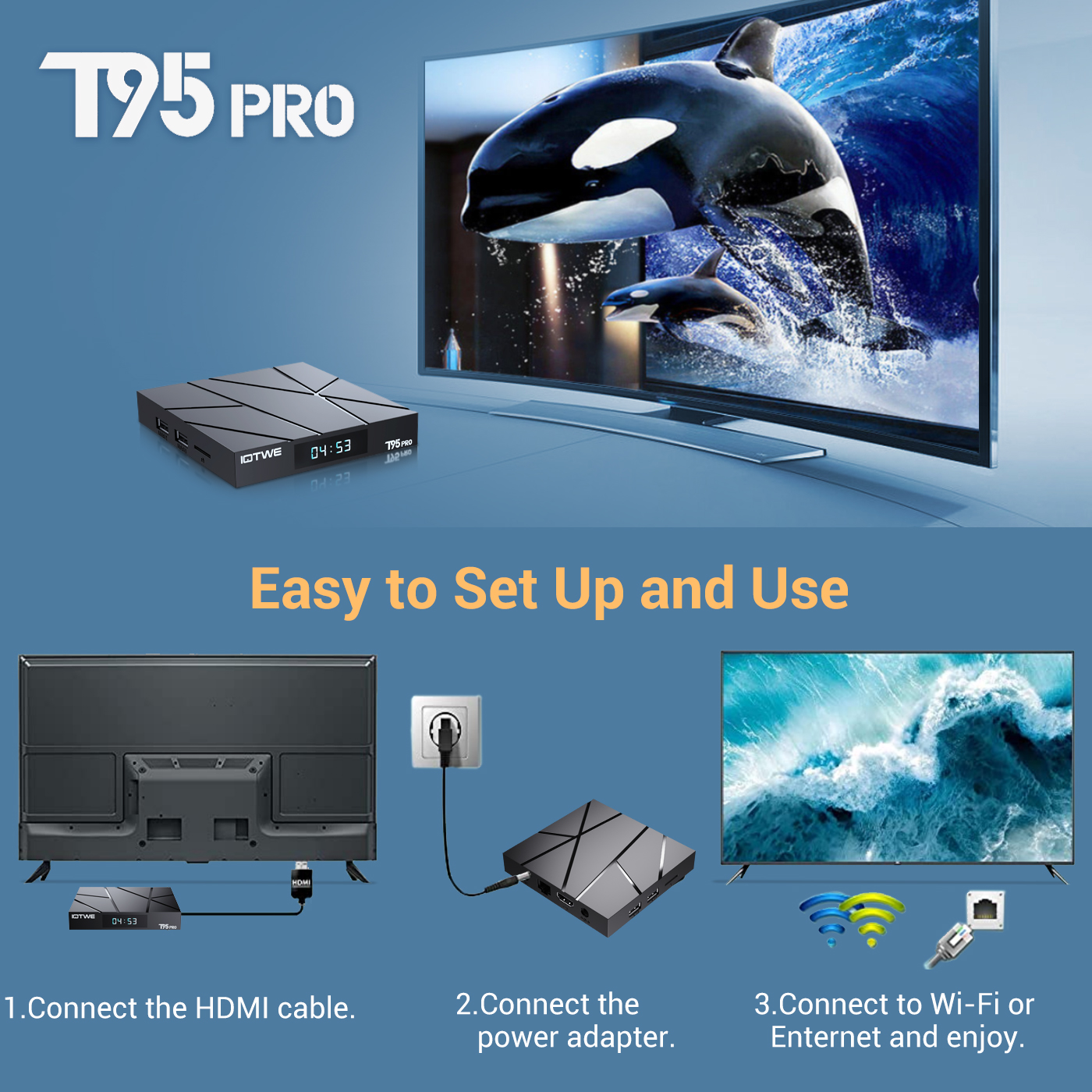
• The T95 Pro Android 13.0 TV BOX delivers outstanding performance and a diverse range of functionalities, accompanied by an intuitive and user-friendly interface. Simply connect it to your TV or monitor, and you can relish the pleasures of exploring various apps, indulging in movie marathons, engaging in immersive gaming sessions, and so much more. |
 |
|
• Dating • Music • Games • Match |

|
Question: Can't boot/open for the first time? Answer:Our QC team tested the item in detail before we ship it out, so I believe we can solve the problem together. In this situation, please try the following: 1.here is step how to set up the TV box A. Connect the charger to the TV box and the socket B. Connect the HDMI cable between the TV box and the TV C. Set your TV to HDMI mode. Please check whether you have connected the cables correctly. 2. Check whether a red or blue light is on, or whether there is no light at all and contact me. |
Question:How to solve TV box video blur? Answer: If it happened in some of them, it may be the problem for video quality, it doesn't depend on the box, you can try setting the resolution to max (1080P or more), then check if it works well. Or You can use it in other app. 1.If it happens in the all videos, here is the step: A.If you have a different HDMI cable, could you please try a different HDMI cable? B.Connect the TV with the TV box via Av-Out cable properly (there are different color port. Please check and set correctly), or you can choose to use the HDMI cable to connect it too . C.If the problem is still there, please try to restore factory settings as below: Press Settings - Backup & Reset ---- Factory data reset ----- Reset TV box ---- Erase everything. D.Set the TV box resolution to 1080P, here is the step: Setting--Display--Turn off automatic resolution--Set resolution to 1080P. |
|
|
Question: Problems with WiFi setting or connection? Answer:1. Please try resetting the device: (Setting)-(Backup & Reset)----(Reset factory data)-----(Reset device)----(Delete everything) 2. Please check whether you have successfully connected the device to your WiFi router and whether the signal is strong? If the signal is very weak or it is out of range, then try using it near your wireless router; if it is unable to connect then please check your wireless router setting and also try connecting to another router. 3. Could you please plug your network cable directly into the RJ45 port to see if it can work. |
Question: How can I set the language of the IOTWE TV Box? Answer:1.In this situation, please check the setting /Setting-Language/Language-English/English 2.if it still can't work, please do as follows: A:Press : Setting - Backup & Reset ---- Factory data reset ----- Reset TV box ---- Erase everything (or:Settings--other---more settings-- Backup & Reset ---- Reset factory data ----- Reset TV box ---- Delete everything ) B: and then when you switch on the device for the first time, please select the desired language. 3 You can also type in the apps, and there is an icon like a compass, please click it to change the language. |
 |
|
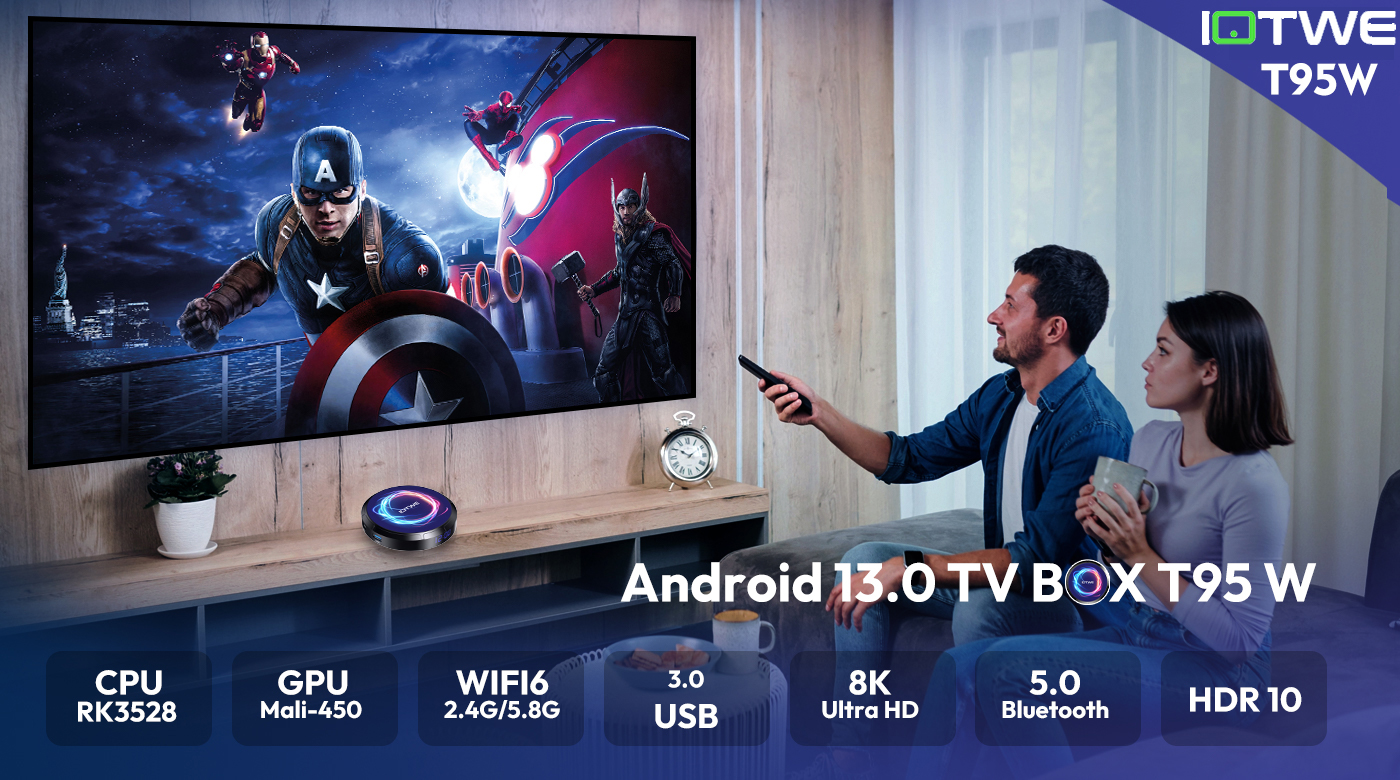
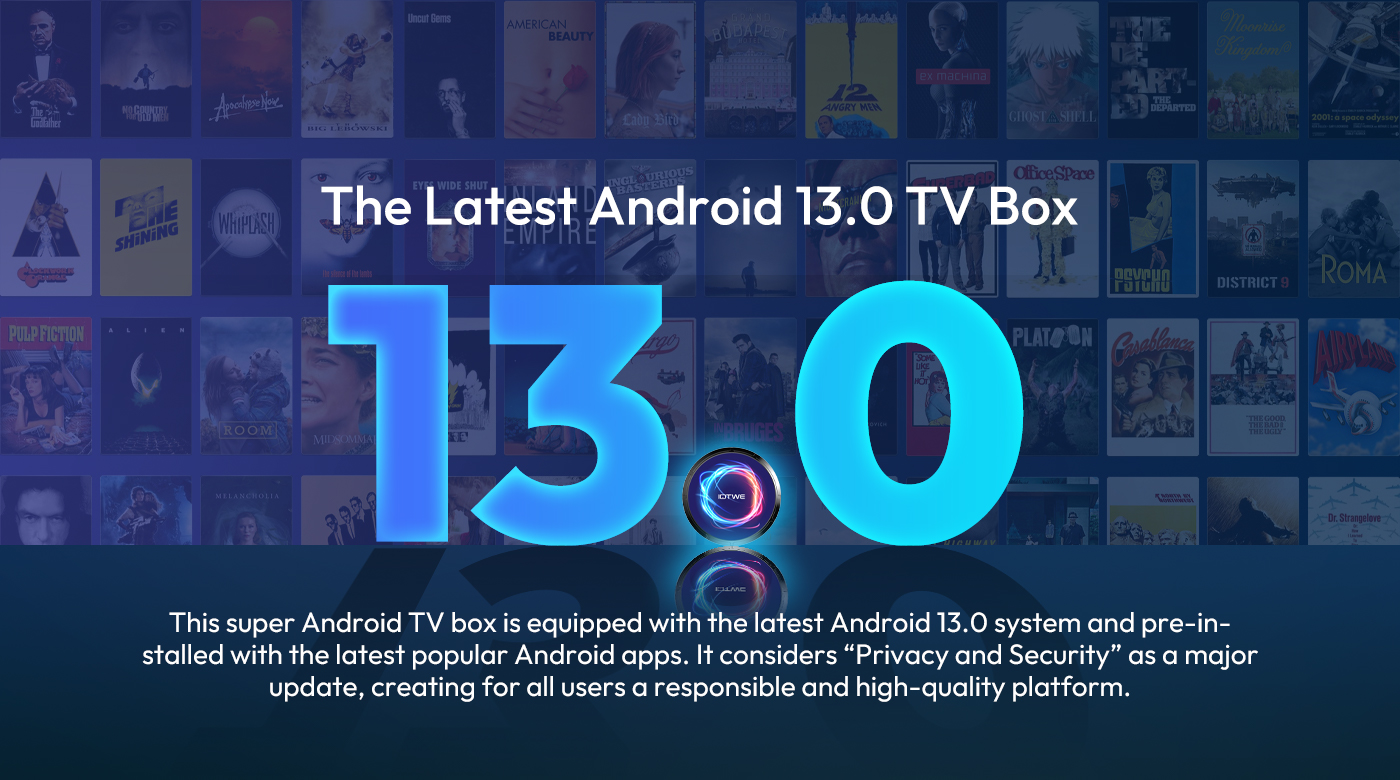
【Android 13.0 and H618】 The Android TV box with Android 13.0 ensures stability and smooth loading of films, images and games without buffering. Experience improved performance and usability with a smooth and stable interface. With the powerful RK3528 quad-core processor and advanced image processing technology, you can enjoy an outstanding experience with fast running speed and professional image quality. 【4 GB RAM 32 GB ROM】 Android 13.0 TV Box offers impressive performance with 64GB ROM to ensure smooth operating system and enable faster running speed without buffering or crashes. With enough storage space for apps, games and more. Additionally, you can expand the storage using the micro SD card slot, so you never run out of storage space. 【2.4/5G Wi-Fi 6 and Bluetooth 5.0】 The smart TV box offers a fast and stable 2.4G/5G WiFi 6 connection with transfer rates of up to 9.6 Gbit/s. With the new WIFI6, you can enjoy a fast network with stability and enjoy smooth streaming, gaming, etc. Additionally, it features HDMI 2.0, 10/100M Ethernet LAN and Bluetooth 5.0 for multiple connectivity options and improved wireless audio transmission. 【8K+3D and H.265】 The TV box supports playback of all popular audio and video formats and allows you to enjoy 8K HD videos with clearer resolution than 4K. Experience thousands of Android games on a spacious 8K screen and enjoy a smooth gaming experience with less buffering. In addition, the Android 13.0 TV box also offers 3D support for an impressive visual feast. (*Note: 8K and 3D features also require compatible devices.) 【Comfort and convenience】 The T95 W is the ideal solution for those who don't own a Smart TV or don't want to spend a lot of money on an expensive TV. Connect your smartphone wirelessly to the TV and enjoy images and sound on the big screen. With the Android 13.0 TV box you can use a web browser, use social network apps, play music, videos, photos and much more. Turn your TV into a versatile entertainment hub with the T95 W. |
 |
|
• The T95 W Smart TV Box with Android 13.0 OS offers you an improved operating system compared to Android 12.0. Enjoy the benefits of a faster, more stable system, improved software compatibility, and a streamlined user interface and experience. Experience better games, applications and overall improved performance with the T95 W Android 13.0 TV Box. |
 |
 |
 |
|
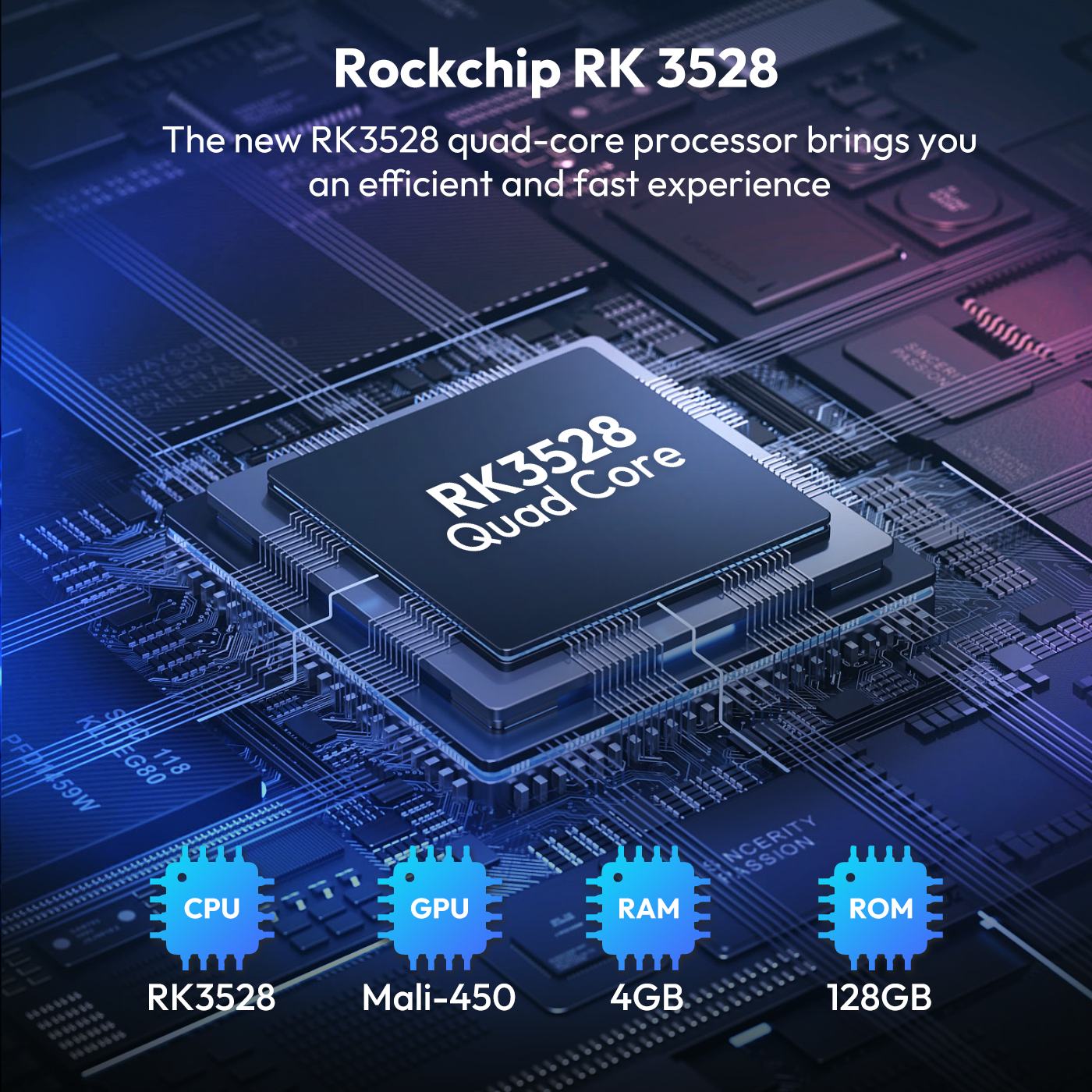
• The Android 13.0 TV box is equipped with the powerful quad-core Cortex-A53 CPU chip RK3528, ensuring smooth and lag-free performance. And with 128GB ROM, it offers enough storage space for your apps and content. You can also expand the storage space, with a maximum expansion capacity of 64GB (*excluding SD card). Make sure you have enough storage space to download and play videos and games in crystal clear quality. |
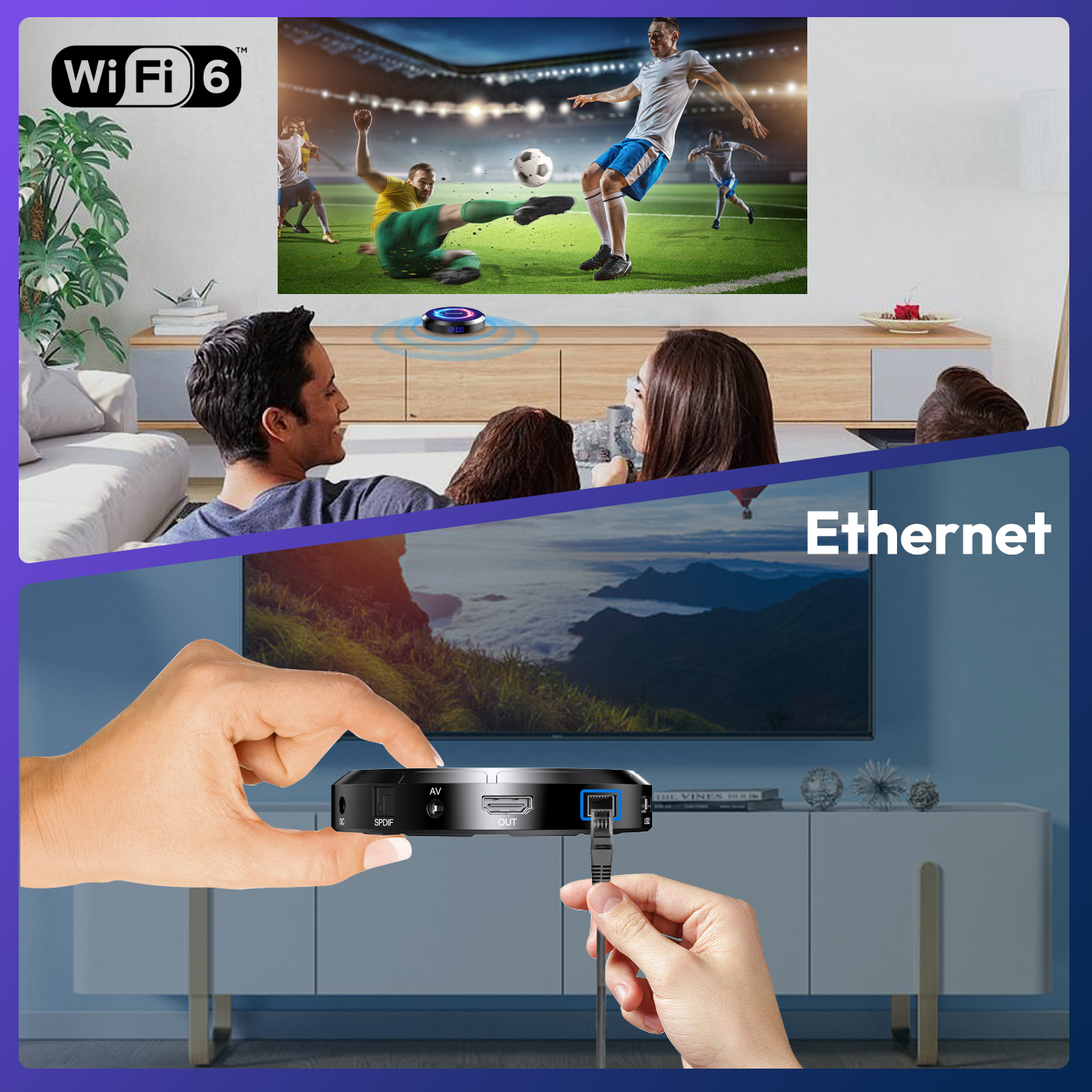
• The TV box powered by Android 13.0 supports 2.4G/5G WiFi 6 and BT 5.0, which makes using a mini keyboard and headphones more convenient. With WiFi 6 you can benefit from up to 12 simultaneous data streams in the 2.4GHz and 5GHz bands, compared to the 8 streams WiFi 5 offers in a dual-band configuration. Use the app and watch movies. All you have to do is plug the network cable into the appropriate socket and you're ready to go. |
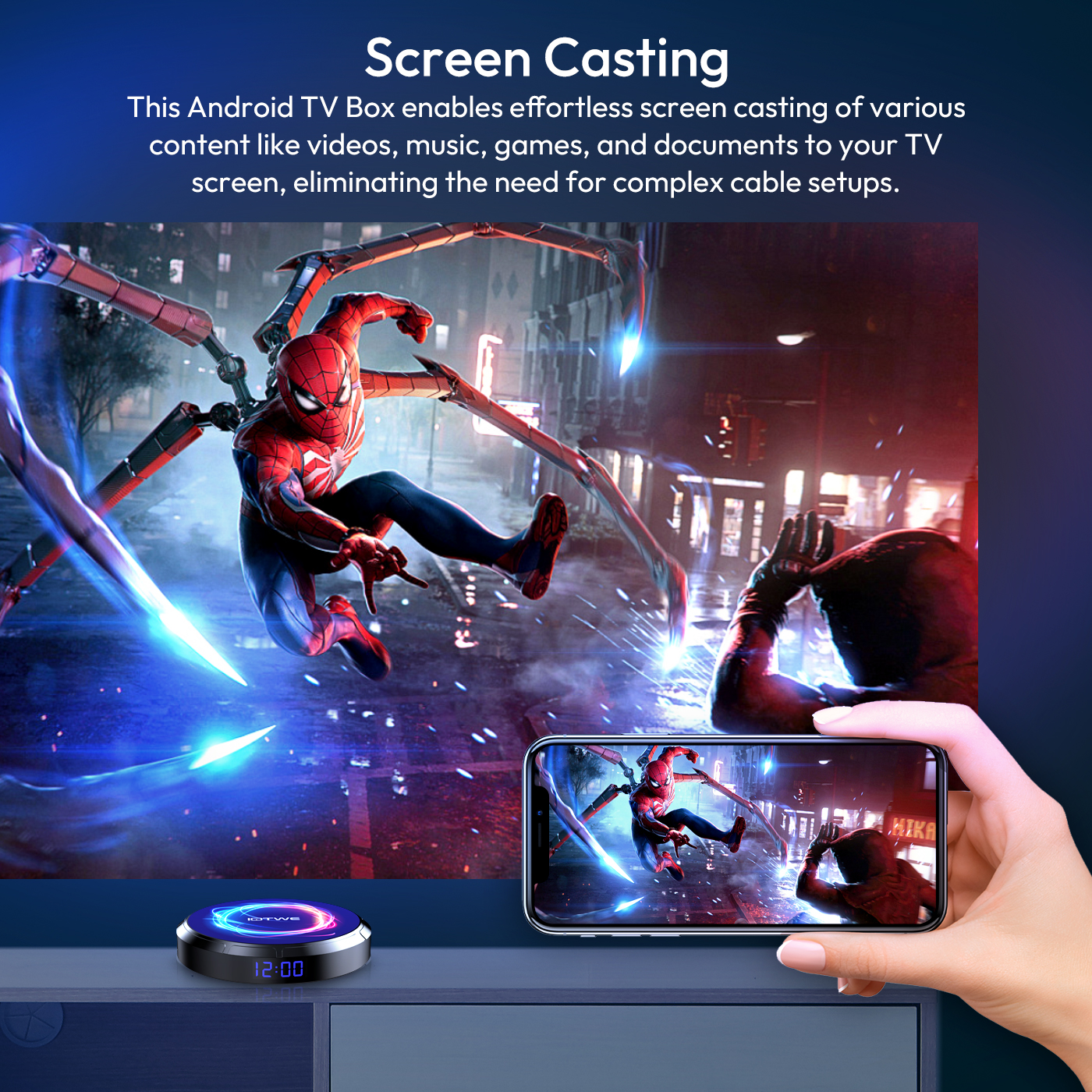
• With this Android TV box, you can easily stream a variety of content, including videos, music, games and documents, to your TV screen without complicated cable installation. The connection allows you to realize screen interactions on multiple devices, taking your user experience to a higher level. |
 |
|
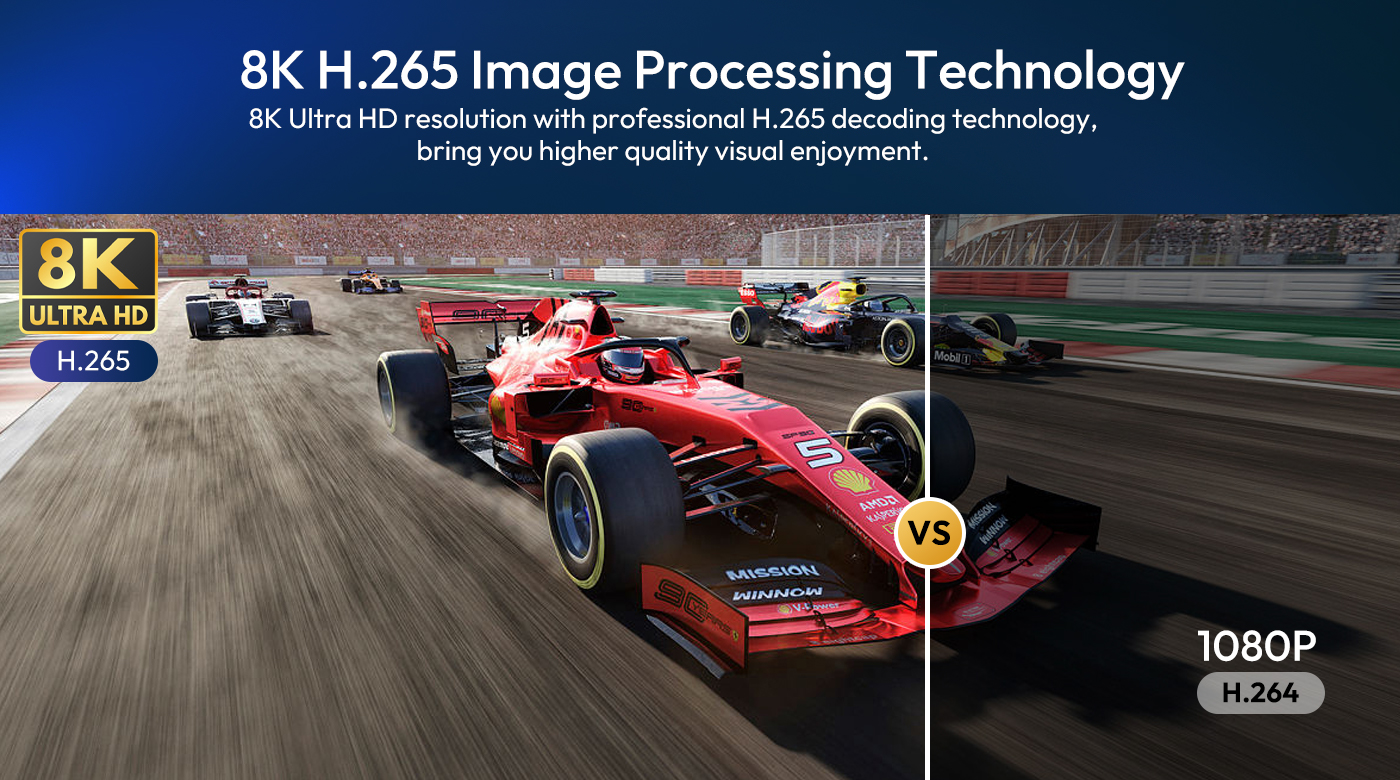
Android TV box with 8K HD resolution. Colors are more vibrant and vivid on the HDR10+ display. Ultra HD picture quality ensures the ultimate viewing experience so you can watch blockbuster movies every day. The Android box supports decoding and displaying all video and audio formats. |
 |
|
The T95 W Android 13.0 TV BOX offers excellent performance and functionality as well as an easy-to-use, user-friendly interface. Connect it to your TV or monitor and enjoy browsing apps, watching movies, playing games and more. |

|
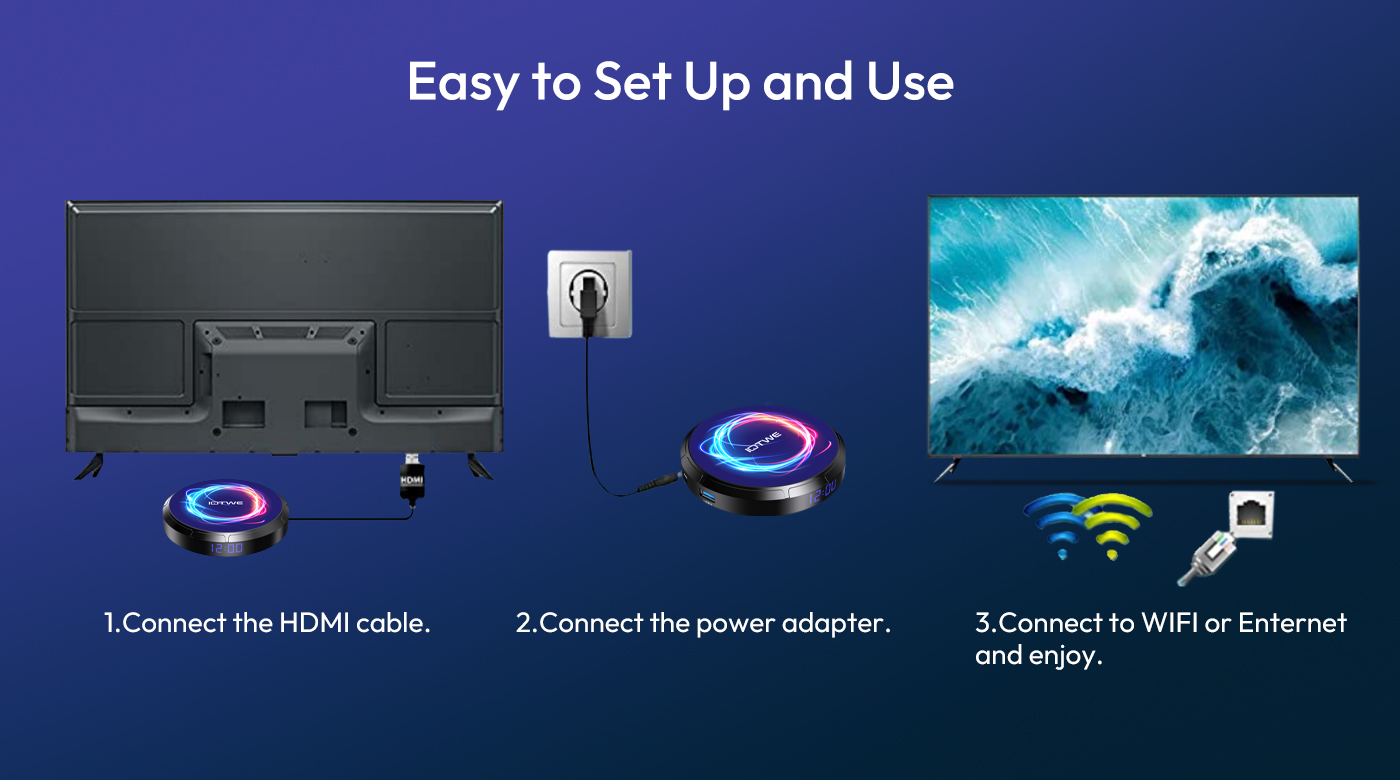
Question: Cannot boot/open for the first time? Answer: Our QC team has tested the item in detail before we ship it out, so I believe we can solve the problem together. In this situation, please try the following: 1.Here is step how to set up the TV box. A. Connect the charger to the TV box and the power outlet B. Connect the HDMI cable between the TV box and the TV set C. Set your TV to HDMI mode. Please check if you have connected the cables properly. 2. Check if there is a red or blue light on, or no light at all, and report to me. |
Question: How to solve the video blur of the TV box? Answer: Wenn es in einigen von ihnen passiert ist, kann es das Problem für die Videoqualität, ist es nicht auf die Box abhängen, können Sie versuchen, die Auflösung auf max (1080P oder mehr), dann prüfen, ob es gut funktioniert.Oder Sie können es in anderen app.If it happened in some of them, it may be the problem for the video quality, it is not depend on the box, you can try to set the resolution to max (1080P or more), then check if it works well.Or you can set it in other app. 1.If it happens in the all videos, here is the step: A.If you have another HDMI cable, could you please try with another HDMI cable? B.Connect the TV with the TV box via Av-Out cable properly (there are different color port. Please check and put properly), or you can choose to use the HDMI cable to connect it too. C.If the problem is still there, please try to restore the factory settings as below: Press Setting - Backup & Reset ---- Reset Factory Data ----- Reset TV Box ---- Clear All . D.Set the resolution of TV box to 1080P, here is the step: Setting--Display--Turn off automatic resolution--Set resolution to 1080P. |
|
|
Question: Problems with WiFi setting or connection? Answer: 1. please try to reset the device: ( Setting )-( Backup & Reset )---- ( Factory Data Reset )-----( Reset Device )----( Clear All ) 2.Please check if you have successfully connected the device to your wireless router and if the signal is strong? If the signal is very weak or it is out of range, then try to use it near your wireless router; if it is unable to connect, then please check your wireless router setting and also try to connect to another router. 3. Could you please plug your network cable directly into the RJ45 port to see if it can work. |
Question: How can I set the language of the XGODY TV Box? Answer: 1.In this situation, please check the setting /Setting-Language/English. 2.If it still can't work, please do as follows: A:Press : Setting - Backup & Reset ---- Reset Factory Data ----- Reset TV Box ---- Clear All (or:Settings--other--more Settings-- Backup & Reset ---- Factory Data Reset ----- TV Box Reset ---- Clear All ) B: and then when you turn on the power for the first time, please choose the language you want. 3 You can also enter in the apps, and there is an icon like a compass, please click it to change the language. |
- Audio/Video Outputs: HDMI
- Bluetooth: Buletooth 5.0
- Brand: IOTWE
- Color: Black
- Colour: Black
- Connectivity: HDMI, Memory Card Slot, USB Port, Wi-Fi
- Features: Cloud Storage, HDR, Wi-Fi
- Generation: 4th Generation
- Maximum Resolution: 4320p
- Model: T95 PRO
- Operating System: Android 13.0
- Processor: Quad Core
- Storage Capacity: 32 GB /64 GB /128 GB
- Storage Expasion: up to 64 GB/128 GB(TF Card no include)
- Surround Sound Formats: MPEG Audio
- Type: Box
Processing Time
- We process and ship orders Monday through Friday, excluding holidays.
- Most orders are processed within 1–3 business days, depending on product availability.
- Processing time does not include delivery time, which varies based on your location and the product’s shipping origin.
Shipping Coverage
We currently ship to addresses within the United States only.
Products may ship from:
- Our U.S. warehouses, or
- Our international fulfillment centers (including Korea, Japan, China, Australia, Mexico, Canada, the United Kingdom, and the EU).
Each product page clearly displays the “Ships From” location before checkout.
Shipping Methods & Estimated Delivery
| Shipping Method | Estimated Delivery | Cost |
|---|---|---|
| Free Shipping (US) | 5–10 business days | Free, available on eligible items |
| Standard Shipping (US to US by Item) | 5–10 business days | $6.50 for the first item, $2.00 each additional |
| Standard Shipping (From US Warehouse by Weight) | 3–7 business days | Starts at $6.50, increasing by $2 for every additional 4 oz (0.25 lb) up to 1 lb, then by $4 for each additional pound beyond 1 lb. |
| Extended Delivery (Ships from Overseas Warehouse) | 10–20 business days | $14.50 for the first item, $2.00 each additional |
Shipping costs vary by product weight, quantity and origin. Exact rates and delivery estimates are displayed on each product page and confirmed during checkout.
Free Shipping
We offer free standard shipping on select products or during promotional periods. Availability of free shipping will be displayed on the product page and at checkout.
Carriers
We primarily use USPS and UPS for U.S. deliveries. Items shipped from international warehouses may be handled by partner carriers depending on the country of origin.
Import Duties & Taxes
All import duties and taxes for goods imported into the United States are included in the product price. There are no hidden fees or additional charges at checkout.
Tracking & Notifications
Every order is fully trackable. You will receive a tracking number via email once your order ships. If your order ships in multiple packages, each package will have its own tracking number. If you don’t receive a shipping confirmation immediately, your order is still being processed and will arrive within the estimated timeframe shown at checkout.
You can track your shipment anytime using the Track Your Order page on our website.
Order Changes & Cancellations
If you need to modify or cancel an order, please contact our customer support team as soon as possible. Orders can only be canceled before they ship. Once shipped, cancellations are not possible, but you may request a return after the item is delivered.
Contact: support@ibspot.com
Item Not Received
If your tracking number shows “Delivered” but you haven’t received your package:
- Check with your local USPS or UPS office.
- Confirm that the shipping address provided was correct.
- If the issue remains unresolved, contact support@ibspot.com for assistance.
Damaged or Lost Parcels
If your package arrives damaged or fails to arrive, please contact us immediately. For deliveries to P.O. boxes, ibspot is not responsible for damage caused by weather, temperature, or theft.
Customer Support
For any questions about shipping, tracking, or delivery, our customer support team is here to help.
Email: support@ibspot.com
We’re always happy to help.
Please read our policy carefully before making a purchase.
We aim to ensure every customer has a smooth and transparent experience with ibspot.com.
Order Cancellation Policy
Customers may request to cancel an order before it has been shipped.
Once the package has been shipped, cancellations are no longer possible; however, you may still request a return after receiving your order.
How to Request a Cancellation
You can contact us through:
- Email: support@ibspot.com
- Contact Form: Submit a request through our Contact Us page
Please submit your cancellation request as soon as possible after placing the order to allow us to process it before shipment.
Return Policy
We accept returns for most items within 30 days of delivery for a full refund.
To be eligible for a return:
- The item must be unused, in the same condition as received, and in its original packaging.
- A tracking number must be provided to confirm the return shipment.
Non-Returnable Items
Certain products cannot be returned, including:
- Perishable goods (for example, food, flowers, newspapers, magazines)
- Intimate or sanitary goods
- Hazardous materials or flammable liquids/gases
- Gift cards
- Downloadable software
- Some health and personal care items
Partial Refunds (If Applicable)
Partial refunds may be granted in specific situations, such as:
- Books with obvious signs of use
- Opened CDs, DVDs, software, or vinyl records
- Items not in their original condition, damaged, or missing parts not due to our error
- Items returned more than 30 days after delivery
How to Return an Item
To initiate a return, please contact us at support@ibspot.com with your order number and details about the product you wish to return.
Our team will provide you with return instructions and a prepaid return label.
Shipping Cost for Returns
Please contact us before returning any item.
We will provide a free return shipping label.
If a return is sent back without prior contact or without our provided label, we cannot be held responsible for return shipping costs.
For items valued over $75, we recommend using a trackable shipping service or purchasing shipping insurance.
We cannot guarantee that we will receive your returned item if shipped independently.
Refund Processing
Once your return is received and inspected:
- In-store returns are refunded to the original form of payment or issued as a gift card.
- Mail-in returns using our prepaid label are refunded to the original payment method within 3–5 business days after we receive your return.
Please allow:
- 5–7 business days for the return to reach our Returns Center.
- An additional 3–10 business days for your bank to post the refund to your account.
Damages, Issues & Claims
Please inspect your order immediately upon receipt.
If you receive a defective, damaged, or incorrect item, contact us right away at support@ibspot.com.
We’ll evaluate the issue promptly and make it right.
Product Claims
Before purchasing, please review product details carefully.
If there is a problem with your order upon arrival, visit our Support Center or contact us directly to arrange return shipping or replacement.
Exchanges
We do not process direct exchanges.
The fastest way to get what you need is to return the original item and place a new order once your return is accepted.
Return Address
IBSPOT Return Center
15 Sawmill Ln
Dover Plains, NY 12522
United States
Customer Support
Our support team is available 24/7 to assist with cancellations, returns, or general inquiries.
Email: support@ibspot.com
Contact Form: Contact Us page

Oops!
Sorry, it looks like some products are not available in selected quantity.