

IC Cards for Smart Door Lock, 13.56MHz RFID Keyless Entry Cards for Door Lock, Compatible with Tuya Smart Life and TTLock (10)
IC Cards for Smart Door Lock, 13.56MHz RFID Keyless Entry Cards for Door Lock, Compatible with Tuya Smart Life and TTLock (10)
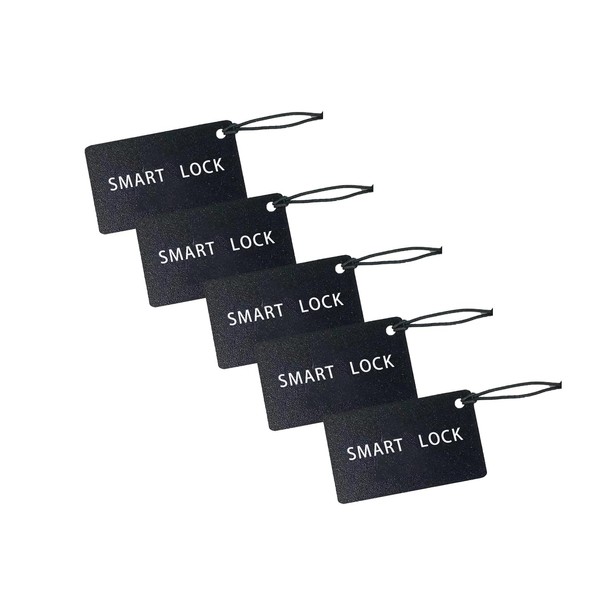




IC Cards for Smart Door Lock, 13.56MHz RFID Keyless Entry Cards for Door Lock, Compatible with Tuya Smart Life and TTLock (10)
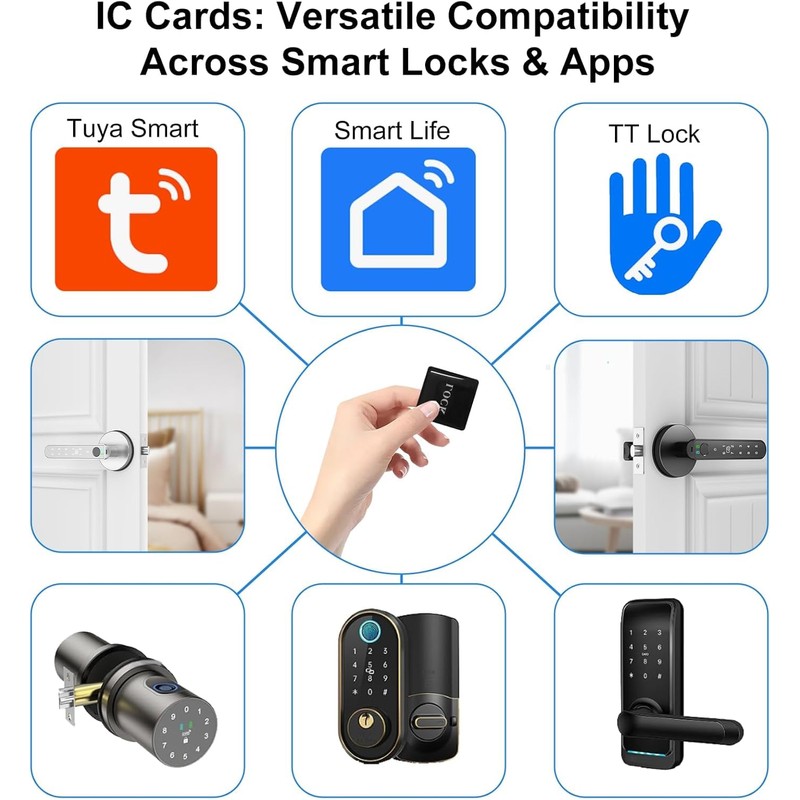
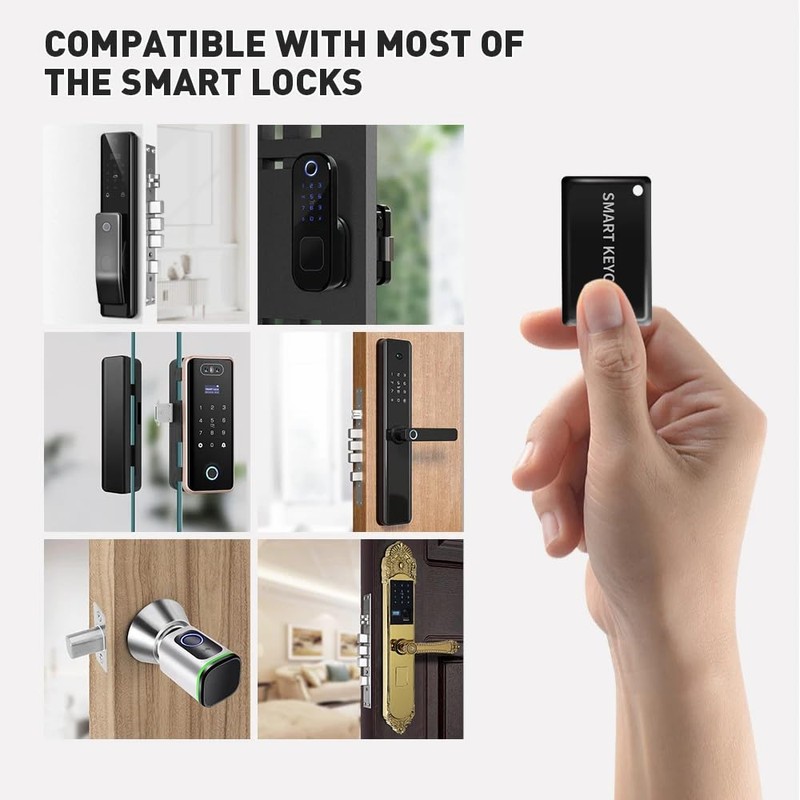
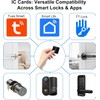
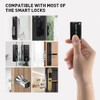
- 【Compatibility】 The IC card is compatible with a wide range of smart door lock models,like Tuya Smart Life or TTLock, making it a versatile choice for upgrading your existing security system.
- 【Quick Deactivation】 In the event that an IC card is lost or stolen, it can be quickly deactivated through the smart lock's management system, ensuring continued security.
- 【Compact and Convenient】 The smart door lock IC card is designed to be compact and portable, easily fitting into your wallet or pocket for quick access whenever you need it.
- 【Battery-Free Operation】Unlike other access devices, the IC card no need battery, and no internal battery, relying instead on the power generated by the smart lock during the tapping process.
- 【Enhanced Security】 Utilizing advanced encryption technology, the IC card ensures that your home or office remains secure, with unique identifiers that prevent unauthorized duplication.
- 【Easy to Use】Simply tap the IC card on the smart lock to gain instant entry, making it a hassle-free solution for both residential and commercial properties.
| Brand: | UanTii |
|---|---|
| Color: | black |
| Manufacturer: | Uantii Intelligent Technology |
| Part Number: | 2ZPXGLT |
| Isin: | IEVP6NC01UDU |
Out of Stock
In Stock
Backordered
Out of Stock



IBspot Buyer Protection
Shop confidently on IBspot, receive your item as described or your money back for eligible orders. Learn Program Terms
GUARANTEED SAFE CHECKOUT
-

MONEY BACK GUARANTEE
30 days money back guarantee, no additional fee charged.
-

EXCELLENT SUPPORT
We provide 24/7 online customer support via email.
-

Fast Shipping
One week domestic shipping. Global delivery to the US in 2 weeks.
Note:
The method for adding an IC card varies depending on the smart door lock system you are using. The following instructions are for reference only. For specific steps, please consult your smart door lock supplier or refer to the user manual of the smart door lock.
Adding an IC card to a Tuya Smart Life or TTLock smart door lock via App:
For Tuya Smart Life Door Lock:
1;Install the Tuya Smart Life App:
2;Create an account or log in if you already have one.
3;Add Your Door Lock to the App:Open the app and tap the "+" icon to add a new device.
4;Select "Smart Lock" and follow the on-screen instructions to pair your door lock with the app.
5;Register the IC Card: Once the lock is added, go to the lock's settings in the app.Look for an option like "IC Card Management" or "Add IC Card."
6;Tap "Add IC Card" and follow the prompts to place your IC card near the lock's sensor.The lock will recognize the card and register it in the app.
7;Assign the IC Card:You can assign the IC card to a specific user or name it for easy identification (e.g., "Family Member" or "Guest").
8;Save the settings, and the IC card is now ready to use.
For TTLock:
1;Install the TTLock App:
2;Create an account or log in if you already have one.
3;Add Your Door Lock to the App: Open the app and tap the "+" icon to add a new device.
4;Select your lock model and follow the on-screen instructions to pair it with the app.
5;Register the IC Card: Go to the lock's settings in the app.
6;Look for an option like "IC Card" or "Add IC Card."
7;Tap "Add IC Card" and follow the prompts to place your IC card near the lock's sensor.
The lock will recognize the card and register it in the app.
8;Assign the IC Card: You can assign the IC card to a specific user or give it a name (e.g., "Family Member" or "Guest").
9;Save the settings, and the IC card is now ready to use.
Adding an IC card to a Tuya Smart Life or TTLock smart door lock via the keypad:
1;For Tuya Smart Life Door Lock
1;Enter Programming Mode: Wake up the lock by touching the keypad or pressing any button. 2;Enter the admin code (the master code set during initial setup) and press the "#" or "*" button(depends on the lock user manual)
3;Add IC Card:After entering the admin code, the lock will enter programming mode.
4;Follow the on-screen or voice prompts (if your lock has voice guidance).
5;Register the IC Card:Place the IC card near the lock's card reader (usually near the keypad or handle).
6;The lock will beep or flash to confirm the card has been registered.
7;Test the IC Card:Remove the card and test it by tapping it on the reader to ensure it unlocks the door.
For TTLock:
1;Enter Programming Mode:Wake up the lock by touching the keypad or pressing any button.
2;Enter the admin code (the master code set during initial setup) and press the "#" or "*" button(depends on the lock user manual)
3;Add IC Card:After entering the admin code, the lock will enter programming mode.
4;Follow the on-screen or voice prompts (if your lock has voice guidance).
5;Register the IC Card:Place the IC card near the lock's card reader (usually near the keypad or handle).
6;The lock will beep or flash to confirm the card has been registered.
7;Test the IC Card:Remove the card and test it by tapping it on the reader to ensure it unlocks the door.
Important Notes:
Admin Code Required: You must have the admin code to add an IC card via the keypad. If you don’t know the admin code, you may need to reset the lock or use the app.
Voice Guidance: Some models have voice prompts to guide you through the process. Listen carefully to the instructions.
Compatibility: Ensure the IC card is compatible with your specific lock model.
Limit of Cards: Check your lock's user manual to see how many IC cards it can support.
Tips for Success:
Ensure your door lock is powered on and within Bluetooth range of your phone during the setup process.
If the lock fails to recognize the IC card, try repositioning the card or restarting the process.
Always test the IC card after registration to ensure it works properly.
By following these steps, you can easily add and manage IC cards for your Tuya Smart Life or TTLock smart door lock. If you encounter issues, refer to the app's help section or refer to the lock's user manual or contact Tuya/TTLock customer support for assistance.
The method for adding an IC card varies depending on the smart door lock system you are using. The following instructions are for reference only. For specific steps, please consult your smart door lock supplier or refer to the user manual of the smart door lock.
Adding an IC card to a Tuya Smart Life or TTLock smart door lock via App:
For Tuya Smart Life Door Lock:
1;Install the Tuya Smart Life App:
2;Create an account or log in if you already have one.
3;Add Your Door Lock to the App:Open the app and tap the "+" icon to add a new device.
4;Select "Smart Lock" and follow the on-screen instructions to pair your door lock with the app.
5;Register the IC Card: Once the lock is added, go to the lock's settings in the app.Look for an option like "IC Card Management" or "Add IC Card."
6;Tap "Add IC Card" and follow the prompts to place your IC card near the lock's sensor.The lock will recognize the card and register it in the app.
7;Assign the IC Card:You can assign the IC card to a specific user or name it for easy identification (e.g., "Family Member" or "Guest").
8;Save the settings, and the IC card is now ready to use.
For TTLock:
1;Install the TTLock App:
2;Create an account or log in if you already have one.
3;Add Your Door Lock to the App: Open the app and tap the "+" icon to add a new device.
4;Select your lock model and follow the on-screen instructions to pair it with the app.
5;Register the IC Card: Go to the lock's settings in the app.
6;Look for an option like "IC Card" or "Add IC Card."
7;Tap "Add IC Card" and follow the prompts to place your IC card near the lock's sensor.
The lock will recognize the card and register it in the app.
8;Assign the IC Card: You can assign the IC card to a specific user or give it a name (e.g., "Family Member" or "Guest").
9;Save the settings, and the IC card is now ready to use.
Adding an IC card to a Tuya Smart Life or TTLock smart door lock via the keypad:
1;For Tuya Smart Life Door Lock
1;Enter Programming Mode: Wake up the lock by touching the keypad or pressing any button. 2;Enter the admin code (the master code set during initial setup) and press the "#" or "*" button(depends on the lock user manual)
3;Add IC Card:After entering the admin code, the lock will enter programming mode.
4;Follow the on-screen or voice prompts (if your lock has voice guidance).
5;Register the IC Card:Place the IC card near the lock's card reader (usually near the keypad or handle).
6;The lock will beep or flash to confirm the card has been registered.
7;Test the IC Card:Remove the card and test it by tapping it on the reader to ensure it unlocks the door.
For TTLock:
1;Enter Programming Mode:Wake up the lock by touching the keypad or pressing any button.
2;Enter the admin code (the master code set during initial setup) and press the "#" or "*" button(depends on the lock user manual)
3;Add IC Card:After entering the admin code, the lock will enter programming mode.
4;Follow the on-screen or voice prompts (if your lock has voice guidance).
5;Register the IC Card:Place the IC card near the lock's card reader (usually near the keypad or handle).
6;The lock will beep or flash to confirm the card has been registered.
7;Test the IC Card:Remove the card and test it by tapping it on the reader to ensure it unlocks the door.
Important Notes:
Admin Code Required: You must have the admin code to add an IC card via the keypad. If you don’t know the admin code, you may need to reset the lock or use the app.
Voice Guidance: Some models have voice prompts to guide you through the process. Listen carefully to the instructions.
Compatibility: Ensure the IC card is compatible with your specific lock model.
Limit of Cards: Check your lock's user manual to see how many IC cards it can support.
Tips for Success:
Ensure your door lock is powered on and within Bluetooth range of your phone during the setup process.
If the lock fails to recognize the IC card, try repositioning the card or restarting the process.
Always test the IC card after registration to ensure it works properly.
By following these steps, you can easily add and manage IC cards for your Tuya Smart Life or TTLock smart door lock. If you encounter issues, refer to the app's help section or refer to the lock's user manual or contact Tuya/TTLock customer support for assistance.
Processing Time
- We process and ship orders Monday through Friday, excluding holidays.
- Most orders are processed within 1–3 business days, depending on product availability.
- Processing time does not include delivery time, which varies based on your location and the product’s shipping origin.
Shipping Coverage
We currently ship to addresses within the United States only.
Products may ship from:
- Our U.S. warehouses, or
- Our international fulfillment centers (including Korea, Japan, China, Australia, Mexico, Canada, the United Kingdom, and the EU).
Each product page clearly displays the “Ships From” location before checkout.
Shipping Methods & Estimated Delivery
| Shipping Method | Estimated Delivery | Cost |
|---|---|---|
| Free Shipping (US) | 5–10 business days | Free, available on eligible items |
| Standard Shipping (US to US by Item) | 5–10 business days | $6.50 for the first item, $2.00 each additional |
| Standard Shipping (From US Warehouse by Weight) | 3–7 business days | Starts at $6.50, increasing by $2 for every additional 4 oz (0.25 lb) up to 1 lb, then by $4 for each additional pound beyond 1 lb. |
| Extended Delivery (Ships from Overseas Warehouse) | 10–20 business days | $14.50 for the first item, $2.00 each additional |
Shipping costs vary by product weight, quantity and origin. Exact rates and delivery estimates are displayed on each product page and confirmed during checkout.
Free Shipping
We offer free standard shipping on select products or during promotional periods. Availability of free shipping will be displayed on the product page and at checkout.
Carriers
We primarily use USPS and UPS for U.S. deliveries. Items shipped from international warehouses may be handled by partner carriers depending on the country of origin.
Import Duties & Taxes
All import duties and taxes for goods imported into the United States are included in the product price. There are no hidden fees or additional charges at checkout.
Tracking & Notifications
Every order is fully trackable. You will receive a tracking number via email once your order ships. If your order ships in multiple packages, each package will have its own tracking number. If you don’t receive a shipping confirmation immediately, your order is still being processed and will arrive within the estimated timeframe shown at checkout.
You can track your shipment anytime using the Track Your Order page on our website.
Order Changes & Cancellations
If you need to modify or cancel an order, please contact our customer support team as soon as possible. Orders can only be canceled before they ship. Once shipped, cancellations are not possible, but you may request a return after the item is delivered.
Contact: support@ibspot.com
Item Not Received
If your tracking number shows “Delivered” but you haven’t received your package:
- Check with your local USPS or UPS office.
- Confirm that the shipping address provided was correct.
- If the issue remains unresolved, contact support@ibspot.com for assistance.
Damaged or Lost Parcels
If your package arrives damaged or fails to arrive, please contact us immediately. For deliveries to P.O. boxes, ibspot is not responsible for damage caused by weather, temperature, or theft.
Customer Support
For any questions about shipping, tracking, or delivery, our customer support team is here to help.
Email: support@ibspot.com
We’re always happy to help.
Please read our policy carefully before making a purchase.
We aim to ensure every customer has a smooth and transparent experience with ibspot.com.
Order Cancellation Policy
Customers may request to cancel an order before it has been shipped.
Once the package has been shipped, cancellations are no longer possible; however, you may still request a return after receiving your order.
How to Request a Cancellation
You can contact us through:
- Email: support@ibspot.com
- Contact Form: Submit a request through our Contact Us page
Please submit your cancellation request as soon as possible after placing the order to allow us to process it before shipment.
Return Policy
We accept returns for most items within 30 days of delivery for a full refund.
To be eligible for a return:
- The item must be unused, in the same condition as received, and in its original packaging.
- A tracking number must be provided to confirm the return shipment.
Non-Returnable Items
Certain products cannot be returned, including:
- Perishable goods (for example, food, flowers, newspapers, magazines)
- Intimate or sanitary goods
- Hazardous materials or flammable liquids/gases
- Gift cards
- Downloadable software
- Some health and personal care items
Partial Refunds (If Applicable)
Partial refunds may be granted in specific situations, such as:
- Books with obvious signs of use
- Opened CDs, DVDs, software, or vinyl records
- Items not in their original condition, damaged, or missing parts not due to our error
- Items returned more than 30 days after delivery
How to Return an Item
To initiate a return, please contact us at support@ibspot.com with your order number and details about the product you wish to return.
Our team will provide you with return instructions and a prepaid return label.
Shipping Cost for Returns
Please contact us before returning any item.
We will provide a free return shipping label.
If a return is sent back without prior contact or without our provided label, we cannot be held responsible for return shipping costs.
For items valued over $75, we recommend using a trackable shipping service or purchasing shipping insurance.
We cannot guarantee that we will receive your returned item if shipped independently.
Refund Processing
Once your return is received and inspected:
- In-store returns are refunded to the original form of payment or issued as a gift card.
- Mail-in returns using our prepaid label are refunded to the original payment method within 3–5 business days after we receive your return.
Please allow:
- 5–7 business days for the return to reach our Returns Center.
- An additional 3–10 business days for your bank to post the refund to your account.
Damages, Issues & Claims
Please inspect your order immediately upon receipt.
If you receive a defective, damaged, or incorrect item, contact us right away at support@ibspot.com.
We’ll evaluate the issue promptly and make it right.
Product Claims
Before purchasing, please review product details carefully.
If there is a problem with your order upon arrival, visit our Support Center or contact us directly to arrange return shipping or replacement.
Exchanges
We do not process direct exchanges.
The fastest way to get what you need is to return the original item and place a new order once your return is accepted.
Return Address
IBSPOT Return Center
15 Sawmill Ln
Dover Plains, NY 12522
United States
Customer Support
Our support team is available 24/7 to assist with cancellations, returns, or general inquiries.
Email: support@ibspot.com
Contact Form: Contact Us page

Oops!
Sorry, it looks like some products are not available in selected quantity.