

Altera Intel FPGA MAX 10 Development Board - MaxProLogic
Altera Intel FPGA MAX 10 Development Board - MaxProLogic


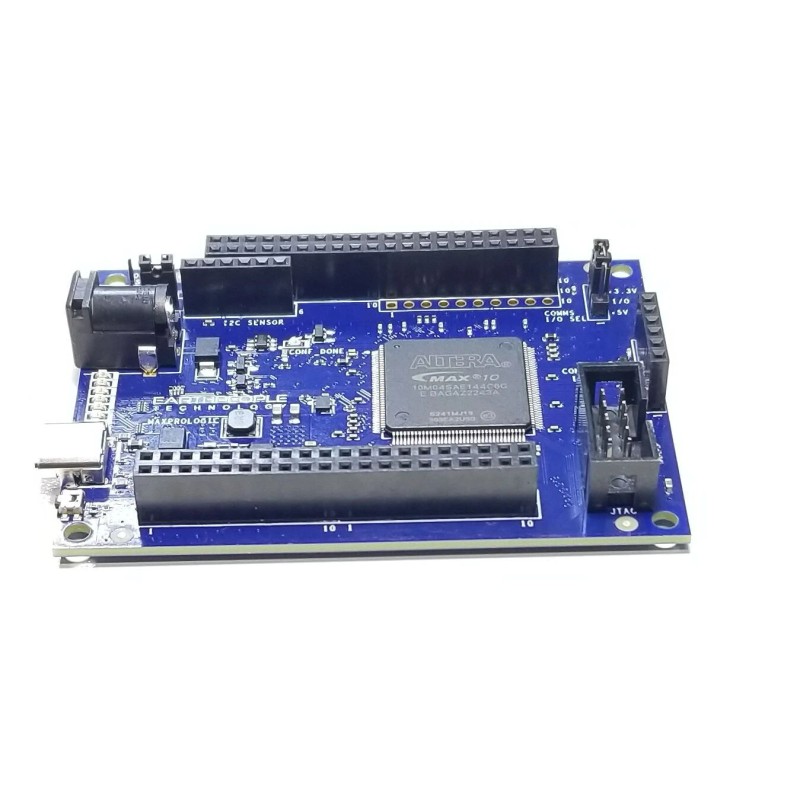
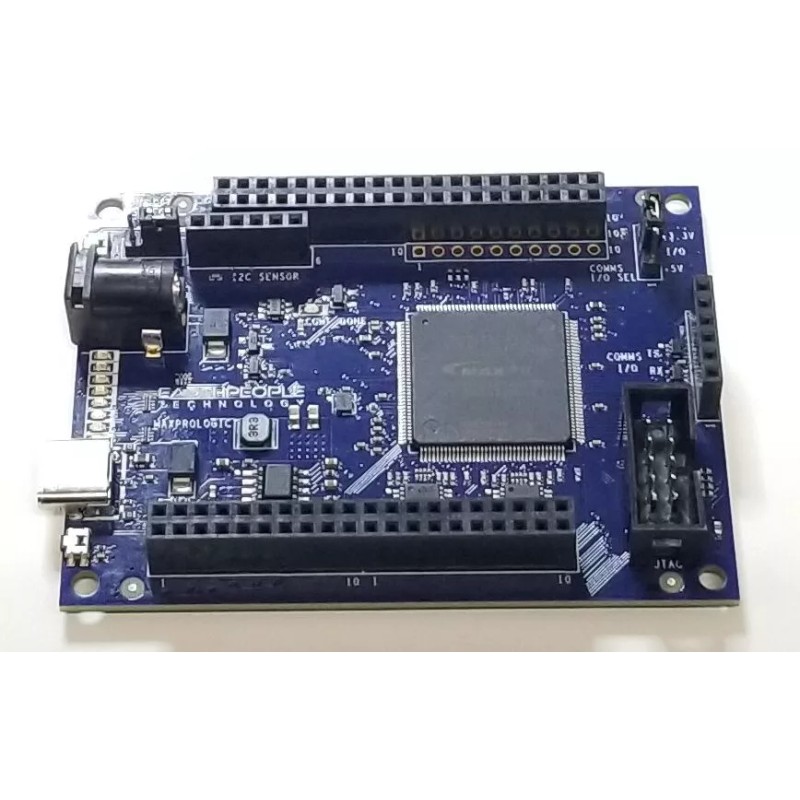
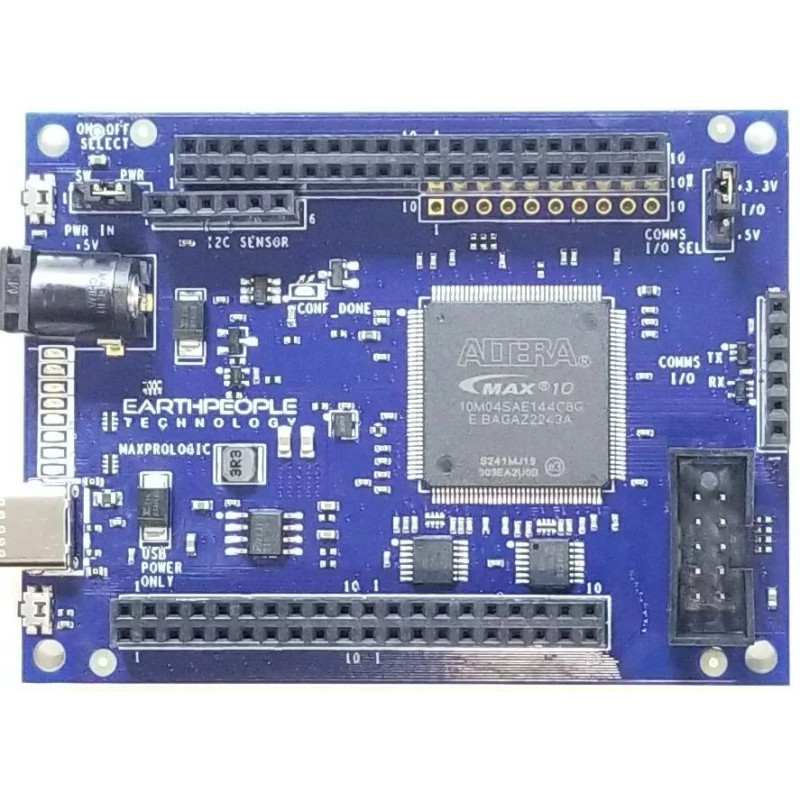


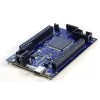

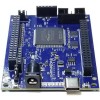

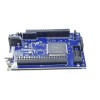
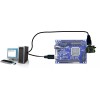
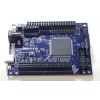

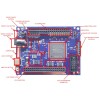
Altera Intel FPGA MAX 10 Development Board - MaxProLogic
Product Overview
MAXPROLOGIC FPGA DEVELOPMENT SYSTEM
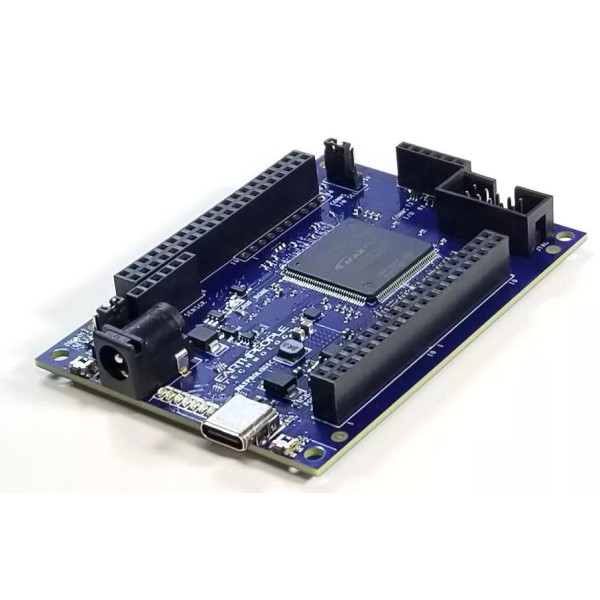
The MaxProLogic is an FPGA development board that is designed to be user
friendly and a great introduction into digital design for anyone.
The MaxProLogic is designed to make digital design easy and cost effective. At
Earth People Technology we have years of experience helping students and
hobbyists get started with FPGA design. We know that the learning curve in
getting started can be a time consuming and frustrating event. So, we created a
User Manual that walks the user from unpacking to creating the first project to
creating an epic project that will get attention.
The core of the MaxProLogic is the Altera MAX10 FPGA. This powerful chip has 4,000 Logic
Elements and 200Kbits of Memory. The MAX10 is easily scalable from the entry
level college student to the most advanced projects like an audio sound meter
with FFT.
Upon the many great features of the MaxProLogic is the MAX10 chip has a built
in Flash for configuration and incorporates 8 channels of Analog to Digital
Conversion. These two features alone create a far superior FPGA chip than any
competitor on the market. It allows the user to create more diverse projects.
MaxProLogic FPGA Development System
- MAX 10 10M04SA FPGA FROM INTEL/ALTERA
- 4,000 Logic Elements; 2.2 Mbit On chip Flash; 189 Kbit On Chip SRAM
- 8 Analog Input Channels; 12 bit; 1MSamples/Second
- 65 Available I/O’s at connectors
- 8 Green User configurable LEDs
- 1 Power Pushbutton Switch; 1 User Configurable Pushbutton Switch
- On Board SD Card Slot
- Two Power options: Standard USB (+5V @ 2Amp) Using Micro-B connector
- 5mm Barrel Connector Accepts +12V @ 3Amp
- Switching Power Supply, Provides stable output under high load stress
- Clock: 50MHz Oscillator
On board interface to Standard USB to Serial Adapters
Why the MaxProLogic?
The MaxProLogic is designed to make digital design easy and cost effective. At
Earth People Technology we have years of experience helping students and
hobbyists get started with FPGA design. We know that the learning curve in
getting started can be a time consuming and frustrating event. So, we created a
User Manual that walks the user from unpacking to creating the first project to
creating an epic project that will get attention.
The Learning Curve with any new piece of hardware is always time consuming.
We painstakingly crafted a guide that leaves out no details in creating a project
under the Quartus Software Tool. We will explain how to organize project user
files into a folder system for easy navigation. We will explain how to:
- Create a Project
- Add User Files
- Add MegaFunction IP Files
- Add Synopsys Design Constraints,
- Assign Inputs and Outputs to pins of the MAX10
- Compile the Design
- Synthesize the Project
- Program into the MAX10
In short, the MaxProLogic will cut the time to get the time to get up and running
significantly. We also include several pre-made, fully compiled, fully synthesized
projects for the user. You can start your project by copying one of these premade
projects and adding user code.
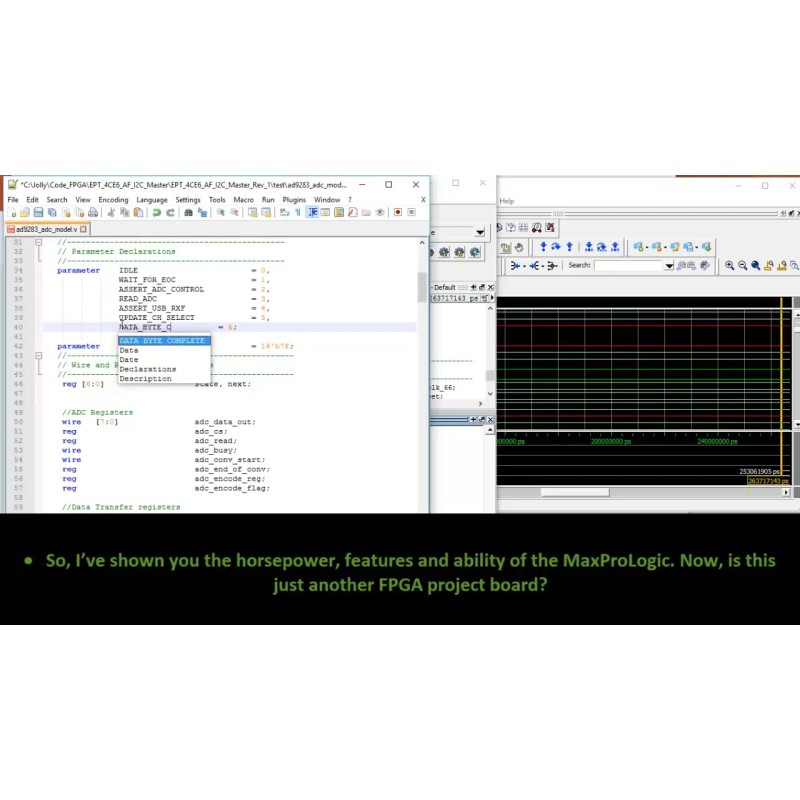
THE MAXPROLOGIC AND SIMULATION
Simulation has always been a weak point for students and hobbyists. Most
FPGA beginners write the user code, compile it, synthesize it, program the chip
then test out the results. While this approach may work for small, simple
designs, it quickly becomes a problem with larger projects. As the user code
increases in complexity, better development tools are required to quickly
isolate problems. The premier method for this is functional testing. ModelSim is
included Free with the Quartus Prime Package. ModelSim is a powerful tool for
finding errors in the user code before you go to synthesis.
Earth People Technology has created a guide that walks the user through
creating a project and verifying functionality of user code. This guide will
explain the use of the TestBench, Tasks, and Models in verification of the user
code. In specifics, the guide will explain:
Create a ModelSim Project
Create a Makefile and Compilation of user code
Create a TestBench and Stimulus of user code
Add Synopsys Design Constraints,
Assign Inputs and Outputs to pins of the MAX10
Create Models for user code to Interact With
Add Clock Signals, Resets, and Timing Elements
Debug the Functionality of user code
PROGRAMMING TOOLS FOR THE MAXPROLOGIC
The MaxProLogic leverages the Quartus Prime Lite Software for compilation
and synethsis. This software tool is completely free and provides very powerful
tools for the user. Also included free in the software tools is the simulation tool,
ModelSim. A lot beginners to the FPGA world are hesitant about using
simulation tools. They feel these tools are too difficult to learn and use. This is
where the MaxProLogic breaks that fear. The MaxProLogic comes with a user
guide that walks the user from start up to full simulation. Each step is well
documented and explained.
THE MAXPROLOGIC HARDWARE
The MaxProLogic is Open Source Hardware based on the
MAX10 FPGA. In addition to the on chip 8 Channel ADC and on
chip Flash, the board is loaded with great tools. The board has
two power options, standard USB Micro B connector and
5.5mm Barrel connector. You can run the MaxProLogic from a
laptop with 2.5W of power. Or you can run it from the +5V @
2A wall USB chargers for 10W of power. The barrel connector
can handle up to +9V @ 3 A for 27W of power.
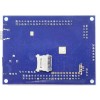
The MaxProLogic has a MicroSD connector on the bottom of the
board. This allows the user to create a powerful long term
Data Acquisition System. The board has an optional On/Off
pushbutton switch that allows the user to turn the system on
and off. There are two clocking options, 50MHz oscillator and
32.768KHz oscillator.
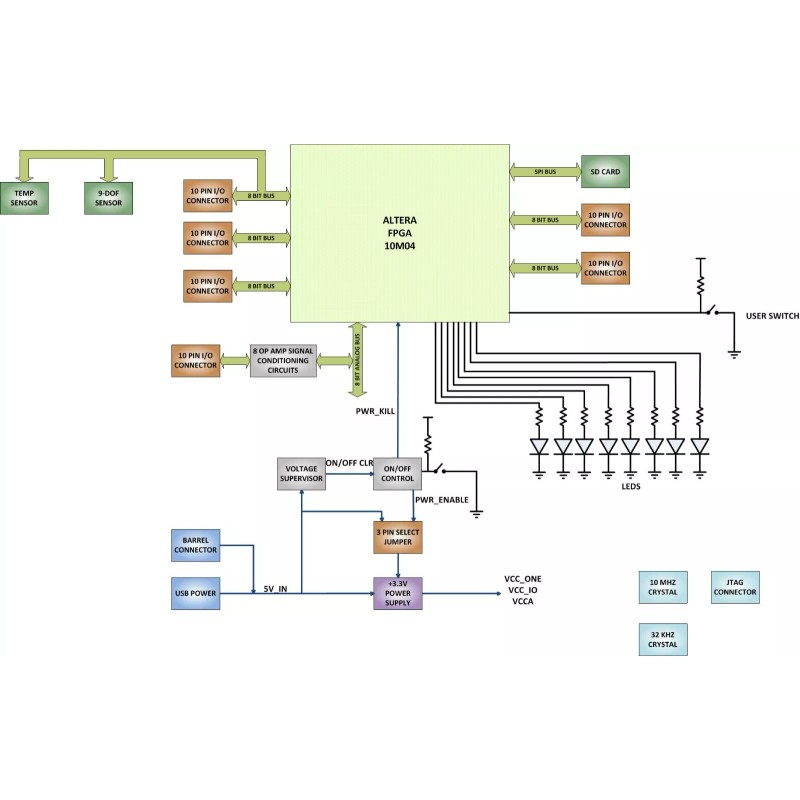
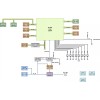
The block diagram shows all of the parts of the MaxProLogic. There is a
main switching power supply for +3.3V. The +3.3V powers the core of the FPGA
along with the Input/Outputs of the FPGA as well as provides
power for user circuits. </td>
MaxPrologic Communications
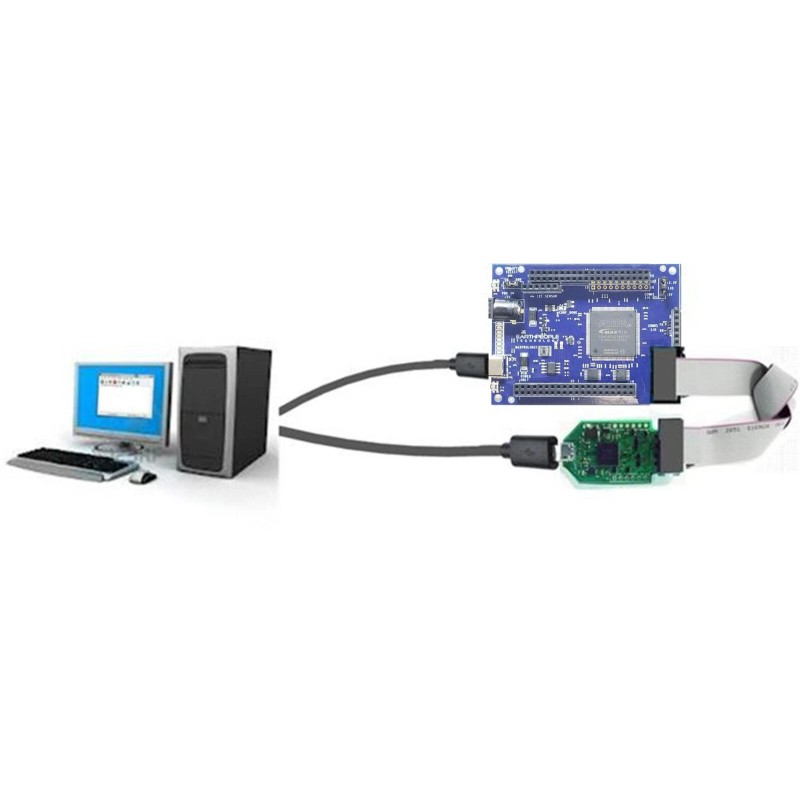
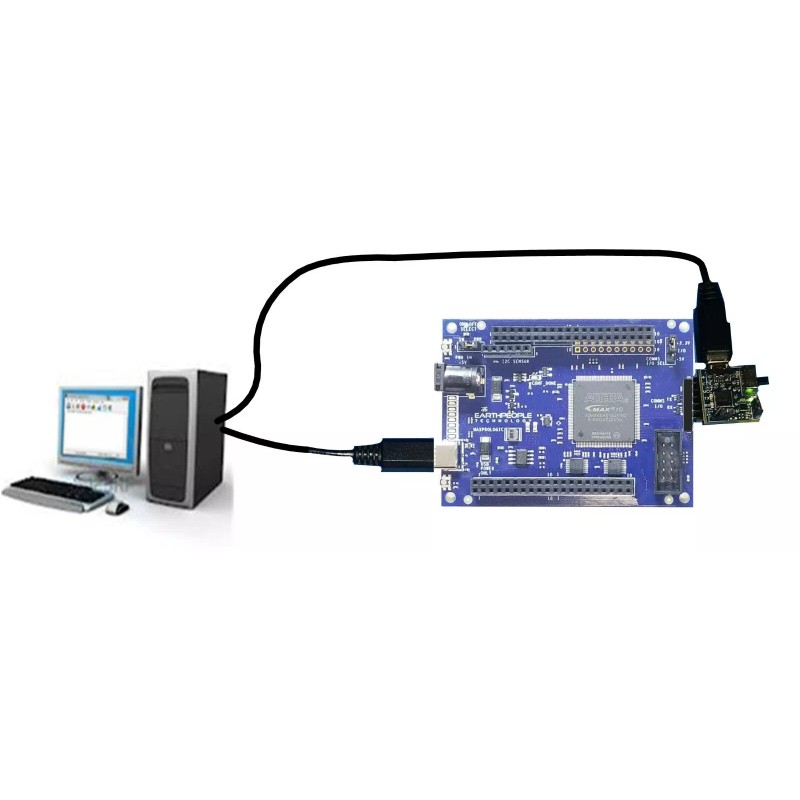
The MaxProLogic has a built in connector to allow FTDI Breakout Boards or
Equivalent to connect directly to the FPGA. There are two voltage level
translators that allow both +5V and +3.3V devices to communicate via UART
with the FPGA.
| Brand: | Altera |
|---|---|
| Isin: | IZM3P5BWE1FG |
Out of Stock
In Stock
Backordered
Out of Stock


IBspot Buyer Protection
Shop confidently on IBspot, receive your item as described or your money back for eligible orders. Learn Program Terms
Product Overview
MAXPROLOGIC FPGA DEVELOPMENT SYSTEM
The MaxProLogic is an FPGA development board that is designed to be user
friendly and a great introduction into digital design for anyone.
The MaxProLogic is designed to make digital design easy and cost effective. At
Earth People Technology we have years of experience helping students and
hobbyists get started with FPGA design. We know that the learning curve in
getting started can be a time consuming and frustrating event. So, we created a
User Manual that walks the user from unpacking to creating the first project to
creating an epic project that will get attention.
The core of the MaxProLogic is the Altera MAX10 FPGA. This powerful chip has 4,000 Logic
Elements and 200Kbits of Memory. The MAX10 is easily scalable from the entry
level college student to the most advanced projects like an audio sound meter
with FFT.
Upon the many great features of the MaxProLogic is the MAX10 chip has a built
in Flash for configuration and incorporates 8 channels of Analog to Digital
Conversion. These two features alone create a far superior FPGA chip than any
competitor on the market. It allows the user to create more diverse projects.
MaxProLogic FPGA Development System
- MAX 10 10M04SA FPGA FROM INTEL/ALTERA
- 4,000 Logic Elements; 2.2 Mbit On chip Flash; 189 Kbit On Chip SRAM
- 8 Analog Input Channels; 12 bit; 1MSamples/Second
- 65 Available I/O’s at connectors
- 8 Green User configurable LEDs
- 1 Power Pushbutton Switch; 1 User Configurable Pushbutton Switch
- On Board SD Card Slot
- Two Power options: Standard USB (+5V @ 2Amp) Using Micro-B connector
- 5mm Barrel Connector Accepts +12V @ 3Amp
- Switching Power Supply, Provides stable output under high load stress
- Clock: 50MHz Oscillator
On board interface to Standard USB to Serial Adapters
Why the MaxProLogic?
The MaxProLogic is designed to make digital design easy and cost effective. At
Earth People Technology we have years of experience helping students and
hobbyists get started with FPGA design. We know that the learning curve in
getting started can be a time consuming and frustrating event. So, we created a
User Manual that walks the user from unpacking to creating the first project to
creating an epic project that will get attention.
The Learning Curve with any new piece of hardware is always time consuming.
We painstakingly crafted a guide that leaves out no details in creating a project
under the Quartus Software Tool. We will explain how to organize project user
files into a folder system for easy navigation. We will explain how to:
- Create a Project
- Add User Files
- Add MegaFunction IP Files
- Add Synopsys Design Constraints,
- Assign Inputs and Outputs to pins of the MAX10
- Compile the Design
- Synthesize the Project
- Program into the MAX10
In short, the MaxProLogic will cut the time to get the time to get up and running
significantly. We also include several pre-made, fully compiled, fully synthesized
projects for the user. You can start your project by copying one of these premade
projects and adding user code.
THE MAXPROLOGIC AND SIMULATION
Simulation has always been a weak point for students and hobbyists. Most
FPGA beginners write the user code, compile it, synthesize it, program the chip
then test out the results. While this approach may work for small, simple
designs, it quickly becomes a problem with larger projects. As the user code
increases in complexity, better development tools are required to quickly
isolate problems. The premier method for this is functional testing. ModelSim is
included Free with the Quartus Prime Package. ModelSim is a powerful tool for
finding errors in the user code before you go to synthesis.
Earth People Technology has created a guide that walks the user through
creating a project and verifying functionality of user code. This guide will
explain the use of the TestBench, Tasks, and Models in verification of the user
code. In specifics, the guide will explain:
Create a ModelSim Project
Create a Makefile and Compilation of user code
Create a TestBench and Stimulus of user code
Add Synopsys Design Constraints,
Assign Inputs and Outputs to pins of the MAX10
Create Models for user code to Interact With
Add Clock Signals, Resets, and Timing Elements
Debug the Functionality of user code
PROGRAMMING TOOLS FOR THE MAXPROLOGIC
The MaxProLogic leverages the Quartus Prime Lite Software for compilation
and synethsis. This software tool is completely free and provides very powerful
tools for the user. Also included free in the software tools is the simulation tool,
ModelSim. A lot beginners to the FPGA world are hesitant about using
simulation tools. They feel these tools are too difficult to learn and use. This is
where the MaxProLogic breaks that fear. The MaxProLogic comes with a user
guide that walks the user from start up to full simulation. Each step is well
documented and explained.
THE MAXPROLOGIC HARDWARE
The MaxProLogic is Open Source Hardware based on the
MAX10 FPGA. In addition to the on chip 8 Channel ADC and on
chip Flash, the board is loaded with great tools. The board has
two power options, standard USB Micro B connector and
5.5mm Barrel connector. You can run the MaxProLogic from a
laptop with 2.5W of power. Or you can run it from the +5V @
2A wall USB chargers for 10W of power. The barrel connector
can handle up to +9V @ 3 A for 27W of power.
The MaxProLogic has a MicroSD connector on the bottom of the
board. This allows the user to create a powerful long term
Data Acquisition System. The board has an optional On/Off
pushbutton switch that allows the user to turn the system on
and off. There are two clocking options, 50MHz oscillator and
32.768KHz oscillator.
The block diagram shows all of the parts of the MaxProLogic. There is a
main switching power supply for +3.3V. The +3.3V powers the core of the FPGA
along with the Input/Outputs of the FPGA as well as provides
power for user circuits. </td>
MaxPrologic Communications
The MaxProLogic has a built in connector to allow FTDI Breakout Boards or
Equivalent to connect directly to the FPGA. There are two voltage level
translators that allow both +5V and +3.3V devices to communicate via UART
with the FPGA.
| Brand: | Altera |
|---|---|
| Isin: | IZM3P5BWE1FG |
MAXPROLOGIC FPGA DEVELOPMENT SYSTEM
The MaxProLogic is an FPGA development board that is designed to be user
friendly and a great introduction into digital design for anyone.
The MaxProLogic is designed to make digital design easy and cost effective. At
Earth People Technology we have years of experience helping students and
hobbyists get started with FPGA design. We know that the learning curve in
getting started can be a time consuming and frustrating event. So, we created a
User Manual that walks the user from unpacking to creating the first project to
creating an epic project that will get attention.
The core of the MaxProLogic is the Altera MAX10 FPGA. This powerful chip has 4,000 Logic
Elements and 200Kbits of Memory. The MAX10 is easily scalable from the entry
level college student to the most advanced projects like an audio sound meter
with FFT.
Upon the many great features of the MaxProLogic is the MAX10 chip has a built
in Flash for configuration and incorporates 8 channels of Analog to Digital
Conversion. These two features alone create a far superior FPGA chip than any
competitor on the market. It allows the user to create more diverse projects.
MaxProLogic FPGA Development System
- MAX 10 10M04SA FPGA FROM INTEL/ALTERA
- 4,000 Logic Elements; 2.2 Mbit On chip Flash; 189 Kbit On Chip SRAM
- 8 Analog Input Channels; 12 bit; 1MSamples/Second
- 65 Available I/O’s at connectors
- 8 Green User configurable LEDs
- 1 Power Pushbutton Switch; 1 User Configurable Pushbutton Switch
- On Board SD Card Slot
- Two Power options: Standard USB (+5V @ 2Amp) Using Micro-B connector
- 5mm Barrel Connector Accepts +12V @ 3Amp
- Switching Power Supply, Provides stable output under high load stress
- Clock: 50MHz Oscillator
On board interface to Standard USB to Serial Adapters
Why the MaxProLogic?
The MaxProLogic is designed to make digital design easy and cost effective. At
Earth People Technology we have years of experience helping students and
hobbyists get started with FPGA design. We know that the learning curve in
getting started can be a time consuming and frustrating event. So, we created a
User Manual that walks the user from unpacking to creating the first project to
creating an epic project that will get attention.
The Learning Curve with any new piece of hardware is always time consuming.
We painstakingly crafted a guide that leaves out no details in creating a project
under the Quartus Software Tool. We will explain how to organize project user
files into a folder system for easy navigation. We will explain how to:
- Create a Project
- Add User Files
- Add MegaFunction IP Files
- Add Synopsys Design Constraints,
- Assign Inputs and Outputs to pins of the MAX10
- Compile the Design
- Synthesize the Project
- Program into the MAX10
In short, the MaxProLogic will cut the time to get the time to get up and running
significantly. We also include several pre-made, fully compiled, fully synthesized
projects for the user. You can start your project by copying one of these premade
projects and adding user code.
THE MAXPROLOGIC AND SIMULATION
Simulation has always been a weak point for students and hobbyists. Most
FPGA beginners write the user code, compile it, synthesize it, program the chip
then test out the results. While this approach may work for small, simple
designs, it quickly becomes a problem with larger projects. As the user code
increases in complexity, better development tools are required to quickly
isolate problems. The premier method for this is functional testing. ModelSim is
included Free with the Quartus Prime Package. ModelSim is a powerful tool for
finding errors in the user code before you go to synthesis.
Earth People Technology has created a guide that walks the user through
creating a project and verifying functionality of user code. This guide will
explain the use of the TestBench, Tasks, and Models in verification of the user
code. In specifics, the guide will explain:
Create a ModelSim Project
Create a Makefile and Compilation of user code
Create a TestBench and Stimulus of user code
Add Synopsys Design Constraints,
Assign Inputs and Outputs to pins of the MAX10
Create Models for user code to Interact With
Add Clock Signals, Resets, and Timing Elements
Debug the Functionality of user code
PROGRAMMING TOOLS FOR THE MAXPROLOGIC
The MaxProLogic leverages the Quartus Prime Lite Software for compilation
and synethsis. This software tool is completely free and provides very powerful
tools for the user. Also included free in the software tools is the simulation tool,
ModelSim. A lot beginners to the FPGA world are hesitant about using
simulation tools. They feel these tools are too difficult to learn and use. This is
where the MaxProLogic breaks that fear. The MaxProLogic comes with a user
guide that walks the user from start up to full simulation. Each step is well
documented and explained.
THE MAXPROLOGIC HARDWARE
The MaxProLogic is Open Source Hardware based on the
MAX10 FPGA. In addition to the on chip 8 Channel ADC and on
chip Flash, the board is loaded with great tools. The board has
two power options, standard USB Micro B connector and
5.5mm Barrel connector. You can run the MaxProLogic from a
laptop with 2.5W of power. Or you can run it from the +5V @
2A wall USB chargers for 10W of power. The barrel connector
can handle up to +9V @ 3 A for 27W of power.
The MaxProLogic has a MicroSD connector on the bottom of the
board. This allows the user to create a powerful long term
Data Acquisition System. The board has an optional On/Off
pushbutton switch that allows the user to turn the system on
and off. There are two clocking options, 50MHz oscillator and
32.768KHz oscillator.
The block diagram shows all of the parts of the MaxProLogic. There is a
main switching power supply for +3.3V. The +3.3V powers the core of the FPGA
along with the Input/Outputs of the FPGA as well as provides
power for user circuits. </td>
MaxPrologic Communications
The MaxProLogic has a built in connector to allow FTDI Breakout Boards or
Equivalent to connect directly to the FPGA. There are two voltage level
translators that allow both +5V and +3.3V devices to communicate via UART
with the FPGA.
- Brand: Altera
- Series: MAX 10
- Kit Name: FPGA Development Board for Makers and Hobbyists
- MPN: EPT-10M04-AF-S2
- Item Width: 2 in
- Core: FPGA
- UPC: 713289288914
Processing Time
- We process and ship orders Monday through Friday, excluding holidays.
- Most orders are processed within 1–3 business days, depending on product availability.
- Processing time does not include delivery time, which varies based on your location and the product’s shipping origin.
Shipping Coverage
We currently ship to addresses within the United States only.
Products may ship from:
- Our U.S. warehouses, or
- Our international fulfillment centers (including Korea, Japan, China, Australia, Mexico, Canada, the United Kingdom, and the EU).
Each product page clearly displays the “Ships From” location before checkout.
Shipping Methods & Estimated Delivery
| Shipping Method | Estimated Delivery | Cost |
|---|---|---|
| Free Shipping (US) | 5–10 business days | Free, available on eligible items |
| Standard Shipping (US to US by Item) | 5–10 business days | $5.95 for the first item, $3.00 each additional |
| Standard Shipping (From US Warehouse by Weight) | 3–7 business days | Starts at $5.95, increasing by $2 for every additional 4 oz (0.25 lb) up to 1 lb, then by $4 for each additional pound beyond 1 lb. |
| Extended Delivery (Ships from Overseas Warehouse) | 10–20 business days | $14.50 for the first item, $2.00 each additional |
Shipping costs vary by product weight, quantity and origin. Exact rates and delivery estimates are displayed on each product page and confirmed during checkout.
Free Shipping
We offer free standard shipping on select products or during promotional periods. Availability of free shipping will be displayed on the product page and at checkout.
Carriers
We primarily use USPS and UPS for U.S. deliveries. Items shipped from international warehouses may be handled by partner carriers depending on the country of origin.
Import Duties & Taxes
All import duties and taxes for goods imported into the United States are included in the product price. There are no hidden fees or additional charges at checkout.
Tracking & Notifications
Every order is fully trackable. You will receive a tracking number via email once your order ships. If your order ships in multiple packages, each package will have its own tracking number. If you don’t receive a shipping confirmation immediately, your order is still being processed and will arrive within the estimated timeframe shown at checkout.
You can track your shipment anytime using the Track Your Order page on our website.
Order Changes & Cancellations
If you need to modify or cancel an order, please contact our customer support team as soon as possible. Orders can only be canceled before they ship. Once shipped, cancellations are not possible, but you may request a return after the item is delivered.
Contact: support@ibspot.com
Item Not Received
If your tracking number shows “Delivered” but you haven’t received your package:
- Check with your local USPS or UPS office.
- Confirm that the shipping address provided was correct.
- If the issue remains unresolved, contact support@ibspot.com for assistance.
Damaged or Lost Parcels
If your package arrives damaged or fails to arrive, please contact us immediately. For deliveries to P.O. boxes, ibspot is not responsible for damage caused by weather, temperature, or theft.
Customer Support
For any questions about shipping, tracking, or delivery, our customer support team is here to help.
Email: support@ibspot.com
We’re always happy to help.
Please read our policy carefully before making a purchase.
We aim to ensure every customer has a smooth and transparent experience with ibspot.com.
Order Cancellation Policy
Customers may request to cancel an order before it has been shipped.
Once the package has been shipped, cancellations are no longer possible; however, you may still request a return after receiving your order.
How to Request a Cancellation
You can contact us through:
- Email: support@ibspot.com
- Contact Form: Submit a request through our Contact Us page
Please submit your cancellation request as soon as possible after placing the order to allow us to process it before shipment.
Return Policy
We accept returns for most items within 30 days of delivery for a full refund.
To be eligible for a return:
- The item must be unused, in the same condition as received, and in its original packaging.
- A tracking number must be provided to confirm the return shipment.
Non-Returnable Items
Certain products cannot be returned, including:
- Perishable goods (for example, food, flowers, newspapers, magazines)
- Intimate or sanitary goods
- Hazardous materials or flammable liquids/gases
- Gift cards
- Downloadable software
- Some health and personal care items
Partial Refunds (If Applicable)
Partial refunds may be granted in specific situations, such as:
- Books with obvious signs of use
- Opened CDs, DVDs, software, or vinyl records
- Items not in their original condition, damaged, or missing parts not due to our error
- Items returned more than 30 days after delivery
How to Return an Item
To initiate a return, please contact us at support@ibspot.com with your order number and details about the product you wish to return.
Our team will provide you with return instructions and a prepaid return label.
Shipping Cost for Returns
Please contact us before returning any item.
We will provide a free return shipping label.
If a return is sent back without prior contact or without our provided label, we cannot be held responsible for return shipping costs.
For items valued over $75, we recommend using a trackable shipping service or purchasing shipping insurance.
We cannot guarantee that we will receive your returned item if shipped independently.
Refund Processing
Once your return is received and inspected:
- In-store returns are refunded to the original form of payment or issued as a gift card.
- Mail-in returns using our prepaid label are refunded to the original payment method within 3–5 business days after we receive your return.
Please allow:
- 5–7 business days for the return to reach our Returns Center.
- An additional 3–10 business days for your bank to post the refund to your account.
Damages, Issues & Claims
Please inspect your order immediately upon receipt.
If you receive a defective, damaged, or incorrect item, contact us right away at support@ibspot.com.
We’ll evaluate the issue promptly and make it right.
Product Claims
Before purchasing, please review product details carefully.
If there is a problem with your order upon arrival, visit our Support Center or contact us directly to arrange return shipping or replacement.
Exchanges
We do not process direct exchanges.
The fastest way to get what you need is to return the original item and place a new order once your return is accepted.
Return Address
IBSPOT Return Center
15 Sawmill Ln
Dover Plains, NY 12522
United States
Customer Support
Our support team is available 24/7 to assist with cancellations, returns, or general inquiries.
Email: support@ibspot.com
Contact Form: Contact Us page
Oops!
Sorry, it looks like some products are not available in selected quantity.