

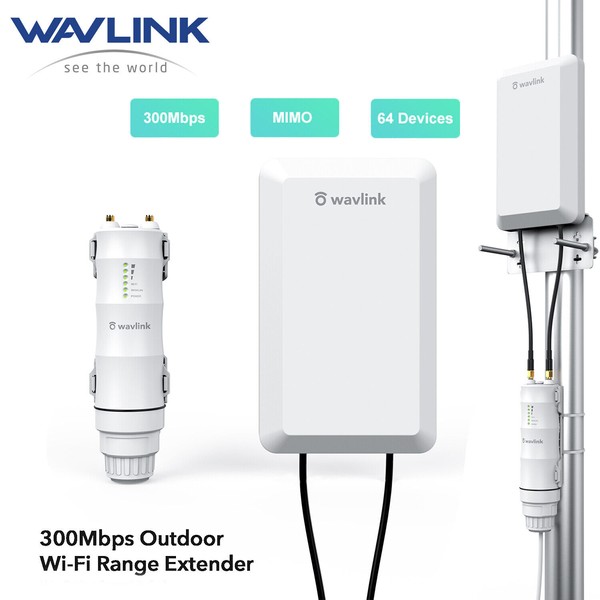
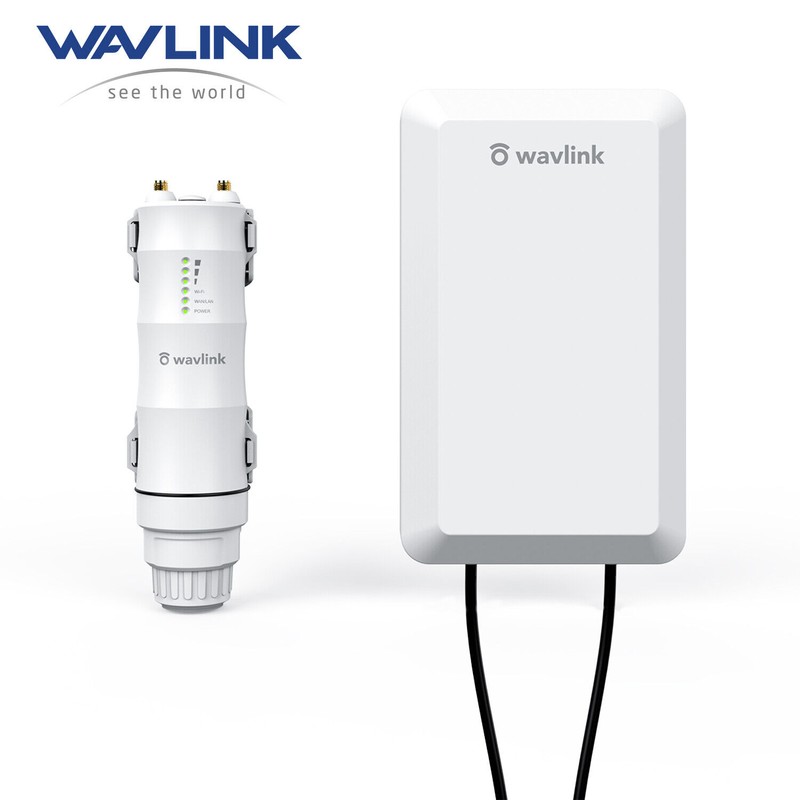
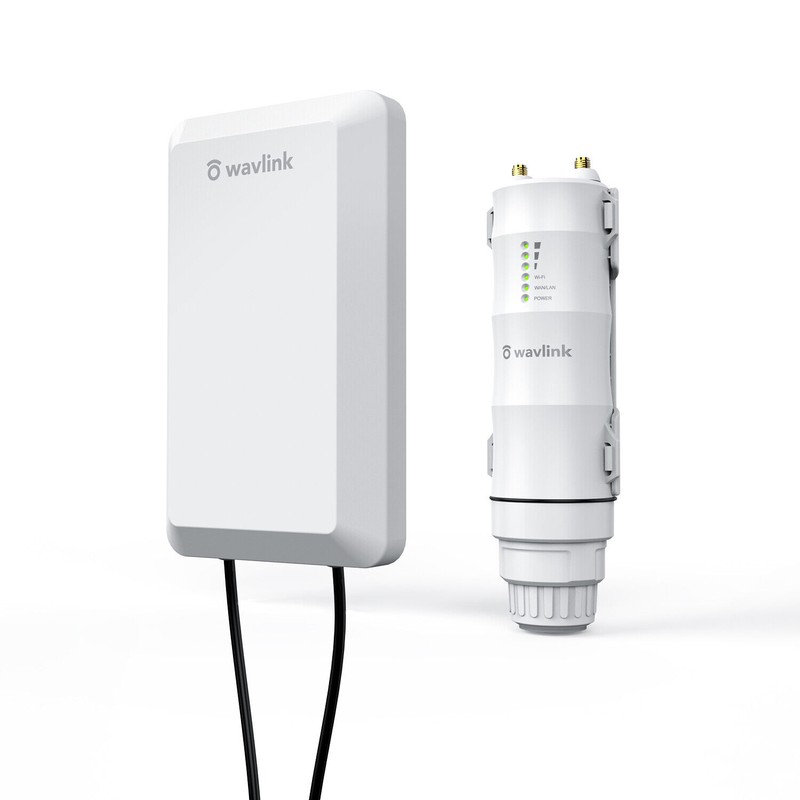


WAVLINK Wireless 2.4GHz 300Mbps Long Range Outdoor AP/Repeater CPE Kit for PtP and PtMP
$141.59
- Free US shipping
-
Arrives
Wavkink 2.4G WiFi 300Mbps Outdoor AP/ Repeater/Router/ CPE/ Wireless Bridge
Stable and Long-range Wi-Fi is Provided to Wherever Needs it
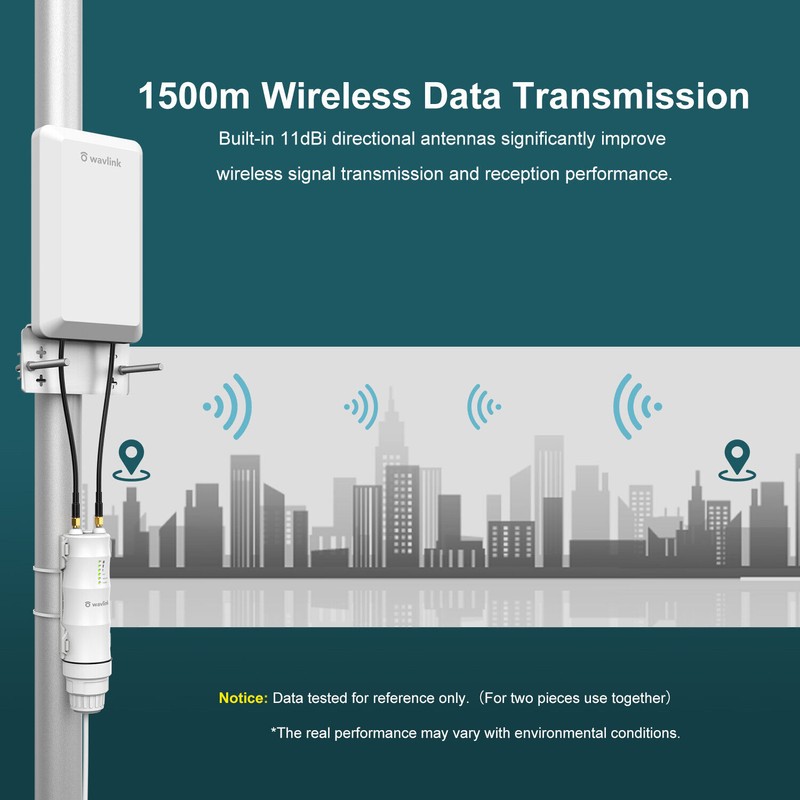
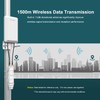
★1.5km Wireless Data Transmission: Specially designed for outdoor uses, ideal for long distance wireless data transmission over
1.5km(only for paired PtP or PtMP transmission), tested in the barrier-free field. Built-in 11dBi directional antennas can significantly
improve the transmission and reception performance of wireless signal.
★ Excellent WiFi Access "Helper": It supports up to 64 devices and provides 300Mbps high speed with 100M Ethernet port and 2*2
MIMO antenna. Point to Point/Multi-Point connection (1-4) can be used for elevator monitor/surveillance networks. Simple settings
can achieve wireless optimization, and improve the quality and effectiveness of link transmission.
★Built for Outdoor Wi-Fi Coverage: IP65-rated waterproof housing that ensures continued operation on harsh outdoor environments
or in climates of extreme cold, heat or continuous moisture. Lightning protection and weatheproof design ensure stable connection in
harsh outdoor conditions. Note: The PoE part of the router is not waterproof.
★Flexible Deployment:24V passive PoE adapter supports up to 80 meter (262 feet) deployment, for easier installation and lower cost.
And it can be installed in areas where power outlets are not readily available, eliminating the mess of altering existing network infrastructure.
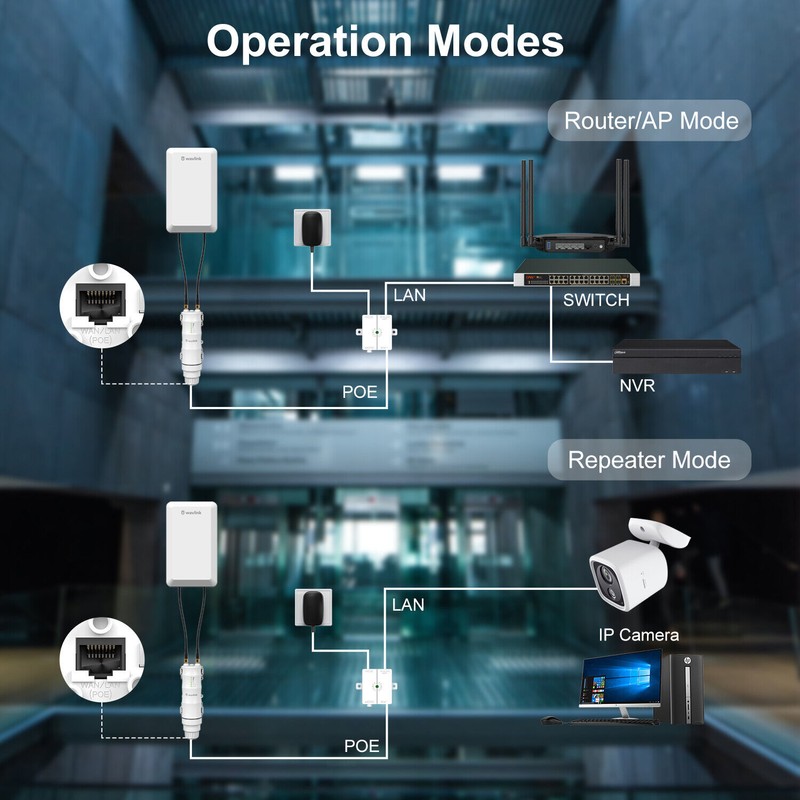
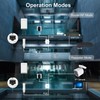
★Multi-Working Modes Accessible: Supports AP/Router/Repeater Mode, which can meet your network requirements in different
environment. 200 meters wireless data transmission range specifically determined by the environment and the antenna gain and power
of the client.
Product Overview
The HighPower Wi-Fi AP/Repeater is ideal for long distance point-to-point/multi-point wireless data transmission, providing a free Wi-Fi
service in remote such as factory, community, street or etc. The AP/Repeater can take an existing 2.4GHz wireless signal, repeat and extend
it to a longer range where it is far away for the router or access point to reach, and it supports 2.4G transmission speeds of up to 300Mbps.
It has one directional flat antenna (2 x built-in 11dBi high gain antennas) providing even better wireless performance, transmission rates,
stability technology automatically avoids channel conflicts using its channel selection feature. Wish you'd have an enjoyable use experience
with our product!
Flexible PoE Deployment: Support 24V PoE power supply, easy installation and deployment. Make sure the Ethernet cable connected to this
repeater be less than 80 meters, and the ethernet cable connected to the uplink devices be less than 100 meters.
Multiple LED Indicators: 6 status LED indicators help you see the power/ internet status of device. Since the green lights might be not so
obvious in the open air, you can try to cover the device with your hand to check.
Wide Range Transmission: 1.5km wireless data transmission range for point to point/multi-point use(the result is from testing two products
use together---one as sender and one as receiver), suitable for surveillance networks.
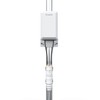
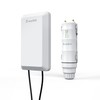
Product Dimension: Panel (L * W * T): length 19.5cm/7.68in, width 12cm/4.72in, thickness 3cm/1.18in; Router: diameter 4.5cm/1.77in,
height 17cm/6.69in. Note: Data by manual measurement for reference ONLY.
Up to 64 Devices: Share WiFi network with up to 64 devices and enjoy 300Mbps network speed.(200 meters wireless data transmission
range specifically determined by the environment and the antenna gain and power of the client.)
What You Get:
1x Outdoor Wi-Fi range extender;
1x Directional antenna panel;
1x Main body holder;
1x PoE converter;
1x RJ-45 network cable;
1x Screw/Bracket fitting kit;
1x Power adapter;
2x Cable ties;
1x Quick start guide;
1xInstallation instruction.
Installation Instruction
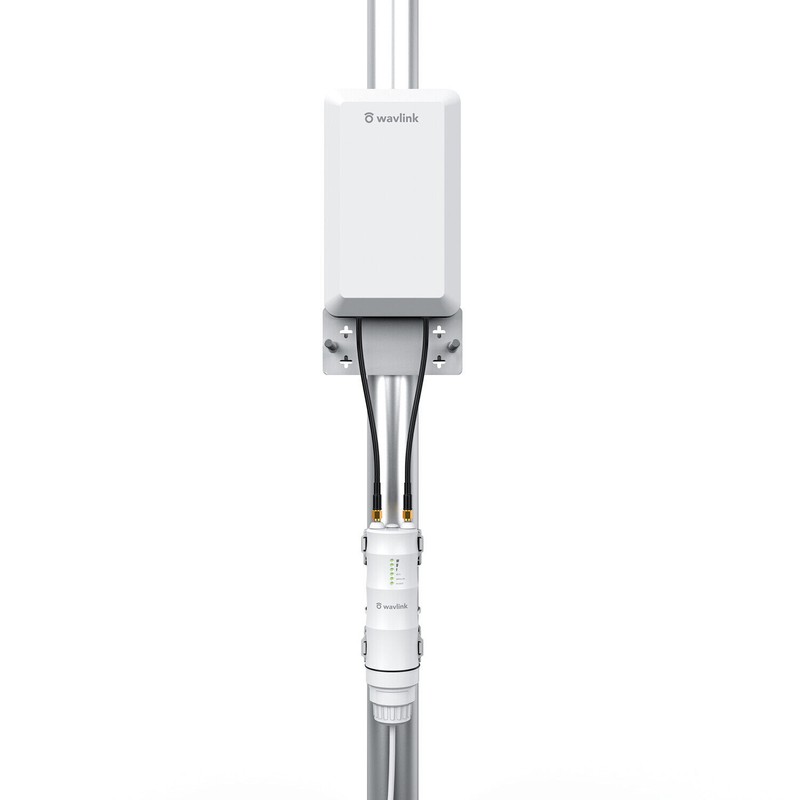
Installation Height: Keep the height of the flat antenna 2-3 meters above the ground without obstruction, and 1-2 meters horizontal drop
from the network terminal (mobile phone, surveillance camera).
Installation Direction: The signal facing the front of the panel antenna is much stronger, please pay attention to whether the front and back
of the antenna panel are facing correctly when installing.
Installation Steps: Support flexible deployment on the wall or on the round pole. For detailed steps, please refer to our step-by-step diagrams
in this page or installation instructions in the package.
Features
- Easy installation, flexible placement
- Supports Router, AP, Repeater modes
- High transmission power for 1500 meters extreme Wi-Fi coverage
- Features 2 x RP-SMA connectors for external antennas
- Robust weatherproof enclosure design, 15KV ESD and 4KV Lightning Protection
- Supports passive PoE power supply(through network cable)up to 80 meters
- Complies with IEEE 802.11b/g/n standards, wireless speed up to 300 Mbps
- Supports 128 bit WPA/WPA2(TKIP/AES)
- Features 6 x status LED indicators
FAQ
Q1. Why doesn't the login page appear after entering http://wifi.wavlink.com?
-If your computer is wirelessly connected, please verify that you have connected to the device's SSID. If your computer is connected
via an Ethernet cable, please verify that the connection is stable.
-Make sure your computer is set to obtain an IP address automatically.
-Use the IP address to log in to the page. The default IP is 192.168.10.1. If the device is connected to the host Wi-Fi, please go to the
router 's DHCP client list to obtain the device' s current IP address.
-Please reset the device and try again. If the problem still exists, please feel free to let us know.
Q2. How do I restore the device to its factory default settings?
-While the device is powered on, press and hold the Reset button until all the LEDs turn on momentarily.
Q3. What should I do if the LED does not change to solid after completing ?
-You may have entered the incorrect Wi-Fi password of your host Wi-Fi during the configuration. Please log into the device' s web-based
interface to check the password and try again.
-Reset the device and go through the configuration again.
Q4. I have enabled a wireless MAC filter, wireless access control, or access control list (ACL) on my router. What should I do before
configuring and using the device ?
-If you have enabled those functions of your router, you may need to disable them first. And then follow OPTION ONE or OPTION
TWO to complete the configuration. .
For more details, please refer to www.wavlink.com.
Please Note:
* The real performance of the product may vary in accordance with different environmental conditions.
* If your device is damaged or defective, please contact our customer service for more details.
* All pictures shown on the package are for illustration purpose only.
* The PoE part of the router is not waterproof.
- Free 30-Day Returns
- Full Refund for Damaged or Incorrect Items
- Guaranteed Delivery or Money Back
- Secure Checkout & Fast Support

Wavkink 2.4G WiFi 300Mbps Outdoor AP/ Repeater/Router/ CPE/ Wireless Bridge
Stable and Long-range Wi-Fi is Provided to Wherever Needs it
★1.5km Wireless Data Transmission: Specially designed for outdoor uses, ideal for long distance wireless data transmission over
1.5km(only for paired PtP or PtMP transmission), tested in the barrier-free field. Built-in 11dBi directional antennas can significantly
improve the transmission and reception performance of wireless signal.
★ Excellent WiFi Access "Helper": It supports up to 64 devices and provides 300Mbps high speed with 100M Ethernet port and 2*2
MIMO antenna. Point to Point/Multi-Point connection (1-4) can be used for elevator monitor/surveillance networks. Simple settings
can achieve wireless optimization, and improve the quality and effectiveness of link transmission.
★Built for Outdoor Wi-Fi Coverage: IP65-rated waterproof housing that ensures continued operation on harsh outdoor environments
or in climates of extreme cold, heat or continuous moisture. Lightning protection and weatheproof design ensure stable connection in
harsh outdoor conditions. Note: The PoE part of the router is not waterproof.
★Flexible Deployment:24V passive PoE adapter supports up to 80 meter (262 feet) deployment, for easier installation and lower cost.
And it can be installed in areas where power outlets are not readily available, eliminating the mess of altering existing network infrastructure.
★Multi-Working Modes Accessible: Supports AP/Router/Repeater Mode, which can meet your network requirements in different
environment. 200 meters wireless data transmission range specifically determined by the environment and the antenna gain and power
of the client.
Product Overview
The HighPower Wi-Fi AP/Repeater is ideal for long distance point-to-point/multi-point wireless data transmission, providing a free Wi-Fi
service in remote such as factory, community, street or etc. The AP/Repeater can take an existing 2.4GHz wireless signal, repeat and extend
it to a longer range where it is far away for the router or access point to reach, and it supports 2.4G transmission speeds of up to 300Mbps.
It has one directional flat antenna (2 x built-in 11dBi high gain antennas) providing even better wireless performance, transmission rates,
stability technology automatically avoids channel conflicts using its channel selection feature. Wish you'd have an enjoyable use experience
with our product!
Flexible PoE Deployment: Support 24V PoE power supply, easy installation and deployment. Make sure the Ethernet cable connected to this
repeater be less than 80 meters, and the ethernet cable connected to the uplink devices be less than 100 meters.
Multiple LED Indicators: 6 status LED indicators help you see the power/ internet status of device. Since the green lights might be not so
obvious in the open air, you can try to cover the device with your hand to check.
Wide Range Transmission: 1.5km wireless data transmission range for point to point/multi-point use(the result is from testing two products
use together---one as sender and one as receiver), suitable for surveillance networks.
Product Dimension: Panel (L * W * T): length 19.5cm/7.68in, width 12cm/4.72in, thickness 3cm/1.18in; Router: diameter 4.5cm/1.77in,
height 17cm/6.69in. Note: Data by manual measurement for reference ONLY.
Up to 64 Devices: Share WiFi network with up to 64 devices and enjoy 300Mbps network speed.(200 meters wireless data transmission
range specifically determined by the environment and the antenna gain and power of the client.)
What You Get:
1x Outdoor Wi-Fi range extender;
1x Directional antenna panel;
1x Main body holder;
1x PoE converter;
1x RJ-45 network cable;
1x Screw/Bracket fitting kit;
1x Power adapter;
2x Cable ties;
1x Quick start guide;
1xInstallation instruction.
Installation Instruction
Installation Height: Keep the height of the flat antenna 2-3 meters above the ground without obstruction, and 1-2 meters horizontal drop
from the network terminal (mobile phone, surveillance camera).
Installation Direction: The signal facing the front of the panel antenna is much stronger, please pay attention to whether the front and back
of the antenna panel are facing correctly when installing.
Installation Steps: Support flexible deployment on the wall or on the round pole. For detailed steps, please refer to our step-by-step diagrams
in this page or installation instructions in the package.
Features
- Easy installation, flexible placement
- Supports Router, AP, Repeater modes
- High transmission power for 1500 meters extreme Wi-Fi coverage
- Features 2 x RP-SMA connectors for external antennas
- Robust weatherproof enclosure design, 15KV ESD and 4KV Lightning Protection
- Supports passive PoE power supply(through network cable)up to 80 meters
- Complies with IEEE 802.11b/g/n standards, wireless speed up to 300 Mbps
- Supports 128 bit WPA/WPA2(TKIP/AES)
- Features 6 x status LED indicators
FAQ
Q1. Why doesn't the login page appear after entering http://wifi.wavlink.com?
-If your computer is wirelessly connected, please verify that you have connected to the device's SSID. If your computer is connected
via an Ethernet cable, please verify that the connection is stable.
-Make sure your computer is set to obtain an IP address automatically.
-Use the IP address to log in to the page. The default IP is 192.168.10.1. If the device is connected to the host Wi-Fi, please go to the
router 's DHCP client list to obtain the device' s current IP address.
-Please reset the device and try again. If the problem still exists, please feel free to let us know.
Q2. How do I restore the device to its factory default settings?
-While the device is powered on, press and hold the Reset button until all the LEDs turn on momentarily.
Q3. What should I do if the LED does not change to solid after completing ?
-You may have entered the incorrect Wi-Fi password of your host Wi-Fi during the configuration. Please log into the device' s web-based
interface to check the password and try again.
-Reset the device and go through the configuration again.
Q4. I have enabled a wireless MAC filter, wireless access control, or access control list (ACL) on my router. What should I do before
configuring and using the device ?
-If you have enabled those functions of your router, you may need to disable them first. And then follow OPTION ONE or OPTION
TWO to complete the configuration. .
For more details, please refer to www.wavlink.com.
Please Note:
* The real performance of the product may vary in accordance with different environmental conditions.
* If your device is damaged or defective, please contact our customer service for more details.
* All pictures shown on the package are for illustration purpose only.
* The PoE part of the router is not waterproof.
Wavkink 2.4G WiFi 300Mbps Outdoor AP/ Repeater/Router/ CPE/ Wireless Bridge
Stable and Long-range Wi-Fi is Provided to Wherever Needs it
★1.5km Wireless Data Transmission: Specially designed for outdoor uses, ideal for long distance wireless data transmission over
1.5km(only for paired PtP or PtMP transmission), tested in the barrier-free field. Built-in 11dBi directional antennas can significantly
improve the transmission and reception performance of wireless signal.
★ Excellent WiFi Access "Helper": It supports up to 64 devices and provides 300Mbps high speed with 100M Ethernet port and 2*2
MIMO antenna. Point to Point/Multi-Point connection (1-4) can be used for elevator monitor/surveillance networks. Simple settings
can achieve wireless optimization, and improve the quality and effectiveness of link transmission.
★Built for Outdoor Wi-Fi Coverage: IP65-rated waterproof housing that ensures continued operation on harsh outdoor environments
or in climates of extreme cold, heat or continuous moisture. Lightning protection and weatheproof design ensure stable connection in
harsh outdoor conditions. Note: The PoE part of the router is not waterproof.
★Flexible Deployment:24V passive PoE adapter supports up to 80 meter (262 feet) deployment, for easier installation and lower cost.
And it can be installed in areas where power outlets are not readily available, eliminating the mess of altering existing network infrastructure.
★Multi-Working Modes Accessible: Supports AP/Router/Repeater Mode, which can meet your network requirements in different
environment. 200 meters wireless data transmission range specifically determined by the environment and the antenna gain and power
of the client.
Product Overview
The HighPower Wi-Fi AP/Repeater is ideal for long distance point-to-point/multi-point wireless data transmission, providing a free Wi-Fi
service in remote such as factory, community, street or etc. The AP/Repeater can take an existing 2.4GHz wireless signal, repeat and extend
it to a longer range where it is far away for the router or access point to reach, and it supports 2.4G transmission speeds of up to 300Mbps.
It has one directional flat antenna (2 x built-in 11dBi high gain antennas) providing even better wireless performance, transmission rates,
stability technology automatically avoids channel conflicts using its channel selection feature. Wish you'd have an enjoyable use experience
with our product!
Flexible PoE Deployment: Support 24V PoE power supply, easy installation and deployment. Make sure the Ethernet cable connected to this
repeater be less than 80 meters, and the ethernet cable connected to the uplink devices be less than 100 meters.
Multiple LED Indicators: 6 status LED indicators help you see the power/ internet status of device. Since the green lights might be not so
obvious in the open air, you can try to cover the device with your hand to check.
Wide Range Transmission: 1.5km wireless data transmission range for point to point/multi-point use(the result is from testing two products
use together---one as sender and one as receiver), suitable for surveillance networks.
Product Dimension: Panel (L * W * T): length 19.5cm/7.68in, width 12cm/4.72in, thickness 3cm/1.18in; Router: diameter 4.5cm/1.77in,
height 17cm/6.69in. Note: Data by manual measurement for reference ONLY.
Up to 64 Devices: Share WiFi network with up to 64 devices and enjoy 300Mbps network speed.(200 meters wireless data transmission
range specifically determined by the environment and the antenna gain and power of the client.)
What You Get:
1x Outdoor Wi-Fi range extender;
1x Directional antenna panel;
1x Main body holder;
1x PoE converter;
1x RJ-45 network cable;
1x Screw/Bracket fitting kit;
1x Power adapter;
2x Cable ties;
1x Quick start guide;
1xInstallation instruction.
Installation Instruction
Installation Height: Keep the height of the flat antenna 2-3 meters above the ground without obstruction, and 1-2 meters horizontal drop
from the network terminal (mobile phone, surveillance camera).
Installation Direction: The signal facing the front of the panel antenna is much stronger, please pay attention to whether the front and back
of the antenna panel are facing correctly when installing.
Installation Steps: Support flexible deployment on the wall or on the round pole. For detailed steps, please refer to our step-by-step diagrams
in this page or installation instructions in the package.
Features
- Easy installation, flexible placement
- Supports Router, AP, Repeater modes
- High transmission power for 1500 meters extreme Wi-Fi coverage
- Features 2 x RP-SMA connectors for external antennas
- Robust weatherproof enclosure design, 15KV ESD and 4KV Lightning Protection
- Supports passive PoE power supply(through network cable)up to 80 meters
- Complies with IEEE 802.11b/g/n standards, wireless speed up to 300 Mbps
- Supports 128 bit WPA/WPA2(TKIP/AES)
- Features 6 x status LED indicators
FAQ
Q1. Why doesn't the login page appear after entering http://wifi.wavlink.com?
-If your computer is wirelessly connected, please verify that you have connected to the device's SSID. If your computer is connected
via an Ethernet cable, please verify that the connection is stable.
-Make sure your computer is set to obtain an IP address automatically.
-Use the IP address to log in to the page. The default IP is 192.168.10.1. If the device is connected to the host Wi-Fi, please go to the
router 's DHCP client list to obtain the device' s current IP address.
-Please reset the device and try again. If the problem still exists, please feel free to let us know.
Q2. How do I restore the device to its factory default settings?
-While the device is powered on, press and hold the Reset button until all the LEDs turn on momentarily.
Q3. What should I do if the LED does not change to solid after completing ?
-You may have entered the incorrect Wi-Fi password of your host Wi-Fi during the configuration. Please log into the device' s web-based
interface to check the password and try again.
-Reset the device and go through the configuration again.
Q4. I have enabled a wireless MAC filter, wireless access control, or access control list (ACL) on my router. What should I do before
configuring and using the device ?
-If you have enabled those functions of your router, you may need to disable them first. And then follow OPTION ONE or OPTION
TWO to complete the configuration. .
For more details, please refer to www.wavlink.com.
Please Note:
* The real performance of the product may vary in accordance with different environmental conditions.
* If your device is damaged or defective, please contact our customer service for more details.
* All pictures shown on the package are for illustration purpose only.
* The PoE part of the router is not waterproof.
Condition
Brand
Type
Number of LAN Ports
Features
Color
Connectivity
To Fit
Ports
Country/Region of Manufacture
Manufacturer Warranty
Frequency Bands
Colour
Maximum Wireless Data Rate
Maximum LAN Data Rate
Processing Time
- We process and ship orders Monday through Friday, excluding holidays.
- Most orders are processed within 1–3 business days, depending on product availability.
- Processing time does not include delivery time, which varies based on your location and the product’s shipping origin.
Shipping Coverage
We currently ship to addresses within the United States only.
Products may ship from:
- Our U.S. warehouses, or
- Our international fulfillment centers (including Korea, Japan, China, Australia, Mexico, Canada, the United Kingdom, and the EU).
Each product page clearly displays the “Ships From” location before checkout.
Shipping Methods & Estimated Delivery
| Shipping Method | Estimated Delivery | Cost |
|---|---|---|
| Free Shipping (US) | 5–10 business days | Free, available on eligible items |
| Standard Shipping (US to US by Item) | 5–10 business days | $5.95 for the first item, $3.00 each additional |
| Standard Shipping (From US Warehouse by Weight) | 3–7 business days | Starts at $5.95, increasing by $2 for every additional 4 oz (0.25 lb) up to 1 lb, then by $4 for each additional pound beyond 1 lb. |
| Extended Delivery (Ships from Overseas Warehouse) | 10–20 business days | $14.99 for the first item, $2.00 each additional |
Shipping costs vary by product weight, quantity and origin. Exact rates and delivery estimates are displayed on each product page and confirmed during checkout.
Free Shipping
We offer free standard shipping on select products or during promotional periods. Availability of free shipping will be displayed on the product page and at checkout.
Carriers
We primarily use USPS and UPS for U.S. deliveries. Items shipped from international warehouses may be handled by partner carriers depending on the country of origin.
Import Duties & Taxes
All import duties and taxes for goods imported into the United States are included in the product price. There are no hidden fees or additional charges at checkout.
Tracking & Notifications
Every order is fully trackable. You will receive a tracking number via email once your order ships. If your order ships in multiple packages, each package will have its own tracking number. If you don’t receive a shipping confirmation immediately, your order is still being processed and will arrive within the estimated timeframe shown at checkout.
You can track your shipment anytime using the Track Your Order page on our website.
Order Changes & Cancellations
If you need to modify or cancel an order, please contact our customer support team as soon as possible. Orders can only be canceled before they ship. Once shipped, cancellations are not possible, but you may request a return after the item is delivered.
Contact: support@ibspot.com
Item Not Received
If your tracking number shows “Delivered” but you haven’t received your package:
- Check with your local USPS or UPS office.
- Confirm that the shipping address provided was correct.
- If the issue remains unresolved, contact support@ibspot.com for assistance.
Damaged or Lost Parcels
If your package arrives damaged or fails to arrive, please contact us immediately. For deliveries to P.O. boxes, ibspot is not responsible for damage caused by weather, temperature, or theft.
Customer Support
For any questions about shipping, tracking, or delivery, our customer support team is here to help.
Email: support@ibspot.com
We’re always happy to help.
Please read our policy carefully before making a purchase.
We aim to ensure every customer has a smooth and transparent experience with ibspot.com.
Order Cancellation Policy
Customers may request to cancel an order before it has been shipped.
Once the package has been shipped, cancellations are no longer possible; however, you may still request a return after receiving your order.
How to Request a Cancellation
You can contact us through:
- Email: support@ibspot.com
- Contact Form: Submit a request through our Contact Us page
Please submit your cancellation request as soon as possible after placing the order to allow us to process it before shipment.
Return Policy
We accept returns for most items within 30 days of delivery for a full refund.
To be eligible for a return:
- The item must be unused, in the same condition as received, and in its original packaging.
- A tracking number must be provided to confirm the return shipment.
Non-Returnable Items
Certain products cannot be returned, including:
- Perishable goods (for example, food, flowers, newspapers, magazines)
- Intimate or sanitary goods
- Hazardous materials or flammable liquids/gases
- Gift cards
- Downloadable software
- Some health and personal care items
Partial Refunds (If Applicable)
Partial refunds may be granted in specific situations, such as:
- Books with obvious signs of use
- Opened CDs, DVDs, software, or vinyl records
- Items not in their original condition, damaged, or missing parts not due to our error
- Items returned more than 30 days after delivery
How to Return an Item
To initiate a return, please contact us at support@ibspot.com with your order number and details about the product you wish to return.
Our team will provide you with return instructions and a prepaid return label.
Shipping Cost for Returns
Please contact us before returning any item.
We may provide a return shipping label for your return. If the return is due to our error, such as receiving the wrong item, a damaged item, or a defective product, we will cover the return shipping cost.
If the return is due to the customer’s reason, such as ordering the wrong item, changing your mind, or no longer needing the item, the original shipping fee and the return label fee will be deducted from your refund amount.
If a return is sent back without prior contact or without using our provided label, we cannot be held responsible for any return shipping costs or delivery issues.
For items valued over $75, we recommend using a trackable shipping service or purchasing shipping insurance.
We cannot guarantee that we will receive your returned item if shipped independently.
Refund Processing
Once your return is received and inspected:
- In-store returns are refunded to the original form of payment or issued as a gift card.
- Mail-in returns using our prepaid label are refunded to the original payment method within 3–5 business days after we receive your return.
Please allow:
- 5–7 business days for the return to reach our Returns Center.
- An additional 3–10 business days for your bank to post the refund to your account.
Damages, Issues & Claims
Please inspect your order immediately upon receipt.
If you receive a defective, damaged, or incorrect item, contact us right away at support@ibspot.com.
We’ll evaluate the issue promptly and make it right.
Product Claims
Before purchasing, please review product details carefully.
If there is a problem with your order upon arrival, visit our Support Center or contact us directly to arrange return shipping or replacement.
Exchanges
We do not process direct exchanges.
The fastest way to get what you need is to return the original item and place a new order once your return is accepted.
Return Address
IBSPOT Return Center
15 Sawmill Ln
Dover Plains, NY 12522
United States
Customer Support
Our support team is available 24/7 to assist with cancellations, returns, or general inquiries.
Email: support@ibspot.com
Contact Form: Contact Us page
Oops!
Sorry, it looks like some products are not available in selected quantity.