



USB C & Dual HDMI KVM Switch 2 Monitors Laptop & Desktop Docking Station
$250.19
- $5.99 shipping from United States View details
-
Arrives
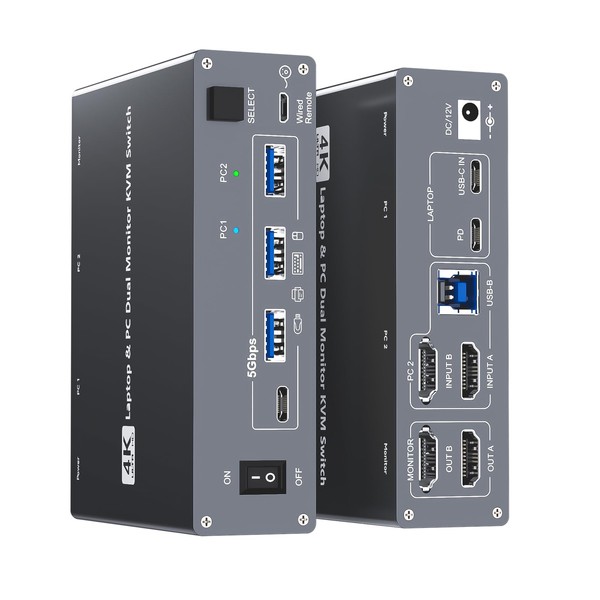
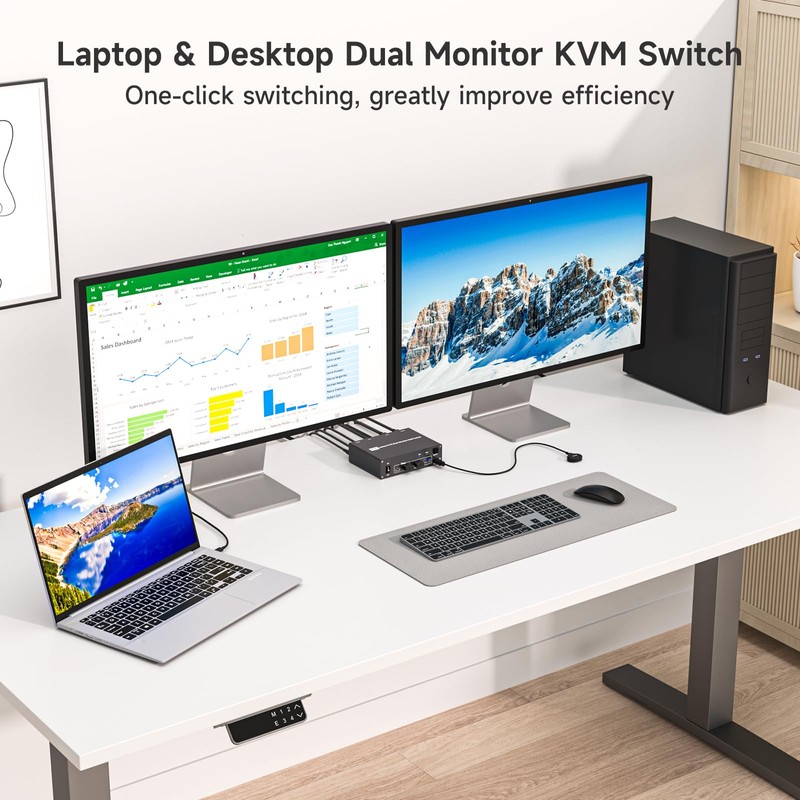
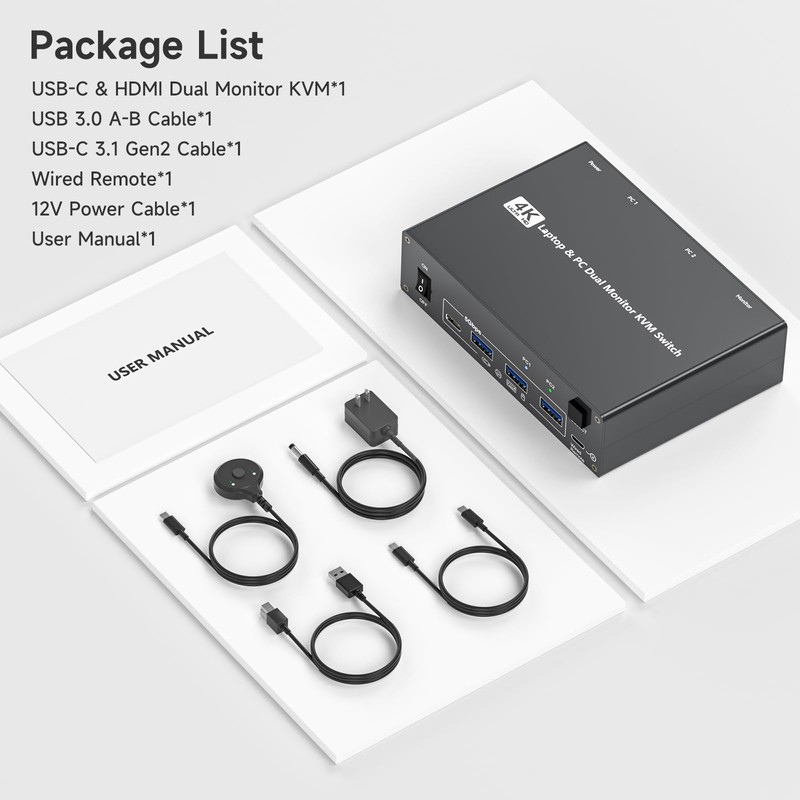
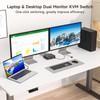
- 【2-in-1 USB-C Docking Station with Dual Monitor KVM Switch】This dual monitor KVM switch combines a full-featured USB-C docking station with a 2-computer 2-monitor KVM switcher—giving you the ultimate workspace hub. It expands your USB-C laptop to dual 4K HDMI displays and adds a 4-port USB 3.0 hub, while letting you one-click switch between your laptop and desktop PC to share 2 monitors and all connected peripherals. Perfect for home office setups and professional workstations, this laptop desktop KVM switch saves you the cost of duplicate monitors and accessories, eliminates cable clutter, and keeps your desk clean, organized, and highly productive
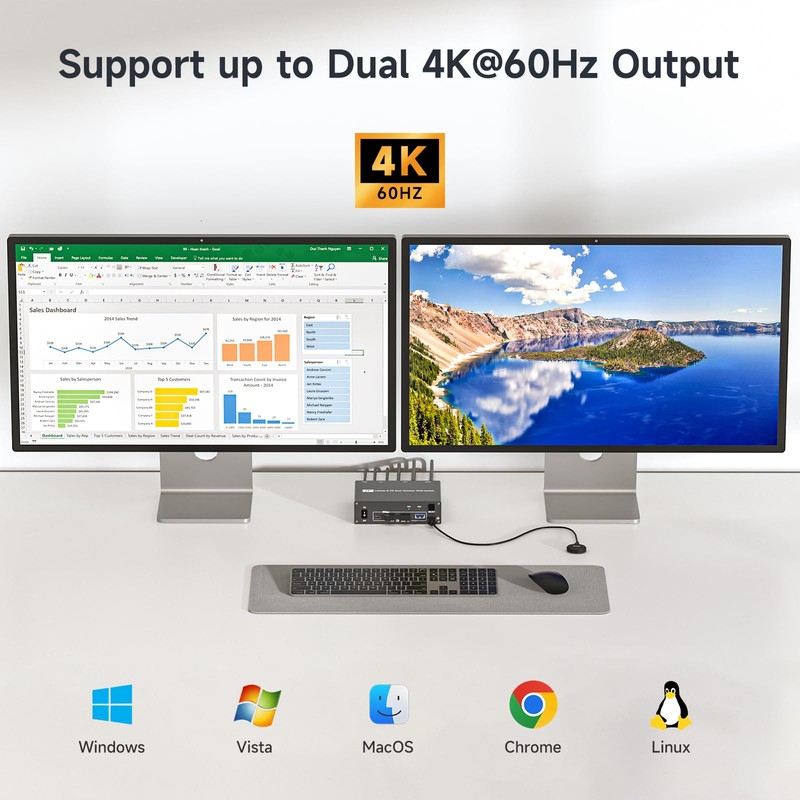
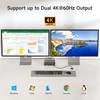
- 【Crystal-Clear 4K@60Hz Dual Display with High Refresh Rate Support】This 4K 2 monitors dual monitor KVM switch delivers dual 4K@60Hz output with true 4:4:4 color accuracy, ensuring razor-sharp text, vivid colors, and fluid motion. It also supports 2K@120Hz, 2560×1440@120Hz/60Hz, and 1920×1080@144Hz/120Hz, making it versatile enough for both professional productivity and casual gaming. Whether you're crunching numbers in complex spreadsheets, editing high-resolution video, or diving into immersive gameplay, this USB C KVM switch provides seamless, lag-free performance across both screens—so you never have to compromise between work and play
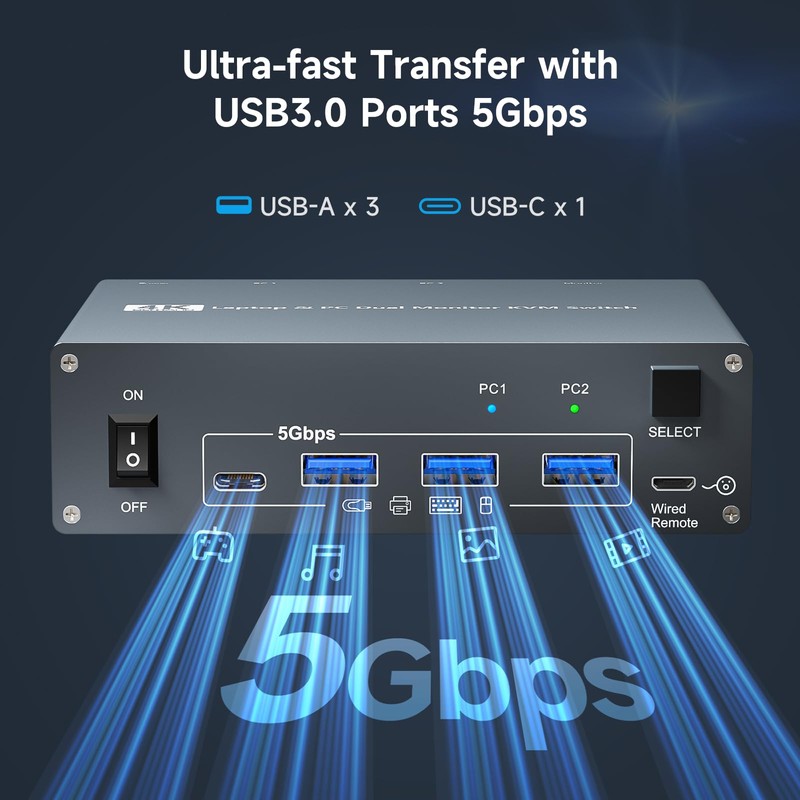
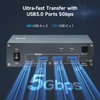
- 【SuperSpeed USB 3.0 Hub – 5Gbps Fast & Stable Data Transfer】This USB Type C KVM switch docking station features 4 USB 3.0 ports for connecting your keyboard, mouse, printer, external hard drives, USB flash drives, and more. With blazing-fast 5Gbps transfer speeds, it delivers superior performance and stability compared to outdated USB 2.0—ideal for moving large files or running multiple peripherals simultaneously. Note: For high-power USB devices like external HDDs or capture cards, please connect the included 12V/2A power adapter to ensure stable, uninterrupted operation
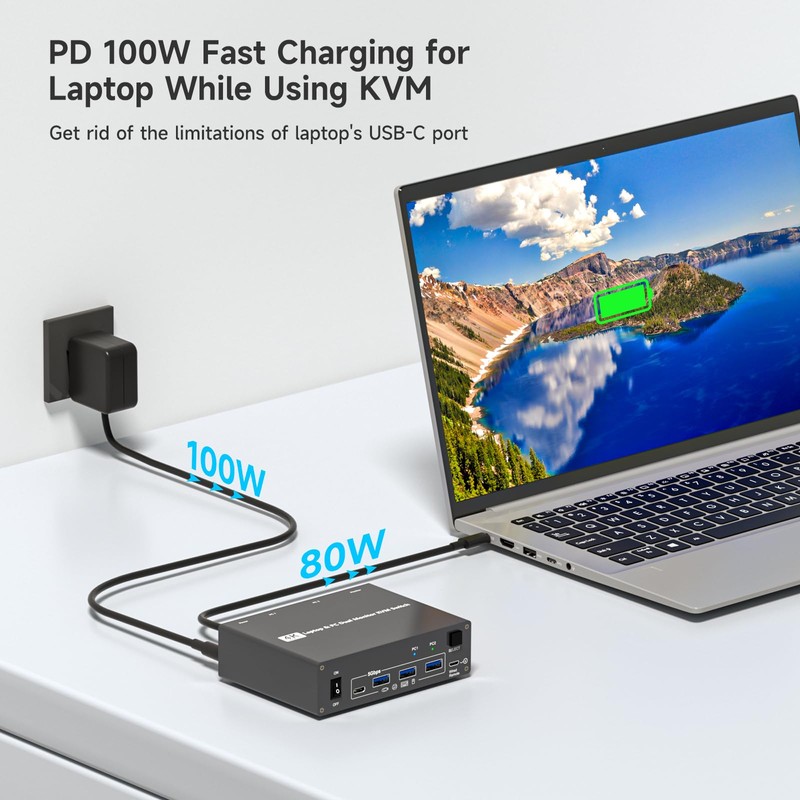
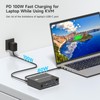
- 【100W PD Fast Charging – Power Your Laptop While You Work】The USB-C & dual HDMI docking KVM switch comes with a 100W Power Delivery (PD) port that keeps your laptop charged throughout the workday—no more hunting for available outlets or juggling chargers. Simply plug your laptop's 100W USB-C charger into the PD port, and the dock will deliver 73–80W of actual charging power (power loss occurs naturally across cables and internal components). Say goodbye to limited USB-C ports on your laptop
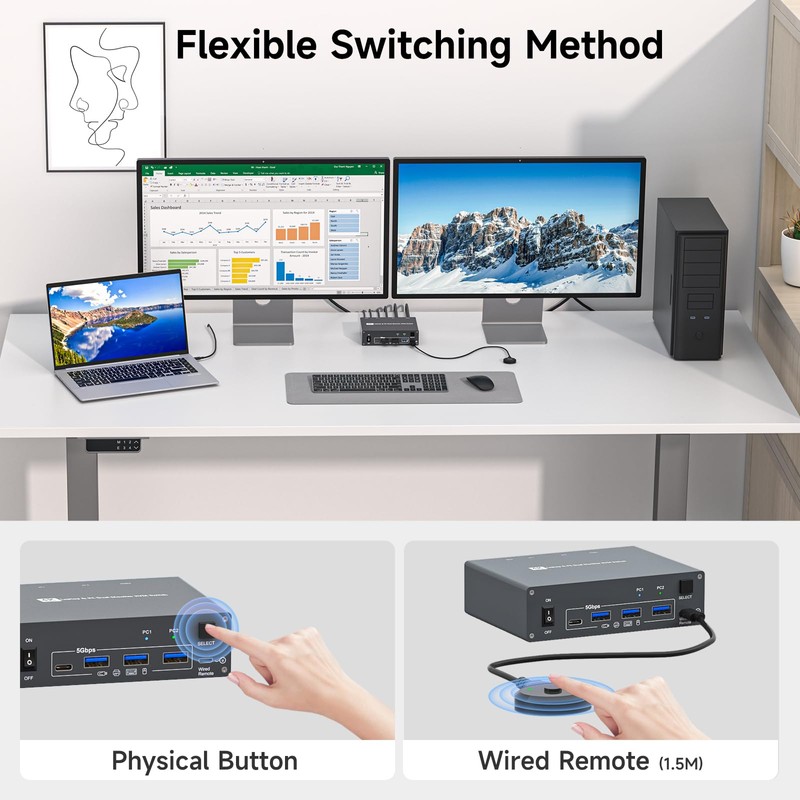
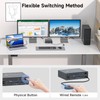
- 【Wide OS Compatibility & Flexible Switching Options】This 2-monitor KVM switch for laptop and desktop works seamlessly with Windows, macOS, Linux, and Chrome OS—making it a truly cross-platform solution for mixed-environment offices. Switching between computers is incredibly flexible: use the panel button on the dock or the included wired remote controller to toggle between your laptop and desktop in seconds. Clear LED indicators show which computer is active at a glance, so you always know exactly what you're controlling
- 【Compatibility Note – Dell & Proprietary PD Protocol】For laptops that use proprietary PD protocols (such as certain Dell models), you may see a low battery charging warning on screen. Don't worry—your laptop is still charging normally. To dismiss this harmless notification, try either of these quick fixes:1. Uncheck "Enable Adapter Warnings" in your BIOS settings to stop the alert; 2. Go to Settings > Bluetooth & devices > USB and uncheck "Show a notification if this PC is charging slowly over USB." These adjustments will remove the annoyance without affecting charging performance
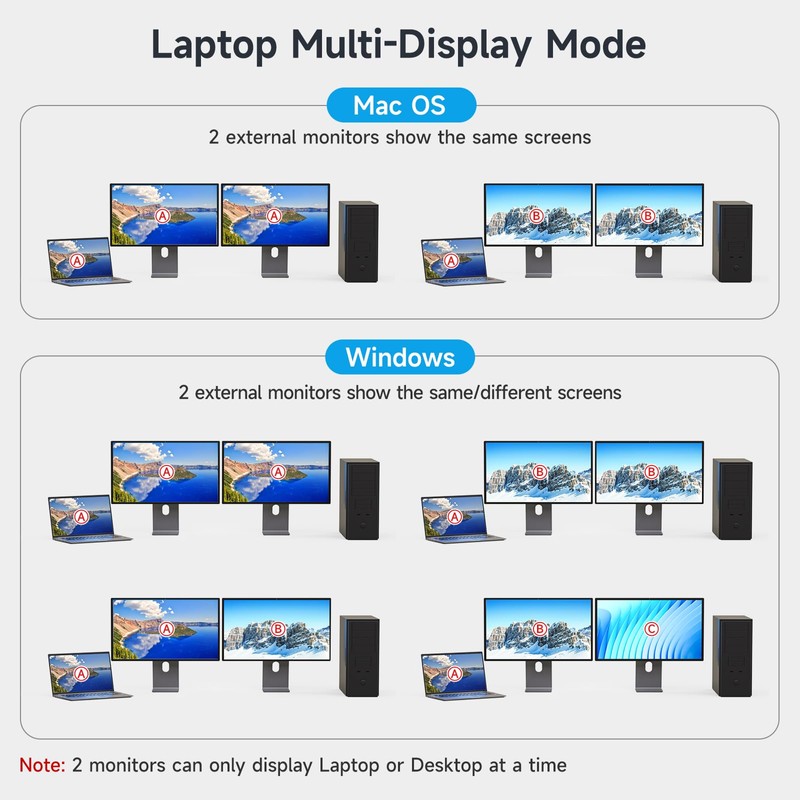
- 【Important Usage Notes – Please Read Before Setup】① To enable dual-screen output and full USB peripheral functionality, the laptop's USB-C port must support DP Alt Mode (Video + Data + PD Transfer). For desktop PCs,two HDMI cables + one USB-B cable are required to connect to the KVM's inputs; ②For Mac systems with M1/M2 chips, dual monitors will only support Mirror mode or extend to one different screen—this is due to Mac's architecture, which does not support MST (Multi-Stream Transport). Please check your Mac's specifications before purchase.
- Free 30-Day Returns
- Full Refund for Damaged or Incorrect Items
- Guaranteed Delivery or Money Back
- Secure Checkout & Fast Support

- 【2-in-1 USB-C Docking Station with Dual Monitor KVM Switch】This dual monitor KVM switch combines a full-featured USB-C docking station with a 2-computer 2-monitor KVM switcher—giving you the ultimate workspace hub. It expands your USB-C laptop to dual 4K HDMI displays and adds a 4-port USB 3.0 hub, while letting you one-click switch between your laptop and desktop PC to share 2 monitors and all connected peripherals. Perfect for home office setups and professional workstations, this laptop desktop KVM switch saves you the cost of duplicate monitors and accessories, eliminates cable clutter, and keeps your desk clean, organized, and highly productive
- 【Crystal-Clear 4K@60Hz Dual Display with High Refresh Rate Support】This 4K 2 monitors dual monitor KVM switch delivers dual 4K@60Hz output with true 4:4:4 color accuracy, ensuring razor-sharp text, vivid colors, and fluid motion. It also supports 2K@120Hz, 2560×1440@120Hz/60Hz, and 1920×1080@144Hz/120Hz, making it versatile enough for both professional productivity and casual gaming. Whether you're crunching numbers in complex spreadsheets, editing high-resolution video, or diving into immersive gameplay, this USB C KVM switch provides seamless, lag-free performance across both screens—so you never have to compromise between work and play
- 【SuperSpeed USB 3.0 Hub – 5Gbps Fast & Stable Data Transfer】This USB Type C KVM switch docking station features 4 USB 3.0 ports for connecting your keyboard, mouse, printer, external hard drives, USB flash drives, and more. With blazing-fast 5Gbps transfer speeds, it delivers superior performance and stability compared to outdated USB 2.0—ideal for moving large files or running multiple peripherals simultaneously. Note: For high-power USB devices like external HDDs or capture cards, please connect the included 12V/2A power adapter to ensure stable, uninterrupted operation
- 【100W PD Fast Charging – Power Your Laptop While You Work】The USB-C & dual HDMI docking KVM switch comes with a 100W Power Delivery (PD) port that keeps your laptop charged throughout the workday—no more hunting for available outlets or juggling chargers. Simply plug your laptop's 100W USB-C charger into the PD port, and the dock will deliver 73–80W of actual charging power (power loss occurs naturally across cables and internal components). Say goodbye to limited USB-C ports on your laptop
- 【Wide OS Compatibility & Flexible Switching Options】This 2-monitor KVM switch for laptop and desktop works seamlessly with Windows, macOS, Linux, and Chrome OS—making it a truly cross-platform solution for mixed-environment offices. Switching between computers is incredibly flexible: use the panel button on the dock or the included wired remote controller to toggle between your laptop and desktop in seconds. Clear LED indicators show which computer is active at a glance, so you always know exactly what you're controlling
- 【Compatibility Note – Dell & Proprietary PD Protocol】For laptops that use proprietary PD protocols (such as certain Dell models), you may see a low battery charging warning on screen. Don't worry—your laptop is still charging normally. To dismiss this harmless notification, try either of these quick fixes:1. Uncheck "Enable Adapter Warnings" in your BIOS settings to stop the alert; 2. Go to Settings > Bluetooth & devices > USB and uncheck "Show a notification if this PC is charging slowly over USB." These adjustments will remove the annoyance without affecting charging performance
- 【Important Usage Notes – Please Read Before Setup】① To enable dual-screen output and full USB peripheral functionality, the laptop's USB-C port must support DP Alt Mode (Video + Data + PD Transfer). For desktop PCs,two HDMI cables + one USB-B cable are required to connect to the KVM's inputs; ②For Mac systems with M1/M2 chips, dual monitors will only support Mirror mode or extend to one different screen—this is due to Mac's architecture, which does not support MST (Multi-Stream Transport). Please check your Mac's specifications before purchase.
USB-C HDMI Dual Monitor 2 computers 2 monitors KVM Docking Station – Share 2 Screens & 4 USB Devices Between a Laptop and a Desktop PC
This dual-monitor KVM docking station is specially engineered to link two computers—one USB-C laptop and one desktop PC—to a pair of high-definition displays and four USB 3.0 peripherals simultaneously. It significantly boosts workflow efficiency, making it a perfect fit for creative professionals, live streamers, online educators, and anyone juggling multiple applications across two machines with just one button press.
Key Features-High-Performance 2 Monitor KVM with USB C Dock & 4K HDMI Output
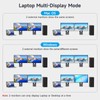
2-in-1 KVM Docking Station Combo – Combines a full-featured USB-C docking station with a 2-computer 2-monitor KVM switch, letting you share dual 4K HDMI displays, a 100W PD charging port, and a 4-port USB 3.0 hub between your work laptop and personal desktop. One-click switching enables instant toggling between both computers while keeping all peripherals active.
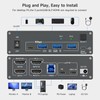
True Plug and Play KVM – No drivers, no extra software. This plug and play KVM switch works right out of the box, saving setup time and reducing IT headaches.
Dual 4K@60Hz HDMI KVM – Enjoy crystal-clear visuals with dual 4K@60Hz resolution and true 4:4:4 color reproduction. Whether you're editing video, coding, or gaming, this 4K HDMI KVM switch delivers stunning image quality on both screens.
4-Port USB 3.0 Hub for Peripherals – Connect your keyboard, mouse, webcam, USB drive, scanner, or printer via the built-in USB 3.0 hub. Data transfer rates reach up to 5Gbps—far faster and more stable than older USB 2.0 connections, making this USB C KVM switch ideal for data-heavy workflows.
100W Power Delivery Laptop Charging – The integrated 100W PD charging port powers your USB-C laptop while the dock is in use, so you never lose battery during critical presentations or deadlines.
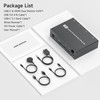
External Power Adapter Included – Comes with a DC 12V/1A power supply to ensure stable performance even when connecting high-power USB devices like external drives or capture cards.
Two Display Modes – Supports both Duplicate mode and Extend mode, giving you full control over your screen layout for presentations, design work, or general productivity.
Cross-Platform OS Support – Fully compatible with Windows, macOS, Chrome OS, and Linux—a truly versatile dual monitor KVM switch for mixed-environment offices.
Wired Remote for Easy Switching – Includes a 1.5-meter wired remote controller, allowing you to switch between computers from across your desk without reaching for the dock.
Important Usage Notes for This 2 Monitor KVM Switch
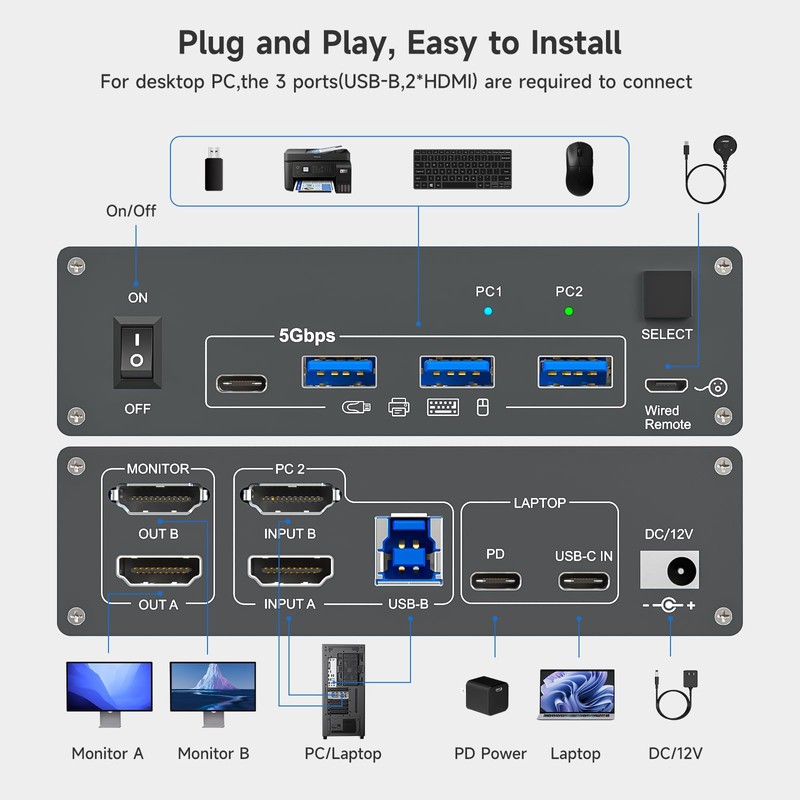
① To enable dual display output and full USB functionality, your laptop's USB-C port must support DP Alt Mode (video + data + PD pass-through). For desktop PCs, connect using two HDMI cables + one USB-B cable to the KVM inputs.
② For most Windows laptops and desktops, both Duplicate and Extend modes are fully supported. However, for Mac M1/M2 systems, dual monitors will only mirror or extend to one different screen, as Apple does not support MST (Multi-Stream Transport) on its ARM-based chips.
③ If you connect power-hungry USB accessories, please use the included DC 12V/2A power adapter to maintain stable and reliable KVM performance.
④ To avoid screen flickering or blackouts, always use a USB-C 3.1 Gen 2 cable (within 1 meter) between your laptop and the docking station, and ensure your desktop PC is connected with standard HDMI 2.0 cables (under 1.5 meters) for optimal signal quality.
Step-by-Step Setup Guide for Laptop Desktop KVM Switch
Step 1 – Connect your USB-C laptop to the USB-C IN port on the docking KVM using a USB-C 3.1 Gen 2 cable.
Step 2 – Plug your laptop's original charger into the PD port on the KVM docking station to enable power pass-through charging.
Step 3 – On your desktop PC, attach 2 HDMI cables and 1 USB-B cable to the corresponding inputs on the dual monitor KVM switch (labeled INPUT A, INPUT B, and USB-B).
Step 4 – Connect your two monitors to the KVM's display outputs (labeled OUT A and OUT B) for instant dual 4K display recognition.
Step 5 – Plug your keyboard, mouse, USB drive, and other peripherals into the USB 3.0 ports on the dock.
Step 6 – Insert the wired remote switch into the remote port to enable one-click computer toggling from your desk.
Step 7 – Finally, connect the included DC 12V/1A power adapter to supply external power to the 2-computer KVM switch, ensuring stable, uninterrupted operation throughout the day.
Processing Time
- We process and ship orders Monday through Friday, excluding holidays.
- Most orders are processed within 1–3 business days, depending on product availability.
- Processing time does not include delivery time, which varies based on your location and the product’s shipping origin.
Shipping Coverage
We currently ship to addresses within the United States only.
Products may ship from:
- Our U.S. warehouses, or
- Our international fulfillment centers (including Korea, Japan, China, Australia, Mexico, Canada, the United Kingdom, and the EU).
Each product page clearly displays the “Ships From” location before checkout.
Shipping Methods & Estimated Delivery
| Shipping Method | Estimated Delivery | Cost |
|---|---|---|
| Free Shipping (US) | 5–10 business days | Free, available on eligible items |
| Standard Shipping (US to US by Item) | 5–10 business days | $5.95 for the first item, $3.00 each additional |
| Standard Shipping (From US Warehouse by Weight) | 3–7 business days | Starts at $5.95, increasing by $2 for every additional 4 oz (0.25 lb) up to 1 lb, then by $4 for each additional pound beyond 1 lb. |
| Extended Delivery (Ships from Overseas Warehouse) | 10–20 business days | $14.99 for the first item, $2.00 each additional |
Shipping costs vary by product weight, quantity and origin. Exact rates and delivery estimates are displayed on each product page and confirmed during checkout.
Free Shipping
We offer free standard shipping on select products or during promotional periods. Availability of free shipping will be displayed on the product page and at checkout.
Carriers
We primarily use USPS and UPS for U.S. deliveries. Items shipped from international warehouses may be handled by partner carriers depending on the country of origin.
Import Duties & Taxes
All import duties and taxes for goods imported into the United States are included in the product price. There are no hidden fees or additional charges at checkout.
Tracking & Notifications
Every order is fully trackable. You will receive a tracking number via email once your order ships. If your order ships in multiple packages, each package will have its own tracking number. If you don’t receive a shipping confirmation immediately, your order is still being processed and will arrive within the estimated timeframe shown at checkout.
You can track your shipment anytime using the Track Your Order page on our website.
Order Changes & Cancellations
If you need to modify or cancel an order, please contact our customer support team as soon as possible. Orders can only be canceled before they ship. Once shipped, cancellations are not possible, but you may request a return after the item is delivered.
Contact: support@ibspot.com
Item Not Received
If your tracking number shows “Delivered” but you haven’t received your package:
- Check with your local USPS or UPS office.
- Confirm that the shipping address provided was correct.
- If the issue remains unresolved, contact support@ibspot.com for assistance.
Damaged or Lost Parcels
If your package arrives damaged or fails to arrive, please contact us immediately. For deliveries to P.O. boxes, ibspot is not responsible for damage caused by weather, temperature, or theft.
Customer Support
For any questions about shipping, tracking, or delivery, our customer support team is here to help.
Email: support@ibspot.com
We’re always happy to help.
Please read our policy carefully before making a purchase.
We aim to ensure every customer has a smooth and transparent experience with ibspot.com.
Order Cancellation Policy
Customers may request to cancel an order before it has been shipped.
Once the package has been shipped, cancellations are no longer possible; however, you may still request a return after receiving your order.
How to Request a Cancellation
You can contact us through:
- Email: support@ibspot.com
- Contact Form: Submit a request through our Contact Us page
Please submit your cancellation request as soon as possible after placing the order to allow us to process it before shipment.
Return Policy
We accept returns for most items within 30 days of delivery for a full refund.
To be eligible for a return:
- The item must be unused, in the same condition as received, and in its original packaging.
- A tracking number must be provided to confirm the return shipment.
Non-Returnable Items
Certain products cannot be returned, including:
- Perishable goods (for example, food, flowers, newspapers, magazines)
- Intimate or sanitary goods
- Hazardous materials or flammable liquids/gases
- Gift cards
- Downloadable software
- Some health and personal care items
Partial Refunds (If Applicable)
Partial refunds may be granted in specific situations, such as:
- Books with obvious signs of use
- Opened CDs, DVDs, software, or vinyl records
- Items not in their original condition, damaged, or missing parts not due to our error
- Items returned more than 30 days after delivery
How to Return an Item
To initiate a return, please contact us at support@ibspot.com with your order number and details about the product you wish to return.
Our team will provide you with return instructions and a prepaid return label.
Shipping Cost for Returns
Please contact us before returning any item.
We may provide a return shipping label for your return. If the return is due to our error, such as receiving the wrong item, a damaged item, or a defective product, we will cover the return shipping cost.
If the return is due to the customer’s reason, such as ordering the wrong item, changing your mind, or no longer needing the item, the original shipping fee and the return label fee will be deducted from your refund amount.
If a return is sent back without prior contact or without using our provided label, we cannot be held responsible for any return shipping costs or delivery issues.
For items valued over $75, we recommend using a trackable shipping service or purchasing shipping insurance.
We cannot guarantee that we will receive your returned item if shipped independently.
Refund Processing
Once your return is received and inspected:
- In-store returns are refunded to the original form of payment or issued as a gift card.
- Mail-in returns using our prepaid label are refunded to the original payment method within 3–5 business days after we receive your return.
Please allow:
- 5–7 business days for the return to reach our Returns Center.
- An additional 3–10 business days for your bank to post the refund to your account.
Damages, Issues & Claims
Please inspect your order immediately upon receipt.
If you receive a defective, damaged, or incorrect item, contact us right away at support@ibspot.com.
We’ll evaluate the issue promptly and make it right.
Product Claims
Before purchasing, please review product details carefully.
If there is a problem with your order upon arrival, visit our Support Center or contact us directly to arrange return shipping or replacement.
Exchanges
We do not process direct exchanges.
The fastest way to get what you need is to return the original item and place a new order once your return is accepted.
Return Address
IBSPOT Return Center
15 Sawmill Ln
Dover Plains, NY 12522
United States
Customer Support
Our support team is available 24/7 to assist with cancellations, returns, or general inquiries.
Email: support@ibspot.com
Contact Form: Contact Us page
Oops!
Sorry, it looks like some products are not available in selected quantity.