

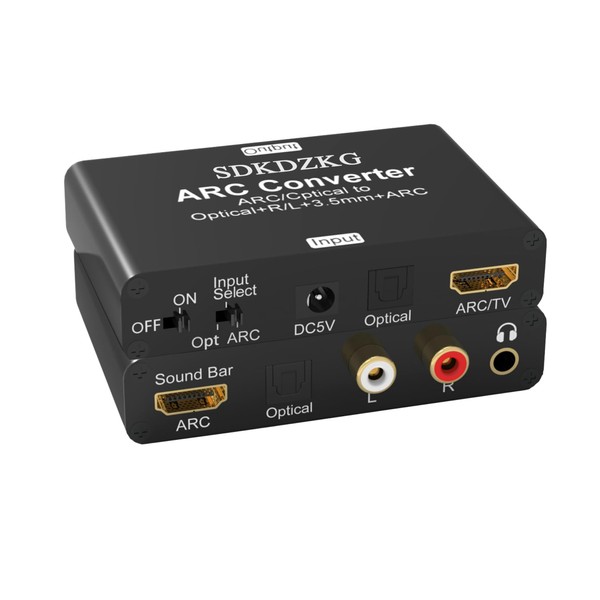


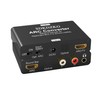
SDKDZKG 192KHz DAC Converter, HDMI ARC Audio Extractor Adapter, HDMI/Digital Optical Toslink SPDIF to Analog Optical Toslink SPDIF, ARC, L/R or 3.5 mm Jack Stereo for TV Amplifier Soundbar Speaker
$86.32
- $12.99 shipping from United Kingdom View details
-
Arrives
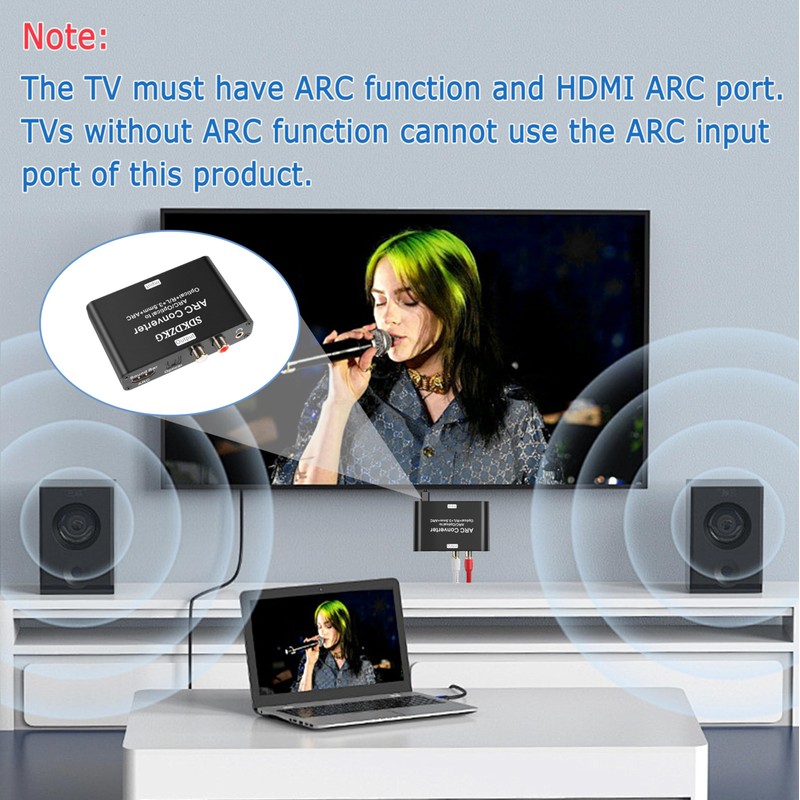
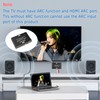
- HDMI ARC Function: The SDKDZKG HDMI ARC audio return adapter is connected to the HDMI ARC port of the TV and returns the TV's audio signal to the Soundbar, amplifier system, stereo headphones, home theater, and other devices through optical, HDMI ARC, R/L stereo, and 3.5 audio interfaces, perfectly solving the problem of TVs without audio output interfaces being unable to connect to the audio system. Attention: The TV must have ARC function and HDMI ARC port. TVs without ARC function cannot be used.
- 192KHz Sampling Rate: The SDK-A805 Audio extractor supports sampling rates of 32 KHz, 44.1 KHz, 48 KHz, 96 KHz, and 192 KHz, as well as 24 bit S/PDIF input bitstreams on the left and right channels. It can provide higher quality sound signals for a more realistic, detailed, and rich music experience. (Please use an AGW26 standard 19+1 core HDMI cable or a higher standard cable)
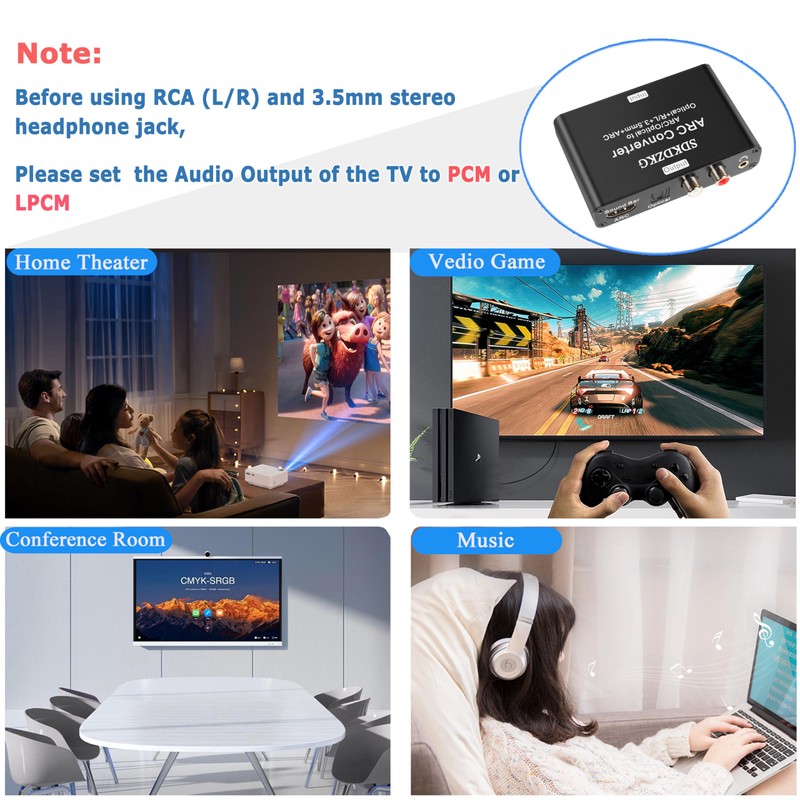
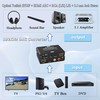
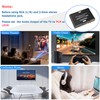
- Synchronous Audio Output: The HDMI ARC adapter can output audio from HDMI (ARC), Optical TOSLINK SPDIF to Optical TOSLINK SPDIF, HDMI ARC, and RCA (L/R)+3.5mm Audio jack through a DAC audio converter, and can simultaneously output audio signals. Before using RCA (L/R) and 3.5mm stereo headphone jack, please set the audio output of the TV to PCM or LPCM. The volume of ARC, RCA, and 3.5mm headphone output can be controlled through the TV (CEC). Note: CEC is only applicable to devices and HDMI cables with HDMI version 1.4 or above
- Supports 5.1 Channels: The optical and HDMI ARC interfaces of the SDKDZKG HDMI ARC audio adapter support 5.1CH output. Please ensure that the video source is 5.1CH and the TV audio output is set to 5.1CH. Attention: Set the optical port on the TV to source output (output unchanged compressed audio)
- Wide Compatibility: The SDKDZKG ARC adapter input is compatible with all HDTVs that support ARC, and it is compatible with Blu ray DVDs, TV boxes, game consoles, and more PS3、PS4、 With devices such as bar speakers, amplifiers, stereo headphones, and home theater systems, you can easily create a home theater with just one HDMI cable that supports ARC. Note: The adapter needs to be connected to the HDMI ARC port of the HDTV, and the adapter switch should be turned to "ON". The ARC function of HDTV must be turned on (can be operated through remote control)
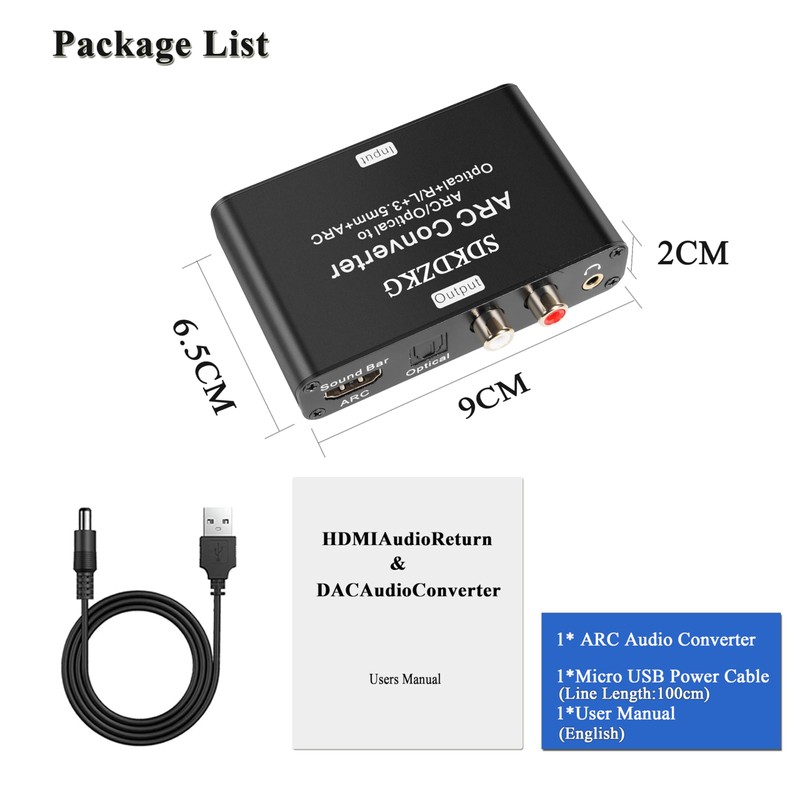
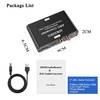
- We Provide: 1 x SDKDZKG ARC audio adapter, 1 x USB power cable, 1 x user manual, 18 months warranty and 24 hours friendly customer service
- Free 30-Day Returns
- Full Refund for Damaged or Incorrect Items
- Guaranteed Delivery or Money Back
- Secure Checkout & Fast Support

- HDMI ARC Function: The SDKDZKG HDMI ARC audio return adapter is connected to the HDMI ARC port of the TV and returns the TV's audio signal to the Soundbar, amplifier system, stereo headphones, home theater, and other devices through optical, HDMI ARC, R/L stereo, and 3.5 audio interfaces, perfectly solving the problem of TVs without audio output interfaces being unable to connect to the audio system. Attention: The TV must have ARC function and HDMI ARC port. TVs without ARC function cannot be used.
- 192KHz Sampling Rate: The SDK-A805 Audio extractor supports sampling rates of 32 KHz, 44.1 KHz, 48 KHz, 96 KHz, and 192 KHz, as well as 24 bit S/PDIF input bitstreams on the left and right channels. It can provide higher quality sound signals for a more realistic, detailed, and rich music experience. (Please use an AGW26 standard 19+1 core HDMI cable or a higher standard cable)
- Synchronous Audio Output: The HDMI ARC adapter can output audio from HDMI (ARC), Optical TOSLINK SPDIF to Optical TOSLINK SPDIF, HDMI ARC, and RCA (L/R)+3.5mm Audio jack through a DAC audio converter, and can simultaneously output audio signals. Before using RCA (L/R) and 3.5mm stereo headphone jack, please set the audio output of the TV to PCM or LPCM. The volume of ARC, RCA, and 3.5mm headphone output can be controlled through the TV (CEC). Note: CEC is only applicable to devices and HDMI cables with HDMI version 1.4 or above
- Supports 5.1 Channels: The optical and HDMI ARC interfaces of the SDKDZKG HDMI ARC audio adapter support 5.1CH output. Please ensure that the video source is 5.1CH and the TV audio output is set to 5.1CH. Attention: Set the optical port on the TV to source output (output unchanged compressed audio)
- Wide Compatibility: The SDKDZKG ARC adapter input is compatible with all HDTVs that support ARC, and it is compatible with Blu ray DVDs, TV boxes, game consoles, and more PS3、PS4、 With devices such as bar speakers, amplifiers, stereo headphones, and home theater systems, you can easily create a home theater with just one HDMI cable that supports ARC. Note: The adapter needs to be connected to the HDMI ARC port of the HDTV, and the adapter switch should be turned to "ON". The ARC function of HDTV must be turned on (can be operated through remote control)
- We Provide: 1 x SDKDZKG ARC audio adapter, 1 x USB power cable, 1 x user manual, 18 months warranty and 24 hours friendly customer service
-----When you want to use headphones or speakers for an immersive gaming experience, but find that the interface does not match
-----Or, when you want your TV to have better sound effects but are unable to successfully connect to your voice card or amplifier
This SDK-A805 ARC audio adapter will easily solve your audio connection problems. This product is very suitable for home theaters, teaching, training structures, conference rooms, home appliance stores, and other places. You only need an HDMI cable that supports ARC function to easily send HDTV audio signals to headphones, soundbars, speakers, home theaters, A/V receivers, and other devices. Attention: HDTV needs to support ARC function and configure HDMI ARC port. The HDMI cable connecting the ARC audio adapter to the TV source must support ARC functionality. (It is recommended to use AGW26 standard HDMI 1.4 cable or higher)
Product Details
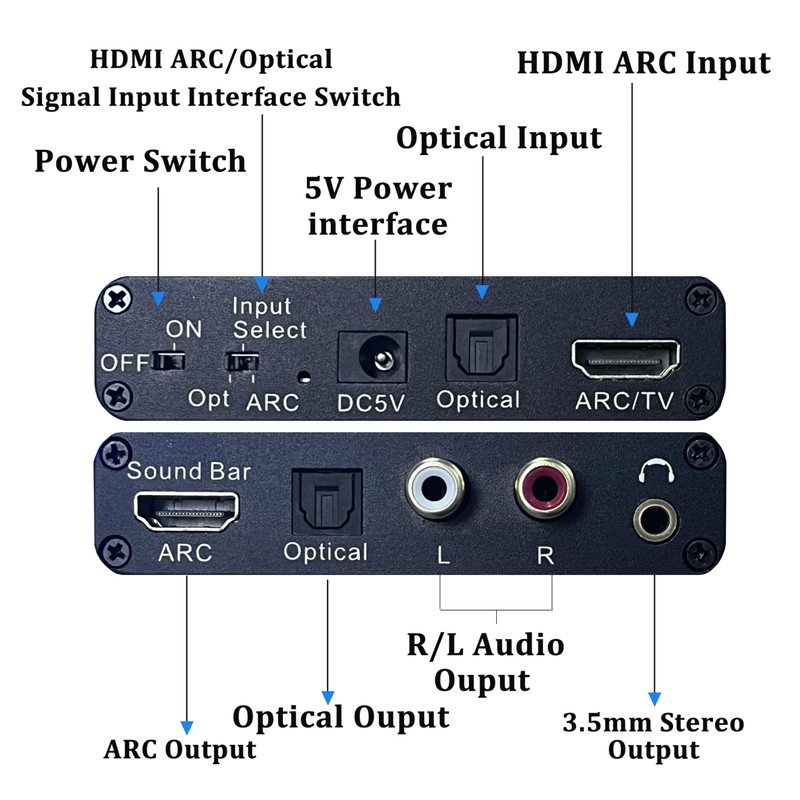
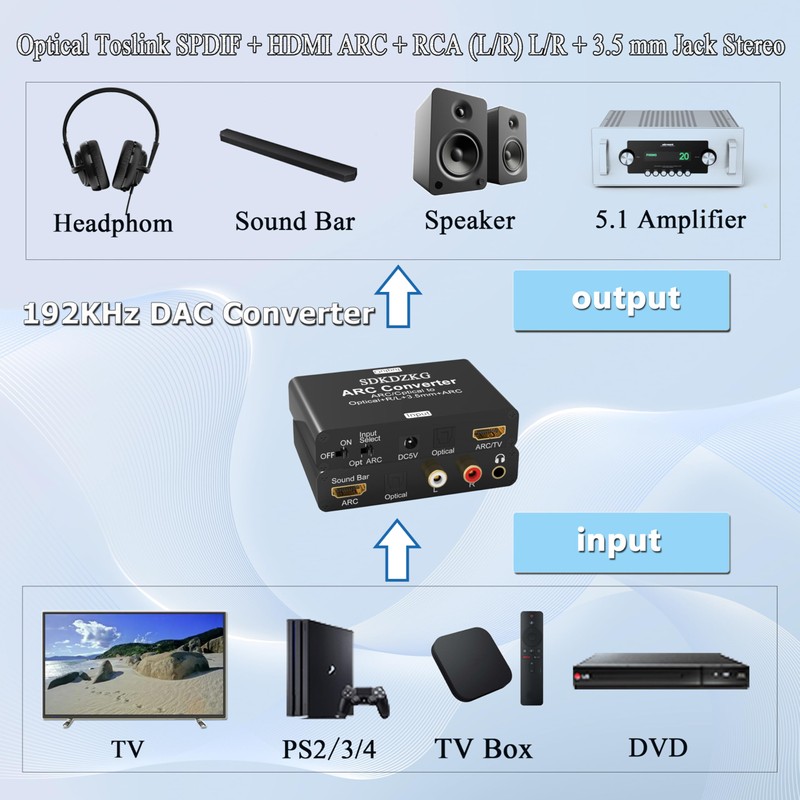
Input port: HDMI ARC、Optical TOSLINK SPDIF
Output port: Optical TOSLINK SPDIF+HDMI ARC+RCA (L/R)+3.5mm Audio (four output ports can work simultaneously).
Supporting audio formats: DTS (Toslink output)/Dolby-AC3 (Toslink output)/DSD/PCM/LPCM 2.0. (Does not support Dolby Digital Plus/LPCM5.1)
Audio sampling rate: 32 KHz, 44.1 KHz, 48 KHz, 96 KHz, and 192 KHz.
Input compatible devices: high-definition TV (with HDMI ARC), TV box, set-top box, Blu ray DVD, projector playstation (PS2,PS3,PS4,Xbox,Swich,wii)
Output compatible devices: amplifiers, headphones, AV amplifiers, speakers (2CH, 5CH), Soundbar, home theater systems, etc
Operation and Connection:
(Before installation, please ensure that all devices you wish to connect are functioning properly.)
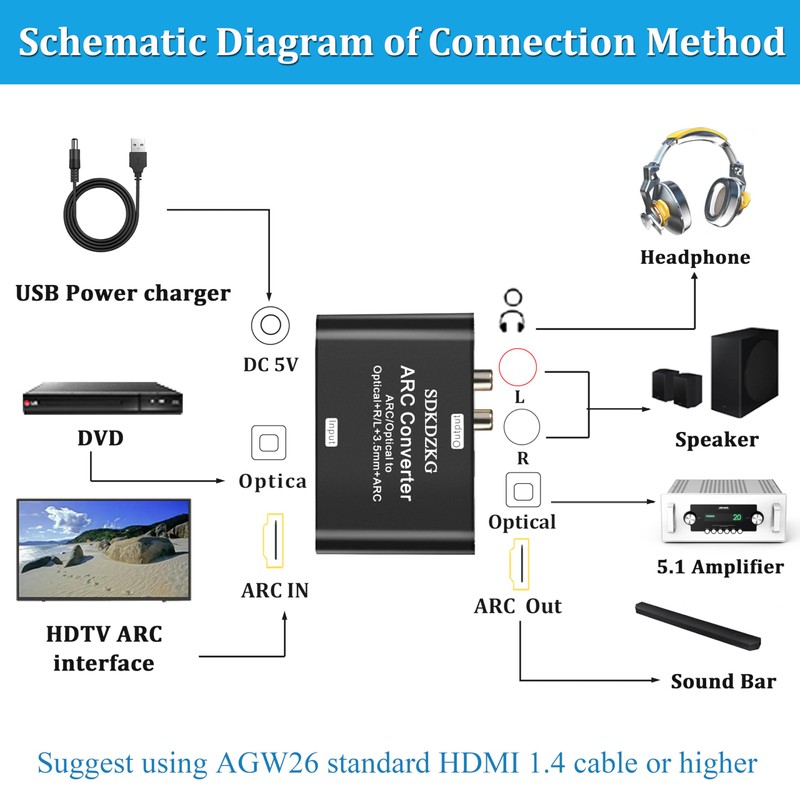
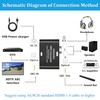
1. Connect the Micro USB power cord to the DC 5V power input interface of the product. The Micro USB power cord can be used to power the product by connecting to a USB port or a power adapter (5V 500mA). The red indicator light (POW) is constantly on, indicating that the power supply is normal.
2. Find the HDMI ARC port of the TV (HDMI eARC port is also compatible with this product), and use an HDMI cable (19+1 core) that supports ARC function to connect the TV's HDMI ARC port to the ARC IN port of this product.
3. Connect the optical fiber and HDMI ARC output port of the converter to the corresponding audio interface of the TV or PS3 through a fiber optic cable and an HDMI cable (19+1 core) that supports ARC function
4. Switch to the corresponding channel (Swich) by toggling the switch, which has two switchable input functions: HDMI ARC and Optical TOSLINK SPDIF.
(1.) Switch input to HDMI ARC: Convert HDMI ARC to digital or analog(2). Switch input to HDMI Optical: Convert digital Opticalto analog
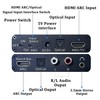
3.5mm Audio OUT Port - Use a 3.5mm audio cable to connect headphones/speakers and other devices, set the audio output of the TV to stereo output (PCM/LPCM 2.0), and directly control the volume through the TV (CEC);
R/L OUT port - Use R/L audio cable to connect speakers/Soundbar and other devices, set the audio output of the TV to stereo output (PCM/LPCM 2.0), and directly control the volume through the TV (CEC);
HDMI ARC Output Port - Connect an ARC enabled HDMI cable (19+1 cores) to ARC enabled audio amplification devices such as Sound Bar.
Optical output port - Use fiber optic cables to connect Soundbar/amplifier/home theater and other devices, set the TV fiber optic port to source code output (output unchanged compressed audio), and directly control the volume through Soundbar/amplifier/home theater and other devices.
5. Connect the audio output port of the ARC adapter to external devices through an audio cable and start working.
Packing
1 X SDKDZKG ARC converter
1 X USB power cord
1 X User Manual
Common Problems and Solutions:
What should I do if the power supply of the SDKDZKG HDMI ARC adapter is abnormal after normal connection?
(1) Firstly, check if the power indicator light is on. If it goes off, please check if the power adapter or power cord is properly connected to the power connector.
(2) Check if the power switch is in the ON position
(3) Check if the power adapter is DC 5V and if the current reaches or exceeds 500mA.
What should I do if there is no sound after the SDKDZKG HDMI ARC adapter is connected normally?
(1) Firstly, check if the TV supports ARC function. The TV source must support ARC function and be configured with HDMI ARC port to connect and work properly with the SDKDZKG ARC adapter.
(2) Check if the switch of the SDK-A805 ARC adapter is turned on. The ARC function can only be turned on normally after the adapter switch is switched to "ON".
(3) Please check if the ARC function is enabled on the TV. If not, you can use the TV remote control to activate the ARC function.
(4) Check if the HDMI cable is connected to the HDMI ARC interface of the TV source. Only the HDMI ARC interface of the TV source can transmit audio signals back.
(5) Please check if the HDMI cable is an AGW26 standard 19+1 core HDMI cable or a higher standard cable. HDMI cables below this standard do not support ARC functionality.
How to solve the problem of noise or abnormal operation when using RCA (R/L) interface or 3.5mm audio interface to connect speakers or headphones?
(1) Firstly, set the audio output of the TV to stereo output (PCM/LPCM 2-channel output).
(2) Then repeatedly plug and unplug the audio cable to check for poor wire or interface contact, or simply replace the audio cable and try reconnecting it.
What should I do if there is no 5.1CH audio signal output when using fiber optic or coaxial interfaces?
(1) Firstly, check if the audio format currently being played on the TV is 5.1CH.
(2) Set the TV fiber optic port to source code output (output unchanged compressed audio).
(3) When using fiber optic and coaxial interfaces to connect power amplifiers or speakers, if the speaker or amplifier supports decoding DTS and Dolby, the TV does not need to set the audio output format. If the amplifier does not support decoding DTS and Dolby, the TV needs to set the audio output format to PCM output.
(4) The fiber optic and coaxial interfaces of this ARC adapter support the output of DTS5.1, Dolby 5.1, PCM, and LPCM2.0 (LPCM5.1 is not supported). If your TV source audio output format is not compatible with this product, the ARC adapter will not function properly.
5. Unable to control the volume?
(1) The product only supports volume control with 3.5mm, RCA, and ARC/Sound Bar interfaces, and does not support volume control with fiber optic interfaces.
(2) When controlling the volume, the TV remote control should be used to operate the volume buttons accurately.
6. If my TV is equipped with an HDMI eARC output port, is the SDKDZKG ARC adapter compatible?
(1) The HDMI eARC port is compatible with ARC, so the SDKDZKG ARC adapter can connect to the HDMI eARC output port of a TV and work properly.
Processing Time
- We process and ship orders Monday through Friday, excluding holidays.
- Most orders are processed within 1–3 business days, depending on product availability.
- Processing time does not include delivery time, which varies based on your location and the product’s shipping origin.
Shipping Coverage
We currently ship to addresses within the United States only.
Products may ship from:
- Our U.S. warehouses, or
- Our international fulfillment centers (including Korea, Japan, China, Australia, Mexico, Canada, the United Kingdom, and the EU).
Each product page clearly displays the “Ships From” location before checkout.
Shipping Methods & Estimated Delivery
| Shipping Method | Estimated Delivery | Cost |
|---|---|---|
| Free Shipping (US) | 5–10 business days | Free, available on eligible items |
| Standard Shipping (US to US by Item) | 5–10 business days | $5.95 for the first item, $3.00 each additional |
| Standard Shipping (From US Warehouse by Weight) | 3–7 business days | Starts at $5.95, increasing by $2 for every additional 4 oz (0.25 lb) up to 1 lb, then by $4 for each additional pound beyond 1 lb. |
| Extended Delivery (Ships from Overseas Warehouse) | 10–20 business days | $14.99 for the first item, $2.00 each additional |
Shipping costs vary by product weight, quantity and origin. Exact rates and delivery estimates are displayed on each product page and confirmed during checkout.
Free Shipping
We offer free standard shipping on select products or during promotional periods. Availability of free shipping will be displayed on the product page and at checkout.
Carriers
We primarily use USPS and UPS for U.S. deliveries. Items shipped from international warehouses may be handled by partner carriers depending on the country of origin.
Import Duties & Taxes
All import duties and taxes for goods imported into the United States are included in the product price. There are no hidden fees or additional charges at checkout.
Tracking & Notifications
Every order is fully trackable. You will receive a tracking number via email once your order ships. If your order ships in multiple packages, each package will have its own tracking number. If you don’t receive a shipping confirmation immediately, your order is still being processed and will arrive within the estimated timeframe shown at checkout.
You can track your shipment anytime using the Track Your Order page on our website.
Order Changes & Cancellations
If you need to modify or cancel an order, please contact our customer support team as soon as possible. Orders can only be canceled before they ship. Once shipped, cancellations are not possible, but you may request a return after the item is delivered.
Contact: support@ibspot.com
Item Not Received
If your tracking number shows “Delivered” but you haven’t received your package:
- Check with your local USPS or UPS office.
- Confirm that the shipping address provided was correct.
- If the issue remains unresolved, contact support@ibspot.com for assistance.
Damaged or Lost Parcels
If your package arrives damaged or fails to arrive, please contact us immediately. For deliveries to P.O. boxes, ibspot is not responsible for damage caused by weather, temperature, or theft.
Customer Support
For any questions about shipping, tracking, or delivery, our customer support team is here to help.
Email: support@ibspot.com
We’re always happy to help.
Please read our policy carefully before making a purchase.
We aim to ensure every customer has a smooth and transparent experience with ibspot.com.
Order Cancellation Policy
Customers may request to cancel an order before it has been shipped.
Once the package has been shipped, cancellations are no longer possible; however, you may still request a return after receiving your order.
How to Request a Cancellation
You can contact us through:
- Email: support@ibspot.com
- Contact Form: Submit a request through our Contact Us page
Please submit your cancellation request as soon as possible after placing the order to allow us to process it before shipment.
Return Policy
We accept returns for most items within 30 days of delivery for a full refund.
To be eligible for a return:
- The item must be unused, in the same condition as received, and in its original packaging.
- A tracking number must be provided to confirm the return shipment.
Non-Returnable Items
Certain products cannot be returned, including:
- Perishable goods (for example, food, flowers, newspapers, magazines)
- Intimate or sanitary goods
- Hazardous materials or flammable liquids/gases
- Gift cards
- Downloadable software
- Some health and personal care items
Partial Refunds (If Applicable)
Partial refunds may be granted in specific situations, such as:
- Books with obvious signs of use
- Opened CDs, DVDs, software, or vinyl records
- Items not in their original condition, damaged, or missing parts not due to our error
- Items returned more than 30 days after delivery
How to Return an Item
To initiate a return, please contact us at support@ibspot.com with your order number and details about the product you wish to return.
Our team will provide you with return instructions and a prepaid return label.
Shipping Cost for Returns
Please contact us before returning any item.
We may provide a return shipping label for your return. If the return is due to our error, such as receiving the wrong item, a damaged item, or a defective product, we will cover the return shipping cost.
If the return is due to the customer’s reason, such as ordering the wrong item, changing your mind, or no longer needing the item, the original shipping fee and the return label fee will be deducted from your refund amount.
If a return is sent back without prior contact or without using our provided label, we cannot be held responsible for any return shipping costs or delivery issues.
For items valued over $75, we recommend using a trackable shipping service or purchasing shipping insurance.
We cannot guarantee that we will receive your returned item if shipped independently.
Refund Processing
Once your return is received and inspected:
- In-store returns are refunded to the original form of payment or issued as a gift card.
- Mail-in returns using our prepaid label are refunded to the original payment method within 3–5 business days after we receive your return.
Please allow:
- 5–7 business days for the return to reach our Returns Center.
- An additional 3–10 business days for your bank to post the refund to your account.
Damages, Issues & Claims
Please inspect your order immediately upon receipt.
If you receive a defective, damaged, or incorrect item, contact us right away at support@ibspot.com.
We’ll evaluate the issue promptly and make it right.
Product Claims
Before purchasing, please review product details carefully.
If there is a problem with your order upon arrival, visit our Support Center or contact us directly to arrange return shipping or replacement.
Exchanges
We do not process direct exchanges.
The fastest way to get what you need is to return the original item and place a new order once your return is accepted.
Return Address
IBSPOT Return Center
15 Sawmill Ln
Dover Plains, NY 12522
United States
Customer Support
Our support team is available 24/7 to assist with cancellations, returns, or general inquiries.
Email: support@ibspot.com
Contact Form: Contact Us page
Oops!
Sorry, it looks like some products are not available in selected quantity.