
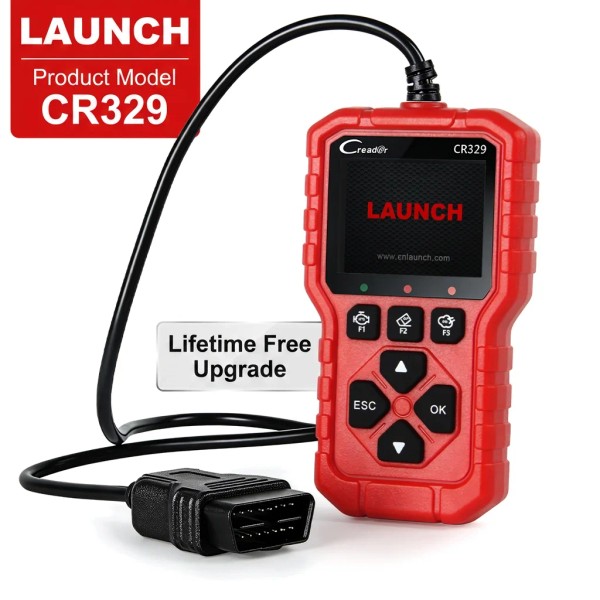
Ready to Ship LAUNCH Creader CR329 Car Diagnostic Scanner Plug and Play Auto Code Reader with I/M Readiness & Live Data StreamScreen Size: 2.8 ", Power Source: Corded Electric

$74.99

Specification
Name
Parameters
Model
LAUNCH CR329
Storage
32MB flash
Type
OBD2 Scanner
Voltage
12V
Working temperature
0℃~50℃
1. LAUNCH Creader CR329 is a code reader tool based on a single-chip microcomputer platform. It offers full OBD diagnostics tailored for the passenger car DIY market.
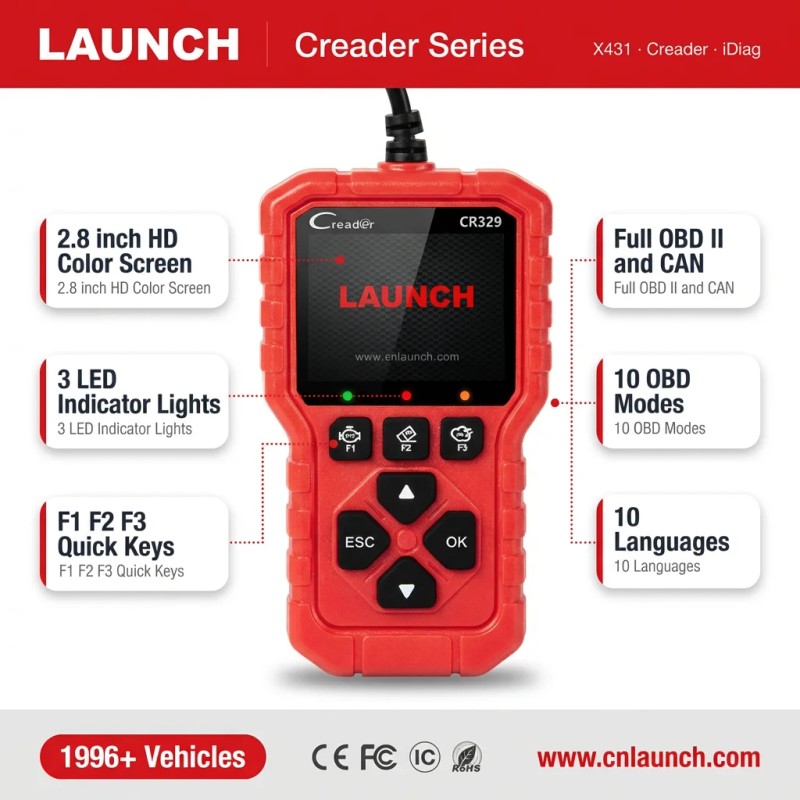
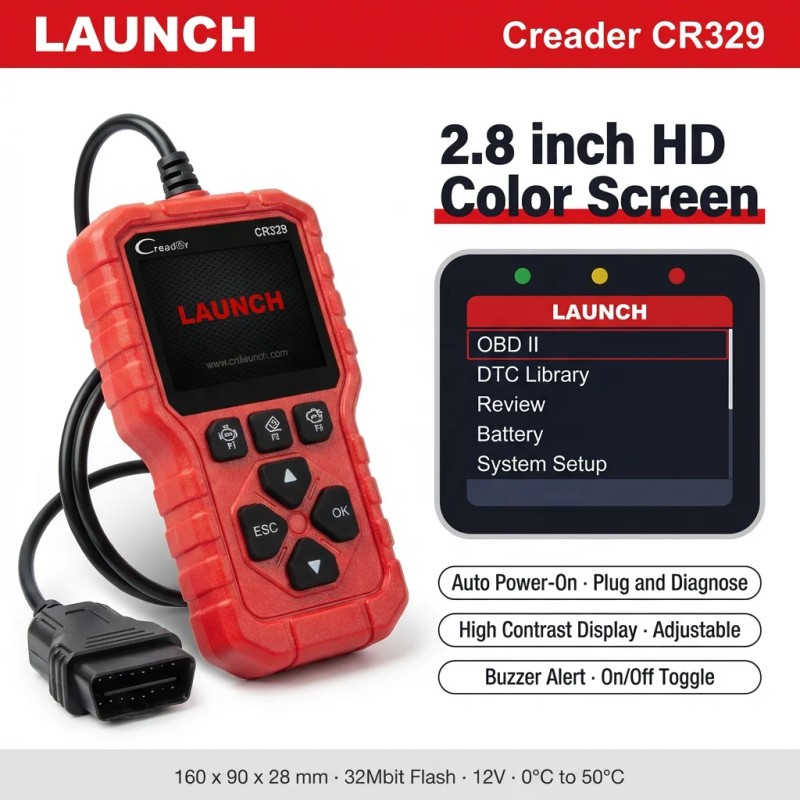
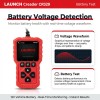
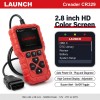
2. Equipped with a 2.8-inch high-definition color screen and indicator lights, it supports 10 OBD diagnostic modes, detailed trouble code and data stream display, real-time graphing, data playback, battery voltage testing, cloud printing, quick lookup, and specific trouble code search.
Product Description
Features :
Product Function Display : Main Interface: OBD II(Vehicle diagnostic system) Data Stream DTC Lib(DTC Library) Review Battery(Battery testing) Setting
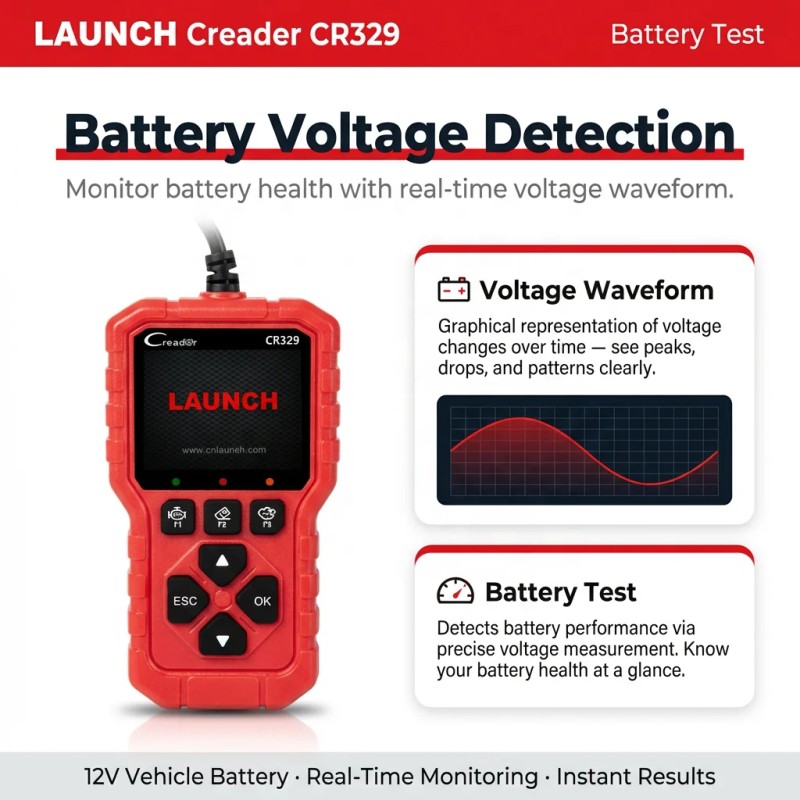
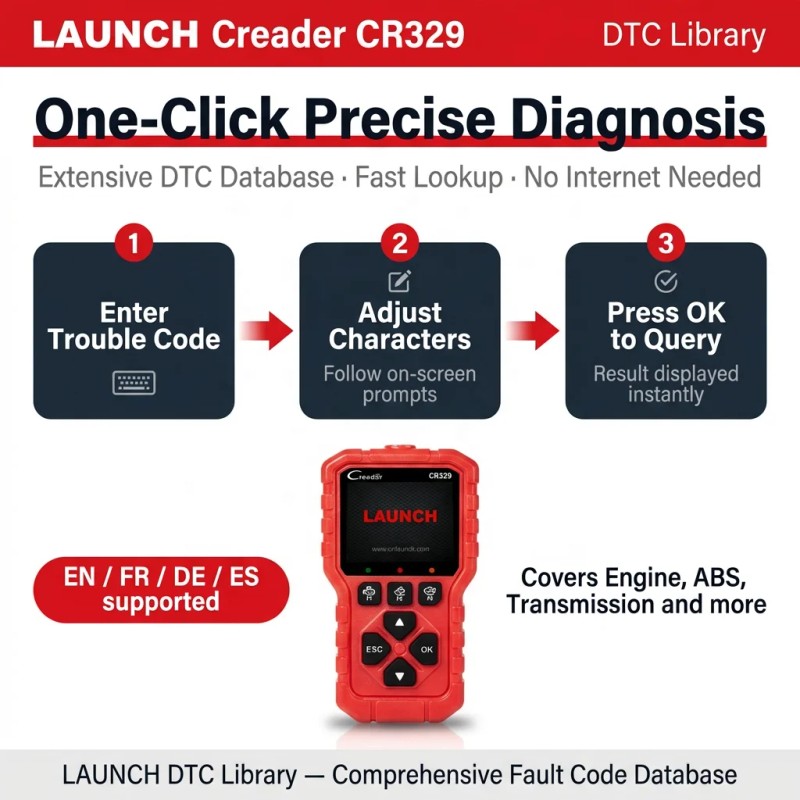
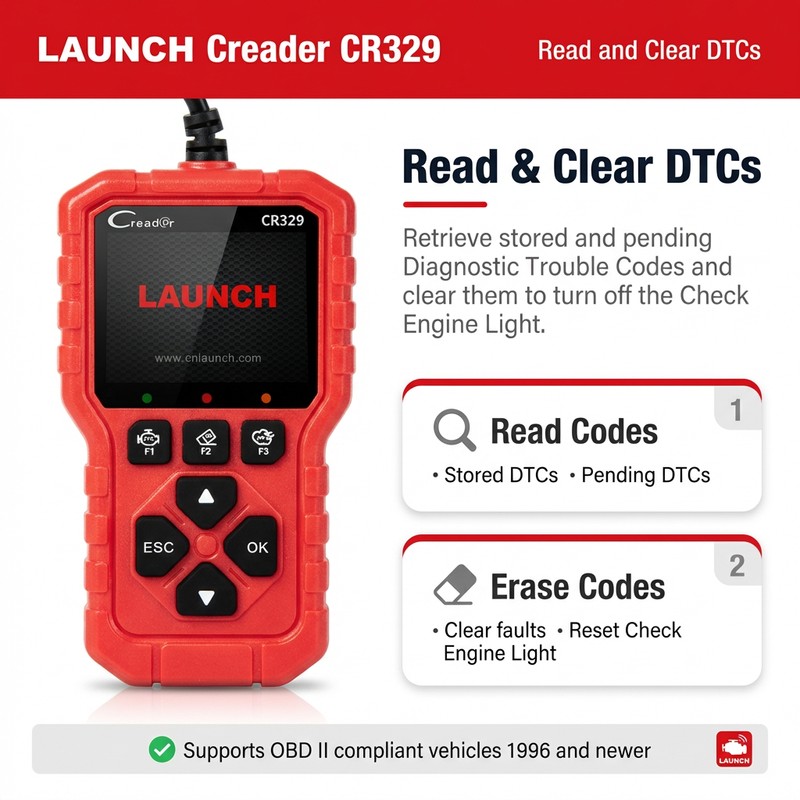
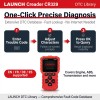
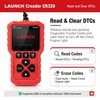
OBD II-Vehicle Diagnostic System Function Display : Read Codes, Erase Codes, Freeze, Performance, Vehicle Info, I/M, Mode 6, O2 Sensor, Mode 8 Data Stream : View the Data – Display single data stream as curve Custom Data Set – Filter data stream items Real Time Curve – Select two data streams to display curve DTC Lib : One-Click Precise Diagnosis · Trouble Code Lookup · Extensive DTC Database Supports Multiple Languages: English, French, Spanish, German Enter Trouble Code → 2. Adjust Characters as Prompted → 3. Press [OK] to Confirm Query Review : View Locally – Supports viewing fault data from the last detection and allows preview before printing. Cloud Print – Print via QR code Battery : Voltage Waveform – A graphical representation of voltage changes over time. Battery Test – Detects battery performance via voltage measurement. System Setup : 1. Language Supports 10 languages: English, French, Spanish, German, Italian, Russian, Portuguese, Polish, Dutch, and Japanese. 2. Unit Of Measure Allows flexible unit settings to ensure data is displayed in a format familiar to the user. 3. Contrast Contrast refers to the difference in brightness between the brightest and darkest areas on the screen. High contrast: Images appear sharper with distinct blacks and whites. Low contrast: The screen may look hazy with blurred details. Adjust contrast using the Up and Down button. 4. Beep : The device includes a buzzer, which can be turned ON or OFF. 5. About : Displays the device version number.
How to Use? Connection Steps : 1. Turn off the ignition switch and ensure the vehicle is in a safe condition. 2. Locate the DLC (Data Link Connector), usually found below the steering wheel or on the driver-side dashboard. 3. Connect the diagnostic cable to the vehicle's DLC interface. 4. Turn on the ignition switch (the engine may remain off or running). The device will automatically launch the diagnostic system Diagnostic Procedure : 1. Connect the Device: Turn on the ignition after connecting to the DLC, and the device will automatically start up. 2. Access the Main Interface: Once the system identifies the vehicle, you will enter the main function screen. 3. Select a Function: Choose the required function, such as trouble code inquiry, data playback, or auxiliary functions. 4. Follow On-screen Prompts: Complete the detection by following the guidance on the screen—simple and efficient. Product Structure :
Product packaging
Company Profile
Shenzhen Hilson Electromechanical Equipment Co., Ltd. was founded on March 29, 2004, with a registered capital of 10 million. It is an officially authorized first-class distributor of Launch. The company has a full range of LAUNCH products, a large number of stock inventory, fast delivery, perfect quality assurance and after-sales service. In recent years, the company's annual sales have reached as much as 27 million, the enterprise has a good development prospects and development situation. Our company provides a variety of automotive diagnostic tools and automotive equipment testing tools, covering scanners, car key programming, ECU tuning, service light reset, airbag reset and so on. Such as X-431 series. As a first-class agent of LAUNCH, our company provides customers with quality and quantity-assured products based on the principle of "Quality First, Reputation First". We are committed to be the leader in the automotive diagnostic industry and the top and most trusted supplier in China.
Certifications
The first-class distributor of Launch
LAUNCH TECH CO.LTD hereby authorizes Shenzhen Hilson to enjoy primary distributor rights and sell the designated products of Launch on the designated e-commerce websites.
FAQ
1. Are you an authorized agent? Do you provide authentic products?
Yes, we are an officially authorized core agent. All our diagnostic tools are 100% authentic with original packaging and serial numbers. Authorization documents are available upon request.
2.What products do you supply?
As an authorized agent of the single top-tier brand Launch, we offer a full product line of automotive diagnostic
tools(entry-level to high-end), suitable for passenger cars, commercial vehicles and NEVs. We provide one-stop solutions, no need to purchase from multiple brands.

3. How about the after-sales service and software updates?
We offer 24-hour after-sales response, free repair/replacement for non-human quality issues within warranty. All tools come with 2 years free online updates for compatibility with latest vehicle models.

Isin:
I67TCHEKYD4Q

$74.99

In Stock

, Fulfilled by IBSPOT • Ships from US

IBSPOT Buyer Protection
  • Free 30-Day Returns
  • Full Refund for Damaged or Incorrect Items
  • Guaranteed Delivery or Money Back
  • Secure Checkout & Fast Support
scroll to top arrow
Ready to Ship LAUNCH Creader CR329 Car Diagnostic Scanner Plug and Play Auto Code Reader with I/M Readiness & Live Data StreamScreen Size: 2.8 ", Power Source: Corded Electric

Ready to Ship LAUNCH Creader CR329 Car Diagnostic Scanner Plug and Play Auto ...

$74.99

Specification
Name
Parameters
Model
LAUNCH CR329
Storage
32MB flash
Type
OBD2 Scanner
Voltage
12V
Working temperature
0℃~50℃
1. LAUNCH Creader CR329 is a code reader tool based on a single-chip microcomputer platform. It offers full OBD diagnostics tailored for the passenger car DIY market.
2. Equipped with a 2.8-inch high-definition color screen and indicator lights, it supports 10 OBD diagnostic modes, detailed trouble code and data stream display, real-time graphing, data playback, battery voltage testing, cloud printing, quick lookup, and specific trouble code search.
Product Description
Features :
Product Function Display : Main Interface: OBD II(Vehicle diagnostic system) Data Stream DTC Lib(DTC Library) Review Battery(Battery testing) Setting
OBD II-Vehicle Diagnostic System Function Display : Read Codes, Erase Codes, Freeze, Performance, Vehicle Info, I/M, Mode 6, O2 Sensor, Mode 8 Data Stream : View the Data – Display single data stream as curve Custom Data Set – Filter data stream items Real Time Curve – Select two data streams to display curve DTC Lib : One-Click Precise Diagnosis · Trouble Code Lookup · Extensive DTC Database Supports Multiple Languages: English, French, Spanish, German Enter Trouble Code → 2. Adjust Characters as Prompted → 3. Press [OK] to Confirm Query Review : View Locally – Supports viewing fault data from the last detection and allows preview before printing. Cloud Print – Print via QR code Battery : Voltage Waveform – A graphical representation of voltage changes over time. Battery Test – Detects battery performance via voltage measurement. System Setup : 1. Language Supports 10 languages: English, French, Spanish, German, Italian, Russian, Portuguese, Polish, Dutch, and Japanese. 2. Unit Of Measure Allows flexible unit settings to ensure data is displayed in a format familiar to the user. 3. Contrast Contrast refers to the difference in brightness between the brightest and darkest areas on the screen. High contrast: Images appear sharper with distinct blacks and whites. Low contrast: The screen may look hazy with blurred details. Adjust contrast using the Up and Down button. 4. Beep : The device includes a buzzer, which can be turned ON or OFF. 5. About : Displays the device version number.
How to Use? Connection Steps : 1. Turn off the ignition switch and ensure the vehicle is in a safe condition. 2. Locate the DLC (Data Link Connector), usually found below the steering wheel or on the driver-side dashboard. 3. Connect the diagnostic cable to the vehicle's DLC interface. 4. Turn on the ignition switch (the engine may remain off or running). The device will automatically launch the diagnostic system Diagnostic Procedure : 1. Connect the Device: Turn on the ignition after connecting to the DLC, and the device will automatically start up. 2. Access the Main Interface: Once the system identifies the vehicle, you will enter the main function screen. 3. Select a Function: Choose the required function, such as trouble code inquiry, data playback, or auxiliary functions. 4. Follow On-screen Prompts: Complete the detection by following the guidance on the screen—simple and efficient. Product Structure :
Product packaging
Company Profile
Shenzhen Hilson Electromechanical Equipment Co., Ltd. was founded on March 29, 2004, with a registered capital of 10 million. It is an officially authorized first-class distributor of Launch. The company has a full range of LAUNCH products, a large number of stock inventory, fast delivery, perfect quality assurance and after-sales service. In recent years, the company's annual sales have reached as much as 27 million, the enterprise has a good development prospects and development situation. Our company provides a variety of automotive diagnostic tools and automotive equipment testing tools, covering scanners, car key programming, ECU tuning, service light reset, airbag reset and so on. Such as X-431 series. As a first-class agent of LAUNCH, our company provides customers with quality and quantity-assured products based on the principle of "Quality First, Reputation First". We are committed to be the leader in the automotive diagnostic industry and the top and most trusted supplier in China.
Certifications
The first-class distributor of Launch
LAUNCH TECH CO.LTD hereby authorizes Shenzhen Hilson to enjoy primary distributor rights and sell the designated products of Launch on the designated e-commerce websites.
FAQ
1. Are you an authorized agent? Do you provide authentic products?
Yes, we are an officially authorized core agent. All our diagnostic tools are 100% authentic with original packaging and serial numbers. Authorization documents are available upon request.
2.What products do you supply?
As an authorized agent of the single top-tier brand Launch, we offer a full product line of automotive diagnostic
tools(entry-level to high-end), suitable for passenger cars, commercial vehicles and NEVs. We provide one-stop solutions, no need to purchase from multiple brands.

3. How about the after-sales service and software updates?
We offer 24-hour after-sales response, free repair/replacement for non-human quality issues within warranty. All tools come with 2 years free online updates for compatibility with latest vehicle models.

Isin:
I67TCHEKYD4Q

Specification
Name
Parameters
Model
LAUNCH CR329
Storage
32MB flash
Type
OBD2 Scanner
Voltage
12V
Working temperature
0℃~50℃
1. LAUNCH Creader CR329 is a code reader tool based on a single-chip microcomputer platform. It offers full OBD diagnostics tailored for the passenger car DIY market.
2. Equipped with a 2.8-inch high-definition color screen and indicator lights, it supports 10 OBD diagnostic modes, detailed trouble code and data stream display, real-time graphing, data playback, battery voltage testing, cloud printing, quick lookup, and specific trouble code search.
Product Description
Features :
Product Function Display : Main Interface: OBD II(Vehicle diagnostic system) Data Stream DTC Lib(DTC Library) Review Battery(Battery testing) Setting
OBD II-Vehicle Diagnostic System Function Display : Read Codes, Erase Codes, Freeze, Performance, Vehicle Info, I/M, Mode 6, O2 Sensor, Mode 8 Data Stream : View the Data – Display single data stream as curve Custom Data Set – Filter data stream items Real Time Curve – Select two data streams to display curve DTC Lib : One-Click Precise Diagnosis · Trouble Code Lookup · Extensive DTC Database Supports Multiple Languages: English, French, Spanish, German Enter Trouble Code → 2. Adjust Characters as Prompted → 3. Press [OK] to Confirm Query Review : View Locally – Supports viewing fault data from the last detection and allows preview before printing. Cloud Print – Print via QR code Battery : Voltage Waveform – A graphical representation of voltage changes over time. Battery Test – Detects battery performance via voltage measurement. System Setup : 1. Language Supports 10 languages: English, French, Spanish, German, Italian, Russian, Portuguese, Polish, Dutch, and Japanese. 2. Unit Of Measure Allows flexible unit settings to ensure data is displayed in a format familiar to the user. 3. Contrast Contrast refers to the difference in brightness between the brightest and darkest areas on the screen. High contrast: Images appear sharper with distinct blacks and whites. Low contrast: The screen may look hazy with blurred details. Adjust contrast using the Up and Down button. 4. Beep : The device includes a buzzer, which can be turned ON or OFF. 5. About : Displays the device version number.
How to Use? Connection Steps : 1. Turn off the ignition switch and ensure the vehicle is in a safe condition. 2. Locate the DLC (Data Link Connector), usually found below the steering wheel or on the driver-side dashboard. 3. Connect the diagnostic cable to the vehicle's DLC interface. 4. Turn on the ignition switch (the engine may remain off or running). The device will automatically launch the diagnostic system Diagnostic Procedure : 1. Connect the Device: Turn on the ignition after connecting to the DLC, and the device will automatically start up. 2. Access the Main Interface: Once the system identifies the vehicle, you will enter the main function screen. 3. Select a Function: Choose the required function, such as trouble code inquiry, data playback, or auxiliary functions. 4. Follow On-screen Prompts: Complete the detection by following the guidance on the screen—simple and efficient. Product Structure :
Product packaging
Company Profile
Shenzhen Hilson Electromechanical Equipment Co., Ltd. was founded on March 29, 2004, with a registered capital of 10 million. It is an officially authorized first-class distributor of Launch. The company has a full range of LAUNCH products, a large number of stock inventory, fast delivery, perfect quality assurance and after-sales service. In recent years, the company's annual sales have reached as much as 27 million, the enterprise has a good development prospects and development situation. Our company provides a variety of automotive diagnostic tools and automotive equipment testing tools, covering scanners, car key programming, ECU tuning, service light reset, airbag reset and so on. Such as X-431 series. As a first-class agent of LAUNCH, our company provides customers with quality and quantity-assured products based on the principle of "Quality First, Reputation First". We are committed to be the leader in the automotive diagnostic industry and the top and most trusted supplier in China.
Certifications
The first-class distributor of Launch
LAUNCH TECH CO.LTD hereby authorizes Shenzhen Hilson to enjoy primary distributor rights and sell the designated products of Launch on the designated e-commerce websites.
FAQ
1. Are you an authorized agent? Do you provide authentic products?
Yes, we are an officially authorized core agent. All our diagnostic tools are 100% authentic with original packaging and serial numbers. Authorization documents are available upon request.
2.What products do you supply?
As an authorized agent of the single top-tier brand Launch, we offer a full product line of automotive diagnostic
tools(entry-level to high-end), suitable for passenger cars, commercial vehicles and NEVs. We provide one-stop solutions, no need to purchase from multiple brands.

3. How about the after-sales service and software updates?
We offer 24-hour after-sales response, free repair/replacement for non-human quality issues within warranty. All tools come with 2 years free online updates for compatibility with latest vehicle models.

Item Specifics

  • Car Fitment: Universal
  • Operating System: ARM
  • Communication Interface: OBD
  • Voltage: 12 V
  • Place of Origin: Guangdong, China
  • For Vehicle Brand: Universal
  • Type: obd code reader
  • Power: Standard
  • Applicable Models: Universal
  • Combination: OBD2,Code Reader
  • Brand Name: LAUNCH
  • Model Number: CR329
  • Warranty: 1 Year
  • Specification: check engine light
  • Support Language: English,Spanish,Russian,French Republic,German,Portuguese,Japanese
  • Make: LAUNCH
  • Color: Red
  • Item Type: scan tools
  • Display Type: LCD
  • Connectivity: USB
  • Product Name: LANUNCH CR329
  • OBD2: Support OBD2 and CAN for the majority of car models in 1996
  • Screen: 2.8 inch touch screen
  • Display: Display vehicle information
  • Function: Live data
  • Function 1: Freeze frame
  • Function 2: O2 sensor test
  • Feature: Reading and clearing DTCs to turn off the malfunction indicator light
  • Application: Car Test
  • Function 3: Battery testing
  • Selling Units:: Single item
  • Single package size:: 21X16X5 cm
  • Single gross weight:: 1.000 KG

Processing Time

  • We process and ship orders Monday through Friday, excluding holidays.
  • Most orders are processed within 1–3 business days, depending on product availability.
  • Processing time does not include delivery time, which varies based on your location and the product’s shipping origin.

Shipping Coverage

We currently ship to addresses within the United States only.

Products may ship from:

  • Our U.S. warehouses, or
  • Our international fulfillment centers (including Korea, Japan, China, Australia, Mexico, Canada, the United Kingdom, and the EU).

Each product page clearly displays the “Ships From” location before checkout.


Shipping Methods & Estimated Delivery

Shipping Method Estimated Delivery Cost
Free Shipping (US) 5–10 business days Free, available on eligible items
Standard Shipping (US to US by Item) 5–10 business days $5.95 for the first item, $3.00 each additional
Standard Shipping (From US Warehouse by Weight) 3–7 business days Starts at $5.95, increasing by $2 for every additional 4 oz (0.25 lb) up to 1 lb, then by $4 for each additional pound beyond 1 lb.
Extended Delivery (Ships from Overseas Warehouse) 10–20 business days $14.99 for the first item, $2.00 each additional

Shipping costs vary by product weight, quantity and origin. Exact rates and delivery estimates are displayed on each product page and confirmed during checkout.

Free Shipping

We offer free standard shipping on select products or during promotional periods. Availability of free shipping will be displayed on the product page and at checkout. 


Carriers

We primarily use USPS and UPS for U.S. deliveries. Items shipped from international warehouses may be handled by partner carriers depending on the country of origin.


Import Duties & Taxes

All import duties and taxes for goods imported into the United States are included in the product price. There are no hidden fees or additional charges at checkout.


Tracking & Notifications

Every order is fully trackable. You will receive a tracking number via email once your order ships. If your order ships in multiple packages, each package will have its own tracking number. If you don’t receive a shipping confirmation immediately, your order is still being processed and will arrive within the estimated timeframe shown at checkout.

You can track your shipment anytime using the Track Your Order page on our website.


Order Changes & Cancellations

If you need to modify or cancel an order, please contact our customer support team as soon as possible. Orders can only be canceled before they ship. Once shipped, cancellations are not possible, but you may request a return after the item is delivered.

Contact: support@ibspot.com


Item Not Received

If your tracking number shows “Delivered” but you haven’t received your package:

  1. Check with your local USPS or UPS office.
  2. Confirm that the shipping address provided was correct.
  3. If the issue remains unresolved, contact support@ibspot.com for assistance.

Damaged or Lost Parcels

If your package arrives damaged or fails to arrive, please contact us immediately. For deliveries to P.O. boxes, ibspot is not responsible for damage caused by weather, temperature, or theft.


Customer Support

For any questions about shipping, tracking, or delivery, our customer support team is here to help.

Email: support@ibspot.com

We’re always happy to help.

Please read our policy carefully before making a purchase.
We aim to ensure every customer has a smooth and transparent experience with ibspot.com.


Order Cancellation Policy

Customers may request to cancel an order before it has been shipped.
Once the package has been shipped, cancellations are no longer possible; however, you may still request a return after receiving your order.

How to Request a Cancellation

You can contact us through:

Please submit your cancellation request as soon as possible after placing the order to allow us to process it before shipment.


Return Policy

We accept returns for most items within 30 days of delivery for a full refund.

To be eligible for a return:

  • The item must be unused, in the same condition as received, and in its original packaging.
  • A tracking number must be provided to confirm the return shipment.

Non-Returnable Items

Certain products cannot be returned, including:

  • Perishable goods (for example, food, flowers, newspapers, magazines)
  • Intimate or sanitary goods
  • Hazardous materials or flammable liquids/gases
  • Gift cards
  • Downloadable software
  • Some health and personal care items

Partial Refunds (If Applicable)

Partial refunds may be granted in specific situations, such as:

  • Books with obvious signs of use
  • Opened CDs, DVDs, software, or vinyl records
  • Items not in their original condition, damaged, or missing parts not due to our error
  • Items returned more than 30 days after delivery

How to Return an Item

To initiate a return, please contact us at support@ibspot.com with your order number and details about the product you wish to return.
Our team will provide you with return instructions and a prepaid return label.


Shipping Cost for Returns

Please contact us before returning any item.

We may provide a return shipping label for your return. If the return is due to our error, such as receiving the wrong item, a damaged item, or a defective product, we will cover the return shipping cost.

If the return is due to the customer’s reason, such as ordering the wrong item, changing your mind, or no longer needing the item, the original shipping fee and the return label fee will be deducted from your refund amount.

If a return is sent back without prior contact or without using our provided label, we cannot be held responsible for any return shipping costs or delivery issues.

For items valued over $75, we recommend using a trackable shipping service or purchasing shipping insurance.
We cannot guarantee that we will receive your returned item if shipped independently.


Refund Processing

Once your return is received and inspected:

  • In-store returns are refunded to the original form of payment or issued as a gift card.
  • Mail-in returns using our prepaid label are refunded to the original payment method within 3–5 business days after we receive your return.

Please allow:

  • 5–7 business days for the return to reach our Returns Center.
  • An additional 3–10 business days for your bank to post the refund to your account.

Damages, Issues & Claims

Please inspect your order immediately upon receipt.
If you receive a defective, damaged, or incorrect item, contact us right away at support@ibspot.com.
We’ll evaluate the issue promptly and make it right.

Product Claims

Before purchasing, please review product details carefully.
If there is a problem with your order upon arrival, visit our Support Center or contact us directly to arrange return shipping or replacement.


Exchanges

We do not process direct exchanges.
The fastest way to get what you need is to return the original item and place a new order once your return is accepted.


Return Address

IBSPOT Return Center
15 Sawmill Ln
Dover Plains, NY 12522
United States


Customer Support

Our support team is available 24/7 to assist with cancellations, returns, or general inquiries.

Email: support@ibspot.com
Contact Form: Contact Us page

Oops!

Sorry, it looks like some products are not available in selected quantity.

OK

Subscribe To Our Newsletter