

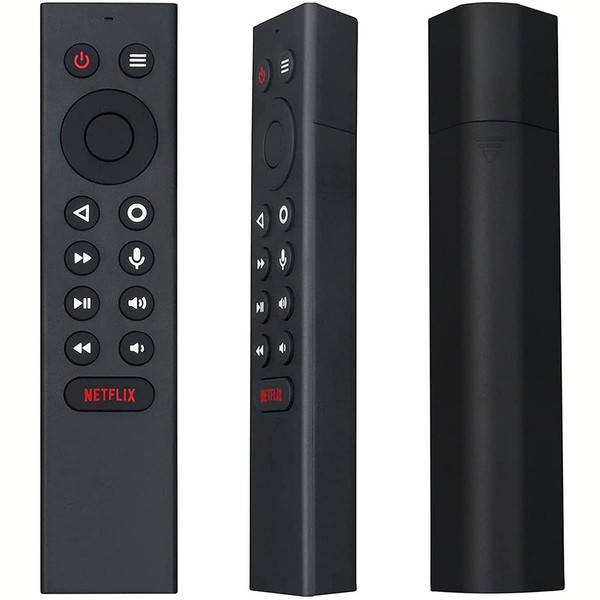

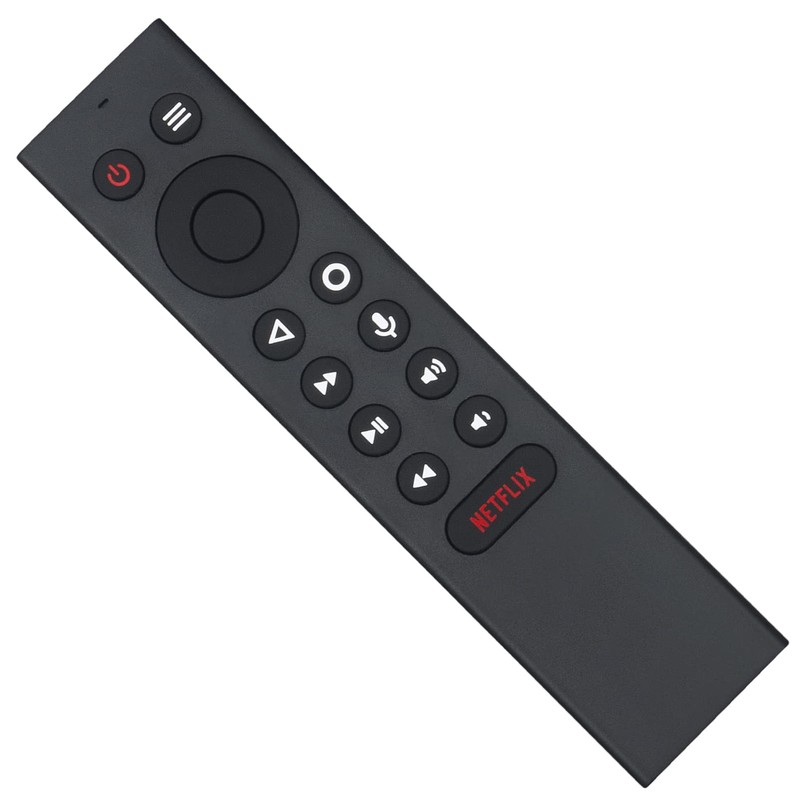


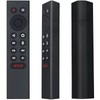
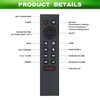


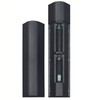

PERFASCIN P3700 sub P2575 P2897 Replacement Voice Universal Remote Control fit for for NVIDIA Shield Android TV Pro, Fit for NVIDIA Shield Android TV, fit for NVIDIA Shield TV 2015/2017/2019 Models.
$38.48
- $5.95 shipping from United States View details
-
Arrives
- <>PERFASCIN P3700 Replacement Voice Universal Remote control fit for for NVIDIA SHIELD Android TV Pro, Fit for NVIDIA SHIELD Android TV, fit for NVIDIA SHIELD TV 2015/2017/2019 models.
- Compatible Models: Fit for Nvidia Shield TV 4K HDR Player, fit for Nvidia Shield TV Pro 4K HDR Player,fit for Shield TV 2015/2017/2019 models.
- This is Replaced Remote Control, Please unpair your old remote then pair this new remote with your device before use . it with Motion-Activated,You can easy to control your tv via Voice Search, Customizable Menu Buttons.
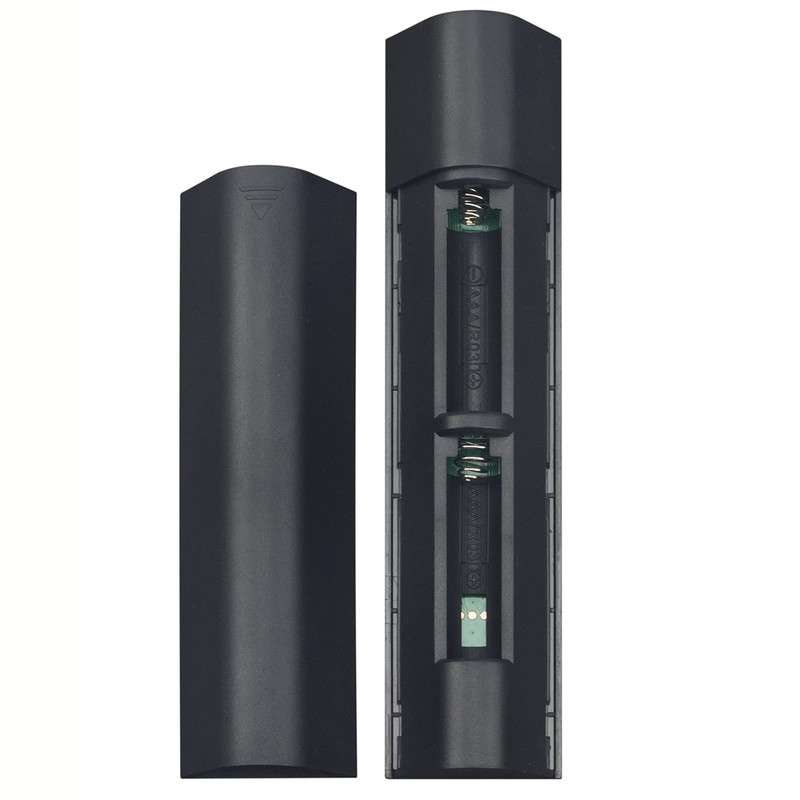
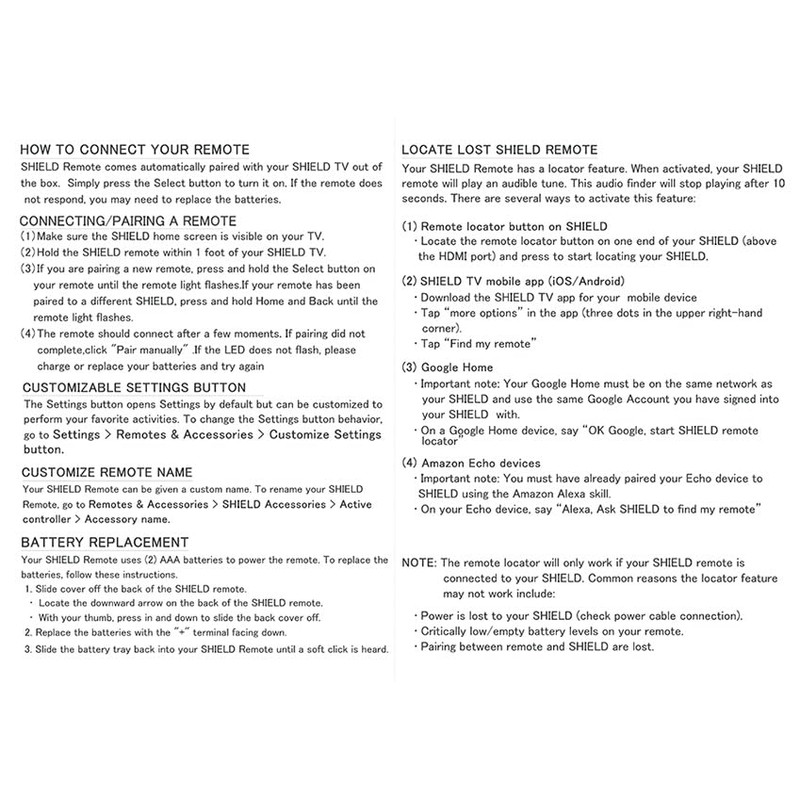
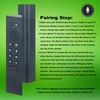
- Pairing Step: 1.Make sure your Shield home screen is visible on your TV 2.Hold you Shield remote within 1foot of your Shield TV.Please charge it by 2pcs AAA new battery. 3.If you are pairing a new remote , press and hold the Select button on your remote until the remote light flashes. if your remote has been paired to a different Shield device,press and hold Home and Back until the remote light flashes.(please remove the battery from your old remote when you pair a new remote)
- Kindly Reminder: When you pairing the remote, you must close to your TV box within 10-50 centimeters and Hold the "ok" Key to pair until TV display pairing success.
- Free 30-Day Returns
- Full Refund for Damaged or Incorrect Items
- Guaranteed Delivery or Money Back
- Secure Checkout & Fast Support

- <>PERFASCIN P3700 Replacement Voice Universal Remote control fit for for NVIDIA SHIELD Android TV Pro, Fit for NVIDIA SHIELD Android TV, fit for NVIDIA SHIELD TV 2015/2017/2019 models.
- Compatible Models: Fit for Nvidia Shield TV 4K HDR Player, fit for Nvidia Shield TV Pro 4K HDR Player,fit for Shield TV 2015/2017/2019 models.
- This is Replaced Remote Control, Please unpair your old remote then pair this new remote with your device before use . it with Motion-Activated,You can easy to control your tv via Voice Search, Customizable Menu Buttons.
- Pairing Step: 1.Make sure your Shield home screen is visible on your TV 2.Hold you Shield remote within 1foot of your Shield TV.Please charge it by 2pcs AAA new battery. 3.If you are pairing a new remote , press and hold the Select button on your remote until the remote light flashes. if your remote has been paired to a different Shield device,press and hold Home and Back until the remote light flashes.(please remove the battery from your old remote when you pair a new remote)
- Kindly Reminder: When you pairing the remote, you must close to your TV box within 10-50 centimeters and Hold the "ok" Key to pair until TV display pairing success.
With movement activates,Customizable Menu Buttons without Backlight. Without backlight function
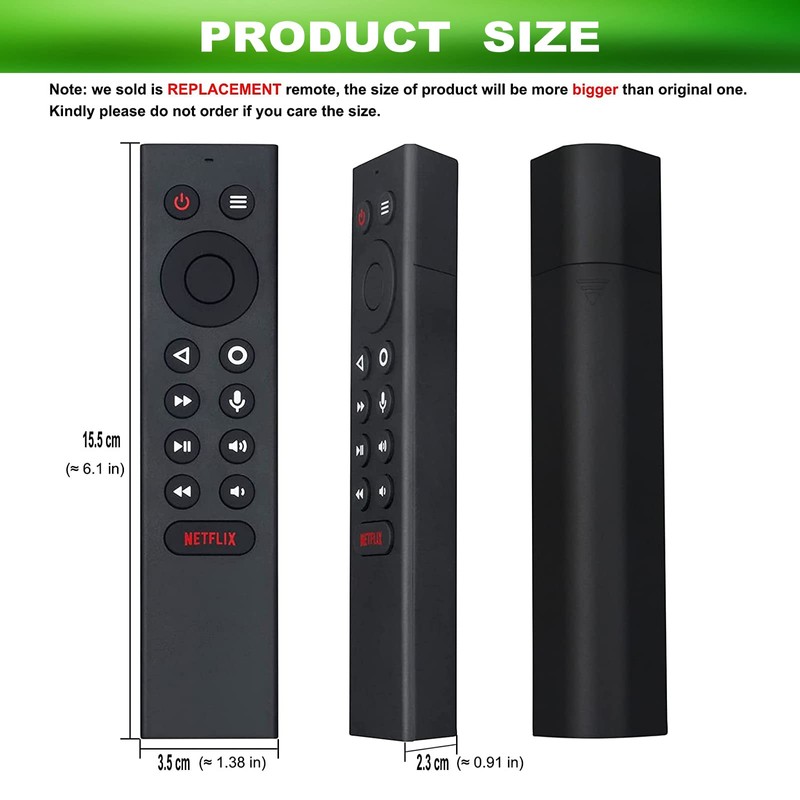
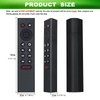
Model: P3700,We sold is REPLACED remote control.The size of this remote is a little bigger than the original remote
Fit for below models:
1)fit for SHIELD TV 2015 models
2)fit for SHIELD TV 2017 models
3)fit for SHIELD TV 2019 models
4)fit for NVIDIA SHIELD Android TV 4K
5)fit for NVIDIA SHIELD Android TV Pro 4K
Please upgrade to the latest SHIELD Experience.
How to connect your remote:
Normally this remote will paired with your Shield tv automaticlly,if not pairing succesfully ,you might need pair it manually as below step:
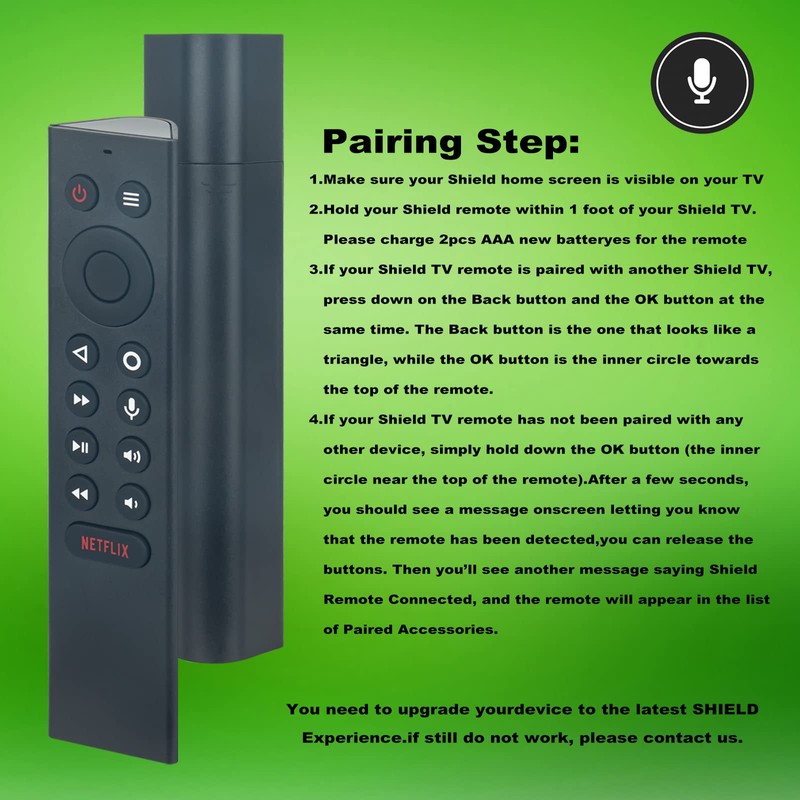
Pairing Step:
1.Make sure your Shield home screen is visible on your TV
2.Hold your Shield remote within 1 foot of your Shield TV. Please charge 2pcs AAA new batteryes for the remote
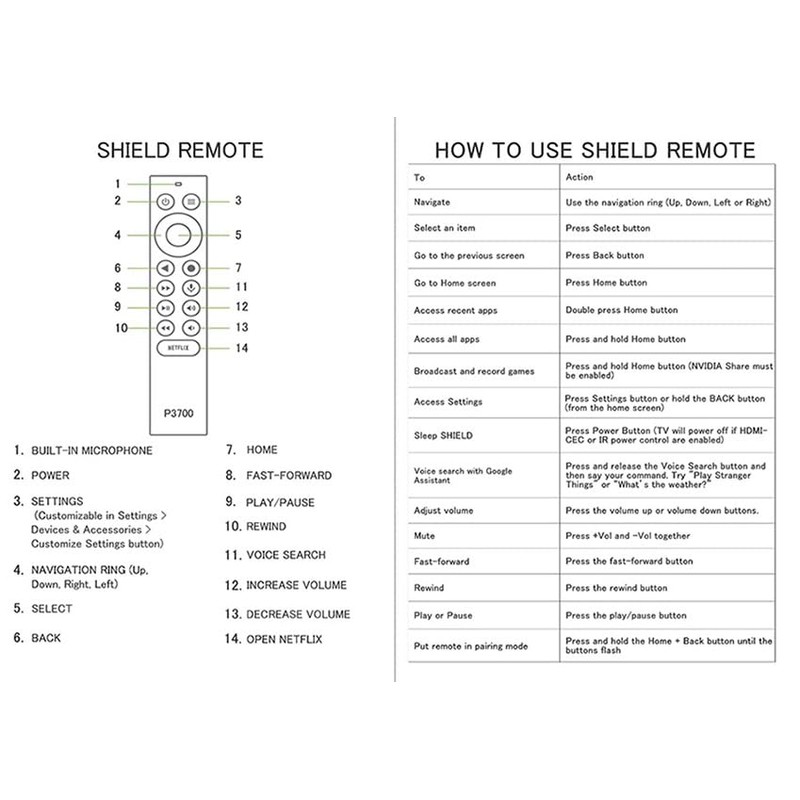
3.If your Shield TV remote is paired with another Shield TV, press down on the Back button and the OK button at the same time. The Back button is the one that looks like a triangle, while the OK button is the inner circle towards the top of the remote.
4.If your Shield TV remote has not been paired with any other device, simply hold down the OK button (the inner circle near the top of the remote).After a few seconds, you should see a message onscreen letting you know that the remote has been detected,you can release the buttons.Then you’ll see another message saying Shield Remote Connected,and the remote will appear in the list of Paired Accessories.
You need to upgrade your device to the latest SHIELD Experience.if still do not work, please contact us.
Voice search:
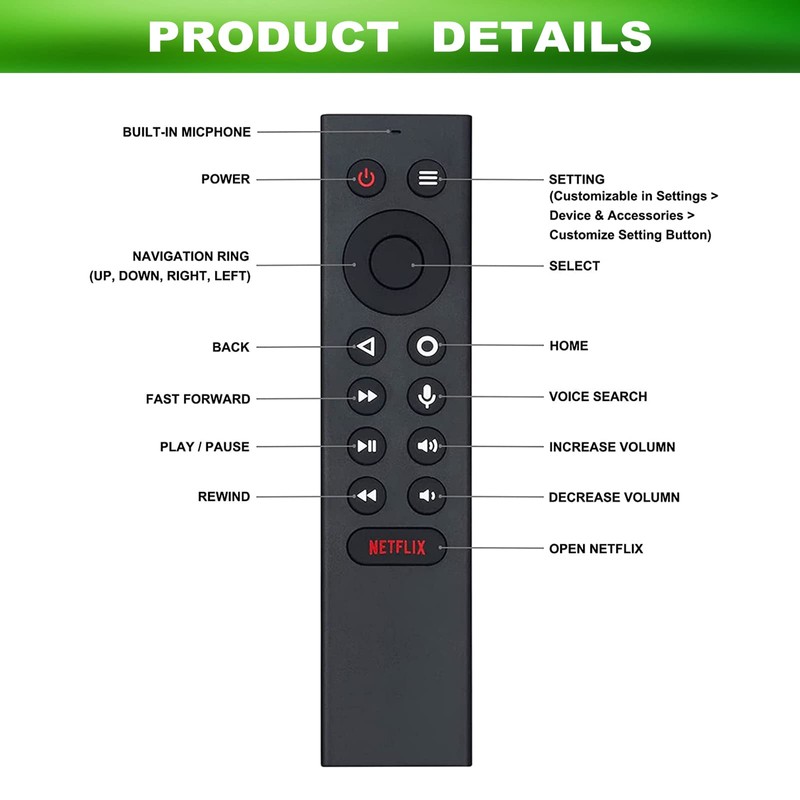
Press the microphone button to access the powerful Goog-le Assistant on Android TV. Search for new TV shows, movies, videos.
Kindly Reminder:
When you pairing the remote, you must close to your TV box within 10-50 centimeters and Hold the "ok" Key to pair until TV display pairing success.
Processing Time
- We process and ship orders Monday through Friday, excluding holidays.
- Most orders are processed within 1–3 business days, depending on product availability.
- Processing time does not include delivery time, which varies based on your location and the product’s shipping origin.
Shipping Coverage
We currently ship to addresses within the United States only.
Products may ship from:
- Our U.S. warehouses, or
- Our international fulfillment centers (including Korea, Japan, China, Australia, Mexico, Canada, the United Kingdom, and the EU).
Each product page clearly displays the “Ships From” location before checkout.
Shipping Methods & Estimated Delivery
| Shipping Method | Estimated Delivery | Cost |
|---|---|---|
| Free Shipping (US) | 5–10 business days | Free, available on eligible items |
| Standard Shipping (US to US by Item) | 5–10 business days | $5.95 for the first item, $3.00 each additional |
| Standard Shipping (From US Warehouse by Weight) | 3–7 business days | Starts at $5.95, increasing by $2 for every additional 4 oz (0.25 lb) up to 1 lb, then by $4 for each additional pound beyond 1 lb. |
| Extended Delivery (Ships from Overseas Warehouse) | 10–20 business days | $14.50 for the first item, $2.00 each additional |
Shipping costs vary by product weight, quantity and origin. Exact rates and delivery estimates are displayed on each product page and confirmed during checkout.
Free Shipping
We offer free standard shipping on select products or during promotional periods. Availability of free shipping will be displayed on the product page and at checkout.
Carriers
We primarily use USPS and UPS for U.S. deliveries. Items shipped from international warehouses may be handled by partner carriers depending on the country of origin.
Import Duties & Taxes
All import duties and taxes for goods imported into the United States are included in the product price. There are no hidden fees or additional charges at checkout.
Tracking & Notifications
Every order is fully trackable. You will receive a tracking number via email once your order ships. If your order ships in multiple packages, each package will have its own tracking number. If you don’t receive a shipping confirmation immediately, your order is still being processed and will arrive within the estimated timeframe shown at checkout.
You can track your shipment anytime using the Track Your Order page on our website.
Order Changes & Cancellations
If you need to modify or cancel an order, please contact our customer support team as soon as possible. Orders can only be canceled before they ship. Once shipped, cancellations are not possible, but you may request a return after the item is delivered.
Contact: support@ibspot.com
Item Not Received
If your tracking number shows “Delivered” but you haven’t received your package:
- Check with your local USPS or UPS office.
- Confirm that the shipping address provided was correct.
- If the issue remains unresolved, contact support@ibspot.com for assistance.
Damaged or Lost Parcels
If your package arrives damaged or fails to arrive, please contact us immediately. For deliveries to P.O. boxes, ibspot is not responsible for damage caused by weather, temperature, or theft.
Customer Support
For any questions about shipping, tracking, or delivery, our customer support team is here to help.
Email: support@ibspot.com
We’re always happy to help.
Please read our policy carefully before making a purchase.
We aim to ensure every customer has a smooth and transparent experience with ibspot.com.
Order Cancellation Policy
Customers may request to cancel an order before it has been shipped.
Once the package has been shipped, cancellations are no longer possible; however, you may still request a return after receiving your order.
How to Request a Cancellation
You can contact us through:
- Email: support@ibspot.com
- Contact Form: Submit a request through our Contact Us page
Please submit your cancellation request as soon as possible after placing the order to allow us to process it before shipment.
Return Policy
We accept returns for most items within 30 days of delivery for a full refund.
To be eligible for a return:
- The item must be unused, in the same condition as received, and in its original packaging.
- A tracking number must be provided to confirm the return shipment.
Non-Returnable Items
Certain products cannot be returned, including:
- Perishable goods (for example, food, flowers, newspapers, magazines)
- Intimate or sanitary goods
- Hazardous materials or flammable liquids/gases
- Gift cards
- Downloadable software
- Some health and personal care items
Partial Refunds (If Applicable)
Partial refunds may be granted in specific situations, such as:
- Books with obvious signs of use
- Opened CDs, DVDs, software, or vinyl records
- Items not in their original condition, damaged, or missing parts not due to our error
- Items returned more than 30 days after delivery
How to Return an Item
To initiate a return, please contact us at support@ibspot.com with your order number and details about the product you wish to return.
Our team will provide you with return instructions and a prepaid return label.
Shipping Cost for Returns
Please contact us before returning any item.
We will provide a free return shipping label.
If a return is sent back without prior contact or without our provided label, we cannot be held responsible for return shipping costs.
For items valued over $75, we recommend using a trackable shipping service or purchasing shipping insurance.
We cannot guarantee that we will receive your returned item if shipped independently.
Refund Processing
Once your return is received and inspected:
- In-store returns are refunded to the original form of payment or issued as a gift card.
- Mail-in returns using our prepaid label are refunded to the original payment method within 3–5 business days after we receive your return.
Please allow:
- 5–7 business days for the return to reach our Returns Center.
- An additional 3–10 business days for your bank to post the refund to your account.
Damages, Issues & Claims
Please inspect your order immediately upon receipt.
If you receive a defective, damaged, or incorrect item, contact us right away at support@ibspot.com.
We’ll evaluate the issue promptly and make it right.
Product Claims
Before purchasing, please review product details carefully.
If there is a problem with your order upon arrival, visit our Support Center or contact us directly to arrange return shipping or replacement.
Exchanges
We do not process direct exchanges.
The fastest way to get what you need is to return the original item and place a new order once your return is accepted.
Return Address
IBSPOT Return Center
15 Sawmill Ln
Dover Plains, NY 12522
United States
Customer Support
Our support team is available 24/7 to assist with cancellations, returns, or general inquiries.
Email: support@ibspot.com
Contact Form: Contact Us page
Oops!
Sorry, it looks like some products are not available in selected quantity.