




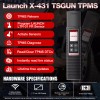
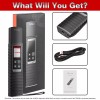
Launch X431 TSGUN TPMS Tire Pressure Detector Car TPMS Sensor Tool Programmer US
$286.00
- Free US shipping
-
Arrives
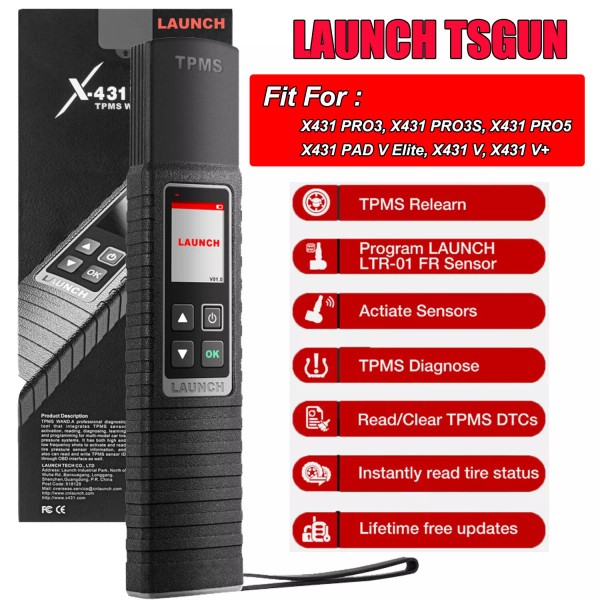
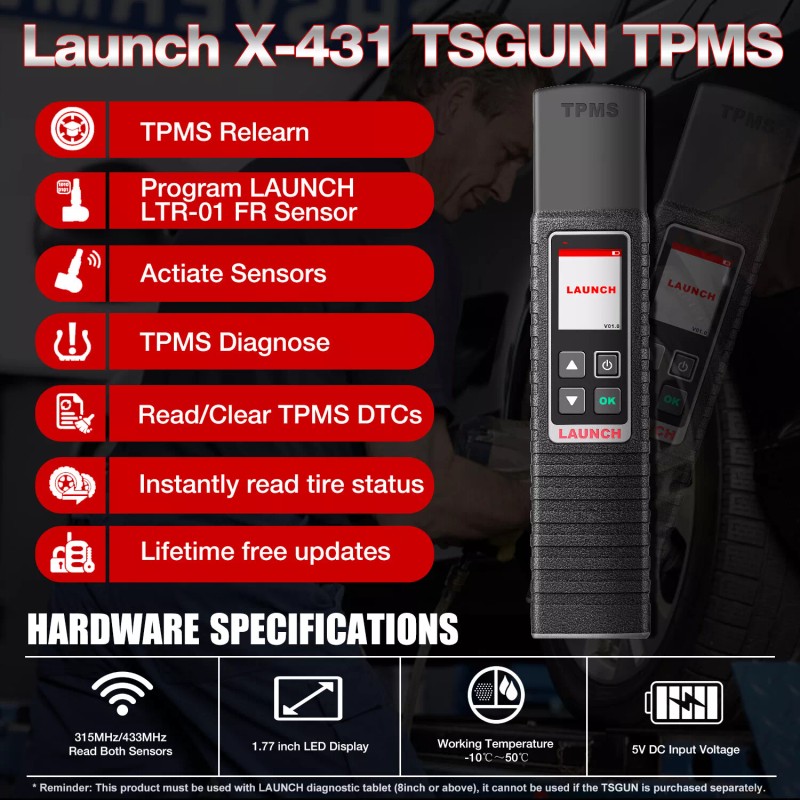
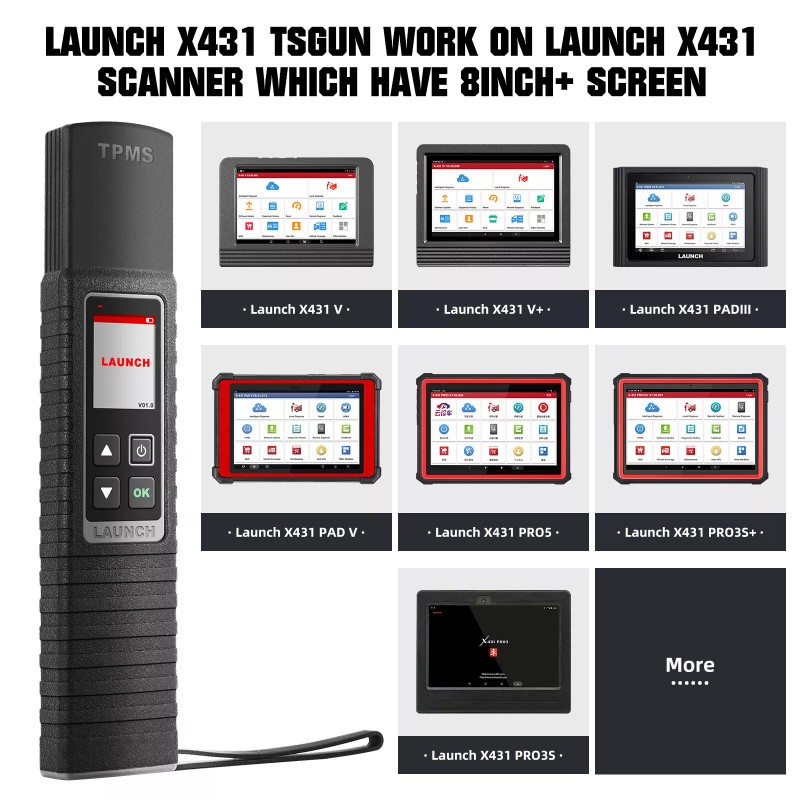
Launch X-431 TSGUN TPMS Tire Pressure Detector Tool,Relearn,Reset and Program TPMS sensors,Work with Launch X431 PROS, V, V+, PRO3S+, Pro3, Pro5, PAD V,PAD VII, IMMO ELITE and IMMO PLUS, etc.
💖【Work Easier & Safer】One-touch reception of tire pressure sensor data, real-time reading of tire status, simple and convenient operation, and built-in learning guidance, allowing you to quickly become an operation expert
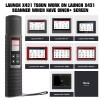
🚗【With x431 series&Wider model coverage 】Supports matching x431 series tablets over 8 inches.Cover 98% global vehicles with tire pressure system
🎁【Help online】30 Days no reason refund or replacement. If you have any question,please ask a Q&A on this page, you can get help timely
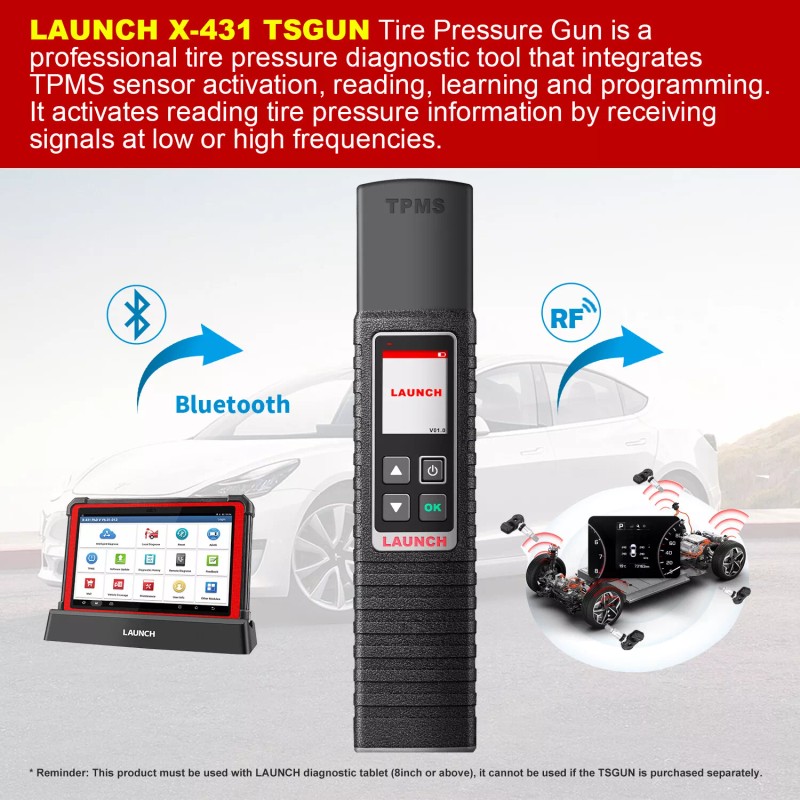
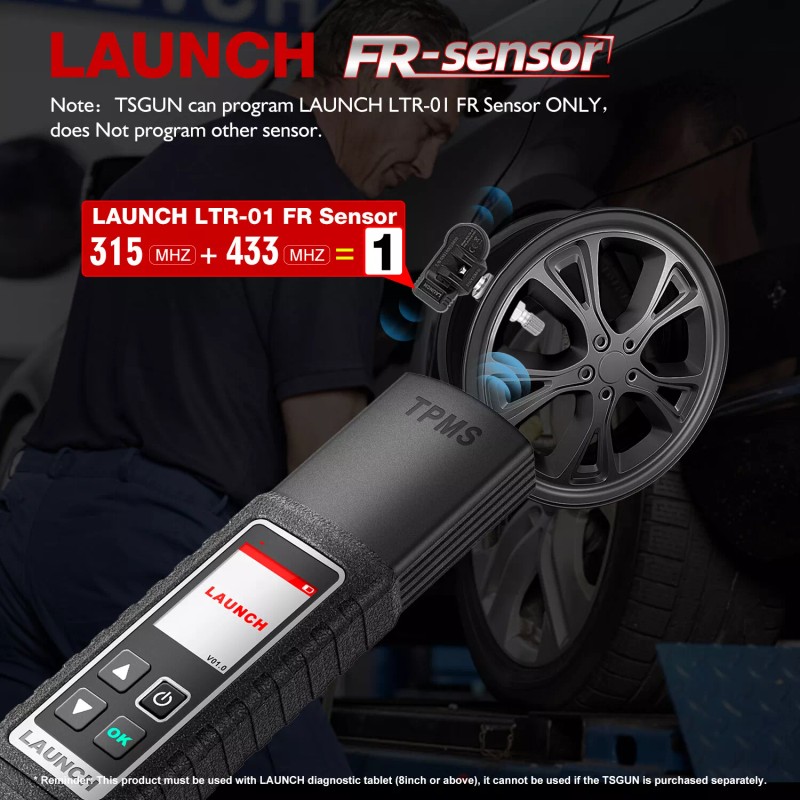
👉【Reminder】This product must be used with LAUNCH diagnostic tablet (8inch or above), it cannot be used if the TSGUN is purchased separately.TSGUN can program LAUNCH LTR-01 Sensor only,does not program other brand sensor.
【Why choose Launch X-431 TSGUN ?】
✔Wide vehicle coverage: Support up to 98% of the TPMS equipped vehicles in the US, Europe and Asia market; It is very suitable to be a mechanic of all kinds of cars.
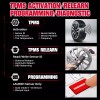
✔TPMS relearn tool: helps to perform automatic, static or OBDII relearning; The built-in TPMS relearning guide varies with the car's make, model, and year.
✔TPMS Activation Tool: Activate a wide range of OEM and universal 315MHz & 433MHz sensors on the market.
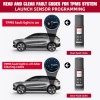
✔Sensor Programming Tool: Get the old Sensor ID, copy and write the Launch Sensor
✔Activation page: Display the pressure (kPa), temperature (℃), battery conditions of all sensors
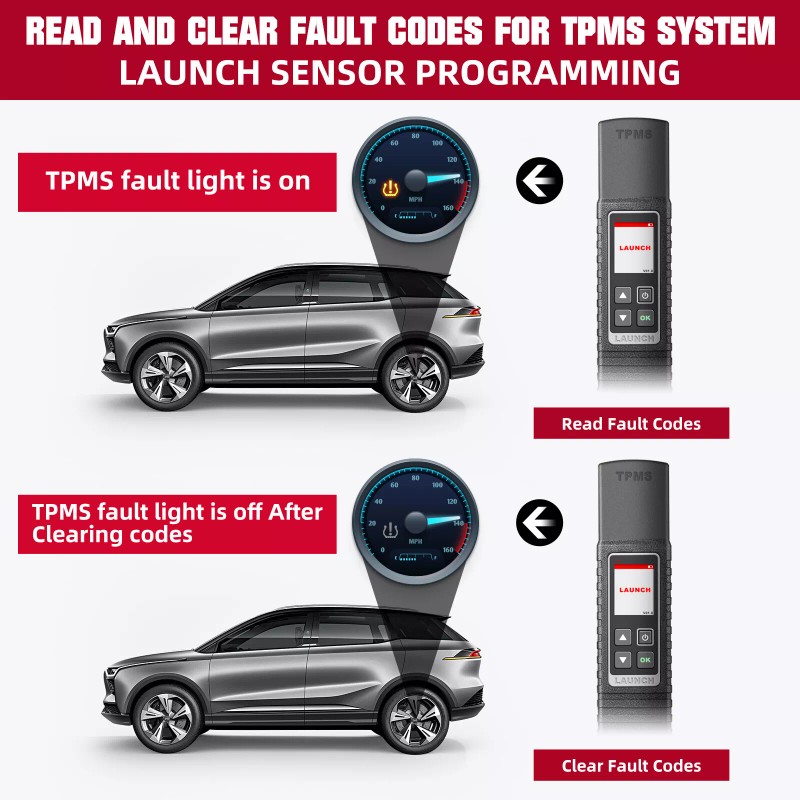
✔Complete TPMS diagnostics: read/clear TPMS code with on-screen description of DTC.
✔Lifetime free update
【Features】
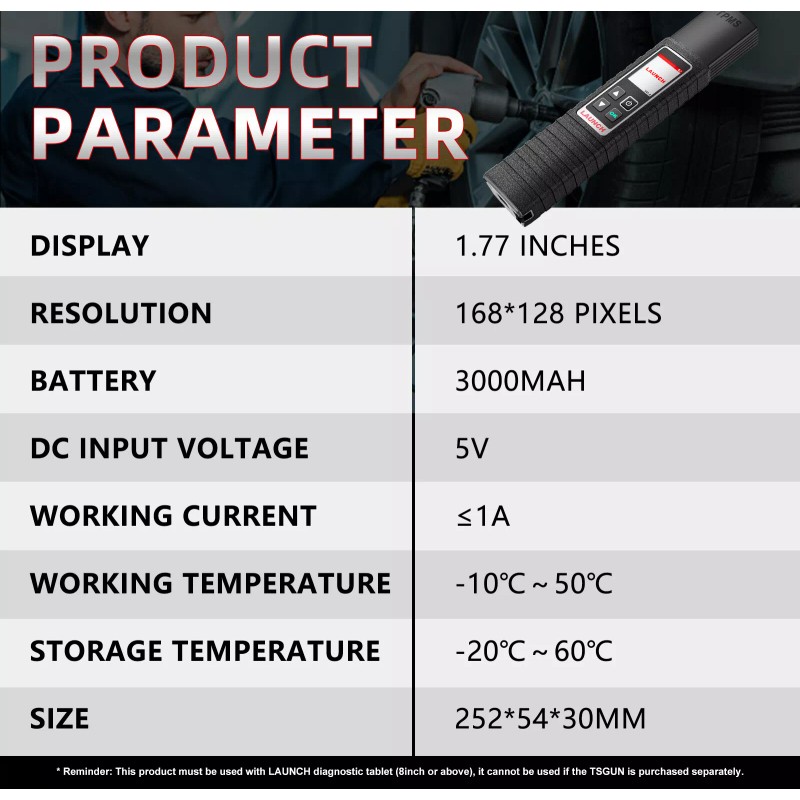
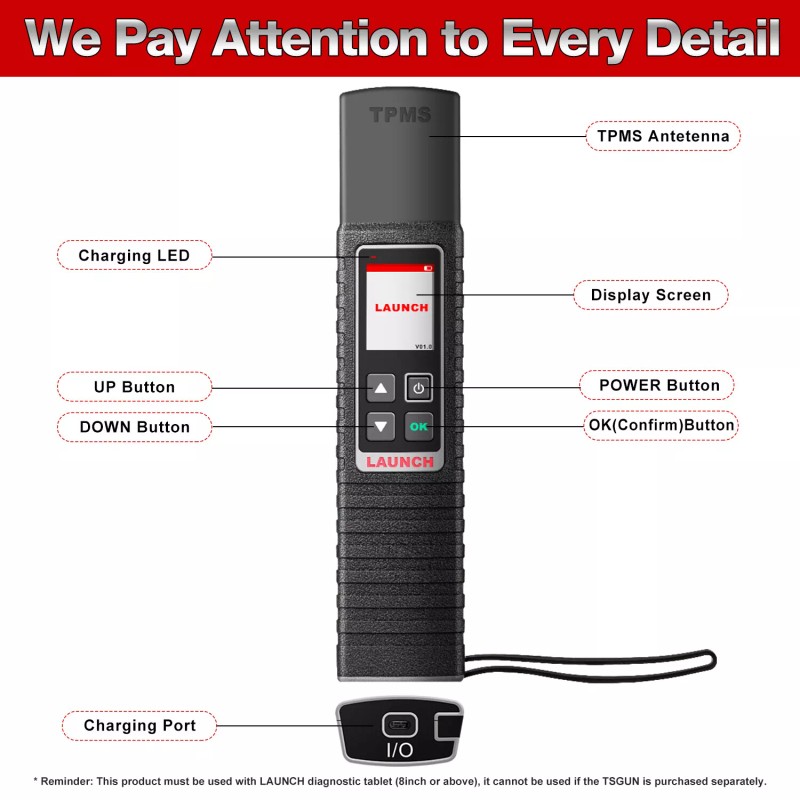
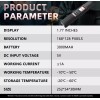
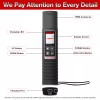
1. 1.77 inch color screen
2. Instantly read tire pressure, tire temperature and battery status
3. Diagnose tire pressure fault, including read DTC, clear DTC, etc.
4. Activate and match all 315MHz or 433MHz sensors
5. Read, copy and write the sensor ID quickly
6. Reprogram LAUNCH sensors with unlimited times
7. Built-in tire pressure learning instruction makes operation more eas
8. Cover 98% global vehicles with tire pressure system
9. Work together with Launch X431 V, V+, Pro3, Pro5, PAD III and PAD V.
【X431 TSGUN Functions】
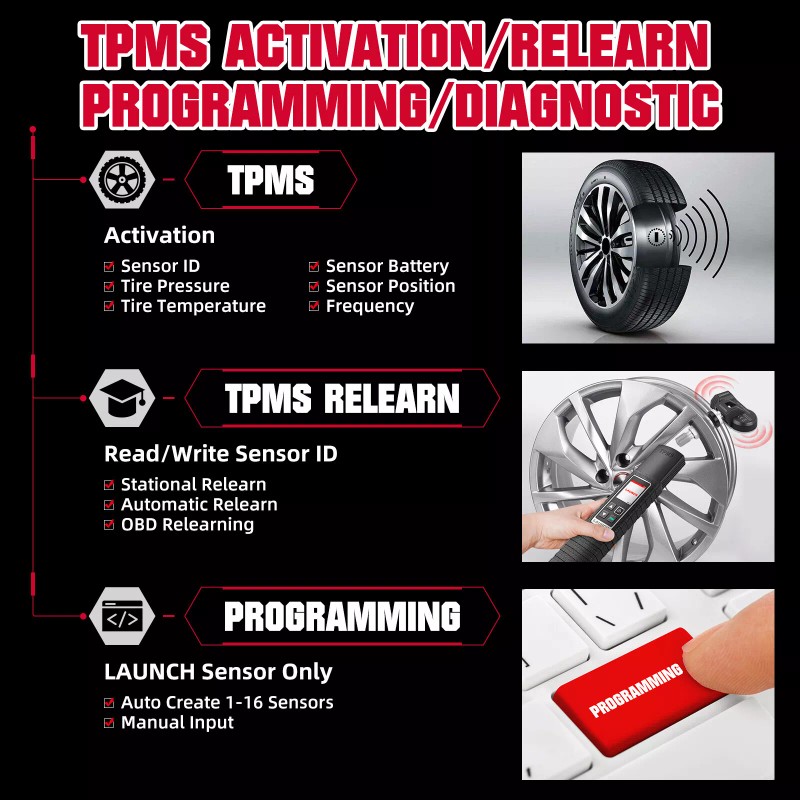
1.Unlimited Repeat Programming
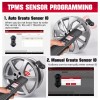
LAUNCH TSGUN tpms programming tool can program LAUNCH LTR-01 SENSOR only,vehicle model is not limited, as long as the x431 tablet can support the model can be programmed.It can program 8 LAUNCH LTR-01 SENSOR simultaneously.
3 Modes to Program LAUNCH LTR-01 SENSOR:
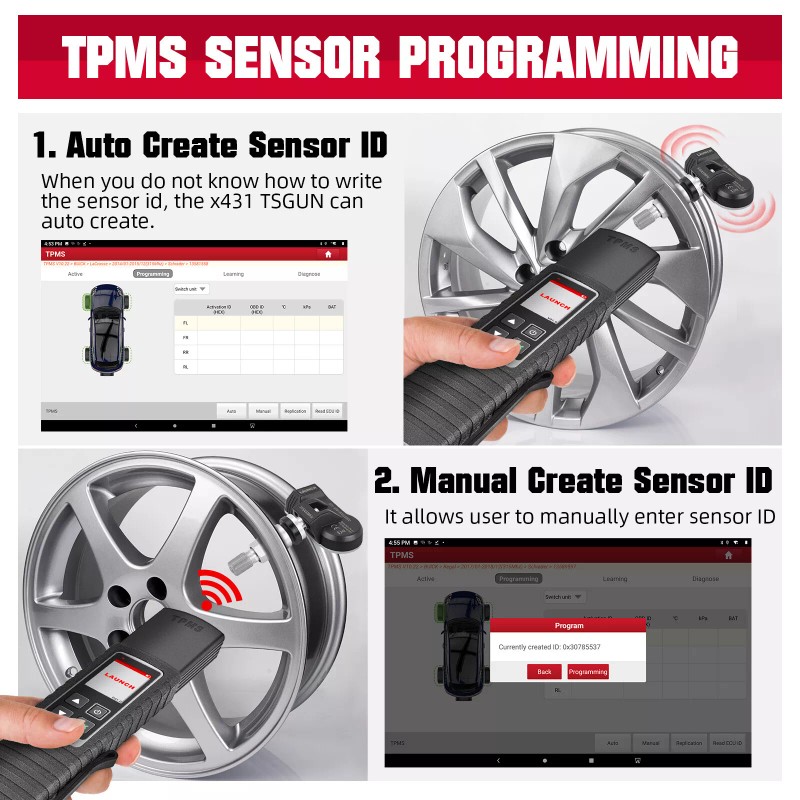
Manually create can manually enter the original ID
Automatic creation the system automatically generates ID
Copy ID copy the old sensor ID to the LAUNCH LTR-01 SENSOR if the old sensor can still be activated
Q:Can TSGUN's programming function program original factory sensors or tire pressure sensors of other brands?
✔ N0 , If your sensor is the original factory, there is no need to do programming, only need to do activation, learning and diagnosis. If it is other brands, programming is not supported. Only LAUNCH LTR-01 sensors can be programmed.
2. ACTIVATE TPMS SENSORS
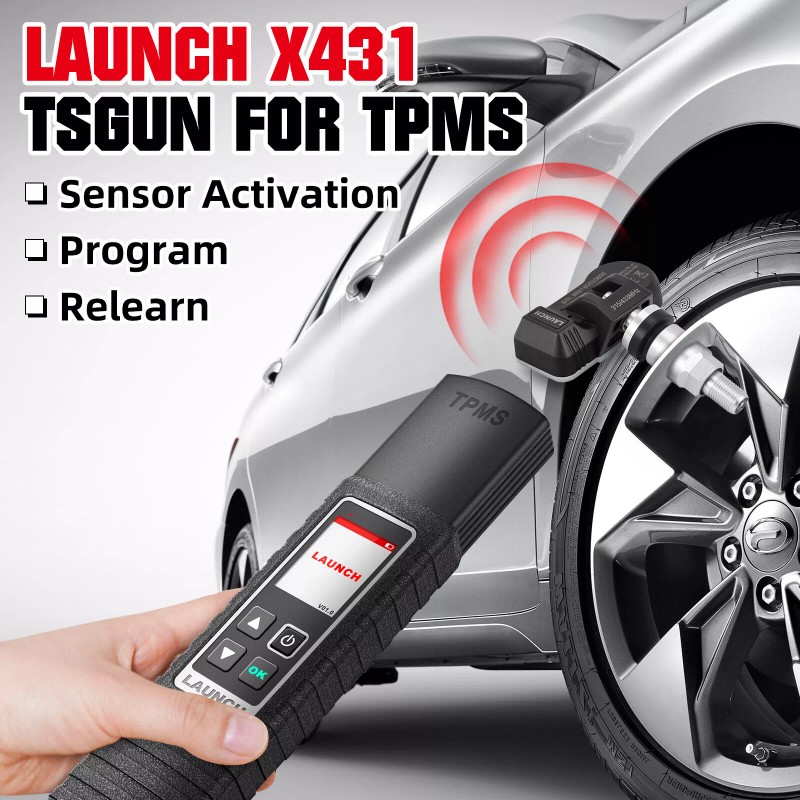
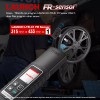
Launch TSGUN tpms tool can activate all 315/433MHz tire pressure sensors with LAUNCH X431 series tablet (8 inches and above). Use TSGUN to touch the tire pressure sensor on the tire. Press the OK button to see the sensor on the tire pressure monitoring interface of the launch x431 tablet. And collected tire pressure information, such as sensor ID, tire pressure, tire temperature, battery status, sensor location, etc.
Visual interface, simple and easy to understand, quickly understand your tire status.
The sensor's default activation sequence : left front》》right front》》right rear》》left rear
3.TPMS Diagnose(Activate all TPMS sensors before TPMS Diagnose)
Diagnose the TPMS system, read and clear the TPMS dtc, view the detailed description of the dtc, and check the status of all TPMS sensors.
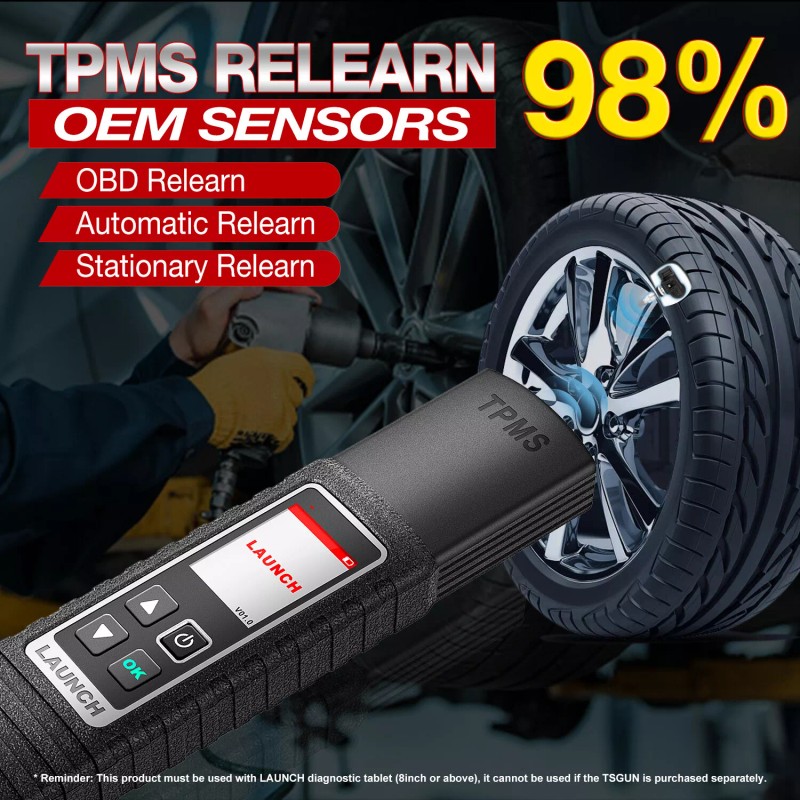
4.Relearn 98% sensors
Quickly relearn sensors: LAUNCH TSGUN tpms relearn tool can relearn 98% of OEM TPMS sensors to the car's ECU in 3 ways
OBD Relearn:Write TPMS sensor id toTPMS module throughOBD connector
Automatic Relearn:Complete by driving
Stationary Relearn:placed in the "Learn Mode"
✔In the learning interface, some basic information of the sensor (including manufacturer, frequency, part number, etc.) and the learning steps are displayed to help you find the correct learning method.
【Compatible Product List】
X431 TSGUN can work with any one of the following diagnostic tools of Launch family
Pros Series:
X431 Pro/ X431 Pro3s+/ X431 Pro5/ X431 Pro v/v+
PAD Series:
X431 PADIII/ X431 PAD V
How to Bind TSGUN with Launch X431?
For initial use, user needs to bine the X-431 TSGUN to the diagnostic tool.
1. Tap TPMS on the Job menu of the diagnostic tool.
2. Tap Bine X-431 TSGUN to enter.
3. Tap Bind, the following screen will pop up.
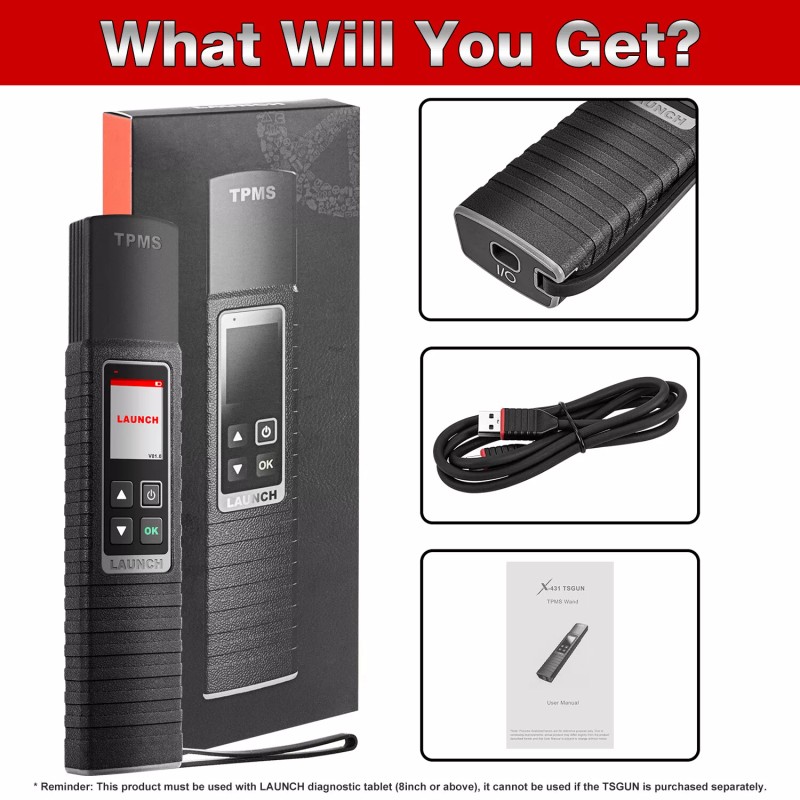
【Package Included】
1* X-431 TSGUN WAND
1* USB Cable
1* Box
On Dec 3, 2024 at 01:24:31 PST, seller added the following information:
- Free 30-Day Returns
- Full Refund for Damaged or Incorrect Items
- Guaranteed Delivery or Money Back
- Secure Checkout & Fast Support

Launch X-431 TSGUN TPMS Tire Pressure Detector Tool,Relearn,Reset and Program TPMS sensors,Work with Launch X431 PROS, V, V+, PRO3S+, Pro3, Pro5, PAD V,PAD VII, IMMO ELITE and IMMO PLUS, etc.
💖【Work Easier & Safer】One-touch reception of tire pressure sensor data, real-time reading of tire status, simple and convenient operation, and built-in learning guidance, allowing you to quickly become an operation expert
🚗【With x431 series&Wider model coverage 】Supports matching x431 series tablets over 8 inches.Cover 98% global vehicles with tire pressure system
🎁【Help online】30 Days no reason refund or replacement. If you have any question,please ask a Q&A on this page, you can get help timely
👉【Reminder】This product must be used with LAUNCH diagnostic tablet (8inch or above), it cannot be used if the TSGUN is purchased separately.TSGUN can program LAUNCH LTR-01 Sensor only,does not program other brand sensor.
【Why choose Launch X-431 TSGUN ?】
✔Wide vehicle coverage: Support up to 98% of the TPMS equipped vehicles in the US, Europe and Asia market; It is very suitable to be a mechanic of all kinds of cars.
✔TPMS relearn tool: helps to perform automatic, static or OBDII relearning; The built-in TPMS relearning guide varies with the car's make, model, and year.
✔TPMS Activation Tool: Activate a wide range of OEM and universal 315MHz & 433MHz sensors on the market.
✔Sensor Programming Tool: Get the old Sensor ID, copy and write the Launch Sensor
✔Activation page: Display the pressure (kPa), temperature (℃), battery conditions of all sensors
✔Complete TPMS diagnostics: read/clear TPMS code with on-screen description of DTC.
✔Lifetime free update
【Features】
1. 1.77 inch color screen
2. Instantly read tire pressure, tire temperature and battery status
3. Diagnose tire pressure fault, including read DTC, clear DTC, etc.
4. Activate and match all 315MHz or 433MHz sensors
5. Read, copy and write the sensor ID quickly
6. Reprogram LAUNCH sensors with unlimited times
7. Built-in tire pressure learning instruction makes operation more eas
8. Cover 98% global vehicles with tire pressure system
9. Work together with Launch X431 V, V+, Pro3, Pro5, PAD III and PAD V.
【X431 TSGUN Functions】
1.Unlimited Repeat Programming
LAUNCH TSGUN tpms programming tool can program LAUNCH LTR-01 SENSOR only,vehicle model is not limited, as long as the x431 tablet can support the model can be programmed.It can program 8 LAUNCH LTR-01 SENSOR simultaneously.
3 Modes to Program LAUNCH LTR-01 SENSOR:
Manually create can manually enter the original ID
Automatic creation the system automatically generates ID
Copy ID copy the old sensor ID to the LAUNCH LTR-01 SENSOR if the old sensor can still be activated
Q:Can TSGUN's programming function program original factory sensors or tire pressure sensors of other brands?
✔ N0 , If your sensor is the original factory, there is no need to do programming, only need to do activation, learning and diagnosis. If it is other brands, programming is not supported. Only LAUNCH LTR-01 sensors can be programmed.
2. ACTIVATE TPMS SENSORS
Launch TSGUN tpms tool can activate all 315/433MHz tire pressure sensors with LAUNCH X431 series tablet (8 inches and above). Use TSGUN to touch the tire pressure sensor on the tire. Press the OK button to see the sensor on the tire pressure monitoring interface of the launch x431 tablet. And collected tire pressure information, such as sensor ID, tire pressure, tire temperature, battery status, sensor location, etc.
Visual interface, simple and easy to understand, quickly understand your tire status.
The sensor's default activation sequence : left front》》right front》》right rear》》left rear
3.TPMS Diagnose(Activate all TPMS sensors before TPMS Diagnose)
Diagnose the TPMS system, read and clear the TPMS dtc, view the detailed description of the dtc, and check the status of all TPMS sensors.
4.Relearn 98% sensors
Quickly relearn sensors: LAUNCH TSGUN tpms relearn tool can relearn 98% of OEM TPMS sensors to the car's ECU in 3 ways
OBD Relearn:Write TPMS sensor id toTPMS module throughOBD connector
Automatic Relearn:Complete by driving
Stationary Relearn:placed in the "Learn Mode"
✔In the learning interface, some basic information of the sensor (including manufacturer, frequency, part number, etc.) and the learning steps are displayed to help you find the correct learning method.
【Compatible Product List】
X431 TSGUN can work with any one of the following diagnostic tools of Launch family
Pros Series:
X431 Pro/ X431 Pro3s+/ X431 Pro5/ X431 Pro v/v+
PAD Series:
X431 PADIII/ X431 PAD V
How to Bind TSGUN with Launch X431?
For initial use, user needs to bine the X-431 TSGUN to the diagnostic tool.
1. Tap TPMS on the Job menu of the diagnostic tool.
2. Tap Bine X-431 TSGUN to enter.
3. Tap Bind, the following screen will pop up.
【Package Included】
1* X-431 TSGUN WAND
1* USB Cable
1* Box
On Dec 3, 2024 at 01:24:31 PST, seller added the following information:
Launch X-431 TSGUN TPMS Tire Pressure Detector Tool,Relearn,Reset and Program TPMS sensors,Work with Launch X431 PROS, V, V+, PRO3S+, Pro3, Pro5, PAD V,PAD VII, IMMO ELITE and IMMO PLUS, etc.

💖【Work Easier & Safer】One-touch reception of tire pressure sensor data, real-time reading of tire status, simple and convenient operation, and built-in learning guidance, allowing you to quickly become an operation expert
🚗【With x431 series&Wider model coverage 】Supports matching x431 series tablets over 8 inches.Cover 98% global vehicles with tire pressure system
🎁【Help online】30 Days no reason refund or replacement. If you have any question,please ask a Q&A on this page, you can get help timely
👉【Reminder】This product must be used with LAUNCH diagnostic tablet (8inch or above), it cannot be used if the TSGUN is purchased separately.TSGUN can program LAUNCH LTR-01 Sensor only,does not program other brand sensor.
【Why choose Launch X-431 TSGUN ?】
✔Wide vehicle coverage: Support up to 98% of the TPMS equipped vehicles in the US, Europe and Asia market; It is very suitable to be a mechanic of all kinds of cars.
✔TPMS relearn tool: helps to perform automatic, static or OBDII relearning; The built-in TPMS relearning guide varies with the car's make, model, and year.
✔TPMS Activation Tool: Activate a wide range of OEM and universal 315MHz & 433MHz sensors on the market.
✔Sensor Programming Tool: Get the old Sensor ID, copy and write the Launch Sensor
✔Activation page: Display the pressure (kPa), temperature (℃), battery conditions of all sensors
✔Complete TPMS diagnostics: read/clear TPMS code with on-screen description of DTC.
✔Lifetime free update

【Features】
1. 1.77 inch color screen
2. Instantly read tire pressure, tire temperature and battery status
3. Diagnose tire pressure fault, including read DTC, clear DTC, etc.
4. Activate and match all 315MHz or 433MHz sensors
5. Read, copy and write the sensor ID quickly
6. Reprogram LAUNCH sensors with unlimited times
7. Built-in tire pressure learning instruction makes operation more eas
8. Cover 98% global vehicles with tire pressure system
9. Work together with Launch X431 V, V+, Pro3, Pro5, PAD III and PAD V.
【X431 TSGUN Functions】
1.Unlimited Repeat Programming
LAUNCH TSGUN tpms programming tool can program LAUNCH LTR-01 SENSOR only,vehicle model is not limited, as long as the x431 tablet can support the model can be programmed.It can program 8 LAUNCH LTR-01 SENSOR simultaneously.
3 Modes to Program LAUNCH LTR-01 SENSOR:
Manually create can manually enter the original ID
Automatic creation the system automatically generates ID
Copy ID copy the old sensor ID to the LAUNCH LTR-01 SENSOR if the old sensor can still be activated

Q:Can TSGUN's programming function program original factory sensors or tire pressure sensors of other brands?
✔ N0 , If your sensor is the original factory, there is no need to do programming, only need to do activation, learning and diagnosis. If it is other brands, programming is not supported. Only LAUNCH LTR-01 sensors can be programmed.
2. ACTIVATE TPMS SENSORS
Launch TSGUN tpms tool can activate all 315/433MHz tire pressure sensors with LAUNCH X431 series tablet (8 inches and above). Use TSGUN to touch the tire pressure sensor on the tire. Press the OK button to see the sensor on the tire pressure monitoring interface of the launch x431 tablet. And collected tire pressure information, such as sensor ID, tire pressure, tire temperature, battery status, sensor location, etc.
Visual interface, simple and easy to understand, quickly understand your tire status.
The sensor's default activation sequence : left front》》right front》》right rear》》left rear
3.TPMS Diagnose(Activate all TPMS sensors before TPMS Diagnose)
Diagnose the TPMS system, read and clear the TPMS dtc, view the detailed description of the dtc, and check the status of all TPMS sensors.

4.Relearn 98% sensors
Quickly relearn sensors: LAUNCH TSGUN tpms relearn tool can relearn 98% of OEM TPMS sensors to the car's ECU in 3 ways
OBD Relearn:Write TPMS sensor id toTPMS module throughOBD connector
Automatic Relearn:Complete by driving
Stationary Relearn:placed in the "Learn Mode"

✔In the learning interface, some basic information of the sensor (including manufacturer, frequency, part number, etc.) and the learning steps are displayed to help you find the correct learning method.
【Compatible Product List】
X431 TSGUN can work with any one of the following diagnostic tools of Launch family
Pros Series:
X431 Pro/ X431 Pro3s+/ X431 Pro5/ X431 Pro v/v+
PAD Series:
X431 PADIII/ X431 PAD V
How to Bind TSGUN with Launch X431?
For initial use, user needs to bine the X-431 TSGUN to the diagnostic tool.
1. Tap TPMS on the Job menu of the diagnostic tool.
2. Tap Bine X-431 TSGUN to enter.
3. Tap Bind, the following screen will pop up.

【Package Included】
1* X-431 TSGUN WAND
1* USB Cable
1* Box

On Dec 3, 2024 at 01:24:31 PST, seller added the following information:

- Brand: LAUNCH
- Country/Region of Manufacture: China
- Manufacturer Part Number: LAUNCH X-431 TSGUN
- Warranty: 1 YEAR
- Vehicle Type: Passenger Vehicle
- Supported System: TPMS
- Type: TPMS
- Input Voltage: DC5V
- OBD Interface: OBDII
- Features 1: 1.77 inch color screen
- Features 2: Instantly read tire pressure,tire temperature and battery status
- Features 3: Activate and match all 315MHz or 433MHz sensors
- Features 4: Reprogram LAUNCH sensors with unlimited times
- Features 5: Cover 98% global vehicles with tire pressure system
- Features 6: Diagnose tire pressure fault, including read DTC, clear DTC, etc.
- Features 7: Read, copy and write the sensor ID quickly
- Features 8: Built-in tire pressure learning instruction makes
- UPC: does not apply
Processing Time
- We process and ship orders Monday through Friday, excluding holidays.
- Most orders are processed within 1–3 business days, depending on product availability.
- Processing time does not include delivery time, which varies based on your location and the product’s shipping origin.
Shipping Coverage
We currently ship to addresses within the United States only.
Products may ship from:
- Our U.S. warehouses, or
- Our international fulfillment centers (including Korea, Japan, China, Australia, Mexico, Canada, the United Kingdom, and the EU).
Each product page clearly displays the “Ships From” location before checkout.
Shipping Methods & Estimated Delivery
| Shipping Method | Estimated Delivery | Cost |
|---|---|---|
| Free Shipping (US) | 5–10 business days | Free, available on eligible items |
| Standard Shipping (US to US by Item) | 5–10 business days | $5.95 for the first item, $3.00 each additional |
| Standard Shipping (From US Warehouse by Weight) | 3–7 business days | Starts at $5.95, increasing by $2 for every additional 4 oz (0.25 lb) up to 1 lb, then by $4 for each additional pound beyond 1 lb. |
| Extended Delivery (Ships from Overseas Warehouse) | 10–20 business days | $14.50 for the first item, $2.00 each additional |
Shipping costs vary by product weight, quantity and origin. Exact rates and delivery estimates are displayed on each product page and confirmed during checkout.
Free Shipping
We offer free standard shipping on select products or during promotional periods. Availability of free shipping will be displayed on the product page and at checkout.
Carriers
We primarily use USPS and UPS for U.S. deliveries. Items shipped from international warehouses may be handled by partner carriers depending on the country of origin.
Import Duties & Taxes
All import duties and taxes for goods imported into the United States are included in the product price. There are no hidden fees or additional charges at checkout.
Tracking & Notifications
Every order is fully trackable. You will receive a tracking number via email once your order ships. If your order ships in multiple packages, each package will have its own tracking number. If you don’t receive a shipping confirmation immediately, your order is still being processed and will arrive within the estimated timeframe shown at checkout.
You can track your shipment anytime using the Track Your Order page on our website.
Order Changes & Cancellations
If you need to modify or cancel an order, please contact our customer support team as soon as possible. Orders can only be canceled before they ship. Once shipped, cancellations are not possible, but you may request a return after the item is delivered.
Contact: support@ibspot.com
Item Not Received
If your tracking number shows “Delivered” but you haven’t received your package:
- Check with your local USPS or UPS office.
- Confirm that the shipping address provided was correct.
- If the issue remains unresolved, contact support@ibspot.com for assistance.
Damaged or Lost Parcels
If your package arrives damaged or fails to arrive, please contact us immediately. For deliveries to P.O. boxes, ibspot is not responsible for damage caused by weather, temperature, or theft.
Customer Support
For any questions about shipping, tracking, or delivery, our customer support team is here to help.
Email: support@ibspot.com
We’re always happy to help.
Please read our policy carefully before making a purchase.
We aim to ensure every customer has a smooth and transparent experience with ibspot.com.
Order Cancellation Policy
Customers may request to cancel an order before it has been shipped.
Once the package has been shipped, cancellations are no longer possible; however, you may still request a return after receiving your order.
How to Request a Cancellation
You can contact us through:
- Email: support@ibspot.com
- Contact Form: Submit a request through our Contact Us page
Please submit your cancellation request as soon as possible after placing the order to allow us to process it before shipment.
Return Policy
We accept returns for most items within 30 days of delivery for a full refund.
To be eligible for a return:
- The item must be unused, in the same condition as received, and in its original packaging.
- A tracking number must be provided to confirm the return shipment.
Non-Returnable Items
Certain products cannot be returned, including:
- Perishable goods (for example, food, flowers, newspapers, magazines)
- Intimate or sanitary goods
- Hazardous materials or flammable liquids/gases
- Gift cards
- Downloadable software
- Some health and personal care items
Partial Refunds (If Applicable)
Partial refunds may be granted in specific situations, such as:
- Books with obvious signs of use
- Opened CDs, DVDs, software, or vinyl records
- Items not in their original condition, damaged, or missing parts not due to our error
- Items returned more than 30 days after delivery
How to Return an Item
To initiate a return, please contact us at support@ibspot.com with your order number and details about the product you wish to return.
Our team will provide you with return instructions and a prepaid return label.
Shipping Cost for Returns
Please contact us before returning any item.
We will provide a free return shipping label.
If a return is sent back without prior contact or without our provided label, we cannot be held responsible for return shipping costs.
For items valued over $75, we recommend using a trackable shipping service or purchasing shipping insurance.
We cannot guarantee that we will receive your returned item if shipped independently.
Refund Processing
Once your return is received and inspected:
- In-store returns are refunded to the original form of payment or issued as a gift card.
- Mail-in returns using our prepaid label are refunded to the original payment method within 3–5 business days after we receive your return.
Please allow:
- 5–7 business days for the return to reach our Returns Center.
- An additional 3–10 business days for your bank to post the refund to your account.
Damages, Issues & Claims
Please inspect your order immediately upon receipt.
If you receive a defective, damaged, or incorrect item, contact us right away at support@ibspot.com.
We’ll evaluate the issue promptly and make it right.
Product Claims
Before purchasing, please review product details carefully.
If there is a problem with your order upon arrival, visit our Support Center or contact us directly to arrange return shipping or replacement.
Exchanges
We do not process direct exchanges.
The fastest way to get what you need is to return the original item and place a new order once your return is accepted.
Return Address
IBSPOT Return Center
15 Sawmill Ln
Dover Plains, NY 12522
United States
Customer Support
Our support team is available 24/7 to assist with cancellations, returns, or general inquiries.
Email: support@ibspot.com
Contact Form: Contact Us page
Oops!
Sorry, it looks like some products are not available in selected quantity.