






Ford 1975-1978 Mercury Marquis Steering Wheel Horn Pad Woodgrain Restoration Kit
$139.69
- Free US shipping
-
Arrives
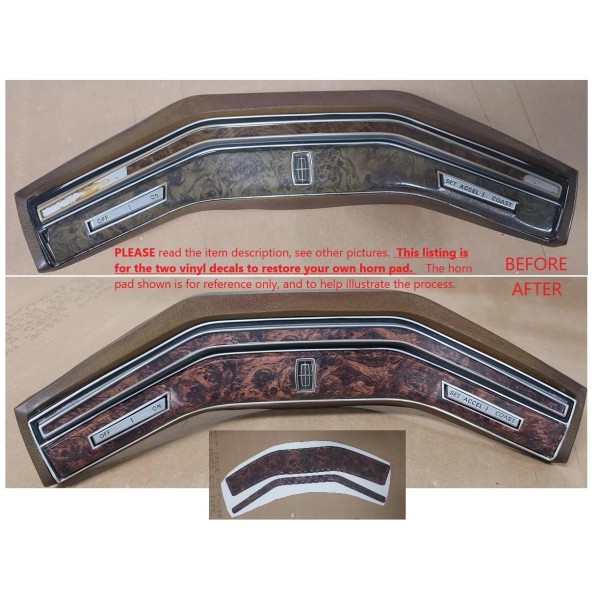
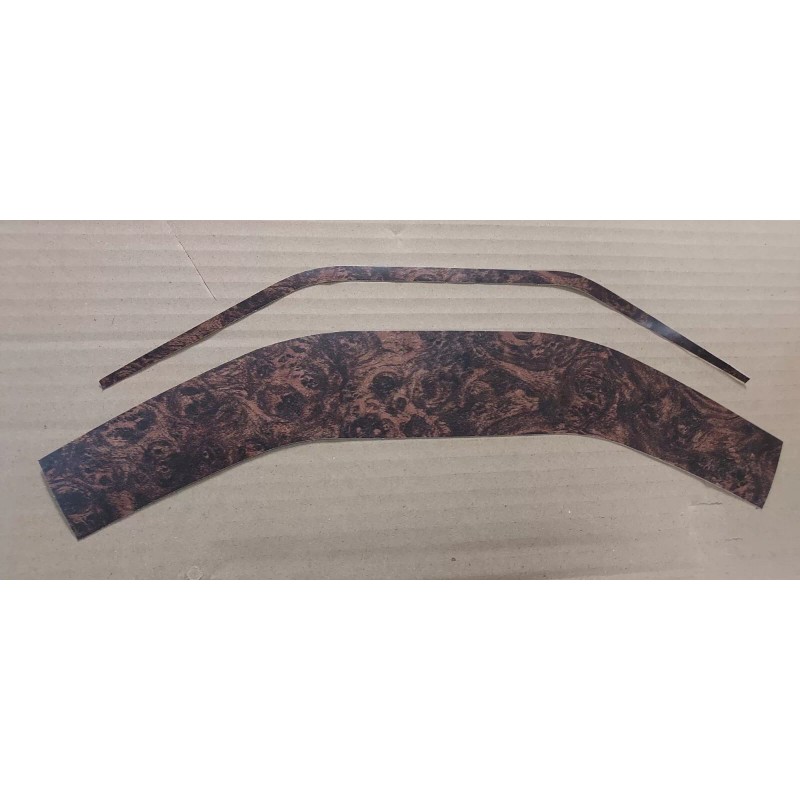
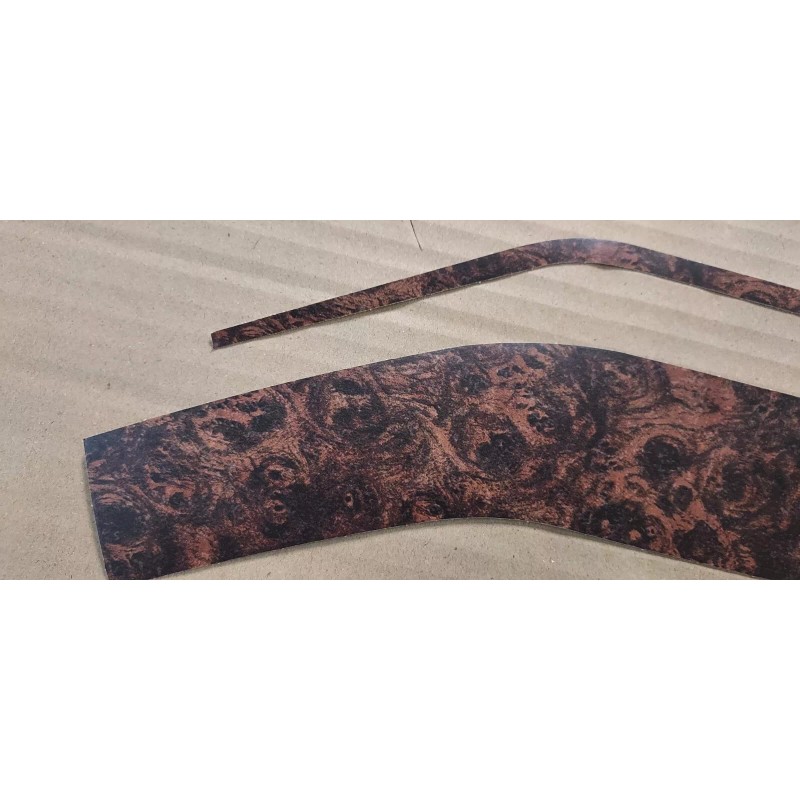
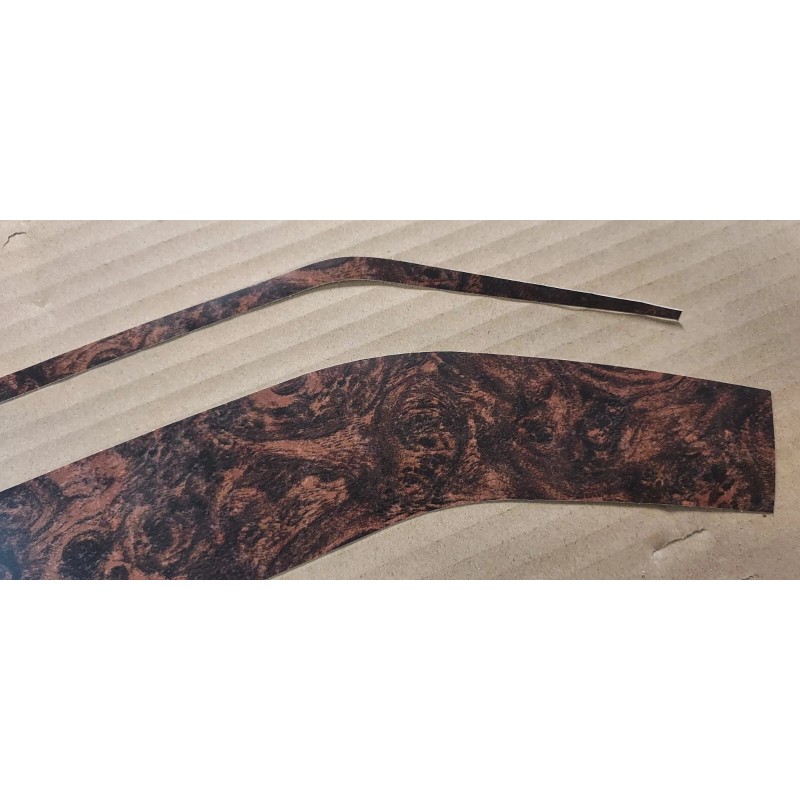
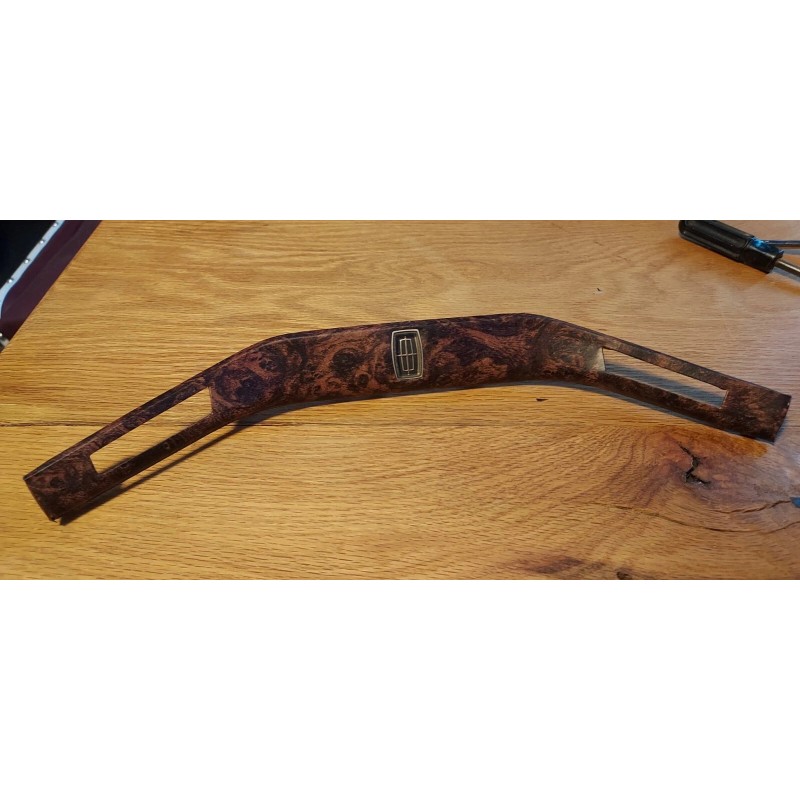
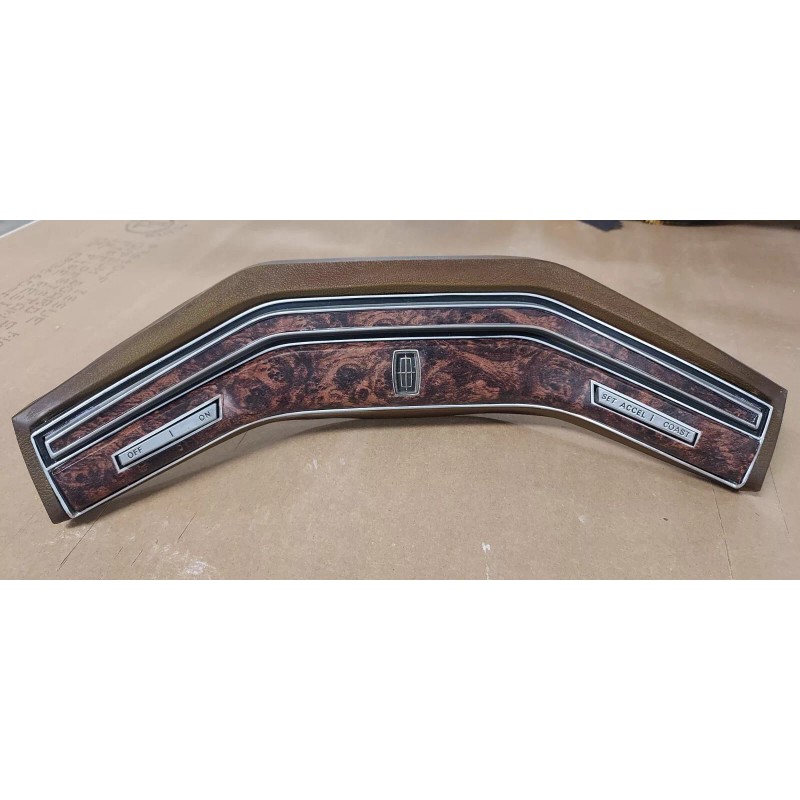
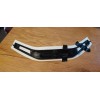
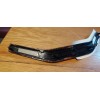
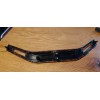
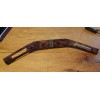
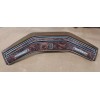
The horn pad assembly is pictured for reference and to help illustrate the restoration process - It is not included. For sale here are the two Burled Walnut vinyl wrap decals only, in order for you to restore your own horn pad. Note that the pictures show a Lincoln center emblem, the only difference between the Lincoln and Mercury models.
I will do the restoration work for you if you prefer. Contact me for details or with any questions after reading the information below.
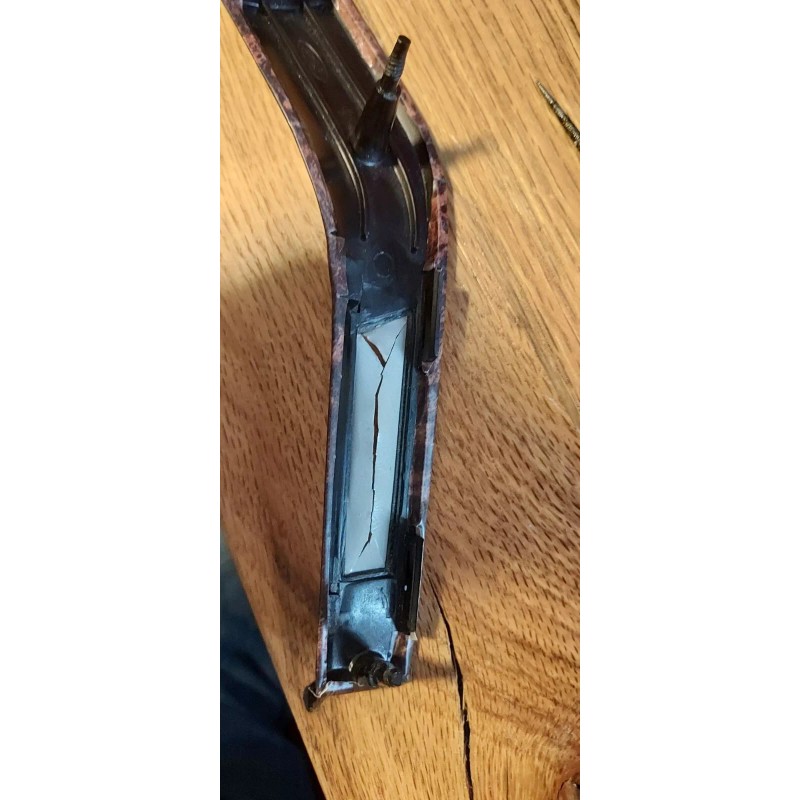
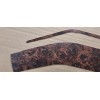
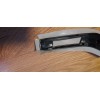
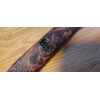
The main picture shows typical color fading and trim plate degradation after 40+ years, even with an assembly in good shape otherwise. Often the lower woodgrain sections can be cracked and crumbling as shown, and this kit will solve that problem also.
This is a two-piece high quality decal kit for restoring the appearance of the
1970's Ford Family full-size, two-spoke, deluxe steering wheel horn pad woodgrain panels; the thin horn
button above, and the larger trim plate panel below that surrounds the cruise control
buttons (also works fine for cars without cruise control). The woodgrain pattern is the genuine Ford burled pattern, NOT a generic look-alike.
These steering wheel horn pads were used on several Ford / Lincoln / Mercury
cars, and Ford trucks, from 1975 - 1986. A few different woodgrain patterns were used - this one is called Burled Walnut. There is a separate listing for the same kit but with the Majestic Walnut pattern used on the 1977-1980 Lincolns only, also a correct pattern copied from original OEM parts.
The material is a 3M vinyl that is used for exterior automotive wraps. It is
designed to be UV-fade resistant, durable, and flexible, able to follow most any
shape. It has just a bit of stretch capability without distorting that makes it
easy to fit exactly to flat or contoured surfaces. It also has just the right
amount of light reflection. I trialed several different materials and this one
is excellent for the application. Both decals are laminated with a satin clear layer for extra protection, and to get that proper sheen.
1. The horn pad is separated from the steering wheel with two screws removed from
the back side, then unplug the electrical connectors.
2. Separate the cruise button surround by removing the four 5/16" speed nuts
from the posts and gently pushing it forward and threading the wires through
the hole in the center. Gently pry back the small plastic clips holding the
cruise buttons in place and remove that complete button/harness assembly.
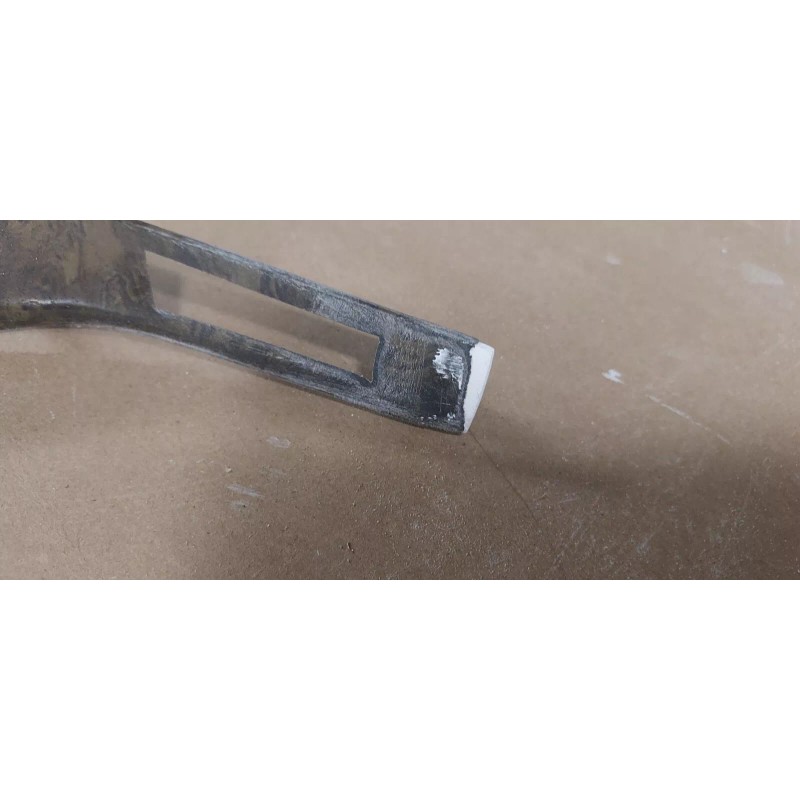
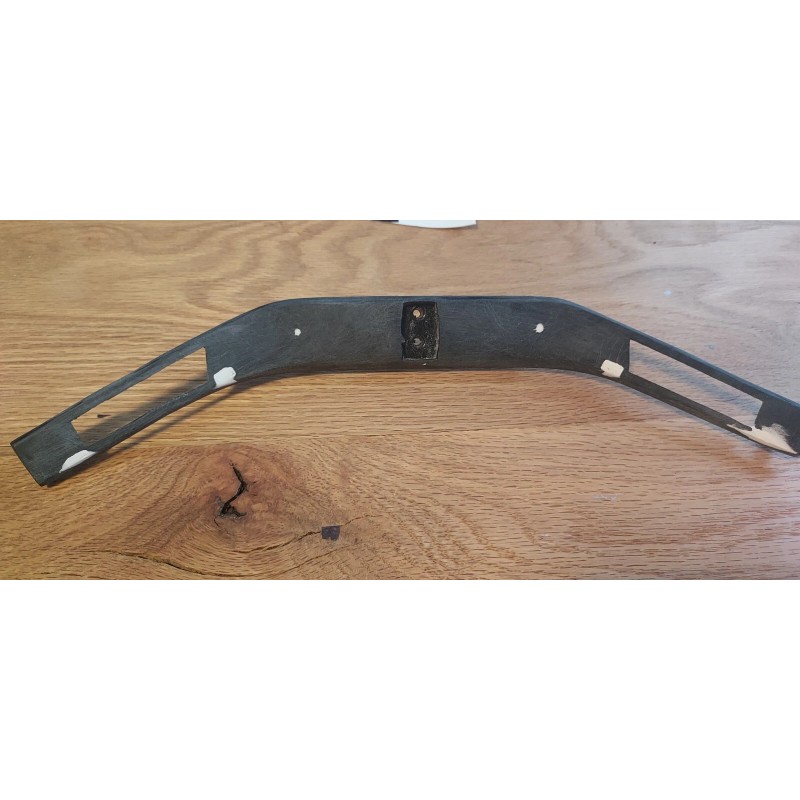
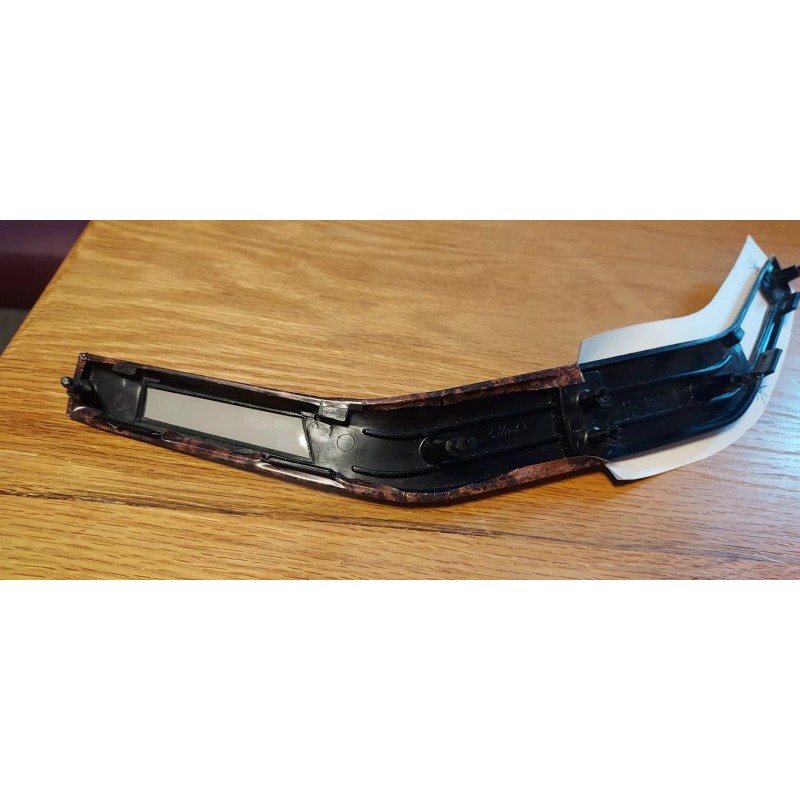
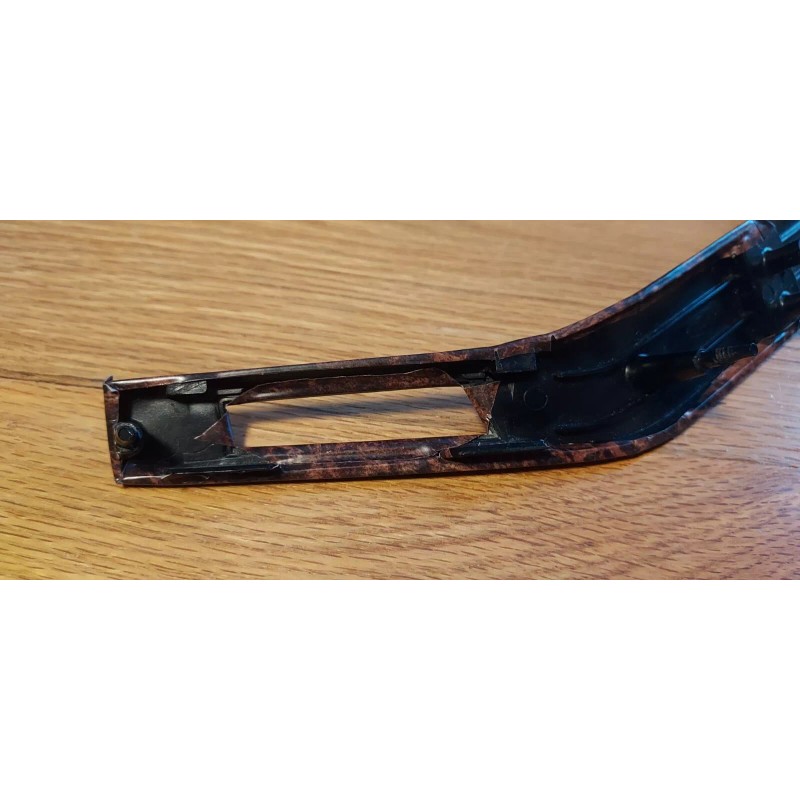
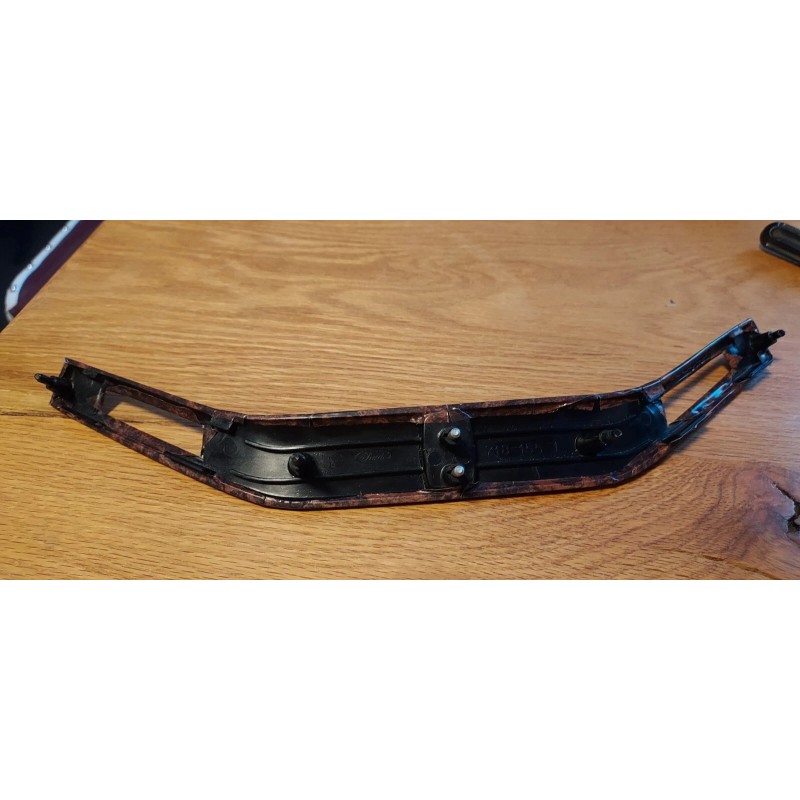
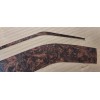
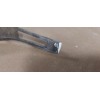
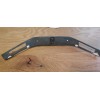
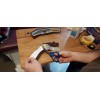
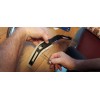
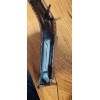
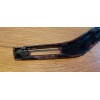
3. There are two methods for preparing the trim plate, depending on the extent of damage to the original woodgrain layer. For relatively minor damage, not extending more than about 1/4" from the ends, the damaged area can be filled with a plastic putty product, then sanded down to the original shape. With more extensive damage, the entire woodgrain layer should be removed. This exposes dips in the black base where the posts mount on the back side, and also rectangular holes along the bottom where cruise control button tabs are located. These need to be filled and then sanded down to create as smooth a surface as possible. The material is thin and will show any surface flaws. Pictures are included to help clarify both methods.
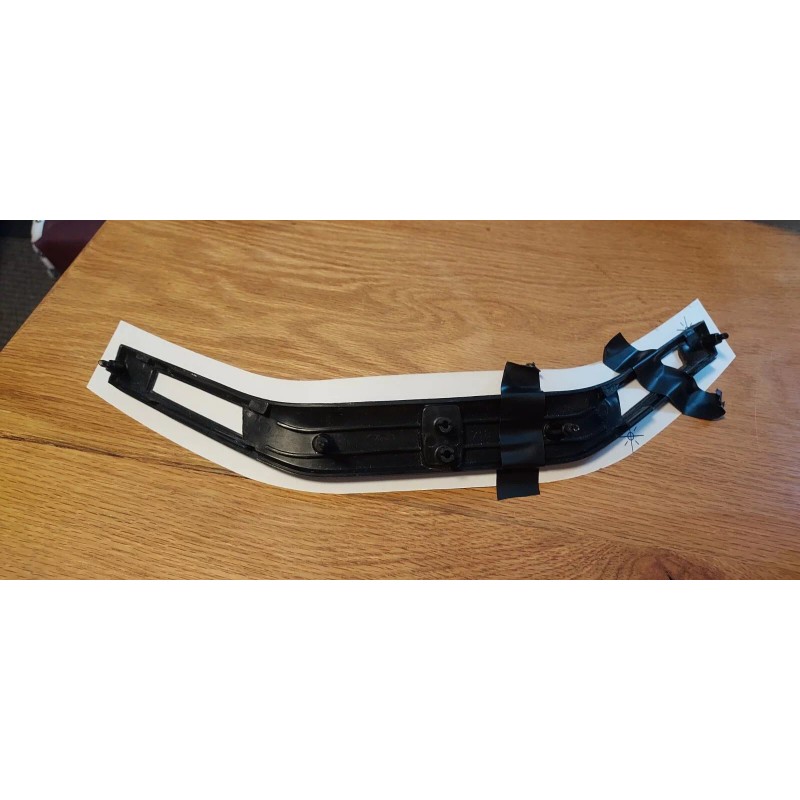
4. Clean the smoothed surfaces with alcohol before applying decals. Center the trim plate onto its decal and tape down one half to hold it securely in place. The shape of the decal will fit
perfectly centered when applied "in 3D". Trim just a bit, roughly 1/8" to 3/16", of excess material. You want just enough material remaining to wrap over the edges firmly to
the backside. Too much left is a lot better than not enough...be careful here.
5. Remove the white backing from the half you're starting with, and start pressing the
decal onto the base's front face surface, starting at the center and working
outward to the end. Get the front face surface done and smooth with no wrinkles before starting to wrap it around the edges.
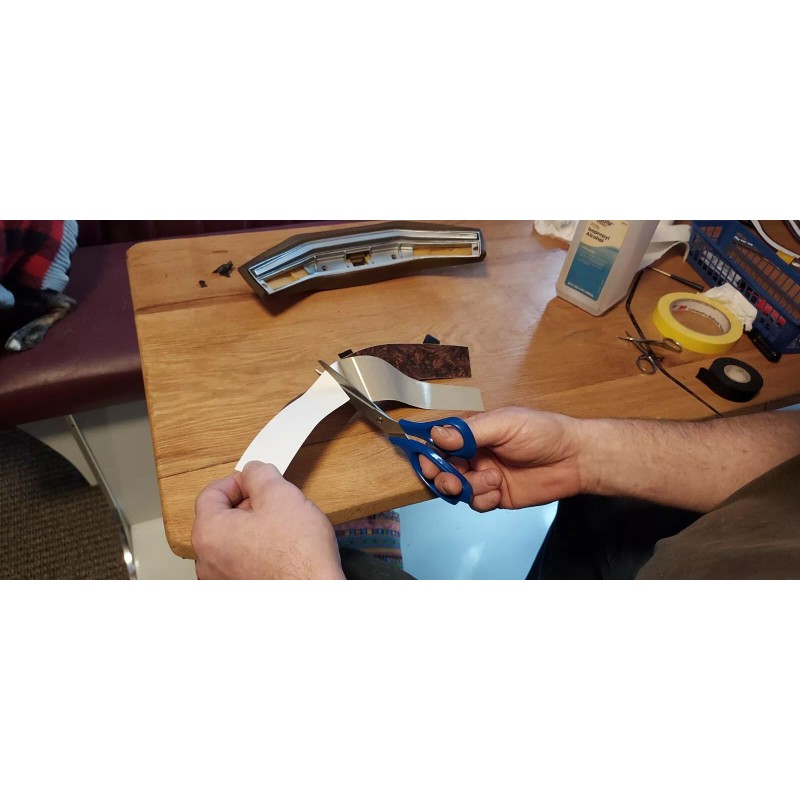
6. It helps to cut small snips into the excess border material, every inch or
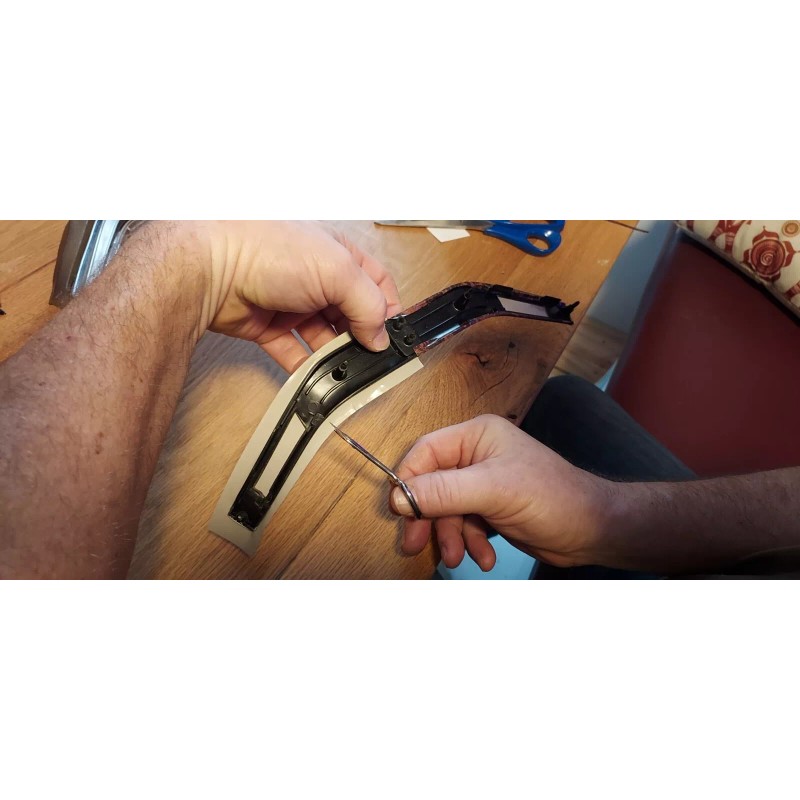
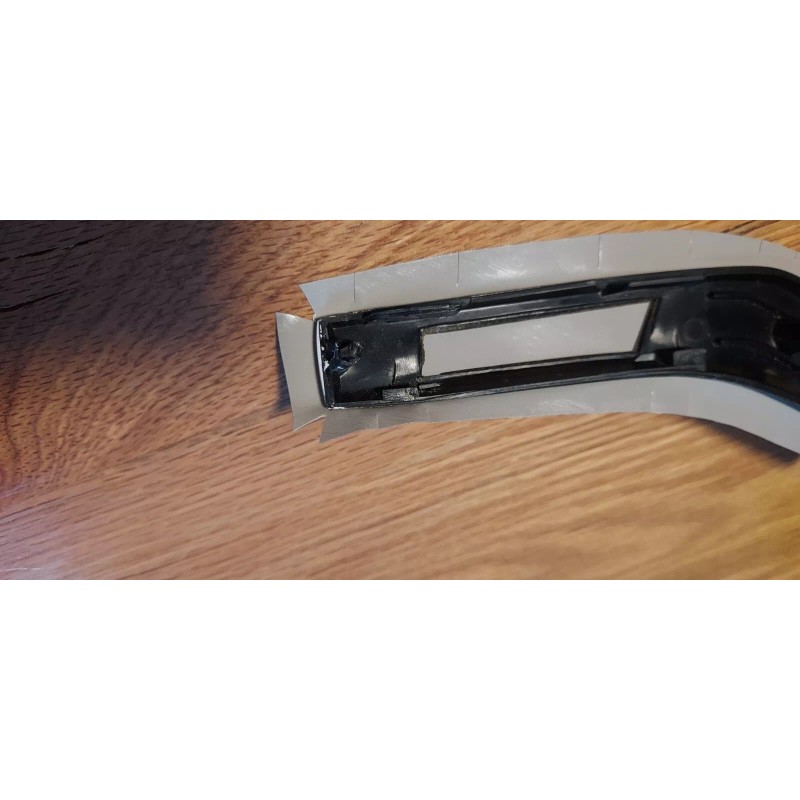
so around the perimeter, especially where it curves, to make wrapping the overlay over the edges easier. You may also make snips at the edges of the cruise control button tabs to make that area come out neatly. Continue to wrap the edges over to the back side, pulling just a bit as needed
to keep any wrinkles out. One of the pictures also shows the shaped cutouts that I usually make on the ends to make that part of the wrap easier. A pair of tiny scissors helps a lot with this. Fold in the top and bottom portions first, then the outer edge while holding it in tension. Trim as needed for nicely shaped corners.
7. Remove the other half of the white backing material, and repeat for the remaining half of the trim plate.
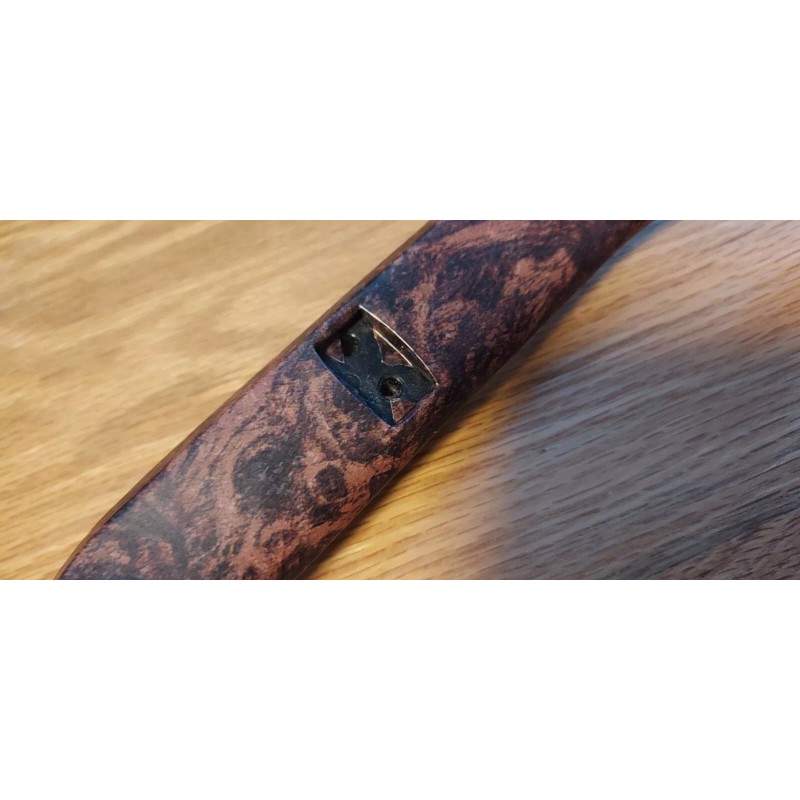
8. Use an exacto knife or similar to cut "X" shapes into the center
hole for the emblem, similarly for the two cruise control button openings, and
fold that material onto the back side also. Now you have a nice wrapped edge
all around, contoured to the exact shape, that will not lift and peel away, as with the original part.
9. Reverse steps to assemble the cruise buttons to the base, and the base to
the horn pad.
10. Lay the horn button overlay in place on top of the old one if it is completely intact, or remove the old horn button woodgrain completely if it is not. After making sure
the surface is clean and smooth, get it perfectly centered and then tape
it down in place just off center as with the trim plate. I use electrical tape - it holds strongly
enough and releases nicely. It might look like the decal is a millimeter or
two short of reaching the edge - don't worry, it isn't, hang in there.
11. Remove half of the backing and start applying, again working from center
outward while holding a bit of tension in the decal with one hand and using
your finger of the opposite hand to press and guide around the corner and
toward the end, keeping all as centered as possible between the raised perimeter. You will find that the edge reaches perfectly, and if you were
pulling a little harder, could even come out slightly long in which case simply
trim to fit. You can regulate how hard to be pulling as you get closer to the end and can anticipate where it will land.
Any questions, please ask - I am sincerely happy to help.
Thank you!
Perry Bush
- Free 30-Day Returns
- Full Refund for Damaged or Incorrect Items
- Guaranteed Delivery or Money Back
- Secure Checkout & Fast Support

The horn pad assembly is pictured for reference and to help illustrate the restoration process - It is not included. For sale here are the two Burled Walnut vinyl wrap decals only, in order for you to restore your own horn pad. Note that the pictures show a Lincoln center emblem, the only difference between the Lincoln and Mercury models.
I will do the restoration work for you if you prefer. Contact me for details or with any questions after reading the information below.
The main picture shows typical color fading and trim plate degradation after 40+ years, even with an assembly in good shape otherwise. Often the lower woodgrain sections can be cracked and crumbling as shown, and this kit will solve that problem also.
This is a two-piece high quality decal kit for restoring the appearance of the
1970's Ford Family full-size, two-spoke, deluxe steering wheel horn pad woodgrain panels; the thin horn
button above, and the larger trim plate panel below that surrounds the cruise control
buttons (also works fine for cars without cruise control). The woodgrain pattern is the genuine Ford burled pattern, NOT a generic look-alike.
These steering wheel horn pads were used on several Ford / Lincoln / Mercury
cars, and Ford trucks, from 1975 - 1986. A few different woodgrain patterns were used - this one is called Burled Walnut. There is a separate listing for the same kit but with the Majestic Walnut pattern used on the 1977-1980 Lincolns only, also a correct pattern copied from original OEM parts.
The material is a 3M vinyl that is used for exterior automotive wraps. It is
designed to be UV-fade resistant, durable, and flexible, able to follow most any
shape. It has just a bit of stretch capability without distorting that makes it
easy to fit exactly to flat or contoured surfaces. It also has just the right
amount of light reflection. I trialed several different materials and this one
is excellent for the application. Both decals are laminated with a satin clear layer for extra protection, and to get that proper sheen.
1. The horn pad is separated from the steering wheel with two screws removed from
the back side, then unplug the electrical connectors.
2. Separate the cruise button surround by removing the four 5/16" speed nuts
from the posts and gently pushing it forward and threading the wires through
the hole in the center. Gently pry back the small plastic clips holding the
cruise buttons in place and remove that complete button/harness assembly.
3. There are two methods for preparing the trim plate, depending on the extent of damage to the original woodgrain layer. For relatively minor damage, not extending more than about 1/4" from the ends, the damaged area can be filled with a plastic putty product, then sanded down to the original shape. With more extensive damage, the entire woodgrain layer should be removed. This exposes dips in the black base where the posts mount on the back side, and also rectangular holes along the bottom where cruise control button tabs are located. These need to be filled and then sanded down to create as smooth a surface as possible. The material is thin and will show any surface flaws. Pictures are included to help clarify both methods.
4. Clean the smoothed surfaces with alcohol before applying decals. Center the trim plate onto its decal and tape down one half to hold it securely in place. The shape of the decal will fit
perfectly centered when applied "in 3D". Trim just a bit, roughly 1/8" to 3/16", of excess material. You want just enough material remaining to wrap over the edges firmly to
the backside. Too much left is a lot better than not enough...be careful here.
5. Remove the white backing from the half you're starting with, and start pressing the
decal onto the base's front face surface, starting at the center and working
outward to the end. Get the front face surface done and smooth with no wrinkles before starting to wrap it around the edges.
6. It helps to cut small snips into the excess border material, every inch or
so around the perimeter, especially where it curves, to make wrapping the overlay over the edges easier. You may also make snips at the edges of the cruise control button tabs to make that area come out neatly. Continue to wrap the edges over to the back side, pulling just a bit as needed
to keep any wrinkles out. One of the pictures also shows the shaped cutouts that I usually make on the ends to make that part of the wrap easier. A pair of tiny scissors helps a lot with this. Fold in the top and bottom portions first, then the outer edge while holding it in tension. Trim as needed for nicely shaped corners.
7. Remove the other half of the white backing material, and repeat for the remaining half of the trim plate.
8. Use an exacto knife or similar to cut "X" shapes into the center
hole for the emblem, similarly for the two cruise control button openings, and
fold that material onto the back side also. Now you have a nice wrapped edge
all around, contoured to the exact shape, that will not lift and peel away, as with the original part.
9. Reverse steps to assemble the cruise buttons to the base, and the base to
the horn pad.
10. Lay the horn button overlay in place on top of the old one if it is completely intact, or remove the old horn button woodgrain completely if it is not. After making sure
the surface is clean and smooth, get it perfectly centered and then tape
it down in place just off center as with the trim plate. I use electrical tape - it holds strongly
enough and releases nicely. It might look like the decal is a millimeter or
two short of reaching the edge - don't worry, it isn't, hang in there.
11. Remove half of the backing and start applying, again working from center
outward while holding a bit of tension in the decal with one hand and using
your finger of the opposite hand to press and guide around the corner and
toward the end, keeping all as centered as possible between the raised perimeter. You will find that the edge reaches perfectly, and if you were
pulling a little harder, could even come out slightly long in which case simply
trim to fit. You can regulate how hard to be pulling as you get closer to the end and can anticipate where it will land.
Any questions, please ask - I am sincerely happy to help.
Thank you!
Perry Bush
The horn pad assembly is pictured for reference and to help illustrate the restoration process - It is not included. For sale here are the two Burled Walnut vinyl wrap decals only, in order for you to restore your own horn pad. Note that the pictures show a Lincoln center emblem, the only difference between the Lincoln and Mercury models.
I will do the restoration work for you if you prefer. Contact me for details or with any questions after reading the information below.
The main picture shows typical color fading and trim plate degradation after 40+ years, even with an assembly in good shape otherwise. Often the lower woodgrain sections can be cracked and crumbling as shown, and this kit will solve that problem also.
This is a two-piece high quality decal kit for restoring the appearance of the
1970's Ford Family full-size, two-spoke, deluxe steering wheel horn pad woodgrain panels; the thin horn
button above, and the larger trim plate panel below that surrounds the cruise control
buttons (also works fine for cars without cruise control). The woodgrain pattern is the genuine Ford burled pattern, NOT a generic look-alike.
These steering wheel horn pads were used on several Ford / Lincoln / Mercury
cars, and Ford trucks, from 1975 - 1986. A few different woodgrain patterns were used - this one is called Burled Walnut. There is a separate listing for the same kit but with the Majestic Walnut pattern used on the 1977-1980 Lincolns only, also a correct pattern copied from original OEM parts.
The material is a 3M vinyl that is used for exterior automotive wraps. It is
designed to be UV-fade resistant, durable, and flexible, able to follow most any
shape. It has just a bit of stretch capability without distorting that makes it
easy to fit exactly to flat or contoured surfaces. It also has just the right
amount of light reflection. I trialed several different materials and this one
is excellent for the application. Both decals are laminated with a satin clear layer for extra protection, and to get that proper sheen.
1. The horn pad is separated from the steering wheel with two screws removed from
the back side, then unplug the electrical connectors.
2. Separate the cruise button surround by removing the four 5/16" speed nuts
from the posts and gently pushing it forward and threading the wires through
the hole in the center. Gently pry back the small plastic clips holding the
cruise buttons in place and remove that complete button/harness assembly.
3. There are two methods for preparing the trim plate, depending on the extent of damage to the original woodgrain layer. For relatively minor damage, not extending more than about 1/4" from the ends, the damaged area can be filled with a plastic putty product, then sanded down to the original shape. With more extensive damage, the entire woodgrain layer should be removed. This exposes dips in the black base where the posts mount on the back side, and also rectangular holes along the bottom where cruise control button tabs are located. These need to be filled and then sanded down to create as smooth a surface as possible. The material is thin and will show any surface flaws. Pictures are included to help clarify both methods.
4. Clean the smoothed surfaces with alcohol before applying decals. Center the trim plate onto its decal and tape down one half to hold it securely in place. The shape of the decal will fit
perfectly centered when applied "in 3D". Trim just a bit, roughly 1/8" to 3/16", of excess material. You want just enough material remaining to wrap over the edges firmly to
the backside. Too much left is a lot better than not enough...be careful here.
5. Remove the white backing from the half you're starting with, and start pressing the
decal onto the base's front face surface, starting at the center and working
outward to the end. Get the front face surface done and smooth with no wrinkles before starting to wrap it around the edges.
6. It helps to cut small snips into the excess border material, every inch or
so around the perimeter, especially where it curves, to make wrapping the overlay over the edges easier. You may also make snips at the edges of the cruise control button tabs to make that area come out neatly. Continue to wrap the edges over to the back side, pulling just a bit as needed
to keep any wrinkles out. One of the pictures also shows the shaped cutouts that I usually make on the ends to make that part of the wrap easier. A pair of tiny scissors helps a lot with this. Fold in the top and bottom portions first, then the outer edge while holding it in tension. Trim as needed for nicely shaped corners.
7. Remove the other half of the white backing material, and repeat for the remaining half of the trim plate.
8. Use an exacto knife or similar to cut "X" shapes into the center
hole for the emblem, similarly for the two cruise control button openings, and
fold that material onto the back side also. Now you have a nice wrapped edge
all around, contoured to the exact shape, that will not lift and peel away, as with the original part.
9. Reverse steps to assemble the cruise buttons to the base, and the base to
the horn pad.
10. Lay the horn button overlay in place on top of the old one if it is completely intact, or remove the old horn button woodgrain completely if it is not. After making sure
the surface is clean and smooth, get it perfectly centered and then tape
it down in place just off center as with the trim plate. I use electrical tape - it holds strongly
enough and releases nicely. It might look like the decal is a millimeter or
two short of reaching the edge - don't worry, it isn't, hang in there.
11. Remove half of the backing and start applying, again working from center
outward while holding a bit of tension in the decal with one hand and using
your finger of the opposite hand to press and guide around the corner and
toward the end, keeping all as centered as possible between the raised perimeter. You will find that the edge reaches perfectly, and if you were
pulling a little harder, could even come out slightly long in which case simply
trim to fit. You can regulate how hard to be pulling as you get closer to the end and can anticipate where it will land.
Any questions, please ask - I am sincerely happy to help.
Thank you!
Perry Bush
- Brand: Ford
- Vintage Part: Yes
Processing Time
- We process and ship orders Monday through Friday, excluding holidays.
- Most orders are processed within 1–3 business days, depending on product availability.
- Processing time does not include delivery time, which varies based on your location and the product’s shipping origin.
Shipping Coverage
We currently ship to addresses within the United States only.
Products may ship from:
- Our U.S. warehouses, or
- Our international fulfillment centers (including Korea, Japan, China, Australia, Mexico, Canada, the United Kingdom, and the EU).
Each product page clearly displays the “Ships From” location before checkout.
Shipping Methods & Estimated Delivery
| Shipping Method | Estimated Delivery | Cost |
|---|---|---|
| Free Shipping (US) | 5–10 business days | Free, available on eligible items |
| Standard Shipping (US to US by Item) | 5–10 business days | $5.95 for the first item, $3.00 each additional |
| Standard Shipping (From US Warehouse by Weight) | 3–7 business days | Starts at $5.95, increasing by $2 for every additional 4 oz (0.25 lb) up to 1 lb, then by $4 for each additional pound beyond 1 lb. |
| Extended Delivery (Ships from Overseas Warehouse) | 10–20 business days | $14.99 for the first item, $2.00 each additional |
Shipping costs vary by product weight, quantity and origin. Exact rates and delivery estimates are displayed on each product page and confirmed during checkout.
Free Shipping
We offer free standard shipping on select products or during promotional periods. Availability of free shipping will be displayed on the product page and at checkout.
Carriers
We primarily use USPS and UPS for U.S. deliveries. Items shipped from international warehouses may be handled by partner carriers depending on the country of origin.
Import Duties & Taxes
All import duties and taxes for goods imported into the United States are included in the product price. There are no hidden fees or additional charges at checkout.
Tracking & Notifications
Every order is fully trackable. You will receive a tracking number via email once your order ships. If your order ships in multiple packages, each package will have its own tracking number. If you don’t receive a shipping confirmation immediately, your order is still being processed and will arrive within the estimated timeframe shown at checkout.
You can track your shipment anytime using the Track Your Order page on our website.
Order Changes & Cancellations
If you need to modify or cancel an order, please contact our customer support team as soon as possible. Orders can only be canceled before they ship. Once shipped, cancellations are not possible, but you may request a return after the item is delivered.
Contact: support@ibspot.com
Item Not Received
If your tracking number shows “Delivered” but you haven’t received your package:
- Check with your local USPS or UPS office.
- Confirm that the shipping address provided was correct.
- If the issue remains unresolved, contact support@ibspot.com for assistance.
Damaged or Lost Parcels
If your package arrives damaged or fails to arrive, please contact us immediately. For deliveries to P.O. boxes, ibspot is not responsible for damage caused by weather, temperature, or theft.
Customer Support
For any questions about shipping, tracking, or delivery, our customer support team is here to help.
Email: support@ibspot.com
We’re always happy to help.
Please read our policy carefully before making a purchase.
We aim to ensure every customer has a smooth and transparent experience with ibspot.com.
Order Cancellation Policy
Customers may request to cancel an order before it has been shipped.
Once the package has been shipped, cancellations are no longer possible; however, you may still request a return after receiving your order.
How to Request a Cancellation
You can contact us through:
- Email: support@ibspot.com
- Contact Form: Submit a request through our Contact Us page
Please submit your cancellation request as soon as possible after placing the order to allow us to process it before shipment.
Return Policy
We accept returns for most items within 30 days of delivery for a full refund.
To be eligible for a return:
- The item must be unused, in the same condition as received, and in its original packaging.
- A tracking number must be provided to confirm the return shipment.
Non-Returnable Items
Certain products cannot be returned, including:
- Perishable goods (for example, food, flowers, newspapers, magazines)
- Intimate or sanitary goods
- Hazardous materials or flammable liquids/gases
- Gift cards
- Downloadable software
- Some health and personal care items
Partial Refunds (If Applicable)
Partial refunds may be granted in specific situations, such as:
- Books with obvious signs of use
- Opened CDs, DVDs, software, or vinyl records
- Items not in their original condition, damaged, or missing parts not due to our error
- Items returned more than 30 days after delivery
How to Return an Item
To initiate a return, please contact us at support@ibspot.com with your order number and details about the product you wish to return.
Our team will provide you with return instructions and a prepaid return label.
Shipping Cost for Returns
Please contact us before returning any item.
We may provide a return shipping label for your return. If the return is due to our error, such as receiving the wrong item, a damaged item, or a defective product, we will cover the return shipping cost.
If the return is due to the customer’s reason, such as ordering the wrong item, changing your mind, or no longer needing the item, the original shipping fee and the return label fee will be deducted from your refund amount.
If a return is sent back without prior contact or without using our provided label, we cannot be held responsible for any return shipping costs or delivery issues.
For items valued over $75, we recommend using a trackable shipping service or purchasing shipping insurance.
We cannot guarantee that we will receive your returned item if shipped independently.
Refund Processing
Once your return is received and inspected:
- In-store returns are refunded to the original form of payment or issued as a gift card.
- Mail-in returns using our prepaid label are refunded to the original payment method within 3–5 business days after we receive your return.
Please allow:
- 5–7 business days for the return to reach our Returns Center.
- An additional 3–10 business days for your bank to post the refund to your account.
Damages, Issues & Claims
Please inspect your order immediately upon receipt.
If you receive a defective, damaged, or incorrect item, contact us right away at support@ibspot.com.
We’ll evaluate the issue promptly and make it right.
Product Claims
Before purchasing, please review product details carefully.
If there is a problem with your order upon arrival, visit our Support Center or contact us directly to arrange return shipping or replacement.
Exchanges
We do not process direct exchanges.
The fastest way to get what you need is to return the original item and place a new order once your return is accepted.
Return Address
IBSPOT Return Center
15 Sawmill Ln
Dover Plains, NY 12522
United States
Customer Support
Our support team is available 24/7 to assist with cancellations, returns, or general inquiries.
Email: support@ibspot.com
Contact Form: Contact Us page
Oops!
Sorry, it looks like some products are not available in selected quantity.