


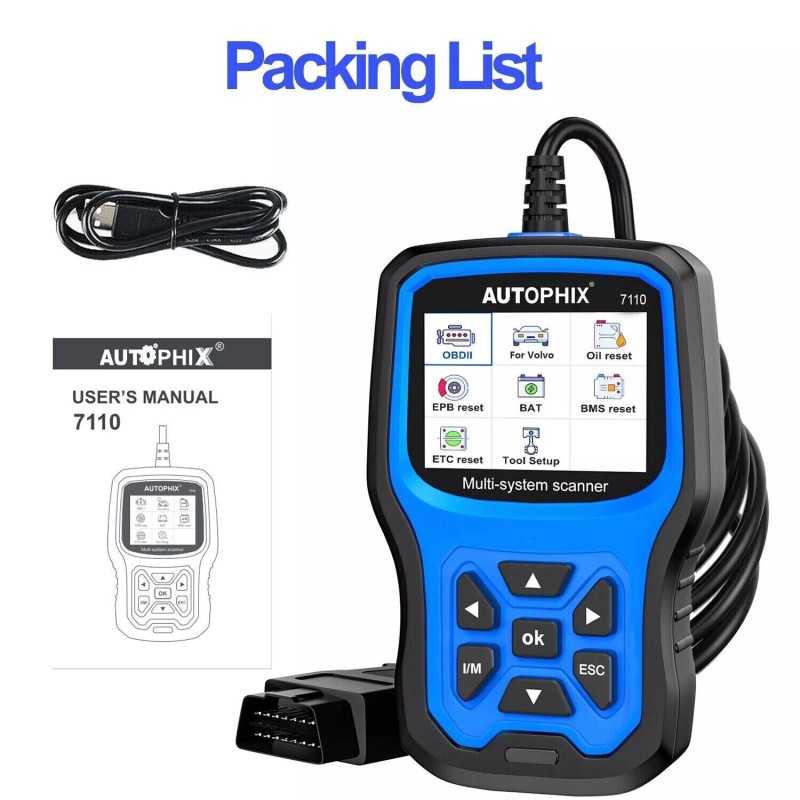
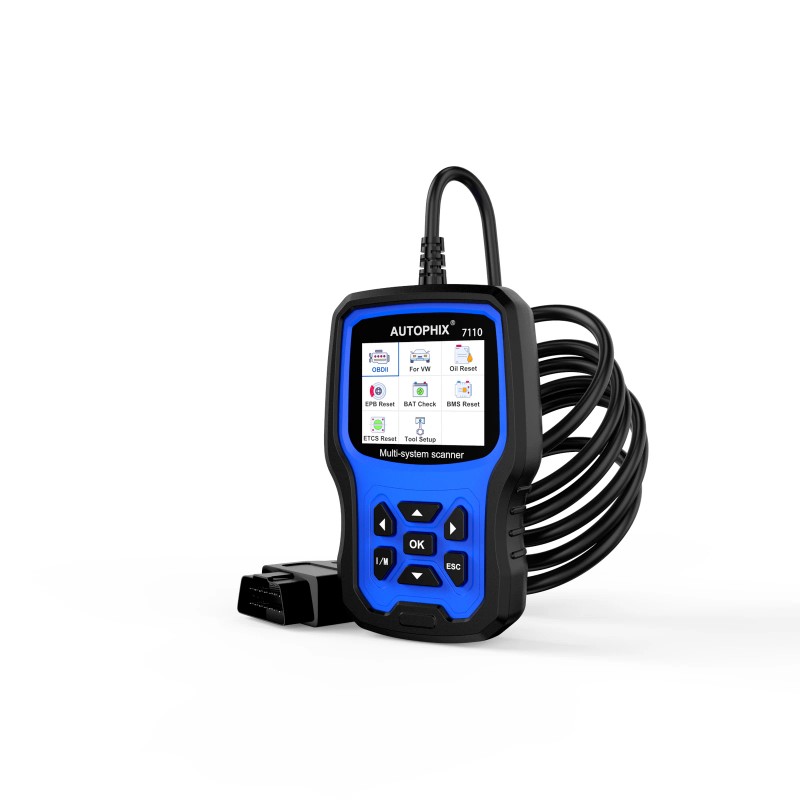
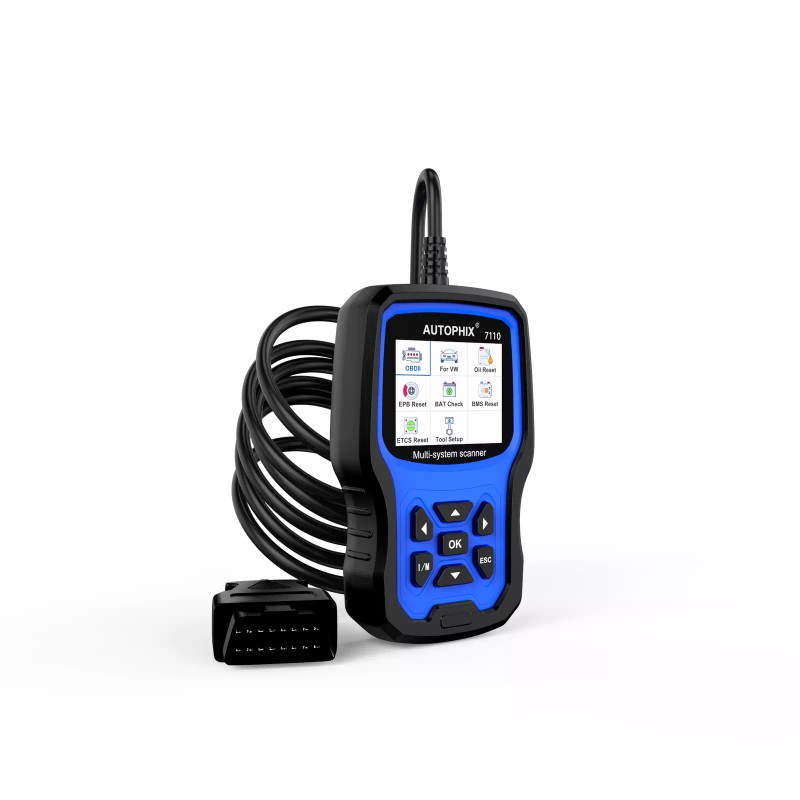


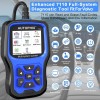

AUTOPHIX VOLVO S60 V60 V90 + Full-Service Diagnostic Code Reader Scanner Tool OBD2 7110
$334.06
- Free US shipping
-
Arrives
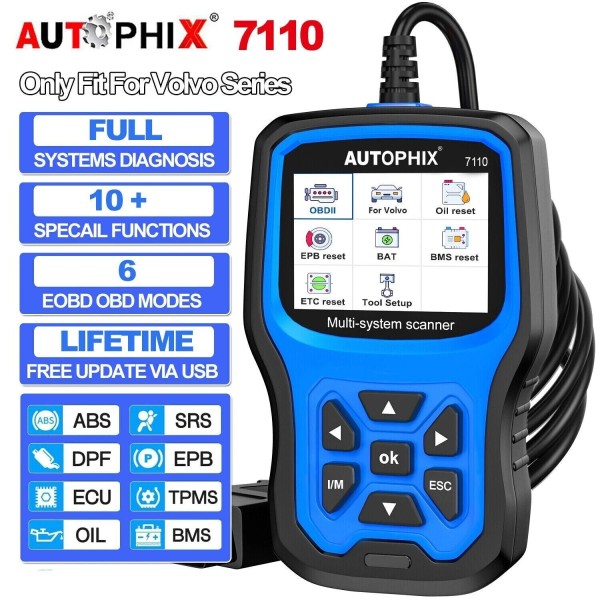
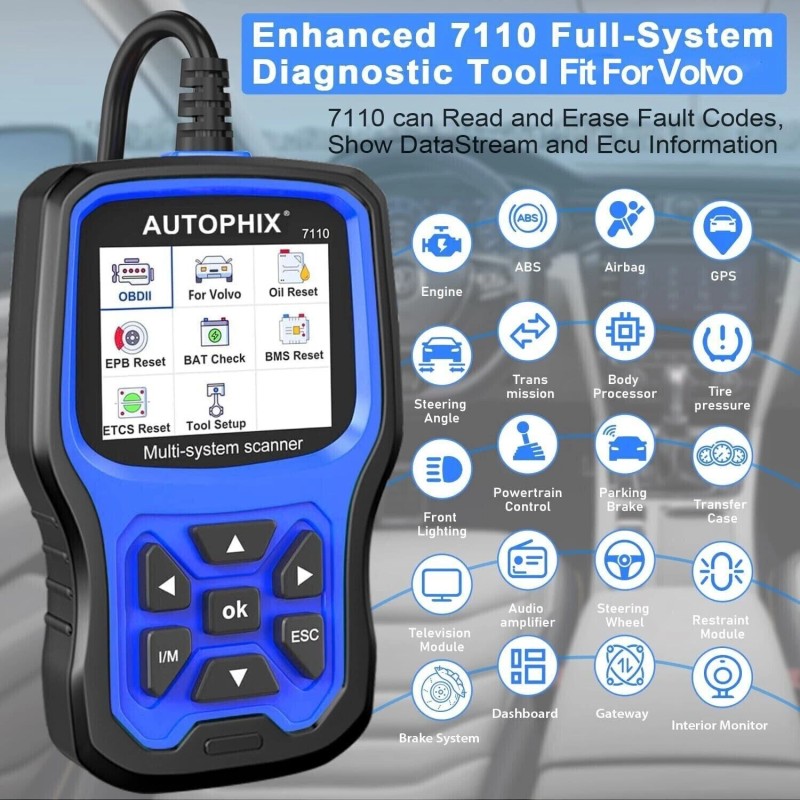
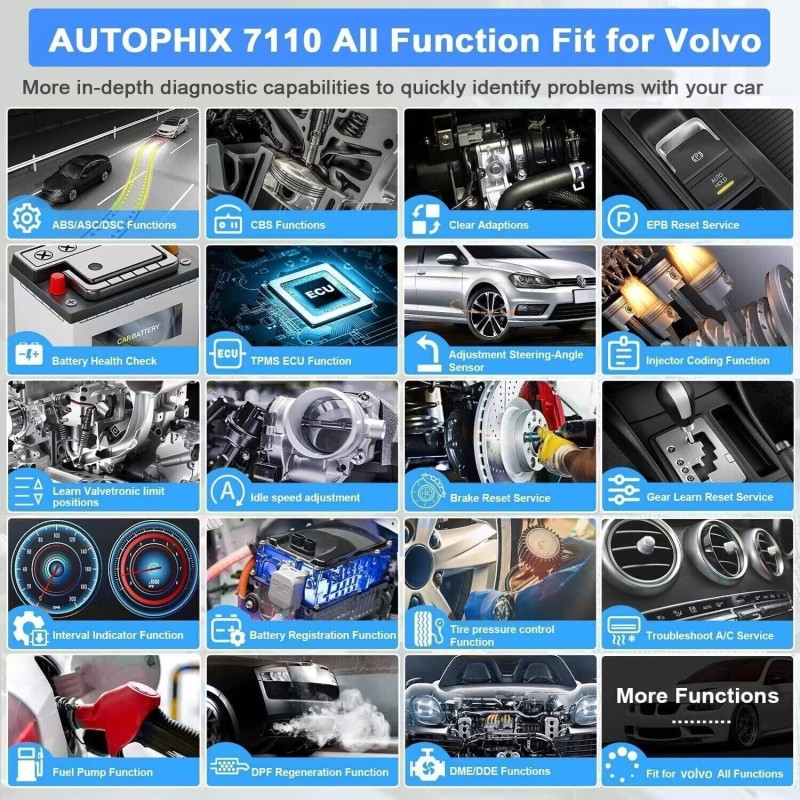
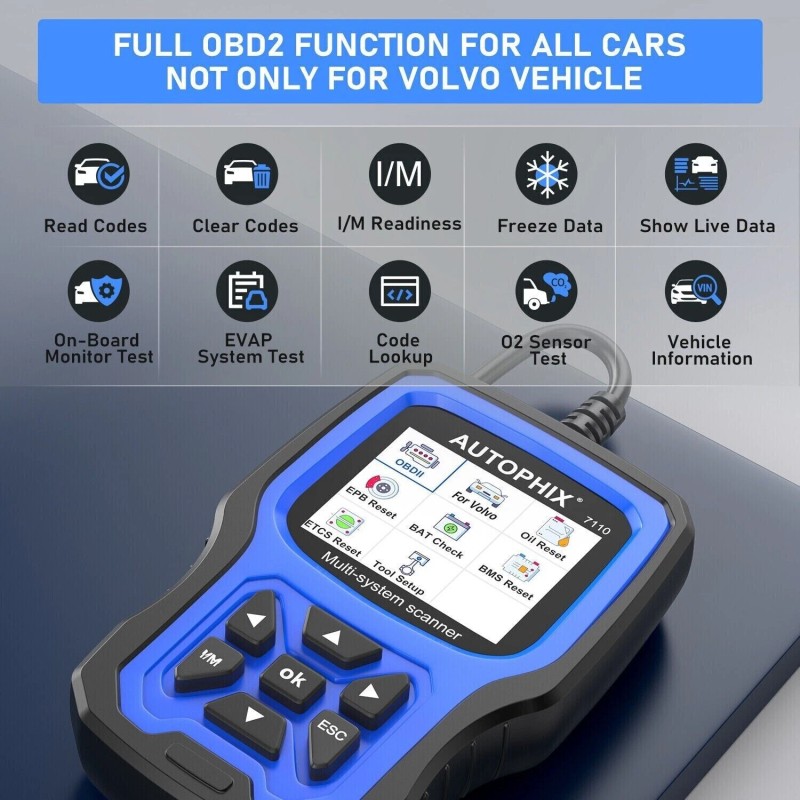
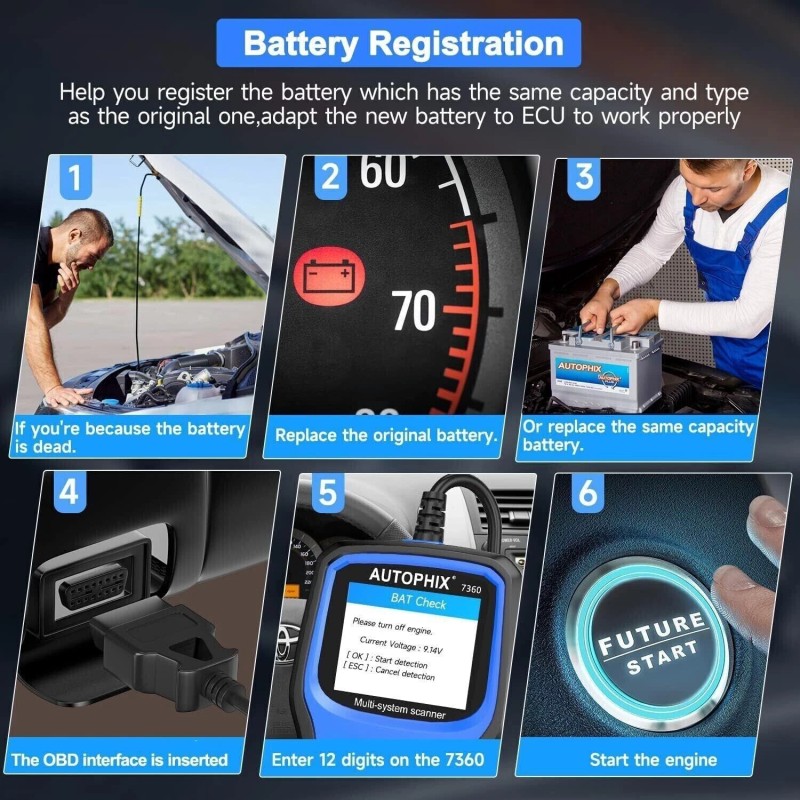
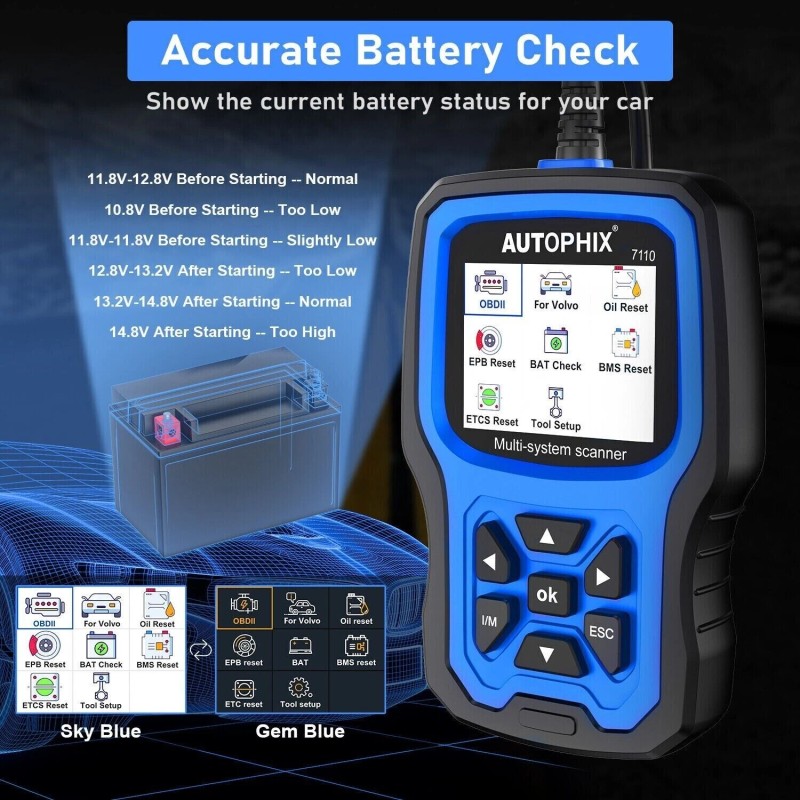
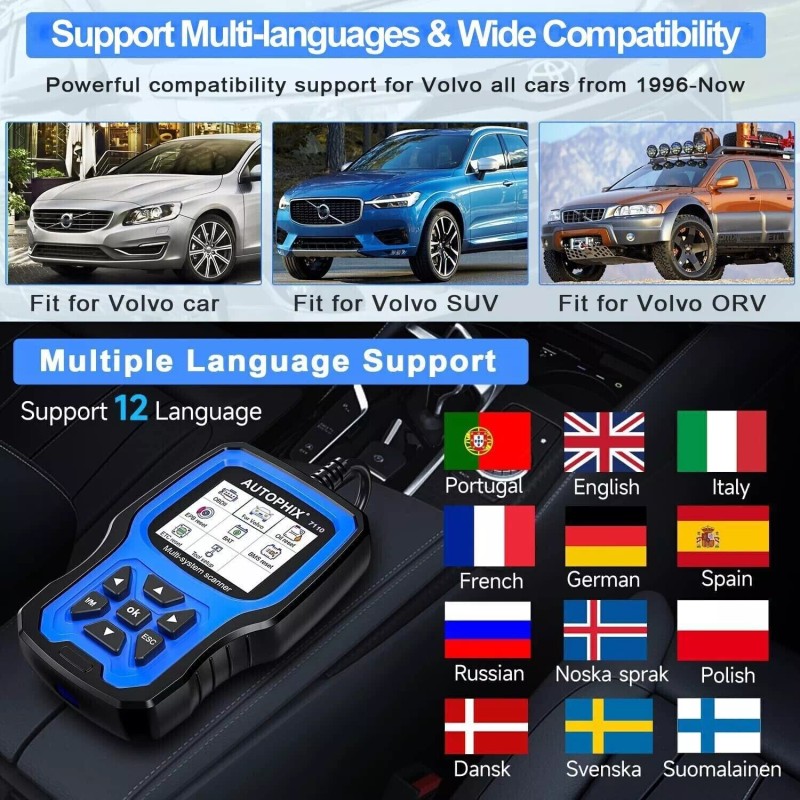
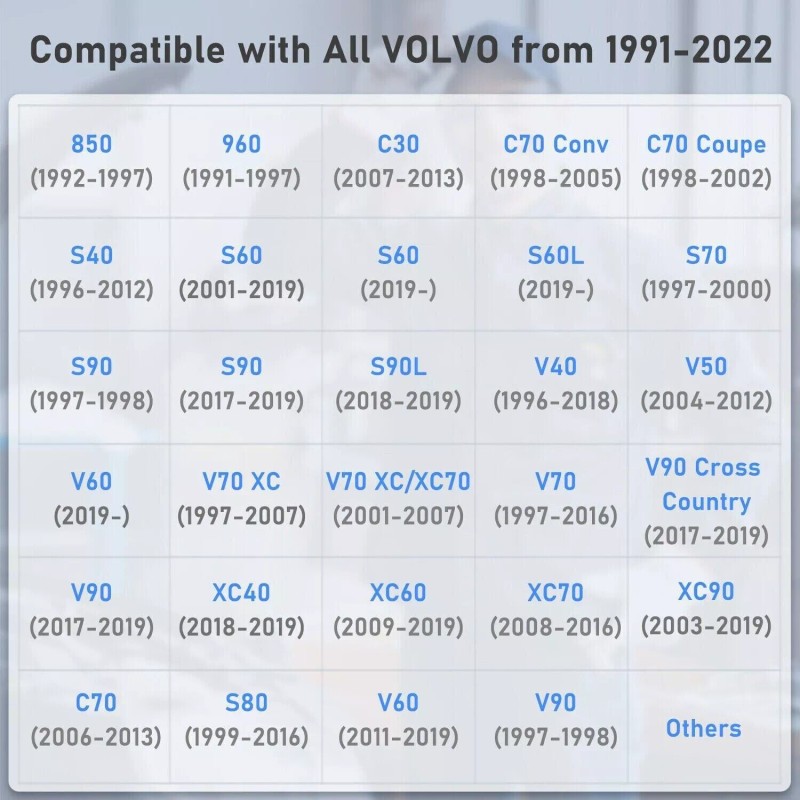
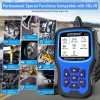
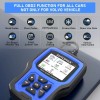
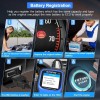
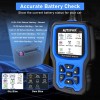
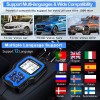
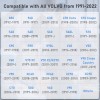
AUTOPHIX VOLVO Full System Diagnostic Scanner Main Functions:1. Full OBDII functions for all cars: Read Codes, Erase Codes, Live Data, Freeze Frame, Vehicle Info, I/M readiness, O2 Sensor Test, Component Test, On-Board Monitor, EVAP System(Mode 6), Battery Monitor 2. Basic functions for most of all Systems: Read Fault Codes, Erase Fault Codes, Read Datastream, Version Information 3. TPMS Reset: Tire pressure resetting is required to be performed after maintenance is performed; 4. ABS Bleeding: When the ABS contains air, the ABS bleeding function must be performed to bleed the brake system to restore ABS brake sensitivity; 5. Diesel Particulate Filter (DPF) Adaption and Regeneration: Clear PM (Particulate Matter) from the DPF filter through continuous combustion oxidation mode to stabilize the filter performance; 6. Battery Register / Battery Maintenance: Evaluate the battery charge state, monitor the closed-circuit current, register the battery replacement, etc.; 7. Oil Lamp Reset: Reset the oil life systems every time the oil and oil filter are changed; 8. Injector: Code new injector numbers to replace the previous one when fitting the new injectors or after the replacement is completed; 9. Airbag reset, Auto Gearbox reset, Air Suspension reset, Transmission System Functions/ESP System Functions /Immobilizer System Functions, etc. Offer All System-Checking fit for VOLVO:1. Engine System: Engine device that provides power for the automobile and the heart of the automobile. It determines the power, economy, stability of the automobile. The 7110 scan tool can read and clear your engine error codes, letting you know what's wrong with your car. 2. Auto Transmission System: AT is a set of transmissions used to coordinate the engine speed and the actual speed of the wheel, which is used to give full play to the best performance of the engine. 7110 OBD2 scanner can read/clear codes and the error information from AT. 3. Airbag System: SRS is a device that expands the airbag to protect the passenger before the second collision occurs called Supplemental Restraint System (SRS). 7110 OBD2 scanner can read/clear code, turn off warning light of airbag. 4. ABS System: ABS automatically controls the braking force of the brake when the car is braking so that the wheels are not locked and in the state of edge rolling slip (the slip rate is about 20%) to ensure the maximum adhesion between wheels and ground. 7110 OBD2 scanner can turn off the light, and locate in the error part. 5. Diesel Particulate Filter (DPF) Regeneration : Clear PM (Particulate Matter) from the DPF filter through continuous combustion oxidation mode to stabilize the filter performance. 6. Tire Pressure Monitor System Reset: Makes sense in displaying sensor IDs from the vehicle's ECU, inputting TPMS sensor replacement IDs and testing sensors. 7. Battery Register & Battery Maintenance: Re-match the control module and motoring sensor for battery detection more accurately, clear original low battery information and prevent the related control module from detecting false information. 1. How to get it to start? Simply plug into the OBD II port on your car and turn the ignition on. It does not need any battery or charger, gets the power directly from the OBDII data link connector in your vehicle. 2. Why the vehicle linking error? I: Confirm that the ignition is ON, check if the scan tool's connector is securely connected to the vehicle's DLC; II: Turn the ignition off and wait for about 10 seconds and turn the ignition back to on and continue the testing; III: Verify the control module is not defective. 3. How can I change the LANGUAGE? AUTOPHIX 7110 works with English, German, French, Spanish, Finnish, Dutch, Russian, Sverige, Suomi, Norge, Dansk, and Portuguese, you can choose from the settings menu. 4. How can I change the brightness of the screen? AUTOPHIX 7110 has Two skin styles for choosing, you can choose white skin to enhance visibility during the day, and you can choose black skin to protect your eyes during the night. These functions can be implemented on the settings menu. The 7110 Fit For VOLVO car scanner supports the following protocols and vehicles:Protocols: KWP, CAN, UDS.Supports all OBDII/EOBD protocols: VPW, PWM, ISO, KWP 2000 and CAN. Vehicles: 850 (1992-1997), 960 (1991-1997), C30 (2007-2013), C70 Conv (1998-2005), C70 Coupe(1998-2002), C70 (2006-2013), S40 (1996-2012), S60 (2001--2019), S60L (2019-), S70 (1997-2000), S80 (1999-2016), S90 (1997-1998), S90 (2017-2019), S90L (2018-2019), V40 (1996-2018), V50 (2004-2012), V60 (2011-2019), V60 (2019-), V70 XC (1997-2000), V70 XC/XC70 (1997-2007), V70 XC/XC70 (2001-2007), V70 (1997-2016), V90 Cross Country (2017-2019), V90 (1997-1998), V90 (2017-2019), XC40 (2018-2019), XC60 (2009-2019), XC70 (2008-2016), XC90 (2003-2019) ABS (Brake Auto Bleed) / SRS (Adjustment steering-angle sensor)The SRS crash data diagnose and reset. Read the SRS(Airbag) system error code accurately and erase the error code, turns off the airbag warning light. To prevent the dreadful danger caused by the airbag not working properly after a collision. The ABS diagnostic function is used to retrieve and clear error codes, display and save data streams or module information. What is more, the Auto Bleed function will help get air that is trapped in the ABS actuator module out when bleeding your brake lines to ensure that repairs to this vital system are effective and complete. SAS (Steering Angle Sensor) / EPB (Electronic Parking brake)The SAS Calibration Steering Angle Sensor Calibration permanently stores the current steering wheel position as the straight-ahead position in the steering angle sensor. The EPB function has a multitude of uses to maintain the electronic braking systems safely and effectively. The applications include deactivating/activating the brake control system, assisting with brake fluid control, brake diagnostics, opening and closing brake pads, setting brakes after disc or pad replacement and also reading and clearing EPB/SBC trouble codes. It is also capable of retrieving Fault Codes information from the ECU. BMS / DPF ServiceThe DPF function allows you to carry out numerous functions on the Diesel Particulate Filter system. The tool will retrieve/erase DPF-related codes, reset the DPF light after the filter has been replaced, micromanage the injection rate, and burn off collected particles when a maximum fill level is reached. The BMS function allows the scan tool to evaluate the battery charge state, monitor the close-circuit current, register the battery replacement, activate the rest state of the vehicle, and charge the battery via the diagnostic socket. Oil Light/Service ResetThe Engine Oil Life System calculates when to change the engine oil and filter based on vehicle use. An oil change is required whenever indicated by the display and according to the recommended maintenance schedule. Whenever the oil is changed, reset the system so it can calculate when the next oil change is required. If a situation occurs where the oil is changed prior to a service indicator being turned on, also reset the system.
|
- Free 30-Day Returns
- Full Refund for Damaged or Incorrect Items
- Guaranteed Delivery or Money Back
- Secure Checkout & Fast Support

AUTOPHIX VOLVO Full System Diagnostic Scanner Main Functions:1. Full OBDII functions for all cars: Read Codes, Erase Codes, Live Data, Freeze Frame, Vehicle Info, I/M readiness, O2 Sensor Test, Component Test, On-Board Monitor, EVAP System(Mode 6), Battery Monitor 2. Basic functions for most of all Systems: Read Fault Codes, Erase Fault Codes, Read Datastream, Version Information 3. TPMS Reset: Tire pressure resetting is required to be performed after maintenance is performed; 4. ABS Bleeding: When the ABS contains air, the ABS bleeding function must be performed to bleed the brake system to restore ABS brake sensitivity; 5. Diesel Particulate Filter (DPF) Adaption and Regeneration: Clear PM (Particulate Matter) from the DPF filter through continuous combustion oxidation mode to stabilize the filter performance; 6. Battery Register / Battery Maintenance: Evaluate the battery charge state, monitor the closed-circuit current, register the battery replacement, etc.; 7. Oil Lamp Reset: Reset the oil life systems every time the oil and oil filter are changed; 8. Injector: Code new injector numbers to replace the previous one when fitting the new injectors or after the replacement is completed; 9. Airbag reset, Auto Gearbox reset, Air Suspension reset, Transmission System Functions/ESP System Functions /Immobilizer System Functions, etc. Offer All System-Checking fit for VOLVO:1. Engine System: Engine device that provides power for the automobile and the heart of the automobile. It determines the power, economy, stability of the automobile. The 7110 scan tool can read and clear your engine error codes, letting you know what's wrong with your car. 2. Auto Transmission System: AT is a set of transmissions used to coordinate the engine speed and the actual speed of the wheel, which is used to give full play to the best performance of the engine. 7110 OBD2 scanner can read/clear codes and the error information from AT. 3. Airbag System: SRS is a device that expands the airbag to protect the passenger before the second collision occurs called Supplemental Restraint System (SRS). 7110 OBD2 scanner can read/clear code, turn off warning light of airbag. 4. ABS System: ABS automatically controls the braking force of the brake when the car is braking so that the wheels are not locked and in the state of edge rolling slip (the slip rate is about 20%) to ensure the maximum adhesion between wheels and ground. 7110 OBD2 scanner can turn off the light, and locate in the error part. 5. Diesel Particulate Filter (DPF) Regeneration : Clear PM (Particulate Matter) from the DPF filter through continuous combustion oxidation mode to stabilize the filter performance. 6. Tire Pressure Monitor System Reset: Makes sense in displaying sensor IDs from the vehicle's ECU, inputting TPMS sensor replacement IDs and testing sensors. 7. Battery Register & Battery Maintenance: Re-match the control module and motoring sensor for battery detection more accurately, clear original low battery information and prevent the related control module from detecting false information. 1. How to get it to start? Simply plug into the OBD II port on your car and turn the ignition on. It does not need any battery or charger, gets the power directly from the OBDII data link connector in your vehicle. 2. Why the vehicle linking error? I: Confirm that the ignition is ON, check if the scan tool's connector is securely connected to the vehicle's DLC; II: Turn the ignition off and wait for about 10 seconds and turn the ignition back to on and continue the testing; III: Verify the control module is not defective. 3. How can I change the LANGUAGE? AUTOPHIX 7110 works with English, German, French, Spanish, Finnish, Dutch, Russian, Sverige, Suomi, Norge, Dansk, and Portuguese, you can choose from the settings menu. 4. How can I change the brightness of the screen? AUTOPHIX 7110 has Two skin styles for choosing, you can choose white skin to enhance visibility during the day, and you can choose black skin to protect your eyes during the night. These functions can be implemented on the settings menu. The 7110 Fit For VOLVO car scanner supports the following protocols and vehicles:Protocols: KWP, CAN, UDS.Supports all OBDII/EOBD protocols: VPW, PWM, ISO, KWP 2000 and CAN. Vehicles: 850 (1992-1997), 960 (1991-1997), C30 (2007-2013), C70 Conv (1998-2005), C70 Coupe(1998-2002), C70 (2006-2013), S40 (1996-2012), S60 (2001--2019), S60L (2019-), S70 (1997-2000), S80 (1999-2016), S90 (1997-1998), S90 (2017-2019), S90L (2018-2019), V40 (1996-2018), V50 (2004-2012), V60 (2011-2019), V60 (2019-), V70 XC (1997-2000), V70 XC/XC70 (1997-2007), V70 XC/XC70 (2001-2007), V70 (1997-2016), V90 Cross Country (2017-2019), V90 (1997-1998), V90 (2017-2019), XC40 (2018-2019), XC60 (2009-2019), XC70 (2008-2016), XC90 (2003-2019) ABS (Brake Auto Bleed) / SRS (Adjustment steering-angle sensor)The SRS crash data diagnose and reset. Read the SRS(Airbag) system error code accurately and erase the error code, turns off the airbag warning light. To prevent the dreadful danger caused by the airbag not working properly after a collision. The ABS diagnostic function is used to retrieve and clear error codes, display and save data streams or module information. What is more, the Auto Bleed function will help get air that is trapped in the ABS actuator module out when bleeding your brake lines to ensure that repairs to this vital system are effective and complete. SAS (Steering Angle Sensor) / EPB (Electronic Parking brake)The SAS Calibration Steering Angle Sensor Calibration permanently stores the current steering wheel position as the straight-ahead position in the steering angle sensor. The EPB function has a multitude of uses to maintain the electronic braking systems safely and effectively. The applications include deactivating/activating the brake control system, assisting with brake fluid control, brake diagnostics, opening and closing brake pads, setting brakes after disc or pad replacement and also reading and clearing EPB/SBC trouble codes. It is also capable of retrieving Fault Codes information from the ECU. BMS / DPF ServiceThe DPF function allows you to carry out numerous functions on the Diesel Particulate Filter system. The tool will retrieve/erase DPF-related codes, reset the DPF light after the filter has been replaced, micromanage the injection rate, and burn off collected particles when a maximum fill level is reached. The BMS function allows the scan tool to evaluate the battery charge state, monitor the close-circuit current, register the battery replacement, activate the rest state of the vehicle, and charge the battery via the diagnostic socket. Oil Light/Service ResetThe Engine Oil Life System calculates when to change the engine oil and filter based on vehicle use. An oil change is required whenever indicated by the display and according to the recommended maintenance schedule. Whenever the oil is changed, reset the system so it can calculate when the next oil change is required. If a situation occurs where the oil is changed prior to a service indicator being turned on, also reset the system.
|
AUTOPHIX VOLVO Full System Diagnostic Scanner Main Functions:1. Full OBDII functions for all cars: Read Codes, Erase Codes, Live Data, Freeze Frame, Vehicle Info, I/M readiness, O2 Sensor Test, Component Test, On-Board Monitor, EVAP System(Mode 6), Battery Monitor 2. Basic functions for most of all Systems: Read Fault Codes, Erase Fault Codes, Read Datastream, Version Information 3. TPMS Reset: Tire pressure resetting is required to be performed after maintenance is performed; 4. ABS Bleeding: When the ABS contains air, the ABS bleeding function must be performed to bleed the brake system to restore ABS brake sensitivity; 5. Diesel Particulate Filter (DPF) Adaption and Regeneration: Clear PM (Particulate Matter) from the DPF filter through continuous combustion oxidation mode to stabilize the filter performance; 6. Battery Register / Battery Maintenance: Evaluate the battery charge state, monitor the closed-circuit current, register the battery replacement, etc.; 7. Oil Lamp Reset: Reset the oil life systems every time the oil and oil filter are changed; 8. Injector: Code new injector numbers to replace the previous one when fitting the new injectors or after the replacement is completed; 9. Airbag reset, Auto Gearbox reset, Air Suspension reset, Transmission System Functions/ESP System Functions /Immobilizer System Functions, etc.  Offer All System-Checking fit for VOLVO:1. Engine System: Engine device that provides power for the automobile and the heart of the automobile. It determines the power, economy, stability of the automobile. The 7110 scan tool can read and clear your engine error codes, letting you know what's wrong with your car. 2. Auto Transmission System: AT is a set of transmissions used to coordinate the engine speed and the actual speed of the wheel, which is used to give full play to the best performance of the engine. 7110 OBD2 scanner can read/clear codes and the error information from AT. 3. Airbag System: SRS is a device that expands the airbag to protect the passenger before the second collision occurs called Supplemental Restraint System (SRS). 7110 OBD2 scanner can read/clear code, turn off warning light of airbag. 4. ABS System: ABS automatically controls the braking force of the brake when the car is braking so that the wheels are not locked and in the state of edge rolling slip (the slip rate is about 20%) to ensure the maximum adhesion between wheels and ground. 7110 OBD2 scanner can turn off the light, and locate in the error part. 5. Diesel Particulate Filter (DPF) Regeneration : Clear PM (Particulate Matter) from the DPF filter through continuous combustion oxidation mode to stabilize the filter performance. 6. Tire Pressure Monitor System Reset: Makes sense in displaying sensor IDs from the vehicle's ECU, inputting TPMS sensor replacement IDs and testing sensors. 7. Battery Register & Battery Maintenance: Re-match the control module and motoring sensor for battery detection more accurately, clear original low battery information and prevent the related control module from detecting false information. 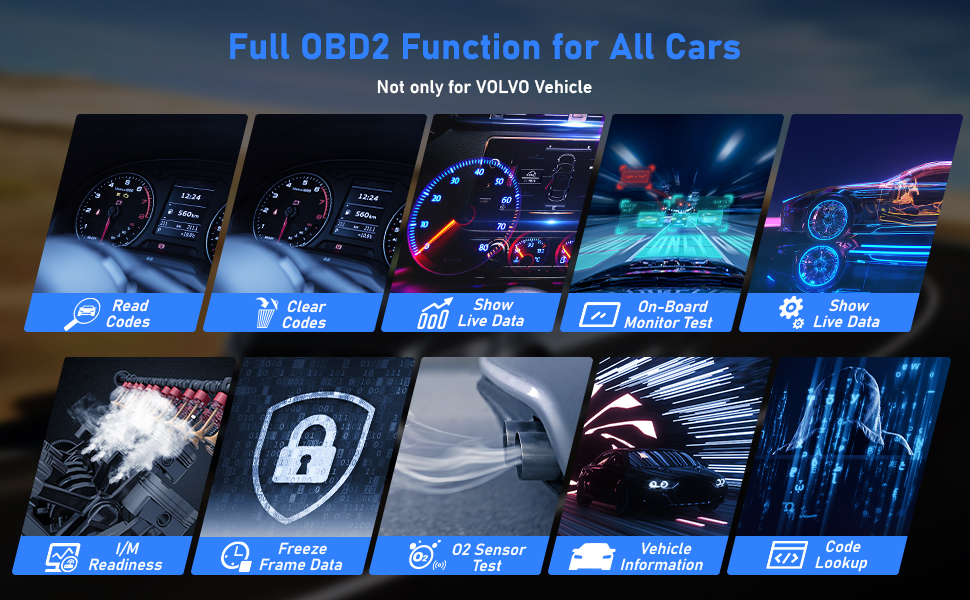 1. How to get it to start? Simply plug into the OBD II port on your car and turn the ignition on. It does not need any battery or charger, gets the power directly from the OBDII data link connector in your vehicle. 2. Why the vehicle linking error? I: Confirm that the ignition is ON, check if the scan tool's connector is securely connected to the vehicle's DLC; II: Turn the ignition off and wait for about 10 seconds and turn the ignition back to on and continue the testing; III: Verify the control module is not defective. 3. How can I change the LANGUAGE? AUTOPHIX 7110 works with English, German, French, Spanish, Finnish, Dutch, Russian, Sverige, Suomi, Norge, Dansk, and Portuguese, you can choose from the settings menu. 4. How can I change the brightness of the screen? AUTOPHIX 7110 has Two skin styles for choosing, you can choose white skin to enhance visibility during the day, and you can choose black skin to protect your eyes during the night. These functions can be implemented on the settings menu. The 7110 Fit For VOLVO car scanner supports the following protocols and vehicles:Protocols: KWP, CAN, UDS.Supports all OBDII/EOBD protocols: VPW, PWM, ISO, KWP 2000 and CAN. Vehicles: 850 (1992-1997), 960 (1991-1997), C30 (2007-2013), C70 Conv (1998-2005), C70 Coupe(1998-2002), C70 (2006-2013), S40 (1996-2012), S60 (2001--2019), S60L (2019-), S70 (1997-2000), S80 (1999-2016), S90 (1997-1998), S90 (2017-2019), S90L (2018-2019), V40 (1996-2018), V50 (2004-2012), V60 (2011-2019), V60 (2019-), V70 XC (1997-2000), V70 XC/XC70 (1997-2007), V70 XC/XC70 (2001-2007), V70 (1997-2016), V90 Cross Country (2017-2019), V90 (1997-1998), V90 (2017-2019), XC40 (2018-2019), XC60 (2009-2019), XC70 (2008-2016), XC90 (2003-2019)
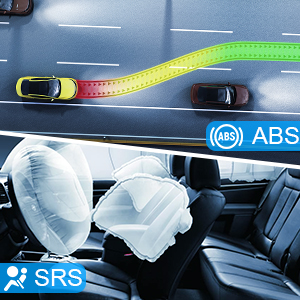
ABS (Brake Auto Bleed) / SRS (Adjustment steering-angle sensor)The SRS crash data diagnose and reset. Read the SRS(Airbag) system error code accurately and erase the error code, turns off the airbag warning light. To prevent the dreadful danger caused by the airbag not working properly after a collision. The ABS diagnostic function is used to retrieve and clear error codes, display and save data streams or module information. What is more, the Auto Bleed function will help get air that is trapped in the ABS actuator module out when bleeding your brake lines to ensure that repairs to this vital system are effective and complete.
SAS (Steering Angle Sensor) / EPB (Electronic Parking brake)The SAS Calibration Steering Angle Sensor Calibration permanently stores the current steering wheel position as the straight-ahead position in the steering angle sensor. The EPB function has a multitude of uses to maintain the electronic braking systems safely and effectively. The applications include deactivating/activating the brake control system, assisting with brake fluid control, brake diagnostics, opening and closing brake pads, setting brakes after disc or pad replacement and also reading and clearing EPB/SBC trouble codes. It is also capable of retrieving Fault Codes information from the ECU.
BMS / DPF ServiceThe DPF function allows you to carry out numerous functions on the Diesel Particulate Filter system. The tool will retrieve/erase DPF-related codes, reset the DPF light after the filter has been replaced, micromanage the injection rate, and burn off collected particles when a maximum fill level is reached. The BMS function allows the scan tool to evaluate the battery charge state, monitor the close-circuit current, register the battery replacement, activate the rest state of the vehicle, and charge the battery via the diagnostic socket.
Oil Light/Service ResetThe Engine Oil Life System calculates when to change the engine oil and filter based on vehicle use. An oil change is required whenever indicated by the display and according to the recommended maintenance schedule. Whenever the oil is changed, reset the system so it can calculate when the next oil change is required. If a situation occurs where the oil is changed prior to a service indicator being turned on, also reset the system.
|


- Warranty: 1 Year
- Package Dimensions: 10.31 x 7.05 x 1.97 inches
- Vehicle Type: Passenger Vehicle
- Manufacturer Part Number: Car Code Reader Scan Tool for Volvo
- Special Function 5: Transmission System /ESP System/Immobilizer System Functions
- Coverage Vehicles: For Volvo
- Update: Lifetime Free Update
- Special Function 2: checking injectors, battery management, flywheel reset
- Special Function 1: TPMS reset, ABS bleeding, DPF regeneration, oil light reset
- Special Function 4: Airbag reset, Auto Gearbox reset, Air Suspension reset
- Special Function 3: mass airflow sensor adaption, replace brake pads and so on
- Brand: AUTOPHIX
- Supported System: ABS, DPF, EPB, SAS, SRS, TPMS, Oil, etc..., All System Diagnostic + Special Function
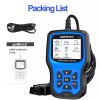
- Accessories: Adapter Cable, USB Cable
- Version: 2023 Newest
- Advantage 2: Multiple Reset Function
- Connectivity: 16 Pin OBD2 Plug
- Advantage 1: All System Diagnostic
- OBD Interface: CAN, EOBD, OBDII
- Features: Backlit Display, Check Engine Light Shut Off, Color Display, Erases Codes, Freeze Frame Displays, Internet Updateable, LCD Display, Multi-Language Interface, User Friendly
- Country/Region of Manufacture: United States
- UPC: Does not apply
Processing Time
- We process and ship orders Monday through Friday, excluding holidays.
- Most orders are processed within 1–3 business days, depending on product availability.
- Processing time does not include delivery time, which varies based on your location and the product’s shipping origin.
Shipping Coverage
We currently ship to addresses within the United States only.
Products may ship from:
- Our U.S. warehouses, or
- Our international fulfillment centers (including Korea, Japan, China, Australia, Mexico, Canada, the United Kingdom, and the EU).
Each product page clearly displays the “Ships From” location before checkout.
Shipping Methods & Estimated Delivery
| Shipping Method | Estimated Delivery | Cost |
|---|---|---|
| Free Shipping (US) | 5–10 business days | Free, available on eligible items |
| Standard Shipping (US to US by Item) | 5–10 business days | $5.95 for the first item, $3.00 each additional |
| Standard Shipping (From US Warehouse by Weight) | 3–7 business days | Starts at $5.95, increasing by $2 for every additional 4 oz (0.25 lb) up to 1 lb, then by $4 for each additional pound beyond 1 lb. |
| Extended Delivery (Ships from Overseas Warehouse) | 10–20 business days | $14.50 for the first item, $2.00 each additional |
Shipping costs vary by product weight, quantity and origin. Exact rates and delivery estimates are displayed on each product page and confirmed during checkout.
Free Shipping
We offer free standard shipping on select products or during promotional periods. Availability of free shipping will be displayed on the product page and at checkout.
Carriers
We primarily use USPS and UPS for U.S. deliveries. Items shipped from international warehouses may be handled by partner carriers depending on the country of origin.
Import Duties & Taxes
All import duties and taxes for goods imported into the United States are included in the product price. There are no hidden fees or additional charges at checkout.
Tracking & Notifications
Every order is fully trackable. You will receive a tracking number via email once your order ships. If your order ships in multiple packages, each package will have its own tracking number. If you don’t receive a shipping confirmation immediately, your order is still being processed and will arrive within the estimated timeframe shown at checkout.
You can track your shipment anytime using the Track Your Order page on our website.
Order Changes & Cancellations
If you need to modify or cancel an order, please contact our customer support team as soon as possible. Orders can only be canceled before they ship. Once shipped, cancellations are not possible, but you may request a return after the item is delivered.
Contact: support@ibspot.com
Item Not Received
If your tracking number shows “Delivered” but you haven’t received your package:
- Check with your local USPS or UPS office.
- Confirm that the shipping address provided was correct.
- If the issue remains unresolved, contact support@ibspot.com for assistance.
Damaged or Lost Parcels
If your package arrives damaged or fails to arrive, please contact us immediately. For deliveries to P.O. boxes, ibspot is not responsible for damage caused by weather, temperature, or theft.
Customer Support
For any questions about shipping, tracking, or delivery, our customer support team is here to help.
Email: support@ibspot.com
We’re always happy to help.
Please read our policy carefully before making a purchase.
We aim to ensure every customer has a smooth and transparent experience with ibspot.com.
Order Cancellation Policy
Customers may request to cancel an order before it has been shipped.
Once the package has been shipped, cancellations are no longer possible; however, you may still request a return after receiving your order.
How to Request a Cancellation
You can contact us through:
- Email: support@ibspot.com
- Contact Form: Submit a request through our Contact Us page
Please submit your cancellation request as soon as possible after placing the order to allow us to process it before shipment.
Return Policy
We accept returns for most items within 30 days of delivery for a full refund.
To be eligible for a return:
- The item must be unused, in the same condition as received, and in its original packaging.
- A tracking number must be provided to confirm the return shipment.
Non-Returnable Items
Certain products cannot be returned, including:
- Perishable goods (for example, food, flowers, newspapers, magazines)
- Intimate or sanitary goods
- Hazardous materials or flammable liquids/gases
- Gift cards
- Downloadable software
- Some health and personal care items
Partial Refunds (If Applicable)
Partial refunds may be granted in specific situations, such as:
- Books with obvious signs of use
- Opened CDs, DVDs, software, or vinyl records
- Items not in their original condition, damaged, or missing parts not due to our error
- Items returned more than 30 days after delivery
How to Return an Item
To initiate a return, please contact us at support@ibspot.com with your order number and details about the product you wish to return.
Our team will provide you with return instructions and a prepaid return label.
Shipping Cost for Returns
Please contact us before returning any item.
We will provide a free return shipping label.
If a return is sent back without prior contact or without our provided label, we cannot be held responsible for return shipping costs.
For items valued over $75, we recommend using a trackable shipping service or purchasing shipping insurance.
We cannot guarantee that we will receive your returned item if shipped independently.
Refund Processing
Once your return is received and inspected:
- In-store returns are refunded to the original form of payment or issued as a gift card.
- Mail-in returns using our prepaid label are refunded to the original payment method within 3–5 business days after we receive your return.
Please allow:
- 5–7 business days for the return to reach our Returns Center.
- An additional 3–10 business days for your bank to post the refund to your account.
Damages, Issues & Claims
Please inspect your order immediately upon receipt.
If you receive a defective, damaged, or incorrect item, contact us right away at support@ibspot.com.
We’ll evaluate the issue promptly and make it right.
Product Claims
Before purchasing, please review product details carefully.
If there is a problem with your order upon arrival, visit our Support Center or contact us directly to arrange return shipping or replacement.
Exchanges
We do not process direct exchanges.
The fastest way to get what you need is to return the original item and place a new order once your return is accepted.
Return Address
IBSPOT Return Center
15 Sawmill Ln
Dover Plains, NY 12522
United States
Customer Support
Our support team is available 24/7 to assist with cancellations, returns, or general inquiries.
Email: support@ibspot.com
Contact Form: Contact Us page
Oops!
Sorry, it looks like some products are not available in selected quantity.